Adobe Lightroom is the top photography software for most photographers, with a catalog, cloud sync and strong RAW tools for about twelve dollars a month. Affinity is the best free editor, while Capture One suits studio work with tethered shooting and precise color.
How we make this list: we compare pricing pages, product documentation and public user reviews, then re-check every price before each update. No product paid for a place. Disclosure.
Adobe Lightroom is the default for working photographers, from $11.99 a month with a catalog and cloud sync.
Affinity is now free under Canva, the best no-cost full editor for photographers.
Capture One leads for tethered studio work and colour, at $18 a month billed annually.
DxO PhotoLab has the best noise reduction, with a one-time licence from $159.99 and no subscription.
Perpetual licences from DxO and Luminar Neo cost less over three years than any subscription here.
How do you choose the best photography software?
Photography software splits two ways. Catalog editors such as Lightroom and ON1 organise and grade hundreds of photos from a shoot, while pixel editors such as Photoshop and Affinity retouch one image at a time with layers.
Start with your workflow. If you process whole shoots, a catalog editor saves hours. If you retouch portraits or composite images, a pixel editor matters more.
Check the pricing model before you commit. Lightroom and Photoshop are subscriptions, DxO, Luminar and ON1 sell one-time licences, and Affinity and GIMP are now free.
Read the trial terms. Most paid editors offer a 7 to 30 day trial, so test RAW files from your own camera before you pay.
Pick the editor that matches your camera. Capture One leads for tethered studio work, DxO leads for noise reduction, and Luminar leads for fast AI edits.
Adobe Lightroom is the default catalog editor for working photographers, and the Lightroom plan costs $11.99 a month billed annually with 1TB of cloud storage. It covers Lightroom Classic and Lightroom cloud, with AI masking, batch edits and sync across desktop, web and mobile.
The trade off is rent. Stop paying and the editing tools lock, and nothing but Lightroom can read the catalogue. It suits photographers who process whole shoots and want their edits everywhere.
What we like
Best catalog and cloud sync in this list
AI masking and batch edits save hours
Rated 4.6 out of 5 on G2 from 3,299 reviews
Watch out for
Subscription only, edits lock if you stop paying
Catalogue cannot be read by other editors
Photography plan adds Photoshop for $19.99 a monthVisit adobe.com
02
Adobe Photoshop
4.6/5on G2 (13,426 reviews, checked Nov 2026)
Starts at$22.99/mo
Best for pixel-level retouching
LayersYes, full compositing
AI toolsGenerative fill included
RAW supportYes, via Camera Raw
Free trial7 days
adobe.com
Adobe Photoshop homepage, captured Nov 2026.
Adobe Photoshop is the pixel editor every retoucher learns first, with layers, masks, compositing, generative fill and precise colour tools. The standalone plan costs $22.99 a month, while the Photography plan bundles it with Lightroom for $19.99 a month.
The trade off is price and learning curve. It is the most expensive subscription here, and beginners face a steep climb. It suits retouchers and compositors who need the deepest pixel tools in the market.
What we like
Deepest pixel editing tools available
Generative fill and AI retouching built in
Rated 4.6 out of 5 on G2 from 13,426 reviews
Watch out for
Most expensive subscription here
Steep learning curve for beginners
Cheapest via the Photography plan at $19.99 a monthVisit adobe.com
03
Affinity
4.5/5on G2 (234 reviews, checked Nov 2026)
PriceFree
Best free photography software
PriceFree with Canva account
LayersYes, non-destructive
RAW developingYes
CatalogNo
affinity.studio
Affinity homepage, captured Nov 2026.
Affinity is the unified photo, vector and layout app from Canva, and its core tools are now free with a free Canva account. It covers layers, masks, live filters, RAW developing, panorama stitching, HDR merge and focus stacking, which is the full Photoshop-style toolkit at $0.
The trade off is the AI extras. Unlocking Canva AI tools inside the workspace requires a paid Canva plan, and the core app has no catalog like Lightroom. It suits photographers who want a full pixel editor without a subscription.
Capture One Pro is the studio standard for tethered shooting, with live view, next-capture adjustments and sessions that keep a shoot moving while the client watches. Custom ICC colour profiles per camera and precise skin-tone tools give colour work a depth Lightroom cannot match.
The trade off is price. Pro costs $18 a month billed annually, or $28 billed monthly, and the perpetual licence lists at $349. It suits studio photographers who shoot tethered and get paid for colour.
DxO PhotoLab is a RAW processor built for image quality, with DeepPRIME noise reduction and optical lens corrections that squeeze the most from every file. The Elite edition costs $159.99 once, with no subscription and a 30-day free trial.
The trade off is organisation. PhotoLab has no catalog like Lightroom, so large shoots need a separate library tool. It suits photographers who shoot in bad light and want the cleanest RAW files for one payment.
Luminar Neo is the most AI-forward editor in this list, with sky replacement, relight AI, portrait bokeh, panorama stitching and HDR merge built around a modular engine from Skylum. The desktop licence lists at $129 once, though promotions rotate and the price on the page changes often.
The trade off is price churn. Subscription options and sale prices rotate, so the regular $129 figure is the one to budget for. It suits beginners and creators who want fast, guided edits without learning layers.
4/5on Trustpilot (3,228 reviews, checked Nov 2026)
Starts at$99.99 (one-time)
Best all-in-one Lightroom replacement
CatalogBrowse folders, no import
LayersYes, with effects
AI maskingYes, with NoNoise AI
Free trialYes
on1.com
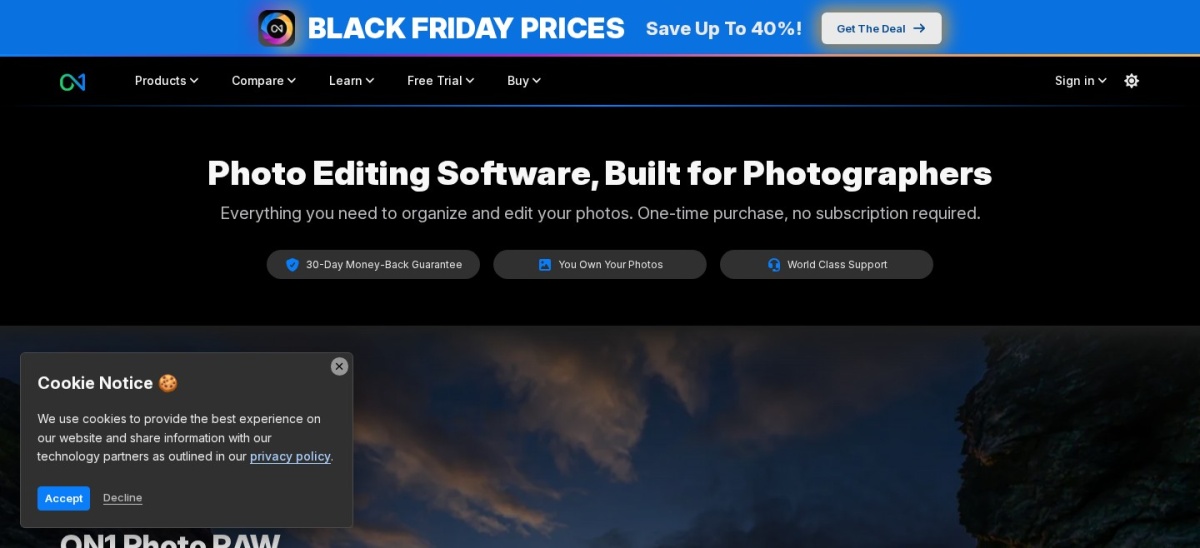
ON1 Photo RAW homepage, captured Nov 2026.
ON1 Photo RAW is the closest single-app replacement for Lightroom without a subscription. It browses folders without forcing an import, develops RAW files, and adds layers, effects, AI masking and NoNoise AI in the same app, on up to 2 computers.
The trade off is size and learning curve. It is a big app with a learning curve, and the MAX edition at $149.99 adds photo restoration and plugin support. It suits photographers who want the whole workflow in one bought-once app.
What we like
Whole workflow in one app, no import needed
Rated 4.0 out of 5 on Trustpilot from 3,228 reviews
One-time licence for 2 computers
Watch out for
Big app with a learning curve
MAX edition costs $149.99 for extras
Standard licence includes the 2026 and 2027 versionsVisit on1.com
08
GIMP
4.3/5on G2 (1,484 reviews, checked Nov 2026)
PriceFree
Best free open-source editor
PriceFree, open source
LayersYes, with masks
RAW supportVia plugin, darktable
CatalogNo
gimp.org
GIMP homepage, captured Nov 2026.
GIMP is the free, open-source image editor that has served as the Photoshop alternative for decades. It covers layers, masks, curves, retouching and a plugin architecture that extends it considerably, at $0 with no account or subscription.
The trade off is workflow. GIMP has no catalog, no cloud sync and a dated interface, and RAW files need a plugin such as darktable. It suits photographers who cannot or will not pay and want a capable pixel editor.
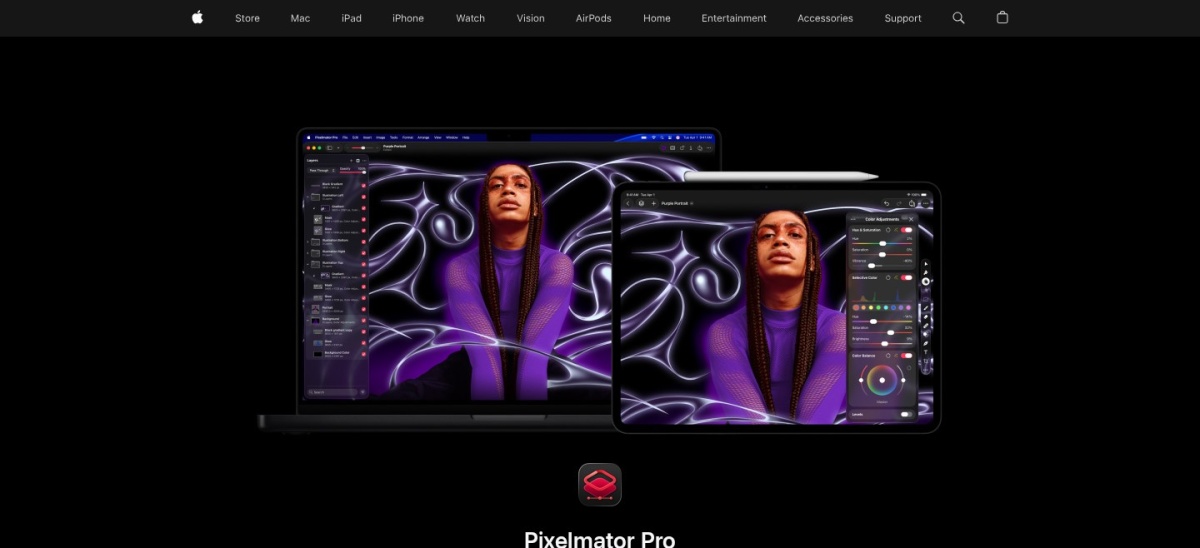
Pixelmator Pro is a Mac-only photo editor with layers, masks, ML-powered retouching and RAW developing in a fast native app. It costs $49.99 once from the Mac App Store, the cheapest one-time licence in this list.
The trade off is platform. It runs only on Mac, so Windows photographers cannot use it, and it has no catalog for large shoots. It suits Mac photographers who want a polished editor for one payment.
Subscriptions cost more over time. Lightroom at $11.99 a month runs about $432 over three years, while DxO PhotoLab at $159.99 once costs the same for three years with no monthly bill.
One-time licences cost again on upgrades. Major version upgrades usually need a new licence, so budget for a paid upgrade every two or three years.
Free editors are real options now. Affinity is free under Canva and GIMP is free and open source, so a serious editor no longer needs a paid plan.
The cheapest route is the Photography plan. Lightroom and Photoshop together cost $19.99 a month, less than Photoshop on its own at $22.99 a month.
How we chose
We started from the photo editors most often named in 2026 round-ups, then kept those with a verifiable G2, Capterra or Trustpilot rating and an active release.
Prices come from each vendor pricing page, checked on 29 November 2026, with ratings and review counts from G2, Capterra or Trustpilot on the same day. The Adobe pricing page did not render its figures in a text read, so Adobe prices are corroborated from several November sources and flagged in our notes.
We left out tools with no verifiable rating and mobile-only editors. No vendor paid for a place, and we do not claim hands-on testing for this list.
How to choose photography software
Start with your workflow, your camera and your budget, then trial the top two with your own RAW files.
Name your main job. Cataloguing whole shoots, retouching portraits and tethered studio work each point to a different editor. Start with the job you do most.
Check RAW support for your camera. Every editor here supports RAW, but check your camera model is listed before you pay, especially for new bodies.
Compare three-year costs. Subscriptions beat one-time licences in year one but cost more by year three. Work out the total before you choose.
Trial with your own files. Edit a real shoot on the free trial, then keep the editor that feels fastest on your own RAW files.
FAQ
What is the best photography software in 2026?
Adobe Lightroom is the best photography software for most photographers. It combines a catalog, cloud sync and strong RAW tools for $11.99 a month, and it holds a 4.6 out of 5 G2 rating from 3,299 reviews.
What is the best free photography software?
Affinity is the best free photography software, with layers, masks, live filters, RAW developing and panorama stitching at no cost with a free Canva account. GIMP is the free open-source alternative for retouching.
Is Lightroom or Capture One better?
Lightroom suits most photographers with its catalog, cloud sync and preset ecosystem. Capture One suits studio work better, with tethered shooting, live view and custom colour profiles per camera, but it costs more at $18 a month.
What is the best photography software without a subscription?
ON1 Photo RAW is the best one-time purchase, at $99.99 once with browsing, RAW developing, layers and effects in one app. DxO PhotoLab is the pick for image quality, and Pixelmator Pro is the cheapest Mac editor at $49.99 once.
Which photography software is best for beginners?
Luminar Neo suits beginners best, with one-click sky replacement, relight and portrait tools that give fast results. Affinity is the best free start for beginners who want to learn layers and masks.
Lightroom vs Photoshop: which should I buy?
Lightroom suits photographers who organise and grade whole shoots, while Photoshop suits retouching and compositing single images. The Photography plan bundles both for $19.99 a month, which costs less than Photoshop alone.
SaaS SEO and WordPress specialist with about 8 years of experience. Rakib compares WordPress plugins, themes, hosting and software using public pricing, documentation and user reviews. See how we rank.