ON1 Photo RAW leads for photographers who want RAW processing, layers, and library tools under a one-time $99.99 regular license. Affinity offers a free core creative app with non-destructive layers, while DxO PhotoLab fits technical RAW noise reduction and Capture One Pro fits studio color and tethering.
How we make this list: we compare pricing pages, product documentation and public user reviews, then re-check every price before each update. No product paid for a place. Disclosure.
ON1 Photo RAW lists at $99.99 one-time for Photo RAW 2027 (currently discounted to $59.99 on sale) with local catalog and layer tools.
Affinity provides a free core editing app without a subscription, while optional Canva AI features require a paid Canva plan.
Luminar Neo offers a perpetual desktop license starting at $99.00 (with promotional bundles listed on Skylum's pricing page) and optional annual upgrade renewals.
DxO PhotoLab holds a 4.4/5 rating across 14 Capterra reviews and focuses on optical corrections and noise reduction.
Capture One Pro costs $349.00 for a one-time license and carries a 4.5/5 rating across 78 G2 reviews.
What to look for in non-subscription photo editors
Buying a photo editor without a recurring fee usually means choosing between a perpetual version license and a free editor. A perpetual license lets you keep using the version you bought even if you skip future major upgrades, though major annual releases or cloud AI features may cost extra.
Check whether a tool handles file organization or only pixel and RAW edits. Some editors combine library browsing, RAW development, and layered compositing in one place, while others focus on single-image retouching or require external folder management.
Pay attention to operating system support and hardware needs. Some non-subscription editors run on both Windows and macOS, while others target a single desktop platform or rely heavily on GPU memory for local processing.
The 7 best non subscription photo editing software
01
ON1 Photo RAW
4/5on Trustpilot (3,228 reviews, checked Nov 2026)
Starts at$99.99 one-time
Best for all-in-one RAW, layers, and organizing
LicenseOne-time purchase
PlatformsmacOS and Windows
Devices2 computers on Photo RAW 2027
Rating4/5 on Trustpilot (3,228 reviews)
on1.com
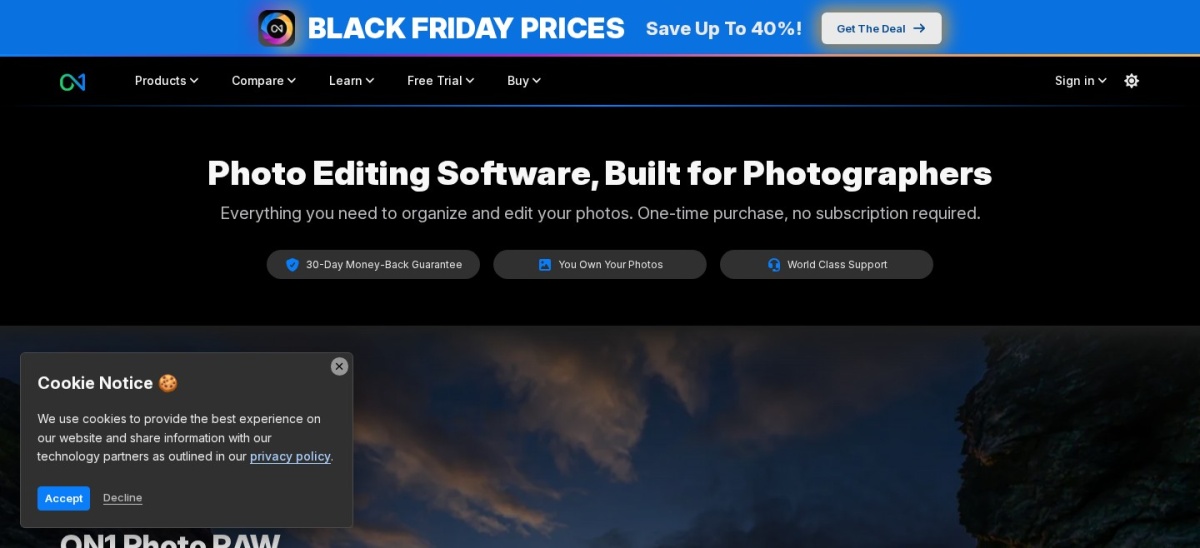
ON1 Photo RAW homepage, captured Nov 2026.
ON1 Photo RAW is a desktop photo organizer and editor that combines RAW processing, layers, masks, and effects in a single app for Mac and Windows. It holds a 4/5 rating across 3,228 Trustpilot reviews and includes free updates within its purchased release version.
The trade off is that major future version upgrades cost extra unless you buy an upgrade option or subscription, and the regular price is $99.99 one-time (currently listed at $59.99 during a sale). It suits photographers who want a single desktop program without a recurring subscription.
What we like
Combines file browsing, RAW editing, and layers in one app
Regular $99.99 one-time price with a current $59.99 sale price
Runs natively on both macOS and Windows with 2-device install allowance
Backed by a 30-day money-back guarantee on purchases
Watch out for
Major annual upgrades are not included in a one-time version license
Some users report a learning curve and performance caveats on heavy edits
Photo RAW MAX adds AI culling, photo restoration, cloud AI tools, and host plugins.Visit on1.com
02
Affinity
4.4/5on G2 (73 reviews, checked Nov 2026)
PriceFree
Best for free non-destructive pixel and layer editing
LicenseFree core editing app
WorkflowNon-destructive layers and RAW
AI Add-onsRequires paid Canva plan
Rating4.4/5 on G2 (73 reviews)
affinity.studio
Affinity homepage, captured Nov 2026.
Affinity is a creative design and photo editing suite that provides non-destructive layers, RAW development, retouching, and PSD import at no cost. It holds a 4.4/5 rating across 73 G2 reviews and pairs photo tools with vector and layout workspaces.
The trade off is that unlocking Canva AI tools inside the workspace requires a paid Canva plan, and the core app has no subscription fee at $0. It suits editors who want layer-based retouching and design tools without paying a software fee.
What we like
Free core app with non-destructive adjustments, masks, and layers
Includes vector and layout tools alongside photo editing
Supports importing PSD files while keeping layer structure
Watch out for
Canva AI tools inside the app require a separate paid Canva plan
Lacks a dedicated full photo catalog system for large shoots
The core editing app is free, while optional Canva AI features require a paid Canva plan.Visit affinity.studio
03
Luminar Neo
4.4/5on G2 (113 reviews, checked Nov 2026)
Starts at$99 one-time
Best for guided AI presets and sky or background edits
LicensePerpetual desktop license
PlatformsmacOS and Windows
UpgradesOptional renewal after year one
Rating4.4/5 on G2 (113 reviews)
skylum.com
Luminar Neo homepage, captured Nov 2026.
Luminar Neo is a photo editor focused on guided presets, sky replacements, and quick look adjustments for Windows and macOS. It carries a 4.4/5 rating across 113 G2 reviews and offers a 30-day money-back guarantee on purchases.
The trade off is that its perpetual desktop license lists at $99 one-time (with promotional bundle pricing also shown on Skylum's pricing page) and optional auto-upgrades renew after one year at $33. It suits hobbyists and creators who want fast preset and sky edits without a monthly plan.
What we like
Perpetual desktop license available without a mandatory monthly fee
Guided presets, overlays, and sky replacement speed up creative edits
Works on both macOS and Windows with a 30-day money-back guarantee
Watch out for
Optional auto-upgrade renewal adds recurring cost after the first year
Can feel heavy on lower-spec hardware and lacks deep cataloging
Higher perpetual tiers add mobile app access, extra creative assets, and higher renewal tiers.Visit skylum.com
04
DxO PhotoLab
4.4/5on Capterra (14 reviews, checked Nov 2026)
Starts at$149.99 one-time
Best for optical lens corrections and RAW noise reduction
LicenseOne-time purchase (no subscription)
FocusRAW processing and lens profiles
EditionsEssential and Elite
Rating4.4/5 on Capterra (14 reviews)
dxo.com
DxO PhotoLab homepage, captured Nov 2026.
DxO PhotoLab is a RAW photo editing program built around camera and lens optical corrections plus local adjustments. It holds a 4.4/5 rating across 14 Capterra reviews and lets you edit photos directly from existing folder structures.
The trade off is that paid major upgrades arrive annually at extra cost and the Essential edition starts at $149.99 one-time. It suits photographers who prioritize RAW image quality and lens correction over heavy pixel compositing.
What we like
Strong optical lens corrections and RAW processing without a subscription
Works directly with folder trees without forcing a complex import catalog
Can be kept running on your purchased version without paying for annual upgrades
Watch out for
Annual major version upgrades cost extra if you want every new release
Organization tools are basic and editing depth is less broad than full suites
The Elite edition adds advanced denoising tools such as DeepPRIME and expanded controls.Visit dxo.com
05
Capture One Pro
4.5/5on G2 (78 reviews, checked Nov 2026)
Starts at$349 one-time
Best for studio tethering and detailed color control
LicenseOne-time purchase or subscription
StrengthsTethering, color grading, sessions
PlatformsmacOS and Windows desktop
Rating4.5/5 on G2 (78 reviews)
captureone.com
Capture One Pro homepage, captured Nov 2026.
Capture One Pro is a RAW editing and workflow application known for tethered shooting, color grading, and session or catalog organization. It holds a 4.5/5 rating across 78 G2 reviews and supports over 550 camera models.
The trade off is a higher upfront cost of $349 one-time, and a perpetual license does not include ongoing feature or new-camera updates. It suits studio and commercial photographers who rely on tethering and granular color control.
What we like
Tethered shooting support across a wide range of cameras
Detailed color grading and RAW conversion tools for studio work
Offers both a $349 one-time purchase option and subscription plans
Watch out for
Higher one-time price tag than consumer and enthusiast editors
Perpetual licenses do not automatically include newer camera or feature updates
Subscription and higher workflow tiers add mobile apps, collaboration tools, and ongoing updates.Visit captureone.com
06
ACDSee Photo Studio
4.4/5on G2 (283 reviews, checked Nov 2026)
Starts at$119.99 one-time
Best for digital asset management and batch photo workflows
LicenseOne-time purchase or subscription
Core ToolsAsset management and RAW editing
Install1 device on one-time Professional
Rating4.4/5 on G2 (283 reviews)
acdsee.com
ACDSee Photo Studio homepage, captured Nov 2026.
ACDSee Photo Studio combines digital asset management with photo organization, batch renaming, and RAW editing tools. It holds a 4.4/5 rating across 283 G2 reviews and includes a 30-day money-back guarantee.
The trade off is that the one-time Photo Studio Professional 2027 license has a $119.99 full price (currently $99.95 on a Black Friday sale) and covers 1 device. It suits photographers who manage large photo archives and need fast sorting and batch edits.
What we like
Strong file browsing, tagging, and batch processing for large libraries
Available as a one-time purchase alongside subscription options
Includes a 30-day money-back guarantee on purchases
Watch out for
One-time Professional license is limited to a single device installation
Some users find the interface dense when hunting for specific tools
Ultimate and subscription editions add layered editing, extra AI credits, and multi-device installs.Visit acdsee.com
07
GIMP
4.4/5on Capterra (3,500 reviews, checked Nov 2026)
PriceFree
Best for open-source custom retouching at zero cost
LicenseFree and open-source
EditingLayers, masks, retouching, filters
Cost$0 with no paid editions
Rating4.4/5 on Capterra (3,500 reviews)
gimp.org
GIMP homepage, captured Nov 2026.
GIMP is a free, open-source image editor offering layers, selection tools, color adjustments, and custom filters. It holds a 4.4/5 rating across 3,500 Capterra reviews and requires no subscription or license fee.
The trade off is a dated interface and steeper learning curve compared to guided commercial photo editors, while costing $0. It suits budget-conscious editors and tinkerers comfortable configuring menus and workflows themselves.
What we like
Completely free and open-source with no subscription or paywall
Supports layers, retouching, and customizable tool layouts
Widely used with plenty of community tutorials and add-ons
Watch out for
Steeper learning curve and less polished UI for beginners
Lacks built-in photography cataloging compared to dedicated photo managers
Photo editing vendors frequently run seasonal promotions, such as ON1's $59.99 sale price on a $99.99 Photo RAW 2027 license or ACDSee's $99.95 promotional price on a $119.99 Photo Studio Professional 2027 license. Always check the regular list price so you know what a future upgrade or second seat will cost.
Perpetual licenses cover the version you buy, not necessarily every future annual release. Keeping your current version saves money long term if you do not need yearly feature additions.
How we chose
This list starts from established non-subscription photo editors that offer free tiers or one-time purchase licenses rather than mandatory monthly subscriptions. We matched each option to common photography tasks like RAW processing, layered editing, asset organization, and tethering.
All prices, edition details, and review ratings were checked on 22 Nov 2026 from vendor pricing and support pages alongside public review directories. Where promotional discounts appeared, we recorded the regular list price for price comparisons and noted current sale prices in the descriptions.
We excluded subscription-only photo editors and any option whose pricing or review figures could not be confirmed from opened pages. No vendor paid for a place, and we do not claim testing for this list.
How to choose non-subscription photo software
Follow four steps to pick a non-subscription photo editor that matches your workflow and budget:
Start with your main editing workflow. Decide whether you mostly need RAW camera processing, layered retouching, library management, or tethered studio shooting.
Check OS support and device limits. Confirm the editor runs on your computer's operating system and covers the number of machines you use.
Compare regular price against upgrade costs. Look past temporary discounts and check how major annual releases or add-ons are priced later.
Test before committing to a license. Use free versions or trial and refund windows to verify performance on your own RAW or image files.
FAQ
What is the best non-subscription photo editing software overall?
ON1 Photo RAW stands out for combining RAW processing, layered editing, and photo organization under a $99.99 regular one-time purchase. If you want a free starting point with layers, Affinity offers a free core app.
Are there good free photo editors without a subscription?
Yes, Affinity provides a free core editing app with non-destructive layers, and GIMP is free and open-source. Note that optional AI add-ons or separate tools may still carry separate fees.
Does a one-time license include future major versions?
Usually a one-time license covers the release version you buy and minor updates within that version. Major future versions often require paying an upgrade fee or buying a newer release.
Can non-subscription editors replace Adobe Lightroom and Photoshop?
Many photographers replace them for core tasks using tools like ON1 Photo RAW, DxO PhotoLab, Capture One Pro, or Affinity. Exact feature parity depends on whether you rely on cloud syncing, specific AI tools, or tethered workflows.
Why do prices sometimes look lower on vendor pages than listed here?
Vendors regularly run limited-time sales or bundle promotions on their buy pages. This guide uses standard regular prices for comparisons and notes active sale prices where confirmed.
What should I check if I shoot lots of high-ISO or RAW photos?
Look closely at RAW lens profiles, noise reduction tools, and folder or catalog speed on your hardware. DxO PhotoLab, Capture One Pro, and ON1 Photo RAW are built around RAW workflows.
SaaS SEO and WordPress specialist with about 8 years of experience. Rakib compares WordPress plugins, themes, hosting and software using public pricing, documentation and user reviews. See how we rank.