Adobe Lightroom is the best photo editing software for most photographers, with a catalog, cloud sync and strong RAW tools. Affinity is the best free option now that it costs nothing, while Photoshop remains the pick for pixel-level retouching and compositing.
How we make this list: we compare pricing pages, product documentation and public user reviews, then re-check every price before each update. No product paid for a place. Disclosure.
Lightroom is the best all-round photo editor for most photographers, at $11.99 a month with a catalog and cloud sync.
Affinity is now free, so the strongest Photoshop-style editor in this list costs nothing.
Photoshop is still the pick for pixel-level retouching, compositing and design work.
DxO PhotoLab, Luminar Neo, ON1 Photo RAW and Pixelmator Pro are one-time purchases with no subscription.
Capture One leads for tethered studio work, but its price varies across listings, so check before you buy.
What photo editing software covers
Photo editing splits into two jobs. Lightroom, Capture One, DxO PhotoLab and ON1 Photo RAW develop RAW files and organise shoots, while Photoshop, Affinity, GIMP and Pixelmator Pro retouch pixels with layers.
Subscriptions dominate the top of the list. Lightroom and Photoshop cost $11.99 and $22.99 a month, while the Photography plan bundles both with 1TB of storage for $19.99 a month.
One-time purchases are the alternative. DxO PhotoLab, Luminar Neo, ON1 Photo RAW and Pixelmator Pro sell perpetual licences, so you pay once and keep the app.
Free editors are real options now. Affinity is free under Canva and GIMP is free and open source, so a serious editor no longer needs a paid plan.
Adobe Lightroom is the default catalog editor for working photographers, and the Lightroom plan costs $11.99 a month billed annually with 1TB of cloud storage. It organises shoots, develops RAW files with AI masks and Denoise, and syncs edits across desktop, mobile and web. It supports more than 1,100 cameras.
The trade off is the subscription. There is no perpetual licence, and Lightroom has no pixel-level layers, so complex object swaps still need Photoshop. It suits photographers who shoot in volume and want a catalog, cloud sync and AI editing in one app.
What we like
Best catalog and cloud sync here
Strong AI masks and Denoise
Works on desktop, mobile and web
Watch out for
Subscription only, no perpetual licence
No pixel-level layers
Generative credits are limited
Photography plan adds Photoshop for $19.99 a monthVisit adobe.com
02
Adobe Photoshop
4.6/5on G2 (13,426 reviews, checked Nov 2026)
Starts at$22.99/mo
Best for retouching and compositing
Paid planSingle app, $22.99/mo
Free planNo, 7-day trial
Storage100GB cloud
AI toolsGenerative Fill, Neural Filters
adobe.com
Adobe Photoshop homepage, captured Nov 2026.
Adobe Photoshop is the standard for retouching, compositing and detailed pixel work, and the single-app plan costs $22.99 a month billed annually. Generative Fill adds or removes objects from a text prompt, the Remove Tool cleans distractions, and Neural Filters retouch portraits and recolour scenes. It includes 100GB of cloud storage.
The trade off is price and scope. Photoshop costs more than Lightroom and has no catalog, so most photographers pair it with Lightroom through the $19.99 Photography plan. It suits retouchers, designers and anyone who edits pixels rather than whole shoots.
What we like
Deepest AI toolset in this list
Full layers, masks and compositing
Industry standard for retouching
Watch out for
Most expensive subscription here
No photo catalog
Steep learning curve
Photography plan bundles Lightroom for $19.99 a monthVisit adobe.com
03
Affinity
4.5/5on G2 (234 reviews, checked Nov 2026)
PriceFree
Best free photo editor
Paid planFree
Free planYes, full app
AI toolsPaid Canva plan needed
PlatformsMac, Windows, iPad
affinity.serif.com
Affinity homepage, captured Nov 2026.
Affinity is the unified photo, vector and layout app from Canva, and its core tools are now free with a free Canva account. It covers layers, masks, live filters, RAW developing, panorama stitching, HDR merge and focus stacking, which is the full Photoshop-style toolkit at $0. The old $69.99 Photo 2 licence is no longer sold.
The trade off is the AI limit. Affinity's AI tools need a paid Canva plan, and there is no catalog like Lightroom, so organising large shoots takes another app. It suits photographers who want a full editor without a subscription.
Capture One Pro is the studio standard for tethered shooting, with live view, next-capture adjustments and sessions that keep a shoot moving while the client watches. It leads this list on colour grading, with precise colour tools and support for more than 550 cameras. The Pro plan costs $26.25 a month billed annually.
The trade off is price confusion. Other listings quote $18 a month or a $349 perpetual licence, so the $26.25 figure should be checked on the vendor's own pricing page before buying. It suits studio photographers who shoot tethered and grade colour for a living.
DxO PhotoLab is the image-quality leader in this list. Its DeepPRIME and DeepPRIME XD denoising recover detail from high-ISO RAW files that other editors smear, and lab-measured Optics Modules correct distortion, vignetting and sharpness for specific camera and lens combinations. The Essential edition costs $159.99 once, with no subscription.
The trade off is the review base. Capterra rates PhotoLab 4.4 out of 5 from only 14 reviews, and it has no catalog as strong as Lightroom. It suits photographers who shoot at high ISO and care about the cleanest RAW output.
Luminar Neo is the most AI-forward editor in this list, with sky replacement, Relight AI, portrait bokeh, panorama stitching and HDR merge built around a modular engine. The Desktop licence costs $129 once at the regular price, though sale prices and other listings quote $99 to $119. It suits photographers who want one-click creative edits.
The trade off is the price fog. Listings disagree between $99 and $199 for the lifetime licence, and some generative tools only work for the first year. It suits hobbyists who want fast AI edits without a monthly bill.
4.1/5on Trustpilot (3,227 reviews, checked Nov 2026)
Starts at$99.99 (one-time)
Best all-in-one Lightroom replacement
Paid planPhoto RAW, $99.99 once
Free planNo, 30-day trial
ComputersUp to 2
Subscription$7.99/mo option
on1.com
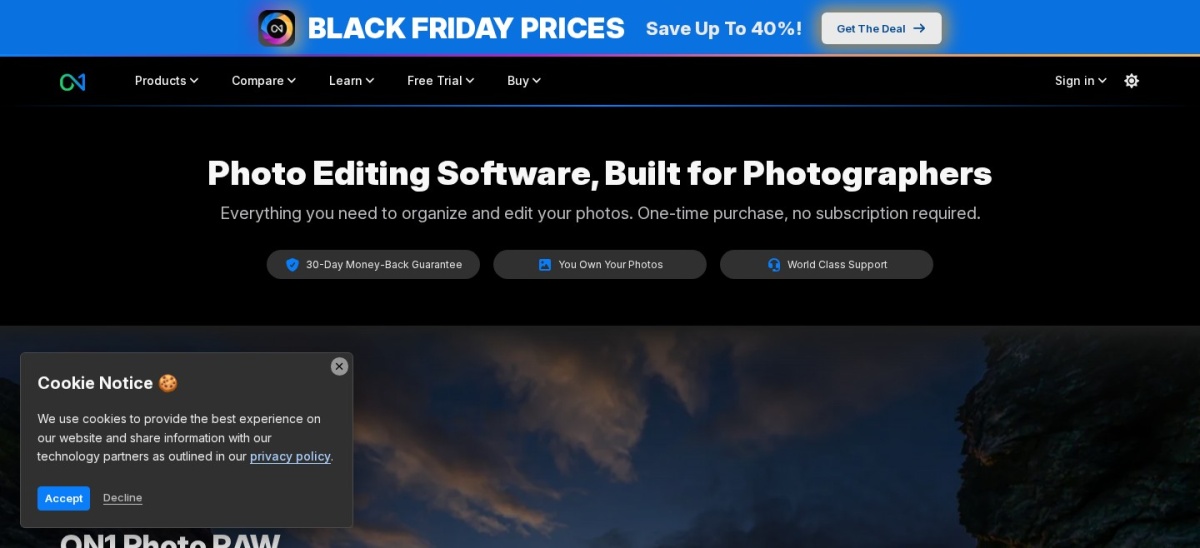
ON1 Photo RAW homepage, captured Nov 2026.
ON1 Photo RAW is the closest single-app replacement for Lightroom without a subscription. It browses folders without forcing an import, develops RAW files, and adds layers, effects, AI masking and NoNoise AI in the same app, on up to 2 computers. The perpetual licence costs $99.99 once.
The trade off is the rating. Trustpilot rates ON1 4.1 out of 5, the lowest score in this list, though from a large base of 3,227 reviews. It suits photographers who want Lightroom-style browsing and layers for a single payment.
GIMP is a free, open-source editor with layers, masks and a huge plug-in library, and it costs nothing on Mac, Windows and Linux. It handles retouching, compositing and graphic work at a level close to Photoshop for most jobs. It suits anyone who wants a capable editor without paying or signing up.
The trade off is the missing RAW workflow. GIMP has no built-in RAW editor, so photographers need a plug-in or another app to develop RAW files first. It suits retouchers and hobbyists who work on finished images rather than whole shoots.
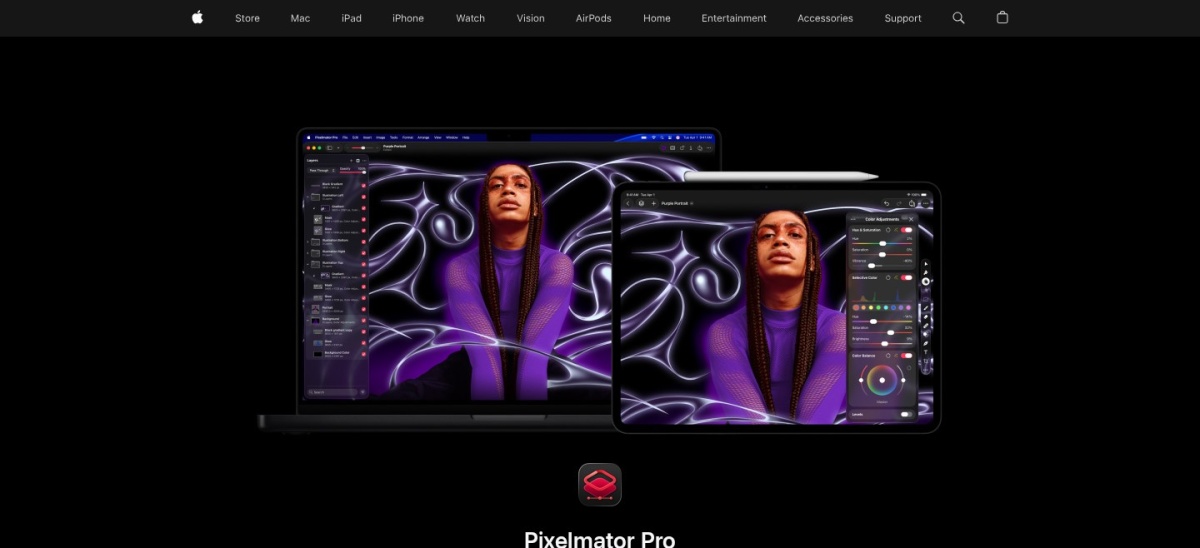
Pixelmator Pro is a native Mac editor you buy once on the App Store for $49.99, with layers, masks and machine-learning retouching built in. It is fast, clean and well matched to macOS, and it costs less than every other paid editor in this list. It suits Mac photographers who want a serious editor for one payment.
The trade off is the Mac limit. Pixelmator Pro runs only on macOS, and its review base is small at 91 G2 reviews. It suits Mac-only photographers who want pro tools without a subscription.
A subscription buys the latest features and cloud sync. Lightroom and Photoshop update constantly and include cloud storage, but the bill never stops.
A one-time purchase buys the app as it is. DxO PhotoLab, Luminar Neo, ON1 Photo RAW and Pixelmator Pro cost $49.99 to $159.99 once, and you keep them without a monthly fee.
Over three years, a one-time licence usually costs less than any subscription in this list. The trade off is fewer updates and no cloud sync.
If you edit every week, a subscription is worth it. If you edit a few times a month, start with a free editor or a one-time licence.
How we chose
We started from the best-known photo editors with a G2, Capterra or Trustpilot profile, then kept the nine with a verifiable rating and a published price.
Prices are the regular prices from each vendor, checked on 26 November 2026. Adobe's pricing page renders no prices in text and Affinity's homepage blocks the reader, so the Lightroom, Photoshop and Affinity figures rest on wplegible's own November checks and are second-hand. Capture One and Luminar Neo prices vary across listings, so we flagged both.
Ratings come from G2, Capterra and Trustpilot, checked on 26 November 2026. DxO PhotoLab and Capture One have small review bases, so we treated their scores as weaker evidence. No vendor paid for a place, and we do not claim hands-on testing for this list.
How to choose photo editing software
Start with whether you develop RAW files or retouch pixels, then check the payment model.
Decide RAW or pixels. Lightroom, Capture One and DxO develop RAW files and organise shoots, while Photoshop, Affinity and GIMP retouch single images with layers.
Pick subscription or one-time. Lightroom and Photoshop need a monthly plan, while DxO, Luminar Neo, ON1 and Pixelmator Pro are one-time purchases.
Check the free options. Affinity is now free and GIMP is free and open source, so try both before paying for a Photoshop-style editor.
Test with your own files. Open a shoot you know well and check the RAW rendering, noise reduction and export speed before you commit.
FAQ
What is the best photo editing software?
Adobe Lightroom is the best pick for most photographers, with a catalog, cloud sync and strong RAW tools. It costs $11.99 a month and is rated 4.6 out of 5 on G2 from more than 3,000 reviews.
Is Affinity really free?
Yes. Affinity is now free under Canva, with layers, masks, RAW developing and panorama stitching included. Only its AI tools need a paid Canva plan.
Can I buy photo editing software without a subscription?
Yes. DxO PhotoLab costs $159.99 once, ON1 Photo RAW $99.99 once, Pixelmator Pro $49.99 once and Luminar Neo $129 once. Affinity and GIMP are free.
Is Lightroom or Photoshop better?
Lightroom is better for organising and developing whole shoots, while Photoshop is better for retouching single images and compositing. Most photographers use both through the $19.99 Photography plan.
What is the cheapest photo editing software?
Affinity and GIMP are free, so they cost nothing at all. Among paid editors, Pixelmator Pro is cheapest at $49.99 once, followed by ON1 Photo RAW at $99.99 once.
Do I need Capture One for studio work?
Capture One is the best choice for tethered studio shooting, with live view and strong colour tools. For most other work, Lightroom or DxO PhotoLab cost less and cover the same RAW editing.
SaaS SEO and WordPress specialist with about 8 years of experience. Rakib compares WordPress plugins, themes, hosting and software using public pricing, documentation and user reviews. See how we rank.