Best AI Image Editing Software in 2026: 7 Tools Compared
WLWPLegible EditorsLast verified 22 Nov 2026How we rank6 min read
★ Short answer
Adobe Photoshop leads in 2026 with a 4.6 out of 5 rating across 13,454 G2 reviews and deep generative controls. For fast social templates and team workflows, Canva fits best, while Photoroom suits high-volume product cutouts and backgrounds.
How we make this list: we compare pricing pages, product documentation and public user reviews, then re-check every price before each update. No product paid for a place. Disclosure.
#2 Best for templates
Canva
Easy template editor with AI background and edit tools
Adobe Photoshop holds a 4.6/5 rating across 13,454 G2 reviews with standalone plans starting at $22.99/mo billed monthly or $263.88/yr prepaid.
Canva holds a 4.7/5 G2 rating with a free plan and Canva Pro at $144/yr ($12/mo equivalent) or $18/mo billed monthly.
Photoroom starts at $7.50/mo billed yearly ($90/yr) for Pro with 8,000 monthly AI credits and 1,000 exports.
BeFunky Plus starts at $6.99/mo ($83.88 billed annually) with 1,000 monthly AI credits and batch editing.
Capture One Pro costs $18/mo on an annual plan ($216/yr) or $349 for a one-time desktop license.
What to look for in AI image editing software
AI image editors split between full-featured creative suites that combine layers and masks with generative fill, and specialized tools focused on background removal, upscaling, or RAW color grading. Choosing the right fit depends on whether you edit studio portraits, product catalogs, social posts, or high-resolution prints.
Pricing models vary widely across vendors. Some apps use monthly credit allowances for generative fills and upscaling alongside flat monthly or annual subscriptions, while others sell one-time licenses or bundle cloud storage and extra creative apps.
Always check whether AI tools run locally on your hardware or in the cloud, how export limits or watermarks work on free tiers, and what happens if you cancel an annual commitment mid-term.
Adobe Photoshop is a layer-based raster editor and design app with generative fill, expansion, and selection tools across desktop, web, and mobile. Its standalone plan lists at $22.99/mo billed monthly on an annual contract or $263.88/yr prepaid, with 100GB of cloud storage and a 7-day trial.
The trade off is ongoing subscription cost and early cancellation fees, starting at $263.88/yr prepaid or $22.99/mo on the standalone plan. It suits designers, retouchers, and photographers who need fine layer control and frequent generative edits.
What we like
High 4.6/5 rating across 13,454 G2 reviews
Granular layer, mask, and selection control alongside AI tools
Available on desktop, web, and mobile with 100GB storage
Watch out for
No permanent free plan, only a 7-day trial
Subscription-only billing with steep learning curve for beginners
Higher tiers such as Creative Cloud Pro bundle 20+ apps and larger monthly generative credit pools.Visit adobe.com
02
Canva
4.7/5on G2 (7,924 reviews, checked Nov 2026)
Paid from$144/yr
Best for templates, social media, and quick edits
Rating4.7/5 on G2
Entry plan$144/yr ($18/mo monthly)
Free tierFree plan with 5GB storage
PlatformsWeb, Desktop, Mobile
canva.com
Canva homepage, captured Nov 2026.
Canva is a visual design and editing platform with drag-and-drop layouts, background removal, and AI editing features across web, desktop, and mobile. Its free plan includes 5GB of storage and basic tools, while Canva Pro costs $144/yr ($12/mo equivalent) or $18/mo billed monthly for one user.
The trade off is that Pro covers a single user and shared AI credit allowances can run out on heavy batches, at $144/yr on annual billing. It suits marketers, small businesses, and creators producing social posts and layouts fast.
What we like
Strong 4.7/5 rating across 7,924 G2 reviews
Permanent free tier plus affordable $144/yr Pro plan
Fast template workflows and straightforward interface for non-designers
Watch out for
Pro is limited to one person, requiring Business per seat for teams
Less granular pixel and RAW editing control than dedicated photo editors
Canva Business at $250/yr per seat adds team brand kits, shared assets, and higher storage and AI allowances.Visit canva.com
03
Photoroom
4.3/5on G2 (20 reviews, checked Nov 2026)
Paid from$7.50/mo
Best for e-commerce cutouts and AI product backgrounds
Rating4.3/5 on G2
Entry plan$7.50/mo billed yearly ($90/yr)
Free tierFree tier available (capped)
PlatformsWeb, iOS, Android
photoroom.com
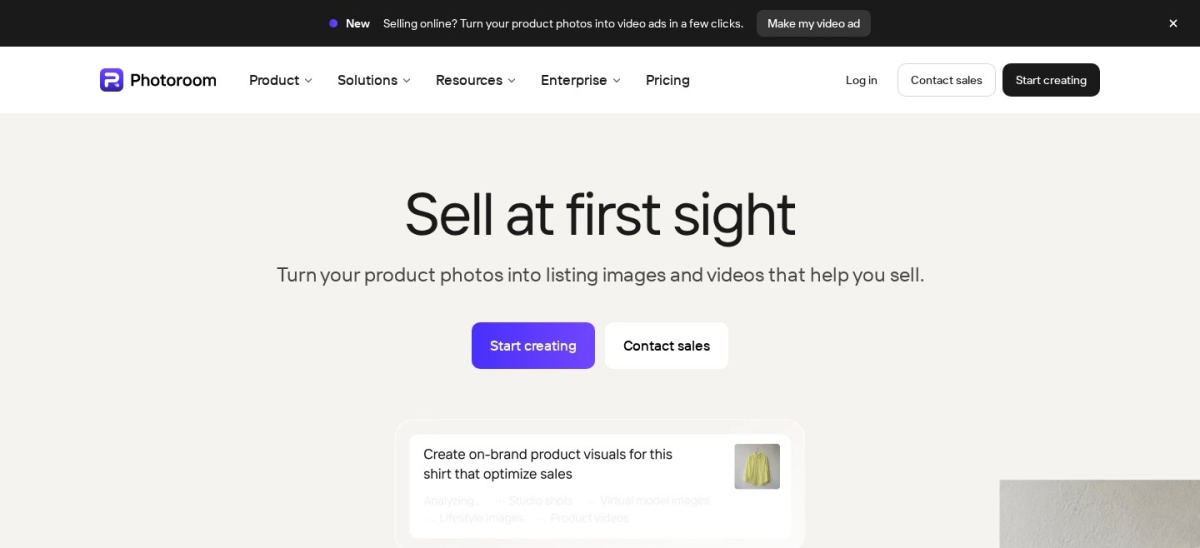
Photoroom homepage, captured Nov 2026.
Photoroom is a product photo editor built around automatic background removal, AI backgrounds, shadows, and batch catalog edits on web and mobile. Its Pro plan is $7.50/mo billed yearly ($90/yr) and includes 8,000 monthly AI credits plus 1,000 exports.
The trade off is monthly export and AI credit caps alongside occasional manual cleanup on complex edges, starting at $90/yr on Pro. It suits online sellers, Shopify merchants, and brands updating product listings.
What we like
Low $7.50/mo yearly Pro entry price with 8,000 AI credits
Purpose-built background removal, AI shadows, and product staging
Syncs across mobile and web for quick catalog updates
Watch out for
Monthly export and credit limits can slow peak catalog batches
Smaller G2 review count (20 reviews) than broad design suites
Max ($20.99/mo billed yearly) and Ultra ($82.50/mo billed yearly) raise monthly export caps and AI credits.Visit photoroom.com
04
Capture One
4.5/5on G2 (100 reviews, checked Nov 2026)
Starts at$18/mo
Best for RAW color grading and studio tethering
Rating4.5/5 on G2
Entry plan$18/mo annual ($349 one-time)
Free tierTrial available (no free plan)
PlatformsDesktop, iPad, iPhone
captureone.com
Capture One homepage, captured Nov 2026.
Capture One is a RAW photo editing and tethering application focused on color grading, masking, and structured studio session workflows. Capture One Pro starts at $18/mo on an annual plan ($216/yr) or $349 as a one-time desktop license.
The trade off is a steeper learning curve and higher cost than casual web editors, at $216/yr or $349 one-time. It suits studio, portrait, and commercial photographers who prioritize color accuracy and tethering.
What we like
Well-regarded color profiles and reliable tethered shooting support
Offers both annual subscription ($18/mo) and $349 perpetual desktop license
Strong session and catalog organization for studio shoots
Watch out for
No permanent free tier and pricier than entry consumer editors
New camera support on perpetual licenses requires paid upgrades
All in One ($24.67/mo annual) and Studio ($48.50/mo annual) add mobile apps and collaboration tools.Visit captureone.com
05
BeFunky
4.3/5on G2 (106 reviews, checked Nov 2026)
Paid from$6.99/mo
Best for browser batch editing and collages
Rating4.3/5 on G2
Entry plan$6.99/mo billed annually ($83.88/yr)
Free tierFree plan with basic tools
PlatformsWeb, iOS, Android
befunky.com
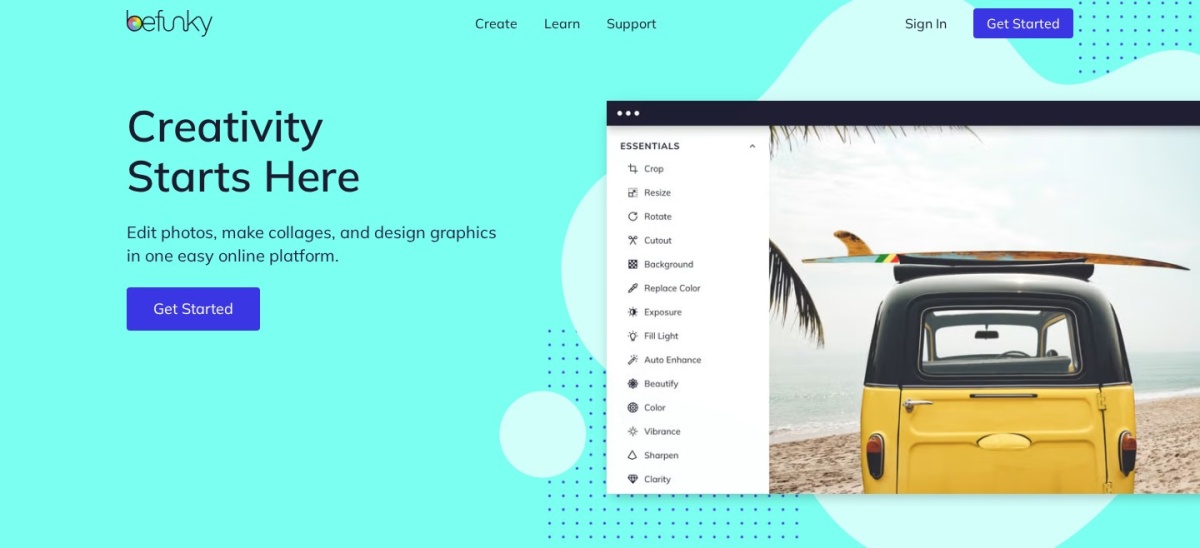
BeFunky homepage, captured Nov 2026.
BeFunky is a browser-based photo editor, collage creator, and design tool featuring AI background removal, object erase, and batch editing. It offers a free plan with basic tools and BeFunky Plus at $6.99/mo billed annually ($83.88/yr) with 1,000 monthly AI credits.
The trade off is watermarked or restricted exports on the free tier and lighter advanced compositing tools, at $83.88/yr for Plus. It suits bloggers, small teams, and users wanting fast browser batch edits without installs.
What we like
Low $6.99/mo annual Plus price with 1,000 monthly AI credits
Convenient browser workflow with batch background removal and resizing
Includes a free tier to test basic editing and layouts
Watch out for
Free tier restricts advanced tools and adds watermarks on locked features
Lacks deep RAW catalog and pro compositing capabilities
BeFunky Pro ($12.49/mo billed annually) increases monthly AI credits to 5,000 and expands cloud storage.Visit befunky.com
06
Pixlr
4.4/5on Capterra (119 reviews, checked Nov 2026)
Paid from$1.99/mo
Best for quick browser edits on a tight budget
Rating4.4/5 on Capterra
Entry plan$1.99/mo yearly ($2.49/mo monthly)
Free tierFree ad-supported tier available
PlatformsWeb, iOS, Android
pixlr.com
Pixlr homepage, captured Nov 2026.
Pixlr is a browser-based photo editing suite offering cutout, fill, expansion, and template tools alongside monthly AI credit allowances. Its Plus plan starts at $1.99/mo billed yearly ($23.88/yr) or $2.49/mo monthly, with 80 monthly AI credits and ad-free saves.
The trade off is a small 80-credit monthly cap on Plus and an ad-supported free tier, starting at $23.88/yr. It suits occasional editors and budget-conscious creators working directly in a browser.
What we like
Very low entry price at $1.99/mo billed yearly on Plus
Runs directly in the browser with a free tier to start
Removes ads and unlocks unlimited saves on Plus
Watch out for
Free version includes ads and daily export limits
Plus includes only 80 monthly AI credits
Premium ($7.99/mo yearly) and Ultra ($19.99/mo yearly) raise monthly AI credits to 1,000 and up to 10,000.Visit pixlr.com
07
Topaz Photo
4.3/5on G2 (2 reviews, checked Nov 2026)
Starts at$199/yr
Best for AI upscaling, denoise, and sharpening
Rating4.3/5 on G2
Entry plan$199/yr regular ($39/mo monthly)
Free tierNo permanent free plan
PlatformsmacOS, Windows, Plugin
topazlabs.com
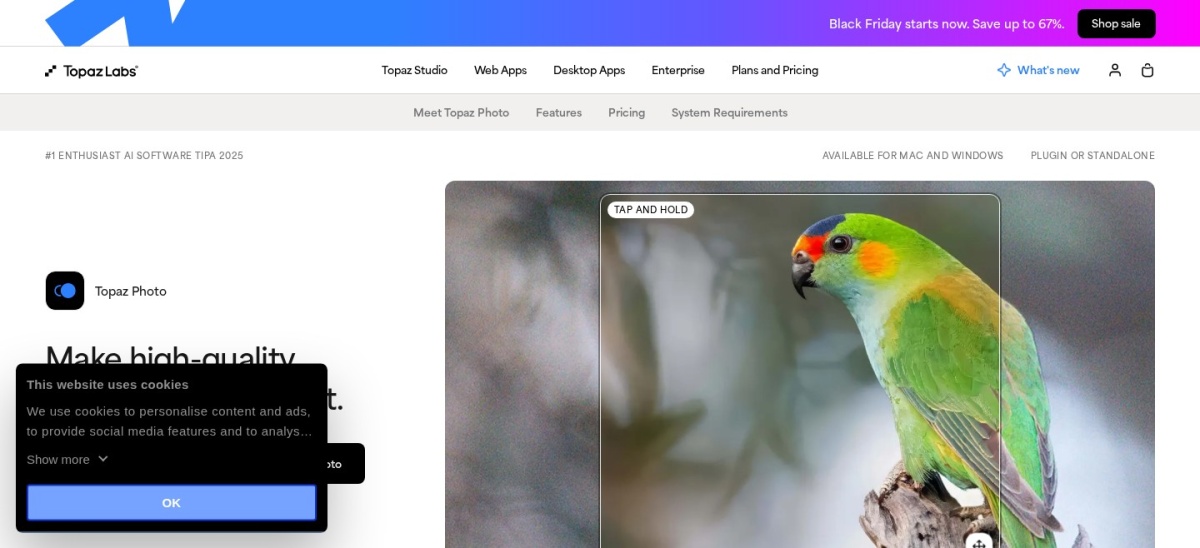
Topaz Photo homepage, captured Nov 2026.
Topaz Photo is a desktop enhancement and restoration tool focused on AI upscaling, noise reduction, sharpening, and blemish cleanup. Its regular annual price is $199/yr (with $39/mo monthly billing available and promotional pricing sometimes shown).
The trade off is no free tier and heavy hardware demands for local model rendering, at $199/yr regular pricing. It suits wildlife, sports, and archival photographers rescuing low-light or low-resolution images.
What we like
Dedicated AI models for denoising, sharpening, face recovery, and upscaling
Works both standalone and as a plugin alongside other photo editors
Supports local rendering on Mac and Windows workstations
Watch out for
Higher $199/yr regular annual price without a free tier
Large local AI model downloads and heavy GPU/RAM requirements
Topaz Studio bundles desktop and cloud apps with higher export limits and additional creative models.Visit topazlabs.com
How AI credit allowances affect real costs
Many AI image editors meter generative fills, video generations, or upscaling through monthly credit pools rather than offering unlimited runs. A tool with a low base subscription can cost more once you buy credit top-ups or move up a tier for higher volume.
Check whether your edits rely on standard local adjustments and cropping or heavy generative replacement. Light weekly edits rarely strain a monthly credit cap, while batch catalog work needs clear export and credit limits.
How we chose
This list was compiled from established AI image editing tools across desktop, web, mobile, and plugin workflows based on vendor documentation and public review directories.
Prices, plan tiers, and review ratings were checked on 22 Nov 2026 from vendor pricing pages and third-party review profiles.
Products without verifiable current pricing or public review data were excluded so every entry reflects documented figures. No vendor paid for a place, and we do not claim testing for this list.
How to choose an AI image editor
Follow four practical checks before committing to an annual or monthly plan.
Match the editor to your primary output. Pick a layered editor or RAW workflow for detailed retouching and studio color, or a browser or product tool for social graphics and cutouts.
Compare regular annual pricing against monthly billing. Annual plans usually lower the effective monthly rate, so check both the yearly total and any early cancellation terms before signing up.
Check AI credit caps and export limits. Review how many generative credits, batch exports, or high-resolution downloads are included each month so heavy workloads do not stall.
Verify device compatibility and storage needs. Confirm whether you prefer browser access or desktop software with local rendering and sufficient cloud storage for your files.
FAQ
Which AI image editor is best for beginners?
Canva and BeFunky are approachable choices because they run in the browser, offer free tiers to start, and pair simple editing controls with templates and guided AI tools.
Do AI image editors require a paid subscription?
Not always. Canva, Photoroom, BeFunky, and Pixlr offer free plans or tiers with limited features or usage caps, while tools like Capture One also offer a one-time license option.
What is the difference between general editors and specialist AI tools?
General editors handle layers, layouts, and broad adjustments in one workspace, whereas specialist tools focus on specific tasks like e-commerce background removal, RAW tethering, or noise and resolution enhancement.
Why do some AI tools charge monthly credits?
Generative models and cloud rendering consume compute resources, so vendors often cap monthly credits by plan tier and charge extra for higher allowances or add-on credit packs.
Is browser-based editing enough for small businesses?
For social media posts, product cutouts, and quick resizing, browser tools like Canva, BeFunky, and Pixlr are often plenty without installing desktop software.
When should I choose desktop software over a web app?
Choose desktop software when you work with large files, tethered camera shoots, offline sessions, or local AI rendering that benefits from dedicated computer hardware.