Best AI Photo Editing Software Comparison in 2026: 8 Tools Compared
WLWPLegible EditorsLast verified 22 Nov 2026How we rank10 min read
★ Short answer
Adobe Photoshop leads for pixel-level AI editing with 4.6 out of 5 stars across 13,454 G2 reviews and generative fill tools starting at $22.99 per month. Pick Adobe Lightroom for RAW batch workflows or Luminar Neo if you prefer a one-time license.
How we make this list: we compare pricing pages, product documentation and public user reviews, then re-check every price before each update. No product paid for a place. Disclosure.
Adobe Photoshop holds a 4.6/5 G2 score from 13,454 reviews and starts at $22.99/mo billed annually ($275.88/yr) with 25 monthly generative credits.
Adobe Lightroom costs $11.99/mo billed annually ($143.88/yr) for 1TB of cloud storage and 250 monthly generative credits.
Luminar Neo offers a one-time Desktop license at $129 regular ($99 on sale), making it the cheapest perpetual AI editor on this list.
Canva Pro costs $144/yr per person and bundles up to 200 monthly Premium AI uses with social templates and background removal.
Pixlr Plus is the lowest-cost subscription at $2.49/mo ($29.88/yr regular, or $1.99/mo billed yearly) with 80 monthly AI credits.
What to look for in AI photo editing software
AI photo editors fall into three distinct workflows: pixel-level compositing tools like Adobe Photoshop, RAW catalog processors like Adobe Lightroom and Capture One, and browser-based creative suites like Canva, Photoroom, and Pixlr. Choosing the wrong category leaves you paying for features you never open.
Check how each vendor meters generative AI features. Subscription plans from Adobe, Canva, Picsart, Photoroom, and Pixlr assign monthly AI credit pools or usage caps, while perpetual desktop licenses from Skylum and Topaz Labs either run models locally or limit cloud generative updates to one year.
Compare regular renewal rates rather than first-year discounts or seasonal promotions. Several vendors advertise steep percentage markdowns on annual billing, while single-app subscriptions can cost more than photography bundles.
AI credits25 monthly credits (1,000 on Photography)
Storage100GB cloud storage
adobe.com
Adobe Photoshop homepage, captured Nov 2026.
Adobe Photoshop is a layer-based desktop, web, and mobile image editor with Generative Fill, Generative Expand, and AI object selection. The entry single-app plan costs $22.99 per month on an annual contract ($275.88 per year) and includes 100GB of cloud storage plus 25 monthly generative credits.
The trade off is subscription lock-in and stingy credit limits on the base tier, since the bundled Photography plan gives you Photoshop, Lightroom, 1TB of storage, and 1,000 credits for $19.99 per month. It suits designers and retouchers who need non-destructive layers.
What we like
Industry-standard layer masking and pixel-level retouching
Accurate Generative Fill and background expansion tools
Runs across desktop, web browser, and iPad
Watch out for
No permanent free tier beyond a 7-day trial
Single-app plan costs more per month than the Photography bundle
Early cancellation on annual plans incurs a termination fee
Paid plan unlocks desktop Photoshop, 100GB storage, and 25 monthly AI credits.Visit adobe.com
02
Adobe Lightroom
4.6/5on G2 (3,395 reviews, checked Nov 2026)
Paid from$11.99/mo
Best for RAW batch workflows
PlatformsWindows, macOS, web, iOS, Android
Entry planLightroom 1TB ($11.99/mo annual)
AI credits250 monthly generative credits
Storage1TB cloud storage
adobe.com
Adobe Lightroom homepage, captured Nov 2026.
Adobe Lightroom is a non-destructive RAW photo organizer and editor featuring AI Denoise, Generative Remove, and subject-aware masking. A free mobile app handles basic edits, while the 1TB desktop and cloud plan costs $11.99 per month billed annually ($143.88 per year) with 250 monthly generative credits.
The trade off is that Lightroom lacks pixel-level compositing layers, so complex object swaps still require exporting to Photoshop. It suits wedding, event, and portrait photographers managing large RAW catalogs across devices.
What we like
Includes 1TB of cloud storage and Lightroom Classic desktop
Fast batch preset syncing and AI subject masking
Free mobile version for basic on-the-go adjustments
Watch out for
Subscription-only with no perpetual license option
Lacks multi-layer compositing and typography tools
Paid plan adds desktop Lightroom, Lightroom Classic, 1TB storage, and 250 AI credits.Visit adobe.com
Luminar Neo is a standalone desktop editor and plugin built around one-click sliders like Sky AI, Relight AI, and Structure AI. Its Desktop perpetual license carries a $129 regular price (discounted to $99 during sales) and includes generative tools like GenErase and GenExpand for one year.
The trade off is that cloud generative tools and major annual feature upgrades require paying extra after the first year, and heavy AI filters can lag on older hardware. It suits landscape and portrait hobbyists avoiding monthly rent.
What we like
Perpetual desktop license with no mandatory monthly fee
Runs standalone or as a Lightroom and Photoshop plugin
Fast sky replacement, relighting, and portrait cleanup sliders
Watch out for
Cloud generative tools expire after one year without renewal
Resource-heavy on older Windows laptops
Perpetual license unlocks the desktop app forever plus one year of generative tools.Visit skylum.com
04
Canva
4.7/5on G2 (7,924 reviews, checked Nov 2026)
Paid from$144/yr
Best for social graphics and team templates
PlatformsWeb, Windows, macOS, iOS, Android
Entry planCanva Pro ($144/yr for 1 person)
AI allowanceUp to 200 Premium AI uses/mo
Free tier20 combined AI uses/mo
canva.com
Canva homepage, captured Nov 2026.
Canva is a browser-based graphic design and photo editing suite featuring Magic Eraser, one-click background removal, and AI image expansion. The free plan grants up to 20 monthly uses of Standard or Premium AI tools, while Canva Pro costs $144 per year for one user and raises limits to 200 Premium or 20 Ultra AI uses.
The trade off is that Canva lacks RAW file development, fine brush masking, and color-calibrated print controls. It suits marketers, bloggers, and small businesses turning edited photos directly into social posts or banners.
What we like
Combines photo cleanup with templates, fonts, and brand kits
Generous free tier with no credit card required
Easy browser collaboration across desktop and phone
Watch out for
No RAW photo workflow or layer adjustment masks
Background remover and Ultra AI tools require Pro
Pro unlocks background removal, 10x monthly AI usage, and Brand Kits.Visit canva.com
05
Capture One
4.5/5on G2 (78 reviews, checked Nov 2026)
Starts at$18/mo
Best for studio tethering and color grading
PlatformsWindows, macOS (iPad/iPhone on All in One)
Entry planCapture One Pro ($18/mo billed annually)
One-time option$349 perpetual desktop license
Camera support550+ camera RAW profiles
captureone.com
Capture One homepage, captured Nov 2026.
Capture One is a studio-grade RAW processor and tethered shooting platform equipped with AI subject and background masking plus custom camera color profiles. Capture One Pro starts at $18 per month billed annually ($216 per year), or $349 for a perpetual desktop license.
The trade off is a steeper learning curve than Lightroom and no free plan, while the $349 perpetual license excludes future major camera updates. It suits commercial and studio photographers shooting tethered to a computer.
What we like
Industry-leading tethered capture speed and color accuracy
Fast AI subject and background mask generation
Choice between annual subscription or $349 one-time license
Watch out for
No permanent free tier and higher entry cost than Lightroom
Mobile iPad and iPhone apps require the $24.67/mo All in One tier
Pro unlocks desktop RAW editing, tethering, and AI masking tools.Visit captureone.com
06
Photoroom
4.3/5on G2 (20 reviews, checked Nov 2026)
Paid from$12.99/mo
Best for e-commerce product cutouts
PlatformsWeb, iOS, Android
Entry planPro ($12.99/mo or $7.50/mo billed yearly)
Exports1,000/mo on Pro (100/mo on Free)
AI credits8,000 monthly credits on Pro
photoroom.com
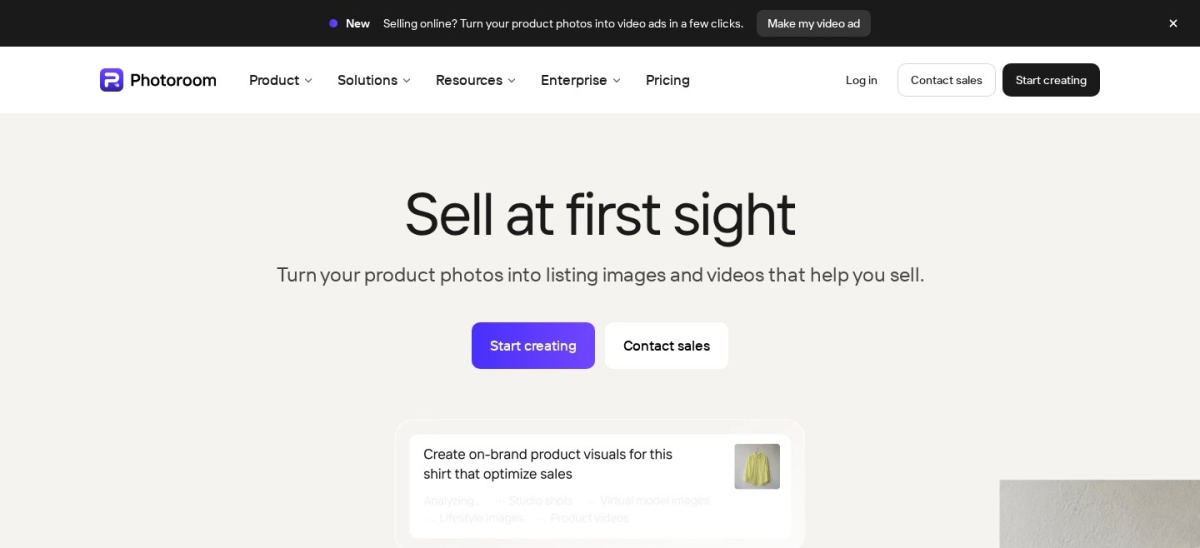
Photoroom homepage, captured Nov 2026.
Photoroom is an e-commerce photo editor built to isolate products, generate realistic AI Shadows, and place items into studio scenes. Its free plan allows 100 personal exports per month, while Pro costs $12.99 monthly or $7.50 per month billed yearly ($90 per year) for 1,000 exports and 8,000 AI credits.
The trade off is a 2K export resolution cap on Pro and Max, plus no RAW editing or manual layer brushes. It suits online sellers listing inventory on Shopify, Amazon, or marketplaces.
What we like
Clean automatic product cutouts and realistic AI drop shadows
Batch processing for catalog product listings
Synced library across mobile apps and web browser
Watch out for
Free plan is restricted to personal use with 100 exports
4K export resolution requires the $82.50/mo Ultra plan
Pro removes watermarks and unlocks 1,000 monthly exports and 8,000 AI credits.Visit photoroom.com
07
Picsart
4.5/5on G2 (800 reviews, checked Nov 2026)
Paid from$15/mo
Best for mobile social edits and filters
PlatformsWeb, iOS, Android, Windows
Entry planPro ($15/mo or $10.50/mo billed yearly)
AI credits500 monthly credits on Pro
Storage100GB cloud storage on Pro
picsart.com
Picsart homepage, captured Nov 2026.
Picsart is a mobile-first and web photo editor combining background removal, AI object replacement, and trending social templates. The free tier includes basic tools with 0.1GB of storage, while Picsart Pro runs $15 per month or $10.50 per month billed yearly ($126 per year) with 500 monthly AI credits and 100GB of storage.
The trade off is that unused monthly AI credits expire at the end of each billing cycle and free exports carry watermarks or personal-use limits. It suits social media creators editing on phones and tablets.
What we like
Fast mobile and web interface with stickers, fonts, and effects
100GB of cloud project storage included on Pro
Commercial usage rights unlocked on paid tiers
Watch out for
Monthly AI credits do not roll over
Free version displays ads and locks many AI effects
Pro removes ads and watermarks while adding 500 monthly AI credits and 100GB storage.Visit picsart.com
08
Pixlr
4.4/5on G2 (750 reviews, checked Nov 2026)
Paid from$2.49/mo
Best budget browser editor
PlatformsWeb browser, iOS, Android
Entry planPlus ($2.49/mo or $1.99/mo billed yearly)
AI credits80 monthly credits on Plus (1,000 on Premium)
Full accessPremium at $7.99/mo billed yearly
pixlr.com
Pixlr homepage, captured Nov 2026.
Pixlr is a browser-based photo editor offering a quick express mode and a layer-based Pixlr Editor mode with AI background removal and generative fill. You can edit for free with ads, or upgrade to Pixlr Plus at $2.49 monthly ($1.99 per month billed yearly, or $23.88 per year) for ad-free editing and 80 monthly AI credits.
The trade off is that full access to all AI models and 1,000 monthly credits requires the $7.99 per month yearly Premium tier, and browser performance can slow down on large high-resolution files. It suits casual users needing quick edits without installing desktop software.
What we like
Lowest entry price on this list at $1.99/mo billed yearly
Zero installation required with layer support in the browser
Free version usable immediately without creating a project library
Watch out for
Free tier includes ads and daily save restrictions
Can lag on large multi-layer files compared to native apps
Plus removes ads, unlocks unlimited saves, and adds 80 monthly AI credits.Visit pixlr.com
Subscriptions vs one-time licenses in AI photo editors
Cloud-hosted generative AI features cost vendors compute money on every run, which is why Adobe, Canva, Photoroom, Picsart, and Pixlr meter edits with monthly credit pools. Even perpetual desktop editors like Luminar Neo limit cloud generative tools such as GenErase to the first 12 months unless you pay for an upgrade pass.
If you rely mostly on local AI tools—such as subject masking, noise reduction, or sky replacement—buying a one-time license from Skylum or Capture One avoids recurring bills. If you generate new backgrounds or expand frames daily, a subscription with a predictable monthly credit allowance is simpler to budget.
How we chose
We selected eight established AI photo editing tools spanning desktop RAW processors, layer-based editors, and browser suites, prioritizing products with verified G2 review profiles and active 2026 updates.
All prices, credit limits, and G2 ratings were verified on 22 Nov 2026 against official vendor pricing pages and G2 product listings, recording regular entry-plan pricing in USD alongside annual billing equivalents.
We excluded unmaintained desktop utilities, beta-only AI generators without photo editing controls, and vendors that do not publish transparent self-serve pricing. No vendor paid for a place, and we do not claim testing for this list.
How to choose the right AI photo editor
Match your primary file type and monthly edit volume to the right pricing model before subscribing.
Decide between RAW catalog work and pixel compositing. Pick Adobe Lightroom or Capture One if you shoot camera RAW files in batches, or choose Adobe Photoshop and Pixlr when you need multi-layer compositing and generative fill.
Count how many generative AI edits you run per month. Check monthly credit allowances carefully: Photoshop's base plan includes 25 credits, whereas Lightroom gives 250 and Photoroom Pro includes 8,000.
Check export resolution and commercial license rules. Free tiers on Canva, Photoroom, and Picsart restrict commercial use, add watermarks, or cap export resolution until you upgrade to a paid plan.
Compare annual subscription math against one-time licenses. Luminar Neo ($129 regular one-time) and Capture One ($349 one-time) let you keep the desktop software permanently if you do not need continuous cloud AI updates.
FAQ
Which AI photo editor has the best free plan?
Canva and Pixlr offer the most usable free tiers for quick edits without mandatory watermarks on standard exports. Canva Free includes 20 combined AI uses per month, while Pixlr lets you edit layers in your browser with ads.
Is Adobe Photoshop or Lightroom better for AI photo editing?
Adobe Photoshop is better for generative fill, object removal, and multi-layer compositing, while Adobe Lightroom is faster for batch color grading, AI Denoise, and organizing thousands of RAW photos. Buying the Photography plan bundles both for $19.99 per month.
Can I buy AI photo editing software without a subscription?
Yes, Luminar Neo sells a perpetual desktop license for $129 regular ($99 on sale) and Capture One Pro offers a one-time license for $349. Keep in mind that cloud generative tools in Luminar Neo only last one year without an upgrade.
Which AI photo editor is best for e-commerce product photos?
Photoroom is built specifically for online sellers, offering batch background removal, realistic AI drop shadows, and studio templates. Its Pro plan costs $7.50 per month billed yearly for up to 1,000 monthly exports.
Why do AI photo editors use monthly credit limits?
Generative features like text-to-image, background replacement, and generative expand run on cloud GPUs rather than your computer. Vendors like Adobe, Picsart, and Pixlr use monthly credits to cap cloud compute costs per subscriber.