Canva is the most versatile software for digital media design, with templates, photo editing and brand kits from $15 a month. Figma suits interface teams, while Photoshop stays the pick for deep photo work.
How we make this list: we compare pricing pages, product documentation and public user reviews, then re-check every price before each update. No product paid for a place. Disclosure.
Canva leads for all-round media design, with templates, photo editing and brand kits from $15 a month.
Affinity is now completely free, with professional vector, photo and layout tools in one desktop app.
Figma is the pick for interface design, with Professional at $16 an editor a month.
Procreate is the cheapest paid professional tool here at $12.99 once, but it only runs on iPad.
GIMP and Affinity cost $0, while Canva and Figma both offer useful free plans.
How do you choose the best versatile software for digital media design?
Versatile design software covers a wide range: social graphics, brand assets, interface mockups, illustration and print layout, so the right pick depends on which job fills most of your week.
No single tool leads at all three jobs. Vector tools build logos that scale, photo editors retouch pixels, and layout tools handle multi-page documents, so most designers pair two tools rather than forcing one to do everything.
Free tools are now serious options. Affinity and GIMP cost $0, and Canva and Figma both offer free plans that cover real work. Our creative design tools guide compares the same field on range and price.
Price models split three ways: subscriptions such as Photoshop at $22.99 a month, one-time buys such as Procreate at $12.99, and free suites such as Affinity, so work out the yearly cost before comparing headline prices.
Canva is a browser-based design platform built around templates for social posts, presentations, flyers and print. The free plan covers 1.6 million templates and 5GB of storage, while Pro starts at $15 a month and adds premium assets, background remover and brand kits.
The trade off is depth. Canva finishes everyday graphics fast but lacks the precision of Photoshop or Illustrator for professional retouching and vector work. It suits marketers and small teams that need polished graphics without a learning curve.
Figma is a browser-based tool for interface design, prototyping and design systems, where a whole team can edit the same file at once. The free Starter plan covers 3 design files, while Professional starts at $16 a Full seat a month billed annually.
The trade off is focus. Figma leads for interfaces and product design but is not a photo editor or print layout tool. It suits product teams that design together and hand off to developers in the same file.
Adobe Photoshop is the standard raster editor for photo retouching, compositing and digital art. Layers, masks and selection tools give precise control over every pixel, and Firefly generative AI adds fill, expand and restyle features inside the app.
The trade off is price and learning curve. Photoshop costs $22.99 a month on its own and takes weeks to learn well. It suits photographers and retouchers who need the deepest pixel-level control available.
Adobe Illustrator is the industry-standard vector editor for logos, icons, illustrations and brand artwork. Vector paths scale without losing sharpness, so files work from business cards to billboards, and the pen, shape and type tools cover professional brand work.
The trade off is price and scope. Illustrator costs $22.99 a month and handles vectors only, so photo work needs Photoshop beside it. It suits brand designers who build logos and illustrations that must scale cleanly.
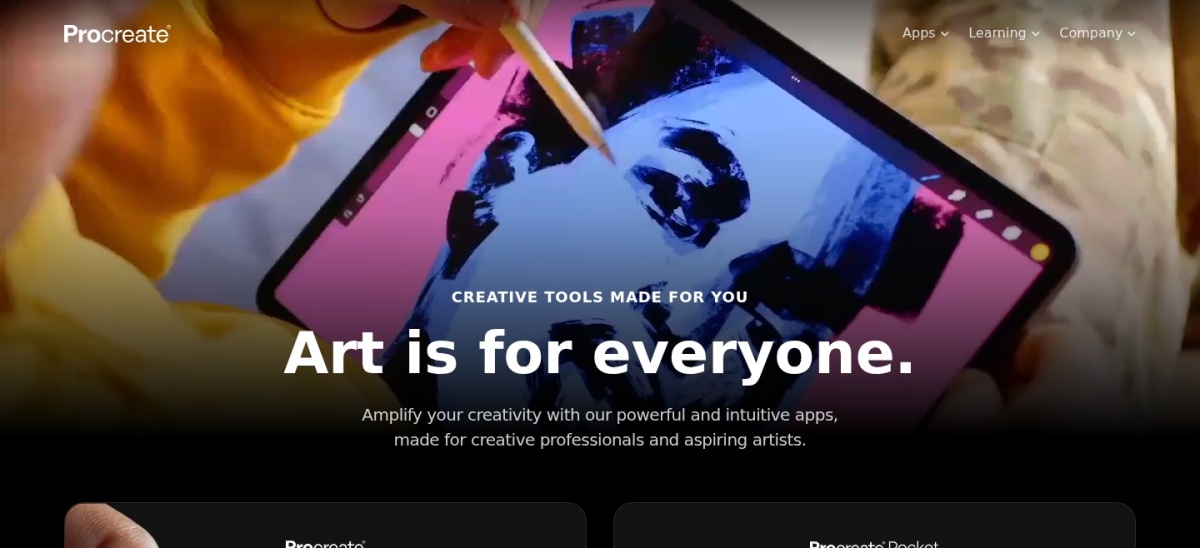
Procreate is a touch-first digital painting app built for iPad and Apple Pencil, priced at $12.99 one-time with no recurring subscription. It holds more than 300 built-in brushes, deep layers and blend modes, and renders pressure and tilt with almost no lag.
The trade off is platform. Procreate runs only on iPad, so desktop and Android users are out, and it is not a team tool. It suits illustrators who draw on iPad and want one payment instead of a subscription.
Affinity is a free desktop app from Canva that merges the old Designer, Photo and Publisher apps into one program with vector, pixel and layout studios. It includes layered editing, masks, RAW processing and page layout, and runs on Windows and macOS with no subscription.
The trade off is the account. Affinity needs a free Canva account to download and activate, and its AI tools need a paid Canva plan. It suits freelancers and students who want professional tools without paying anything.
Sketch is a native Mac app for interface design, with reusable components, interactive prototypes and developer handoff. Standard costs $12 an editor a month billed yearly, and a $120 one-time Mac license covers offline use with one year of updates.
The trade off is platform lock-in. Sketch runs on Mac only, so mixed teams work in the browser, and there is no permanent free tier after the 30-day trial. It suits Mac-based designers who want offline performance or a one-time license.
GIMP is a free, open source image editor for photo retouching, compositing and graphic design. Version 3.0 rebuilt the interface and added non-destructive editing, and the plugin library covers most jobs that Photoshop handles for everyday work.
The trade off is polish. GIMP has a steeper learning curve and a rougher interface than Photoshop, and it lacks cloud sync and AI tools. It suits cost-conscious teams that want a free editor they can shape with plugins.
CorelDRAW Graphics Suite homepage, captured Nov 2026.
CorelDRAW Graphics Suite is a desktop suite for vector illustration, page layout, photo editing and typography, built for print shops and sign makers. The subscription costs $269 a year, while a one-time purchase at $549 owns the 2026 version outright.
The trade off is platform feel. CorelDRAW is Windows-first, so the Mac experience and plugin ecosystem trail the PC version. It suits print designers who want serious vector tools and the choice to own their software outright.
Subscriptions vs one-time buys: how the billing works
Most tools here charge a monthly subscription, so the bill grows every month you keep the tool. Photoshop and Illustrator cost $22.99 a month each, and Figma charges $16 an editor a month.
One-time buys break the pattern. Procreate costs $12.99 once, Sketch offers a $120 Mac license, and CorelDRAW sells a $549 perpetual licence, so heavy users pay less over time.
Free suites remove the bill entirely. Affinity and GIMP cost $0, and Canva and Figma both offer free plans, so start free and pay only when the free tier runs out.
How we chose
We started from every established design tool with a public G2 rating, then kept those with a verifiable review base and a clear price or free plan.
Prices come from each vendor's pricing page, checked on 29 November 2026, with G2 ratings and review counts from the same day. Where a page is JS-rendered, the notes say so.
We left out tools with no verifiable rating on G2, Capterra or Trustpilot. No vendor paid for a place, and we do not claim hands-on testing for this list.
How to choose versatile design software
Match the tool to the job that fills most of your week.
List the jobs you do weekly. Vector, photo, layout and UI are different jobs. Count which one fills most of your week before you compare tools.
Check the free tier first. Affinity, GIMP, Canva and Figma all cover real work for free. Start there before paying for a subscription.
Test file compatibility. If clients send PSD or AI files, confirm your pick opens them. Affinity opens PSD files, while GIMP handles most formats.
Work out the yearly cost. Subscriptions, one-time buys and free suites produce very different totals. Compare the yearly price, not the monthly headline.
FAQ
What is the best versatile software for digital media design?
Canva is the best versatile software for digital media design for most people. It covers templates, photo editing, brand kits and presentations from $15 a month, and it holds a 4.7 out of 5 G2 rating from 7,971 reviews.
How much does versatile design software cost?
Prices run from free to $22.99 a month. Affinity and GIMP cost nothing, Procreate is $12.99 once, Canva Pro starts at $15 a month, Figma at $16 an editor, and Photoshop and Illustrator at $22.99 each.
Is there free versatile design software?
Yes. Affinity is a full professional suite for $0, GIMP is a free open source photo editor, and Canva and Figma both offer free plans that cover real work. Affinity is the strongest free pick for professional vector and layout work.
Which versatile design software is best for beginners?
Canva suits beginners best, with templates and drag-and-drop editing that need no training. Figma is close behind for interface work, while Affinity suits beginners who want professional tools and can learn a desktop app.
Canva vs Figma: which should I pick?
Pick Canva for fast everyday design, with templates for social posts, presentations and print. Pick Figma for interface design, prototyping and design systems where a whole team edits the same file.
Photoshop vs Affinity: which should I pick?
Pick Photoshop for the deepest photo editing, with Generative Fill and the largest plugin ecosystem. Pick Affinity for professional vector, photo and layout work at $0, with no subscription to pay.
SaaS SEO and WordPress specialist with about 8 years of experience. Rakib compares WordPress plugins, themes, hosting and software using public pricing, documentation and user reviews. See how we rank.