Best Tools for Creative Design in 2026: 9 Tools Compared
WLWPLegible EditorsLast verified 24 Nov 2026How we rank13 min read
★ Short answer
Adobe Creative Cloud Pro is the best tool for creative design for most professionals, with 20+ apps including Photoshop and Illustrator for $69.99 a month. Pick Canva for fast everyday graphics and Figma for interface design and developer handoff.
How we make this list: we compare pricing pages, product documentation and public user reviews, then re-check every price before each update. No product paid for a place. Disclosure.
Adobe Creative Cloud Pro is the strongest all-round suite, with 20+ apps for $69.99 a month on the annual plan.
Affinity is now completely free, with professional vector, photo and layout tools in one desktop app.
Canva Pro costs $144 a year and is the fastest route to polished social and marketing graphics.
Figma Professional costs $16 a month per Full seat billed yearly, and it is the pick for interface design.
Affinity and GIMP cost $0, and Canva, Figma and Adobe Express all have useful free plans.
Procreate is the cheapest paid professional tool here at $12.99 once, but it only runs on iPad.
What to look for in a creative design tool
Creative design covers a wide range: social graphics, brand assets, interface mockups, illustration and print layout. No single tool does all of it well, so the right pick depends on what you make most.
Start with the job, not the brand. A marketer who posts daily needs templates and brand kits, a product team needs shared components and developer handoff, and an illustrator needs brushes and pen control.
Price matters more than it looks. Subscriptions of $10 to $70 a month add up to hundreds a year, while free tools such as Affinity now cover professional work at no cost. Our guide on generating images with AI in WordPress shows how AI image tools fit beside a design app.
Free plans are worth a real look. Canva, Figma and Adobe Express all let you finish real work without paying, and the paid tiers mostly add assets, brand controls and higher limits.
4.7/5on Capterra (7,345 reviews, checked Nov 2026)
Starts at$69.99/mo
Best full creative suite overall
Apps included20+ desktop and mobile
Cloud storage100GB
Generative credits4,000/mo
Paid planPro, annual billed monthly
adobe.com
Adobe Creative Cloud homepage, captured Nov 2026.
Adobe Creative Cloud is the full professional suite: Photoshop, Illustrator, InDesign, Premiere Pro and more than 20 apps in one plan, with 100GB of cloud storage and 4,000 Firefly generative credits a month.
The trade off is price. Pro costs $69.99 a month on the annual plan billed monthly, and Adobe shows new subscribers $34.99 a month for the first 3 months. It suits designers who open three or more Adobe apps every week.
What we like
20+ industry-standard apps in one plan
4,000 generative credits a month
100GB cloud storage and Adobe Fonts included
Watch out for
Highest price in this list
No free plan, only a 7-day trial
Subscription only, no one-time purchase
No free plan; a 7-day trial is the only free optionVisit adobe.com
02
Canva
4.7/5on G2 (7,678 reviews, checked Nov 2026)
Paid from$12/mo
Best for fast everyday design
Free templates250,000+
Premium assets141M+
Brand Kits5 on Pro
Storage100GB on Pro
canva.com
Canva homepage, captured Nov 2026.
Canva is a browser-based design tool built around templates for social posts, presentations, flyers and print. The free plan includes more than 250,000 templates and 5GB of storage, and Pro adds 141M+ premium assets, background removal and Magic Resize.
The trade off is depth. Canva cannot match desktop tools for precise vector work or print colour control, and Pro costs $12 a month billed yearly or $18 month to month. It suits marketers and small teams who need polished graphics fast.
What we like
Huge template and asset library
Free plan covers most everyday jobs
Brand Kits keep teams on brand
Watch out for
Weak for precise vector and print work
Pro price has risen twice in two years
AI use is capped on Pro
Pro adds premium assets, Brand Kits and Magic ResizeVisit canva.com
03
Figma
4.7/5on G2 (1,593 reviews, checked Nov 2026)
Paid from$16/editor/mo
Best for UI and product design
Free planStarter, 3 design files
Full seat$16/mo billed yearly
Dev seat$12/mo billed yearly
AI credits3,000/mo per Full seat
figma.com
Figma homepage, captured Nov 2026.
Figma is a browser-based tool for interface design, prototyping and design systems, where a whole team can edit the same file at once. The free Starter plan covers 3 design files, and Professional adds unlimited files, team libraries, Dev Mode and 3,000 AI credits a month per Full seat.
The trade off is the seat bill. A Full seat costs $16 a month billed yearly or $20 month to month, and Dev and Collab seats add $12 and $3 a month each. It suits product teams whose designs must reach developers cleanly.
What we like
Real-time collaboration in the browser
Strong prototyping and design systems
Dev Mode speeds up handoff
Watch out for
Seat costs add up on bigger teams
No real photo editing or print layout
Needs internet for full collaboration
Professional adds unlimited files, libraries and Dev ModeVisit figma.com
04
Affinity
4.5/5on G2 (452 reviews, checked Nov 2026)
PriceFree
Best free professional suite
StudiosVector, pixel, layout
PriceFree forever
PlatformsWindows and macOS
AI featuresNeed a paid Canva plan
affinity.studio
Affinity homepage, captured Nov 2026.
Affinity is a free desktop app from Canva that merges the old Designer, Photo and Publisher apps into one program with vector, pixel and layout studios. It includes layered editing, masks, RAW processing and page layout, and runs on Windows and macOS with no subscription.
The trade off is the account. You need a free Canva account to download and open it, and the AI features need a paid Canva plan. It suits freelancers who want professional desktop tools at no cost.
Sketch is a native Mac app for interface design, prototyping and developer handoff, with real-time collaboration, unlimited documents and shared libraries. The Standard plan costs $12 per editor a month billed yearly, and viewers are free on every plan.
The trade off is the platform. Sketch runs on Mac only, and there is no free plan beyond a 30-day trial. It suits all-Mac teams who want a fast desktop app instead of a browser tool.
What we like
Fast native Mac performance
Real-time collaboration and libraries
$120 Mac-only licence avoids a subscription
Watch out for
Mac only, no Windows or web editor
No free plan, trial only
Smaller plugin library than Figma
Standard adds collaboration; Business adds SSO and admin controlsVisit sketch.com
06
Adobe Express
4.5/5on G2 (855 reviews, checked Nov 2026)
Paid from$9.99/mo
Best quick Adobe template tool
Free planYes, with watermark
Premium$9.99/mo billed monthly
Stock assets200M+ on Premium
Storage100GB on Premium
adobe.com
Adobe Express homepage, captured Nov 2026.
Adobe Express is Adobe's template tool for social posts, flyers, short video and presentations, with Firefly AI image tools built in. The free plan covers templates and basic editing, and Premium adds 200M+ Adobe Stock assets, 30,000+ fonts, brand kits and 250 generative credits a month.
The trade off is scope. Express is for quick graphics, not the deep editing of Photoshop or Illustrator, and Premium costs $9.99 a month billed monthly. It suits creators who post branded graphics every week.
What we like
Firefly AI generation built in
200M+ stock assets on Premium
Included free with Creative Cloud Pro
Watch out for
Shallow editing next to Photoshop
Free exports carry a watermark
Premium has no annual billing discount
Premium adds stock assets, brand kits and more AI creditsVisit adobe.com
07
Procreate
4.9/5on G2 (73 reviews, checked Nov 2026)
Starts at$12.99one-time
Best iPad painting app
Price$12.99 one-time
PlatformsiPad only
BrushesLarge built-in library
AnimationAnimation Assist included
procreate.com
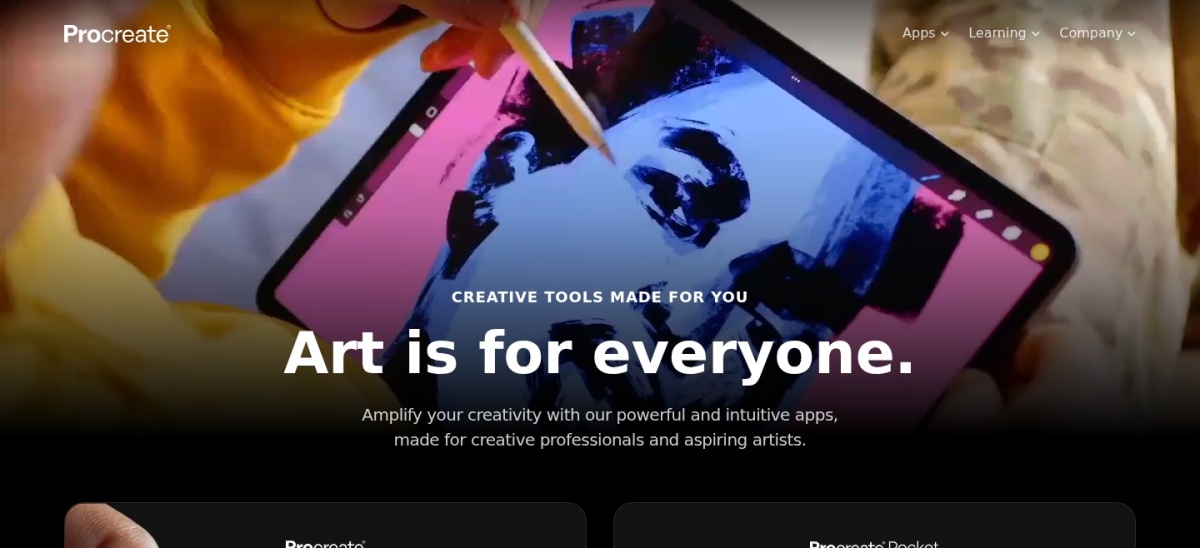
Procreate homepage, captured Nov 2026.
Procreate is an iPad painting app with a fast brush engine, layers, masks and colour controls, plus Animation Assist for frame-by-frame animation. It costs $12.99 once on the App Store, with no subscription, and recent versions paint directly on 3D models.
The trade off is the device. Procreate runs on iPad only, so there is no Mac, Windows or Android version, and it has no vector or page-layout tools. It suits illustrators who draw with an Apple Pencil every day.
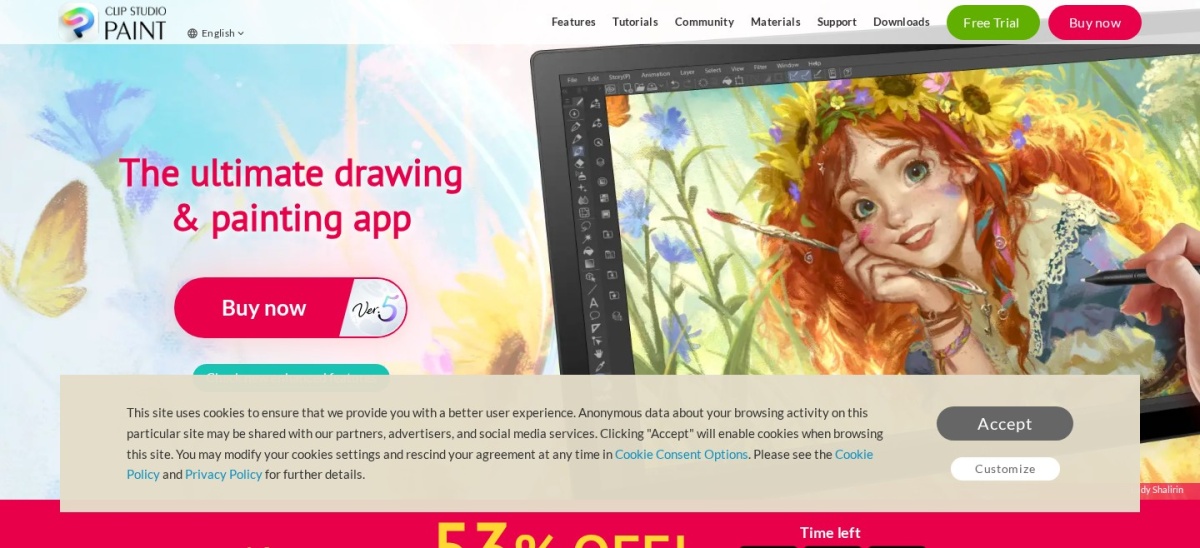
Clip Studio Paint is the illustration tool manga and comic artists reach for, with panel frames, screentones, perspective rulers and vector layers for editing line weight after inking. The PRO perpetual licence costs $63 once for Windows or macOS, and plans start at $0.99 a month with three months free.
The trade off is the licence split. The one-time licence covers Windows and macOS only, while the iPad app needs a plan at $26.99 a year, and new features need the $10.99 a year Update Pass. It suits comic artists and illustrators who work across devices.
GIMP is a free, open-source image editor for photo retouching, compositing and colour work, with layers, masks, selection tools and a large plugin set. It runs on Windows, Mac and Linux, opens PSD files and costs nothing, with no upsells or ads.
The trade off is polish. The interface is dated next to paid rivals, and there is no official support desk, so answers come from the community. It suits anyone who needs Photoshop-level editing without a subscription.
Free plans cover everyday design well. Templates, basic editing and sharing are usually included, and Affinity and GIMP charge nothing at all.
Paid plans mostly add assets and control. You get premium stock, brand kits, background removal and higher export quality, plus team features such as approvals.
The dearest plans are for teams. A solo designer rarely needs them, so compare the single-user price first and check the team price only when others join.
Watch the file sizes you export. Large images slow pages down, so read our guide to properly sizing images before you upload finished work.
How we chose
We started from the design tools with the largest review counts on G2 and Capterra, then kept the nine that cover template design, interface design, illustration and photo editing.
Prices come from each vendor's pricing page, checked on 24 November 2026. Ratings and review counts come from G2 or Capterra on the same day. Where a vendor shows a sale, the list shows the regular price.
We left out tools with no public price and tools aimed only at video editing. No vendor paid for a place, and we do not claim hands-on testing for this list.
How to choose a creative design tool
Match the tool to the work you do most often, then check the price for one person.
List what you make each week. Social posts, decks, app screens and illustrations need different tools. The tool that fits your most common job should come first.
Try the free plan for a real job. Finish one actual design on the free tier before you pay. It shows the limits faster than any feature list.
Price one person, not the team. Team and business tiers cost far more per seat. Compare the single-user price first, then add seats only if others need access.
Check the export and file support. Make sure the tool exports the formats your printer, developer or website needs, such as print-ready PDF, SVG or layered PSD.
FAQ
What is the best tool for creative design?
Adobe Creative Cloud Pro is the best overall pick, with 20+ professional apps including Photoshop and Illustrator for $69.99 a month. Canva is better for fast everyday graphics, and Figma is better for interface design.
Is there a really free professional design tool?
Yes. Affinity is a free desktop app with professional vector, photo and layout tools, and GIMP is a free open-source photo editor. Both cost nothing and handle commercial work.
Is Canva or Adobe Creative Cloud better?
Canva is better for fast template work and costs far less, at $144 a year for Pro. Creative Cloud Pro is better for professional print, photo and video work, but costs $69.99 a month.
Do I need Figma if I already use Canva?
Only for interface work. Figma is built for app and website screens, shared components and developer handoff, which Canva does not do well. For social posts and flyers, Canva is enough.
Can I use these tools without a subscription?
Yes, in some cases. Affinity and GIMP are free, and Procreate and Clip Studio Paint sell one-time licences. Canva, Figma and Adobe Express have free plans, while Sketch and Creative Cloud need a subscription.
Which tool is best for illustration?
Procreate is the best value for iPad illustrators at $12.99 once, and Clip Studio Paint is the best pick for comics and manga. Affinity covers vector illustration free on desktop.