Revit is the best software for architecture design when coordinated BIM models and construction documentation are priorities, earning 4.6/5 from 1,256 G2 reviews and costing $3,005 annually. Choose SketchUp for affordable concept modeling and client presentations or Archicad for design-focused BIM workflows on Windows and Mac.
How we make this list: we compare pricing pages, product documentation and public user reviews, then re-check every price before each update. No product paid for a place. Disclosure.
Revit earns 4.6/5 from 1,256 G2 reviews and costs $3,005 per year for multidisciplinary BIM.
SketchUp Go costs $129 per year, while Pro adds desktop modeling and construction documentation for $399 annually.
Archicad Studio costs $2,414 annually and earns 4.6/5 from 302 G2 reviews.
AutoCAD has 2,023 G2 reviews and costs $2,095 annually for professional CAD drafting and modeling.
Rhino 9 costs $995 as a one-time purchase, with no mandatory annual subscription.
Blender provides free architectural modeling and rendering software with a 4.6/5 G2 rating from 321 reviews.
How do you choose software for architecture design?
Architectural design software should match the project's deliverables. Early concept development requires flexible modeling, while construction documentation requires precise drawings, coordinated building elements and reliable revision management.
Building information modeling connects geometry with construction data. BIM applications such as Revit and Archicad represent walls, doors, windows and other building components as intelligent objects rather than disconnected lines and surfaces.
Traditional CAD remains important for technical documentation. AutoCAD provides detailed drafting tools and established DWG workflows, making it useful when consultants exchange drawings instead of complete building information models.
Architectural visualization serves a different purpose from construction documentation. SketchUp, Rhino and Blender help designers explore geometry, communicate spatial relationships and produce visual presentations, although their documentation and BIM capabilities differ.
Software costs extend beyond licensing. Consider workstation requirements, training, rendering extensions, collaboration services and the time needed to migrate existing project files before selecting an architectural design platform.
For free architectural visualization and rendering
Free
Free plan
4.6/5
Price ladder: cheapest paid plan per year
List prices, USD, checked Nov 2026
BlenderFree
SketchUpFREE$129
Rhino$995
Vectorworks$1,530
Chief Arch$1,995
AutoCAD$2,095
Archicad$2,414
Revit$3,005
The 8 best software tools for architecture design
01
Revit
4.6/5on G2 (1,256 reviews, checked Nov 2026)
Starts at$3,005/yr
Best for coordinated architectural BIM and construction documentation
Design approachBuilding information modeling
Desktop platformWindows
Regular annual license$3,005
Project disciplinesArchitecture, structure and MEP
autodesk.com
Revit homepage, captured Nov 2026.
Revit is architectural BIM software that connects building geometry, component information, schedules and construction drawings within a coordinated model. Its $3,005 annual subscription includes architectural modeling, documentation and tools for structural, mechanical, electrical and plumbing design.
The trade off is its subscription expense, Windows-based desktop application and demanding learning curve. Smaller practices can consider the separate Revit LT product at $560 annually, although it lacks full Revit capabilities. It suits professional architecture firms coordinating complex buildings with multiple engineering disciplines.
What we like
Coordinated drawings and building information
Parametric architectural components
Integrated structural and MEP workflows
Established consultant collaboration ecosystem
Automatic schedules derived from building models
Watch out for
High annual subscription cost
No native macOS desktop application
Requires substantial training for complex projects
Advanced cloud collaboration may require additional services
The full Revit subscription includes multidisciplinary BIM authoring and construction documentation.Visit autodesk.com
02
SketchUp
4.5/5on G2 (1,328 reviews, checked Nov 2026)
Paid from$129/yr
Best for accessible architectural modeling and early design concepts
Entry paid planGo
Go platformsWeb and iPad
Professional desktop planPro, $399/yr
Pro extensions1,000+ available
sketchup.com
SketchUp homepage, captured Nov 2026.
SketchUp is a 3D design application for exploring architectural concepts, residential layouts, building massing and interior arrangements. Its $129 annual Go subscription includes browser and iPad modeling, cloud storage and access to reusable furnishings and material assets.
The trade off is that desktop modeling, LayOut documentation and enhanced IFC compatibility require Pro at its regular $399 annual price. A temporary Cyber Week offer reduces Pro to $299.25, but the comparison excludes that discount. It suits architects and beginners prioritizing quick design exploration.
What we like
Approachable 3D modeling interface
Extensive reusable component library
Affordable entry subscription
Free personal modeling option
Large professional extension ecosystem
Watch out for
Go excludes desktop modeling and LayOut
Complex geometry can require extensions
Less comprehensive BIM coordination than Revit
Free edition is intended for personal use
Go adds commercial web and iPad modeling; Pro adds desktop tools and LayOut documentation.Visit sketchup.com
03
Archicad
4.6/5on G2 (302 reviews, checked Nov 2026)
Starts at$2,414/yr
Best for architecture-focused BIM on Windows and Mac
Entry paid planArchicad Studio
Desktop platformsWindows and macOS
Advanced collaboration plan$2,840/yr
InteroperabilityIFC and openBIM
graphisoft.com
Archicad homepage, captured Nov 2026.
Archicad is BIM software developed for architectural design, building documentation and model-based project delivery. Its Studio subscription costs $2,414 annually per seat and targets individual practitioners and local teams working on architectural projects.
The trade off is that broader collaboration capabilities require Archicad Collaborate at its regular $2,840 annual price. A temporary multiyear promotion offers Collaborate at Studio pricing under specific conditions. It suits architecture practices that prefer a design-centered BIM workflow and native macOS compatibility.
What we like
Native Windows and macOS applications
Intelligent architectural building components
Coordinated plans, elevations and sections
Established openBIM and IFC workflows
Suitable for independent architectural practices
Watch out for
Relatively expensive annual subscription
Advanced collaboration requires a higher plan
Consultants may use different native BIM formats
Studio includes architectural BIM authoring, while Collaborate adds broader teamwork capabilities.Visit graphisoft.com
04
AutoCAD
4.4/5on G2 (2,023 reviews, checked Nov 2026)
Starts at$2,095/yr
Best for precise architectural CAD drafting
Design approach2D and 3D CAD
Native file formatDWG
Regular annual subscription$2,095
Separate drafting alternativeAutoCAD LT, $540/yr
autodesk.com
AutoCAD homepage, captured Nov 2026.
AutoCAD is computer-aided design software for creating architectural plans, elevations, sections, construction details and technical drawings. Its $2,095 annual subscription includes general CAD functionality, specialized toolsets and supporting applications for drawing production and revision management.
The trade off is that traditional CAD workflows require more manual coordination between drawings than model-driven BIM. AutoCAD LT is a separate $540 annual alternative for buyers who primarily need drafting. It suits architectural teams exchanging DWG files and producing detailed construction drawings.
What we like
Precise architectural drafting tools
Widely recognized DWG file format
Extensive customization options
Established technical documentation workflows
Largest public review sample in this comparison
Watch out for
Higher subscription cost than basic drafting alternatives
Not a complete replacement for multidisciplinary BIM
Drawing coordination can require manual revisions
Some specialized toolsets are platform-dependent
The full AutoCAD subscription adds 3D CAD, specialized toolsets and advanced drafting capabilities.Visit autodesk.com
05
Vectorworks Architect
4.4/5on G2 (264 reviews, checked Nov 2026)
Starts at$1,530/yr
Best for combining architectural design, drafting and BIM
ProductVectorworks Architect
Desktop platformsWindows and macOS
Design capabilities2D drafting, 3D modeling and BIM
Published regular annual price$1,530
vectorworks.net
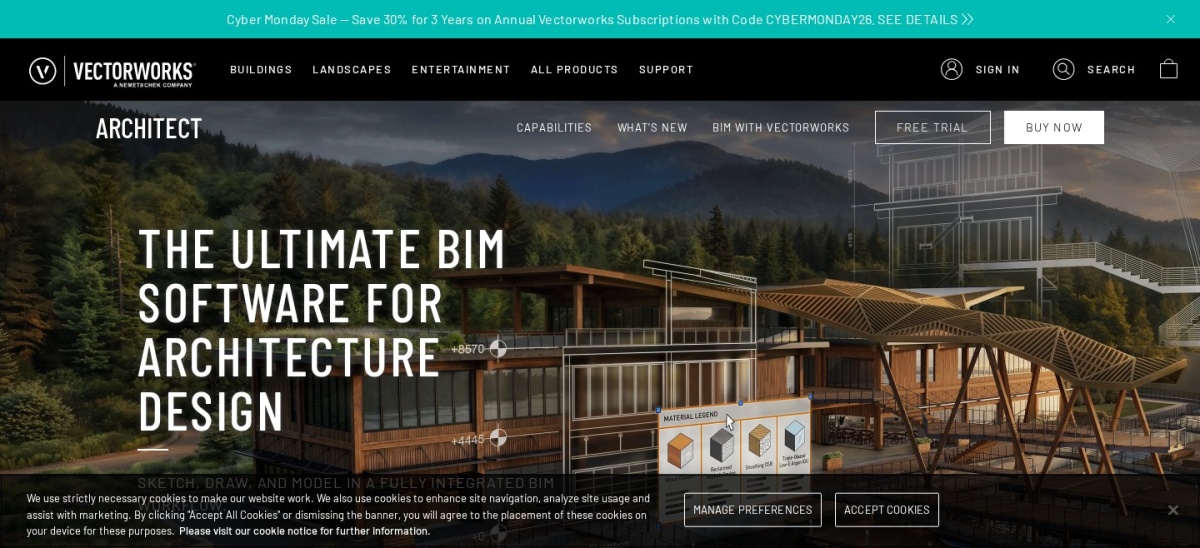
Vectorworks Architect homepage, captured Nov 2026.
Vectorworks Architect is architectural design software combining drafting, flexible 3D geometry, building information modeling and presentation documentation. The vendor identifies $1,530 as its regular annual subscription price, and the application supports workflows from early concepts through construction drawings.
The trade off is learning an integrated application that handles many different design tasks. The published $1,530 annual rate comes from an official promotional page because the current checkout does not expose its numerical prices in accessible text. It suits design-led studios seeking flexible geometry alongside BIM.
What we like
Integrated drafting and building modeling
Native Windows and macOS support
Flexible architectural design workflows
Professional presentation and documentation tools
Integrations with external visualization applications
Watch out for
Current checkout price needs additional confirmation
Best for complex architectural geometry and parametric design
Current commercial productRhino 9
License modelPerpetual
Desktop platformsWindows and macOS
Parametric designGrasshopper
rhino3d.com
Rhino homepage, captured Nov 2026.
Rhino is a precision 3D modeling application for developing complex architectural surfaces, curved structures and computational design concepts. Its commercial Rhino 9 license costs $995 for a single concurrent user and includes the Grasshopper visual programming environment.
The trade off is that Rhino does not provide the same native building information management and coordinated documentation capabilities as dedicated BIM applications. The $995 license is perpetual, but future major upgrades may cost extra. It suits architects exploring complex facades, organic forms and parametric design.
What we like
Precise freeform surface modeling
Integrated Grasshopper computational design
No mandatory recurring license payments
Extensive file exchange capabilities
Suitable for complex architectural geometry
Watch out for
Limited native architectural BIM functionality
Parametric modeling requires additional learning
Some workflows depend on external extensions
The perpetual commercial license includes Rhino modeling and Grasshopper without recurring subscription fees.Visit rhino3d.com
07
Chief Architect
4.4/5on Capterra (68 reviews, checked Nov 2026)
Starts at$1,995/yr
Best for residential architecture and remodeling projects
Entry professional productPremier
Monthly billing alternative$229/mo
Design specializationResidential architecture
Building toolsFraming, roofs and materials
chiefarchitect.com
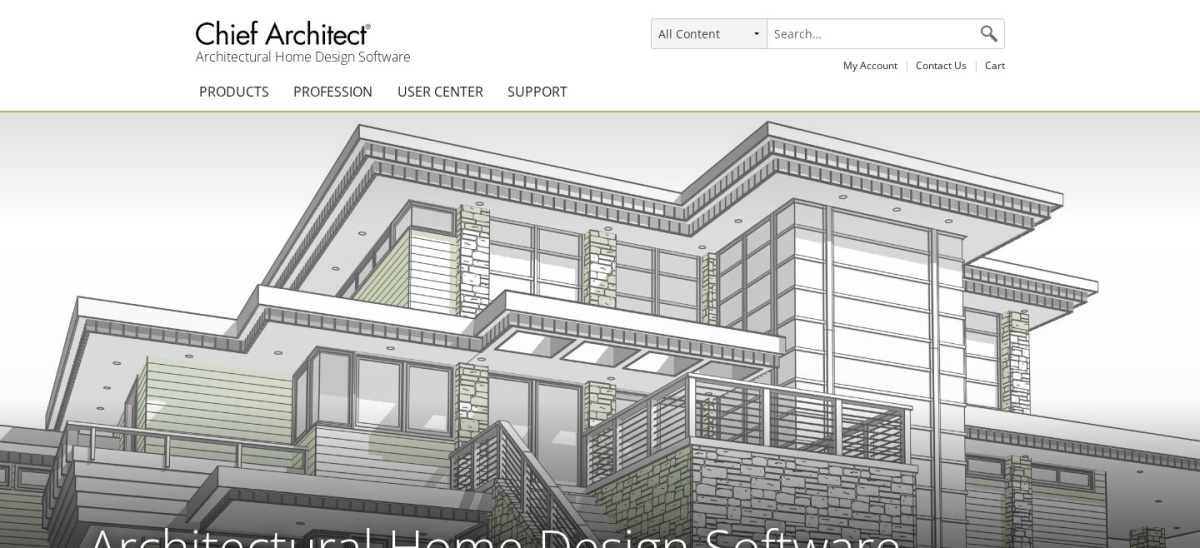
Chief Architect homepage, captured Nov 2026.
Chief Architect is residential design software for creating house plans, remodeling designs, interior layouts and construction drawings. Its Premier subscription costs $1,995 annually and includes automated building tools, premium product catalogs, software upgrades and priority technical support.
The trade off is that its residential specialization makes it less suitable for complex commercial and multidisciplinary infrastructure projects. Monthly billing costs $229, while eligible legacy-license upgrades receive a temporary first-year discount. It suits residential architects, home designers and design-build contractors.
What we like
Dedicated residential building tools
Automated roof and framing capabilities
Detailed kitchen and bathroom design
Integrated visual presentations
Construction drawings and material lists
Watch out for
Limited appeal for large commercial projects
Relatively high annual license cost
Smaller public review sample than major BIM platforms
Premier includes professional residential modeling, construction documentation and premium catalogs.Visit chiefarchitect.com
08
Blender
4.6/5on G2 (321 reviews, checked Nov 2026)
PriceFree
Best for free architectural visualization and rendering
LicenseGNU GPL
Desktop platformsWindows, macOS and Linux
Rendering enginesCycles and EEVEE
Commercial usePermitted
blender.org
Blender homepage, captured Nov 2026.
Blender is free, open-source 3D creation software that architects can use for building visualization, interior rendering, landscape scenes and animated walkthroughs. It includes modeling, material creation, lighting, compositing and 2 integrated rendering engines without a mandatory paid subscription.
The trade off is that Blender is a general-purpose 3D application rather than a dedicated architectural documentation system. The software is free, but BIM extensions, commercial assets and training may create additional expenses. It suits visualization specialists, architecture students and practices seeking affordable rendering capabilities.
What we like
Free for personal and commercial use
Integrated photorealistic rendering
Flexible modeling and animation tools
Large open-source community
Supports architectural walkthroughs
Watch out for
Steep learning curve for beginners
No complete native construction documentation workflow
Detailed rendering can require substantial computing resources
BIM workflows generally require extensions
There is no mandatory paid Blender plan; commercial extensions and assets are optional.Visit blender.org
What is the difference between CAD, BIM and architectural 3D modeling?
CAD software prioritizes geometric accuracy and technical drawing production. AutoCAD remains suitable for architectural plans, details and drawing exchange when project information is organized through conventional documentation rather than an intelligent building model.
BIM software connects architectural geometry with information about building components. Revit and Archicad allow changes to building elements to appear in related project views and schedules, reducing duplicated documentation work.
General 3D modeling prioritizes shape development, spatial exploration and visual communication. SketchUp and Rhino help architects create design concepts, while Blender specializes in producing rendered scenes and animations.
Professional architecture practices frequently combine these approaches. A firm might develop early geometry in Rhino, create construction documentation in Revit and prepare marketing visualizations in Blender. Confirm file compatibility before adopting such a workflow.
Should architects buy perpetual software or pay annually?
Perpetual licenses reduce mandatory recurring software costs. Rhino 9 costs $995 upfront, and continued use of that purchased version does not require an annual subscription. Major version upgrades may involve optional additional payments.
Subscription licenses provide ongoing access during the paid term. SketchUp Go starts at $129 annually, Chief Architect Premier costs $1,995 annually, and Revit costs $3,005 annually. These products cover different tasks, so price alone does not establish equivalent value.
Free applications can reduce visualization expenses. Blender includes commercial modeling and rendering without a license charge, although suitable hardware, training and third-party assets may still cost money.
The price ladder treats perpetual purchases as first-year license expenses rather than recurring annual payments. Evaluate long-term costs using expected upgrade frequency, staff requirements, project collaboration services and the time required to maintain productive design workflows.
How we chose
We selected established architectural design applications covering BIM authoring, CAD drafting, conceptual modeling, residential building design, computational geometry and visualization. Rankings prioritize professional architectural relevance, available design capabilities, licensing accessibility and public review history.
Vendor pricing pages and public review profiles were opened on 30 Nov 2026. Regular license prices exclude temporary discounts, and perpetual purchases represent upfront costs. Ratings come from G2 and Capterra. Vectorworks' regular price is documented on an earlier official promotional page and requires checkout confirmation before publication.
We excluded rendering-only extensions, discontinued applications and products without sufficient public review evidence. Blender remains included because its open-source license has no required paid tier. Academic licenses and upgrade-only discounts were excluded from commercial entry pricing. No vendor paid for a place, and we do not claim testing for this list.
How to choose architectural design software for your projects
Identify your project deliverables, collaboration requirements, design preferences and licensing budget before choosing an architectural design application.
Define the documents and models you need to deliver. Choose BIM software when clients require coordinated building models and schedules. Select CAD for precise conventional drawings, or prioritize conceptual modeling and rendering when your work focuses on early design development.
Check compatibility with consultants and existing projects. Review native file formats, IFC support, DWG exchange and model coordination requirements. Confirm that project partners can receive usable design information without extensive manual conversion.
Evaluate hardware and operating system requirements. Determine whether your team uses Windows, Mac or Linux workstations. Check memory, processor and graphics requirements for large building models, complex geometry and architectural rendering before purchasing software.
Compare the complete cost of your design workflow. Include regular license fees, collaboration services, workstation upgrades, training and optional extensions. Distinguish perpetual purchases from subscriptions, and confirm that the cheapest available plan includes the professional functionality you need.
FAQ
What is the best software for architecture design in 2026?
Revit is the best overall architecture design software for firms that need coordinated BIM, construction documentation and multidisciplinary project workflows. It costs $3,005 annually and has a 4.6/5 G2 rating. SketchUp is better for accessible concept modeling, while Archicad provides design-focused BIM on Windows and Mac.
What is the best free architecture design software?
Blender is the best completely free option for architectural visualization, general 3D modeling and rendering. Its open-source license permits commercial use without mandatory subscription payments. SketchUp Free is another accessible option for personal conceptual modeling, but professional commercial workflows require an appropriate paid subscription.
Is Revit better than SketchUp for architecture?
Revit is better for coordinated building information models, construction documents and collaboration across architectural and engineering disciplines. SketchUp is better for rapid concept exploration, client presentations and accessible 3D modeling. Many architectural practices use both because their primary design purposes differ.
Which architecture design software is easiest for beginners?
SketchUp is generally the most approachable option for beginners because its direct modeling interface makes it easy to create rooms, building masses and spatial layouts. Its Go subscription costs $129 annually, while a free personal edition allows beginners to explore basic modeling without purchasing a license.
What software is best for residential architecture?
Chief Architect is particularly suitable for residential architecture because it includes tools for house plans, roofing, framing, kitchen layouts and construction documentation. Its Premier subscription costs $1,995 annually. SketchUp is a less expensive alternative for residential concepts and client-facing visual presentations.
How much does professional architecture software cost?
Professional architecture software ranges from free applications such as Blender to annual BIM subscriptions costing several thousand dollars. SketchUp Go costs $129 annually, Rhino costs $995 as a perpetual purchase, and Revit costs $3,005 annually. Additional collaboration, training and visualization expenses can increase total costs.
What is the best architecture design software for Mac?
Archicad is a leading choice for Mac-based architects requiring professional BIM, coordinated documentation and architectural modeling. Its Studio subscription costs $2,414 annually. Vectorworks Architect also offers native macOS support, while SketchUp and Rhino are suitable for conceptual and freeform modeling workflows.
Can Blender replace AutoCAD for architectural design?
Blender can replace some AutoCAD workflows involving general 3D geometry and visual presentations, but it is not a direct replacement for professional CAD documentation. AutoCAD provides precise drafting, established DWG workflows and construction drawing tools, while Blender primarily focuses on modeling, rendering and animation.
Which software is best for parametric architecture design?
Rhino with Grasshopper is particularly suitable for parametric architecture because it supports computational geometry, complex surfaces and visual programming. The commercial Rhino 9 license costs $995 as a one-time purchase. Architects can combine it with dedicated BIM applications when coordinated construction documentation is also required.
SaaS SEO and WordPress specialist with about 8 years of experience. Rakib compares WordPress plugins, themes, hosting and software using public pricing, documentation and user reviews. See how we rank.