Adobe InDesign is the best graphic design software for print design involving brochures, magazines and books, offering professional page layout and preflight tools from $22.99 per month. Adobe Illustrator is better for scalable packaging graphics and logos, while CorelDRAW combines vector illustration and commercial print layout capabilities.
How we make this list: we compare pricing pages, product documentation and public user reviews, then re-check every price before each update. No product paid for a place. Disclosure.
Adobe InDesign costs $22.99 monthly and earns 4.6/5 from 3,529 G2 reviews, making it the leading choice for professional publications.
Adobe Illustrator costs $22.99 monthly and holds a 4.6/5 rating from 6,211 G2 reviews.
CorelDRAW Graphics Suite costs $269 annually and earns 4.5/5 from 1,526 Capterra reviews.
Adobe Photoshop earns 4.6/5 from 13,463 G2 reviews, the largest review sample in this comparison.
Scribus and Inkscape provide free desktop publishing and vector design capabilities, rated 4.1/5 and 4.4/5 on G2 respectively.
Adobe Express Premium costs $9.99 monthly, making it the cheapest paid entry for template-based print design in this comparison.
What should graphic design software for print design include?
Print design requires more control over physical output than ordinary digital graphics. Designers must consider finished document dimensions, trimming, paper characteristics, typography and color reproduction before preparing artwork for production.
CMYK color management is important for conventional commercial printing. Although some printing providers accept RGB files, designers should follow the printer's requested color profile and document specifications rather than assuming that screen colors will reproduce accurately.
Vector and raster applications serve different production requirements. Vector graphics remain scalable and are suitable for logos, signage and illustrations, while raster editing applications are better for photographic adjustments and detailed image manipulation.
Page layout software becomes particularly valuable for longer publications. Reusable page templates, paragraph styles, linked images and automated page numbering help designers maintain consistent formatting across books, catalogs and magazines.
Print-ready export matters as much as the design interface. Professional designers should check bleed settings, embedded fonts, image resolution, color profiles and the PDF standard requested by their printing provider.
For beginners creating flyers, posters and promotional materials
$9.99/mo
Free plan
4.6/5
Price ladder: cheapest paid plan per year
List prices, USD, checked Nov 2026
ScribusFree
InkscapeFree
ExpressFREE$120
Photoshop$240
CorelDRAW$269
InDesign$276
Illustrator$276
The 7 best graphic design tools for print design
01
Adobe InDesign
4.6/5on G2 (3,529 reviews, checked Nov 2026)
Starts at$22.99/mo
Best for professional publications and multi-page print layouts
Design focusDesktop publishing and typography
Color managementCMYK, spot colors and ICC profiles
Print preparationPDF/X export and preflight
Entry subscription$22.99/mo, annual commitment
adobe.com
Adobe InDesign homepage, captured Nov 2026.
Adobe InDesign is a desktop publishing application for creating books, magazines, catalogs, brochures and other professionally printed publications. Its $22.99 monthly individual subscription includes page layout tools, reusable typography styles, linked graphics, preflight checks, print-ready PDF export and access to Adobe Express Premium.
The trade off is that the $275.88 annualized subscription requires ongoing payment, and complex illustration or photographic editing is better handled in separate applications. It suits publication designers, marketing agencies and print production departments that need consistent typography and reliable multi-page document preparation.
What we like
Dedicated multi-page publication design tools
Professional typography and reusable text styles
Preflight checks identify production problems
Supports CMYK and spot-color workflows
Integrates with Illustrator and Photoshop
Watch out for
Recurring subscription required
Learning curve for advanced publishing workflows
Complex image editing requires another application
The individual subscription includes InDesign, Adobe Express Premium and related Creative Cloud services.Visit adobe.com
02
Adobe Illustrator
4.6/5on G2 (6,211 reviews, checked Nov 2026)
Starts at$22.99/mo
Best for packaging graphics, logos and scalable printed artwork
Design formatEditable vector artwork
Color managementCMYK and spot colors
Print preparationBleed, artboards and PDF export
Entry subscription$22.99/mo, annual commitment
adobe.com
Adobe Illustrator homepage, captured Nov 2026.
Adobe Illustrator is a vector graphic design application for creating logos, packaging artwork, labels, signage and illustrations that retain their quality when resized. Its $22.99 monthly individual subscription provides vector drawing, typography, artboard management and print export tools, earning 4.6/5 from 6,211 G2 reviews.
The trade off is that the $275.88 annualized subscription adds recurring production costs, while long documents with extensive text are easier to manage in dedicated publishing software. It suits branding designers, packaging specialists and commercial artists producing scalable artwork for different physical printing formats.
What we like
Vector artwork scales without pixelation
Professional CMYK and spot-color controls
Precise paths and shape editing
Supports multiple artboards
Suitable for packaging artwork and signage
Watch out for
Recurring subscription required
Less convenient for long text-heavy documents
Advanced vector techniques require learning
The individual subscription provides Illustrator, Adobe Express Premium and related design services.Visit adobe.com
03
CorelDRAW
4.5/5on Capterra (1,526 reviews, checked Nov 2026)
Starts at$269/yr
Best for commercial print shops and combined illustration workflows
Annual subscription$269/year
Perpetual license$549 one-time
Included applicationsCorelDRAW and PHOTO-PAINT
Design focusVector illustration and page layout
coreldraw.com
CorelDRAW homepage, captured Nov 2026.
CorelDRAW is a commercial graphic design suite combining vector illustration, page layout, typography and photographic editing. Its 2026 Graphics Suite subscription costs $269 annually, while a perpetual license costs $549. The software holds a 4.5/5 Capterra rating from 1,526 reviews.
The trade off is that the $269 annual subscription costs more than free design applications, while perpetual licenses do not automatically include every future major upgrade or subscription benefit. It suits commercial print shops, signage businesses and designers producing promotional artwork across different physical formats.
What we like
Combines vector illustration and page layout
Annual subscription and perpetual purchase options
Supports commercial print production workflows
Includes photographic editing tools
Suitable for signage and promotional graphics
Watch out for
Perpetual license has a substantial upfront cost
Some ongoing services differ by licensing model
File exchange with Adobe applications may require adjustments
The Graphics Suite subscription includes ongoing updates and subscription-specific creative services.Visit coreldraw.com
04
Scribus
4.1/5on G2 (27 reviews, checked Nov 2026)
PriceFree
Best for free professional desktop publishing
LicenseFree and open source
Color managementCMYK and ICC profiles
Print exportPDF/X and preflight verification
Design focusMulti-page desktop publishing
scribus.net
Scribus homepage, captured Nov 2026.
Scribus is a free, open-source desktop publishing application for preparing brochures, newsletters, books and other printed publications. It provides page layout, typography, color management and PDF export capabilities, earning a 4.1/5 G2 rating from 27 reviews.
The trade off is that Scribus costs nothing but has a less polished editing workflow than InDesign, and exchanging editable publication files with commercial design software can require additional work. It suits independent publishers, nonprofit organizations and budget-conscious designers who need print-oriented page layout without recurring software expenses.
What we like
Complete desktop publishing application available free
Supports professional color management
Print-oriented PDF export and preflight tools
Suitable for multi-page publications
No recurring software licensing expenses
Watch out for
Interface requires more learning than template-based tools
Limited native compatibility with InDesign project files
Smaller independent review sample than commercial competitors
Scribus is distributed as open-source software without a paid feature tier.Visit scribus.net
05
Adobe Photoshop
4.6/5on G2 (13,463 reviews, checked Nov 2026)
Starts at$19.99/mo
Best for photographic print artwork and raster image preparation
Design formatRaster image editing
Color managementCMYK and ICC profiles
Entry subscriptionPhotography plan
Print preparationResolution and color proofing
adobe.com
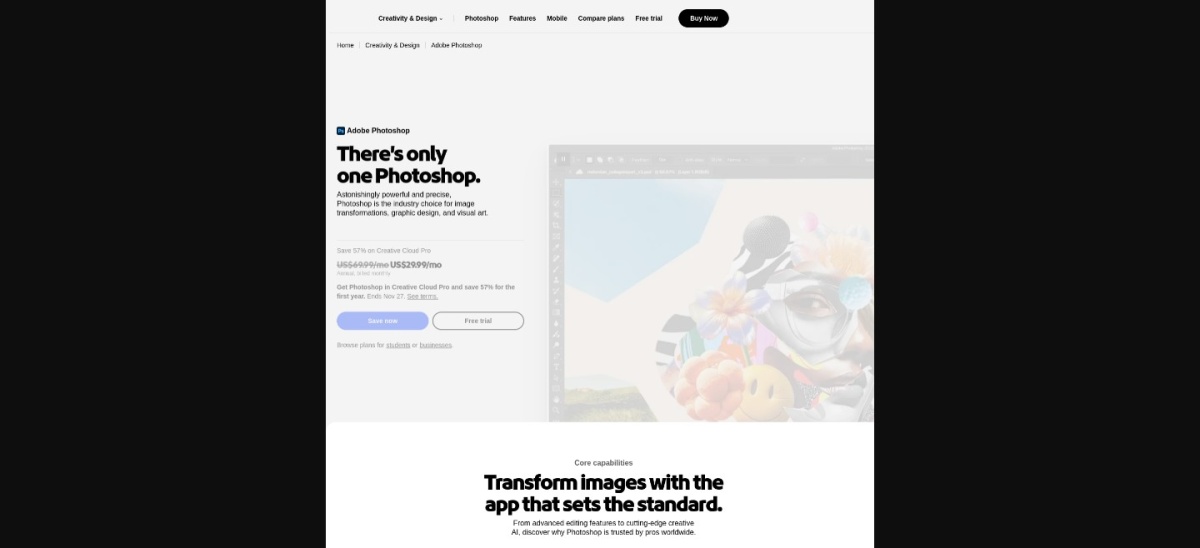
Adobe Photoshop homepage, captured Nov 2026.
Adobe Photoshop is a raster image editing application for preparing photographs, advertising artwork, textured illustrations and detailed compositions for printed materials. Its Photography subscription includes desktop Photoshop and Lightroom, while its editing capabilities earn a 4.6/5 G2 rating from 13,463 reviews.
The trade off is that the regular $19.99 monthly Photography subscription requires ongoing payment, while raster artwork is resolution-dependent and complex publication layouts are better prepared in InDesign. It suits photographers, advertising designers and print production specialists who need detailed control over photographic images before final document assembly.
What we like
Detailed photographic editing and retouching
Professional color correction tools
Supports CMYK image preparation
Flexible layers and nondestructive editing
Widely supported PSD working files
Watch out for
Requires an ongoing subscription
Raster artwork can lose quality when enlarged
Not designed for long multi-page publications
The Photography plan combines Photoshop, Lightroom and cloud storage.Visit adobe.com
06
Inkscape
4.4/5on G2 (416 reviews, checked Nov 2026)
PriceFree
Best for free vector illustration and scalable print artwork
LicenseFree and open source
Native formatSVG
Design capabilitiesVector drawing and typography
PlatformsWindows, macOS and Linux
inkscape.org
Inkscape homepage, captured Nov 2026.
Inkscape is a free, open-source vector graphics application for creating illustrations, logos, diagrams, labels and promotional artwork. Its SVG-based editing environment includes paths, typography, shape manipulation and PDF export, earning a 4.4/5 G2 rating from 416 reviews.
The trade off is that Inkscape costs nothing but does not offer the same comprehensive commercial CMYK and prepress workflow as dedicated professional print applications, potentially requiring separate final preparation software. It suits independent designers and small businesses creating scalable graphics without recurring licensing expenses.
What we like
Complete vector design application available free
Editable SVG artwork
Detailed path and shape manipulation
Available across major desktop operating systems
Suitable for illustrations and logo creation
Watch out for
Commercial CMYK workflows have limitations
Advanced prepress preparation may require another application
Less convenient for complex multi-page publications
Inkscape provides its open-source vector design tools without a paid upgrade.Visit inkscape.org
07
Adobe Express
4.6/5on Capterra (1,244 reviews, checked Nov 2026)
Paid from$9.99/mo
Best for beginners creating flyers, posters and promotional materials
Free planBasic editing tools and templates
Premium subscription$9.99/mo
Design approachTemplate-based visual editing
Print preparationPDF export and print layout options
adobe.com
Adobe Express homepage, captured Nov 2026.
Adobe Express is a template-based design application for creating flyers, posters, invitations, menus and other promotional materials without advanced graphic design skills. Its free plan includes basic editing and templates, while Premium costs $9.99 monthly and provides expanded creative assets, branding tools and design features.
The trade off is that the $119.88 annualized Premium subscription does not provide the extensive typography, spot-color management and preflight controls available in dedicated desktop publishing applications. It suits small businesses, marketing teams and beginners who need straightforward printed promotional materials rather than complex commercial publication workflows.
What we like
Accessible design interface for beginners
Permanent free plan for basic projects
Templates for common printed marketing materials
Affordable Premium subscription
Supports browser and mobile design workflows
Watch out for
Limited advanced commercial prepress controls
Less suitable for complex multi-page publications
Professional printing providers may require additional file preparation
Premium expands access to creative assets, branding features and advanced editing tools.Visit adobe.com
What makes a graphic design file ready for commercial printing?
Correct document dimensions are the foundation of print preparation. Confirm the finished size, required bleed, safe margins and intended printing method before creating the artwork.
Color settings should match the printing provider's requirements. Use the requested ICC profile, confirm whether spot colors are permitted and check how photographic images will reproduce on the selected paper.
Image quality depends on effective resolution at the final printed size. Enlarging a raster image can reduce its effective resolution, while vector artwork generally remains scalable without the same loss of detail.
Preflight the final PDF before delivery. Check missing fonts, linked images, overset text, transparency, color settings and page boundaries. Request a proof when color accuracy or production consistency is especially important.
Which type of graphic design software should print designers use?
Vector design software is appropriate for logos, labels, packaging graphics and signage. Illustrator, CorelDRAW and Inkscape allow designers to adjust scalable paths and shapes without the resolution constraints associated with raster artwork.
Raster editing software is appropriate for photographs, textured graphics and detailed image compositions. Photoshop provides controls for adjusting color, removing imperfections and preparing photographs for their intended printed dimensions.
Desktop publishing software is appropriate for assembling text and graphics into structured publications. InDesign and Scribus help designers maintain typography, page numbering, reusable layouts and linked artwork across longer documents.
Template-based design software is appropriate for straightforward promotional materials. Adobe Express helps beginners assemble flyers, menus and posters, although advanced commercial print requirements may still require a dedicated prepress application.
How we chose
We compared seven established applications covering professional desktop publishing, scalable vector illustration, raster editing and template-based design. Rankings prioritize print-specific capabilities, color management, layout control, export functionality, independent customer reviews and relevance to commercial production.
We reviewed vendor pricing and independent G2 and Capterra listings on 30 Nov 2026. CorelDRAW's 4.5/5 rating is based on 1,526 Capterra reviews. Scribus and Adobe Express were added to cover affordable publishing and promotional design. Scribus's main website returned an access restriction, and some Adobe pricing pages displayed localized amounts, so full direct-page pricing verification remains incomplete.
We excluded applications whose current consolidated product ratings or regular paid prices could not be established confidently, including Affinity and QuarkXPress. Temporary promotional rates are not used in the price ladder. All seven products have numerical independent ratings, and free open-source applications have a zero annual software cost. No vendor paid for a place, and we do not claim testing for this list.
How to choose graphic design software for professional printing
Identify the printed materials you create most frequently, confirm your printing provider's technical requirements and compare applications according to their production capabilities rather than their general design features.
Match the software to your primary printed materials. Choose InDesign or Scribus for books, magazines and catalogs, Illustrator or CorelDRAW for vector-based packaging and signage, and Photoshop for photographic artwork. Adobe Express is suitable for straightforward promotional materials, while Inkscape provides free vector editing.
Check commercial printing and color management features. Confirm support for required color spaces, spot colors, bleed, ICC profiles and PDF standards. Ask your printing provider which settings it recommends before deciding whether an application provides adequate production controls.
Compare subscription costs and licensing models. CorelDRAW offers a $269 annual subscription and a $549 perpetual license. Inkscape and Scribus require no paid license, while Adobe Express Premium costs $9.99 monthly. Consider whether your workflow also requires separate image editing or page layout applications.
Verify working file compatibility and final export. Check whether collaborators and printing providers can handle your preferred source files and exported documents. Preserve editable working files and use the requested print-ready output format for final production.
FAQ
What is the best graphic design software for print design in 2026?
Adobe InDesign is the best overall choice for professional publications because it combines typography, page layout, preflight checks and print-ready PDF export. Adobe Illustrator is better for vector-based packaging and signage, while CorelDRAW offers a combined illustration and commercial graphics workflow.
What is the best free graphic design software for print design?
Scribus is the best free choice for multi-page print layouts because it provides desktop publishing and print-oriented PDF preparation. Inkscape is better for free vector illustration, while Adobe Express offers an accessible free plan for straightforward flyers, posters and promotional graphics.
Is Adobe InDesign better than Illustrator for print design?
Adobe InDesign is better for multi-page publications such as magazines, books and catalogs because it provides dedicated typography and page management features. Illustrator is better for creating scalable graphics, logos, packaging artwork and illustrations that can be placed into a finished publication.
Is Photoshop suitable for professional print design?
Yes, Photoshop is suitable for preparing photographs, advertising images and raster-based compositions for professional printing. Its color correction, CMYK support and resolution controls are useful for image preparation, although vector artwork and multi-page publishing are generally better managed in other applications.
How much does professional print design software cost?
Professional print design software ranges from free applications such as Scribus and Inkscape to commercial subscriptions. Adobe Express Premium costs $9.99 monthly, InDesign and Illustrator each cost $22.99 monthly, and CorelDRAW Graphics Suite has a regular annual subscription price of $269.
Which graphic design software is best for packaging design?
Adobe Illustrator is particularly suitable for packaging artwork because it provides scalable vector graphics, precise paths, spot colors and print document controls. CorelDRAW is another useful option for label design and packaging graphics, especially for commercial printing businesses that prefer a combined design suite.
Do I need CMYK software for commercial printing?
CMYK-capable software is useful when a commercial printing provider requires controlled process-color output. However, some printers accept RGB files and perform their own conversion. Always follow the provider's requested color profile and export specifications rather than converting every design automatically.
What graphic design software should beginners use for printing?
Adobe Express is a suitable starting point for beginners creating flyers, posters and promotional materials because it provides templates and approachable editing tools. Inkscape is a better free option for learning vector illustration, while Scribus is suitable for learning professional page layout.
Is Scribus a good free alternative to Adobe InDesign?
Yes, Scribus is a useful free alternative for desktop publishing, particularly for independent designers preparing brochures, newsletters and books. It supports professional print preparation without subscription expenses, although InDesign provides a more established commercial collaboration ecosystem and closer integration with other Adobe applications.
SaaS SEO and WordPress specialist with about 8 years of experience. Rakib compares WordPress plugins, themes, hosting and software using public pricing, documentation and user reviews. See how we rank.