Dabble is the best of the Scrivener alternatives for most novelists: it combines a Plot Grid, story notes and cloud sync from $15 a month, rated 4.5 out of 5 from 112 reviews. Reedsy Studio is the free pick for writing and formatting, while Plottr is best if you only need visual plotting.
How we make this list: we compare pricing pages, product documentation and public user reviews, then re-check every price before each update. No product paid for a place. Disclosure.
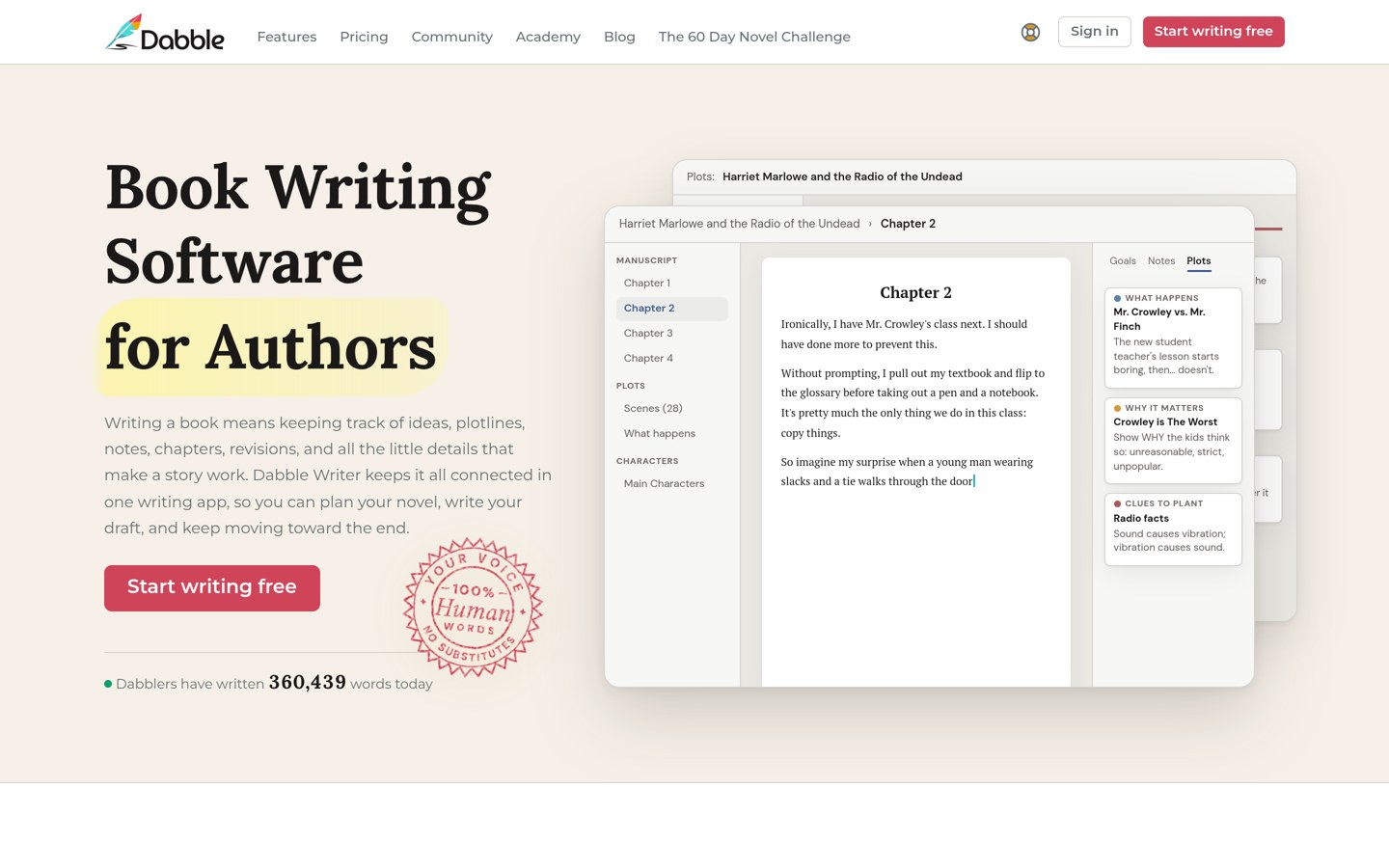
Dabble is the closest full Scrivener replacement: Plot Grid, story notes and sync from $15 a month.
Reedsy Studio is free for writing, collaboration and export, with paid add-ons from $4.99 a month.
Plottr has the highest rating here at 4.8 out of 5, but it plans books rather than drafting them.
Atticus costs $147 once and covers writing plus formatting, cheaper over three years than most subscriptions.
LivingWriter has the weakest reviews in this list at about 2.5 out of 5, so try its free plan first.
How do you pick the right Scrivener alternative?
Scrivener costs $59.99 once per platform, so the real question is what you lose by leaving it. Most writers leave for a simpler editor, a free plan, or cloud sync that works across devices without buying a second licence.
A Scrivener alternative should cover three jobs: drafting, organising and exporting. Plottr covers only organising, Google Docs covers only drafting, and only Dabble, Reedsy Studio, Atticus and LivingWriter cover all three in one place.
Price spreads wider than the monthly numbers suggest. A $15 monthly plan costs $180 a year, while a $147 one-time buy costs nothing after year one, so work out the three-year cost before you commit.
Free plans are real in this category, but they cap something. Reedsy Studio is free for the whole path to a formatted book, Google Docs is free with a Google account, and LivingWriter's free plan covers one book. If your book starts as blog posts, our guide on how to write and publish a blog post in WordPress covers the publishing side.
4.5/5on G2 and Capterra (112 reviews, checked Nov 2026)
Starts at$15/mo
Best Scrivener replacement for novelists
Plot GridVisual, colour-coded
Story notesLinked character and plot notes
Cloud syncWeb, desktop and mobile
Paid planWriter, $15/mo
dabblewriter.com
Dabble homepage, captured Nov 2026.
Dabble is a cloud writing app built for novelists, with a Plot Grid for mapping scenes, linked Story Notes for characters and plot threads, and sync across web, desktop and mobile. The Writer plan covers plotting, goals, focus mode and version history, with a 14-day free trial and no free tier.
The trade off is price and formatting. Dabble costs $15 a month on the Writer plan, and it will not format or publish your book, so you still need a formatting tool at the end. It suits fiction writers who want Scrivener-style organisation without the learning curve.
What we like
Plot Grid makes story structure visible at a glance
Syncs across web, desktop and mobile
Goal tracking and focus mode included
Rated 4.5 out of 5 from 112 reviews
Watch out for
No free plan, only a 14-day trial
No formatting or publishing tools
Older reviews quote $19 a month, so check the current price
4.7/5on Trustpilot (2,039 reviews, checked Nov 2026)
Paid from$4.99/mo
Best free pick for writing and formatting
Free planYes, writing and export
CollaborationFree, with track changes
FormattingEPUB and print-ready PDF
Paid planCraft add-on, $4.99/mo
reedsy.com
Reedsy Studio homepage, captured Nov 2026.
Reedsy Studio is a free browser app for writing a book from first draft to finished file. The core editor, chapter management, collaboration with track changes and export to EPUB and print-ready PDF cost nothing, with unlimited books and no export paywall.
The trade off is planning depth. Outlining boards, character and plot cards and advanced stats sit behind paid add-ons, Craft at $4.99 a month and Outlining at $7.99 a month. It suits beginners and budget-conscious authors who want a free path to a formatted book.
What we like
Free writing, collaboration and export
Clean editor with no install
Print-ready PDF and EPUB included
Rated 4.7 out of 5 from 2,039 reviews
Watch out for
Trustpilot score covers all of Reedsy, not Studio alone
Planning boards need the paid Outlining add-on
No plotting tools on the free plan
Craft adds history and stats; Outlining adds planning boardsVisit reedsy.com
03
Plottr
4.8/5on Capterra (237 reviews, checked Nov 2026)
Starts at$60/yr
Best for visual plotting and series bibles
Plot templates30+, incl. Save the Cat
Timeline viewScene cards across plotlines
Series bibleCharacters, places, notes
Paid planBase, $60/yr
plottr.com
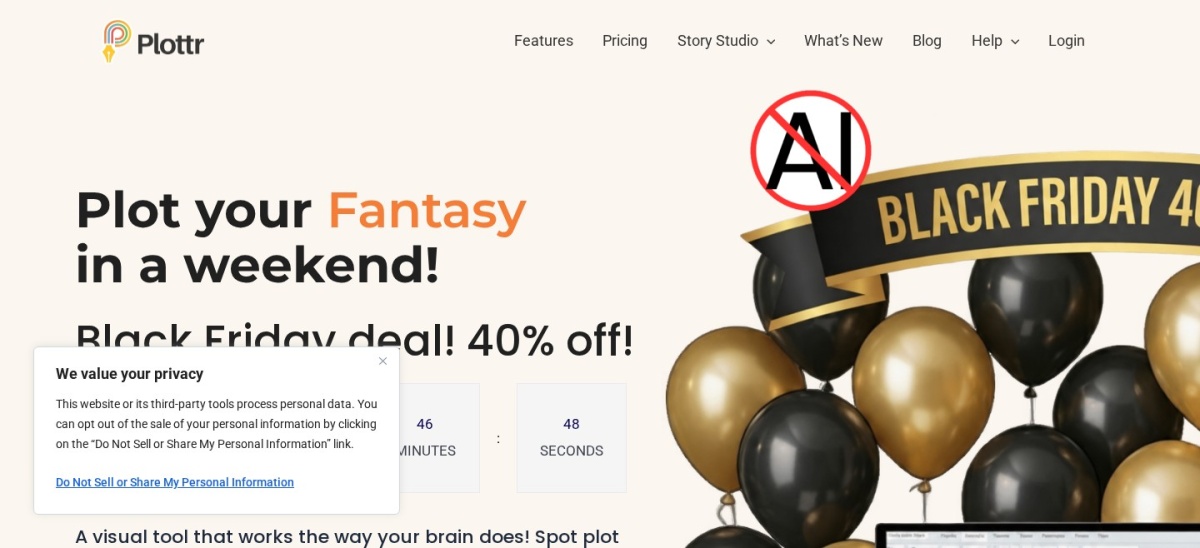
Plottr homepage, captured Nov 2026.
Plottr is a visual outliner that turns a novel into a timeline of colour-coded scene cards across parallel plotlines. It ships with more than 30 story-structure templates, plus linked character, place and note databases that build into a series bible.
The trade off is that Plottr is not a writing app. You cannot draft a manuscript inside it, so you pair it with a word processor or another tool on this list. It suits plotters and series writers who plan before they draft.
What we like
Highest rating here: 4.8 out of 5 from 237 reviews
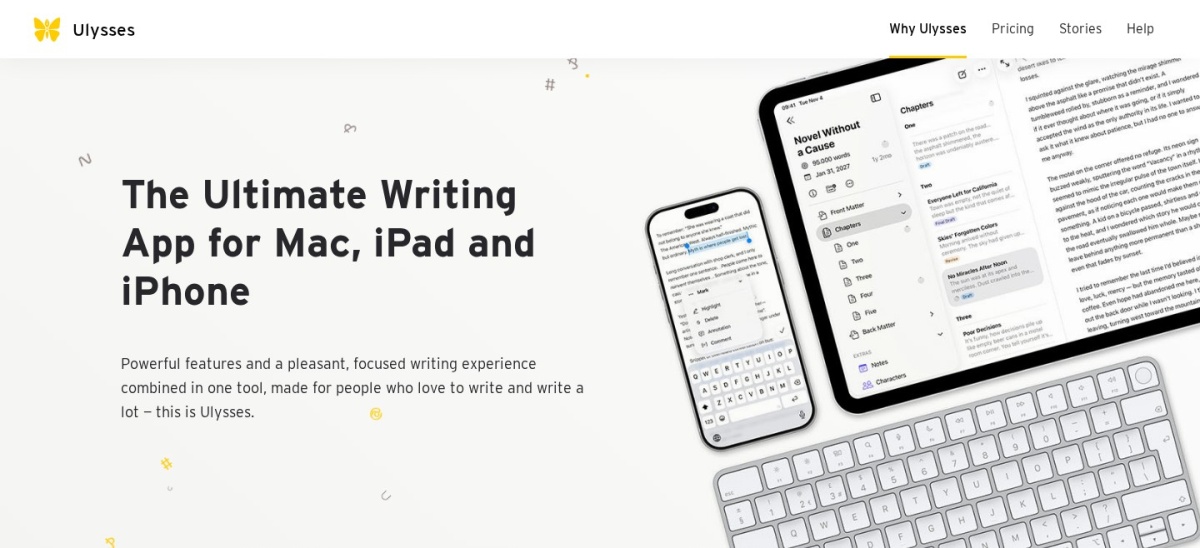
Ulysses is a distraction-free writing app for Mac, iPhone and iPad, built around a plain-text editor, a library for organising sheets and folders, and iCloud sync. It includes writing goals, export to ePub, PDF and Word, and direct publishing to WordPress and Medium.
The trade off is platform lock-in. Ulysses runs only on Apple devices, so Windows and Android writers cannot use it, and there is no free plan beyond a 14-day trial. It suits Apple-only writers who want a calm editor for books and long articles.
4.5/5on Trustpilot (204 reviews, checked Nov 2026)
Starts at$147/once
Best one-time buy for writing and formatting
Price modelOne-time, $147
Formatting themes17-plus chapter themes
ExportEPUB, print PDF, DOCX
PlatformsBrowser, any system
atticus.io
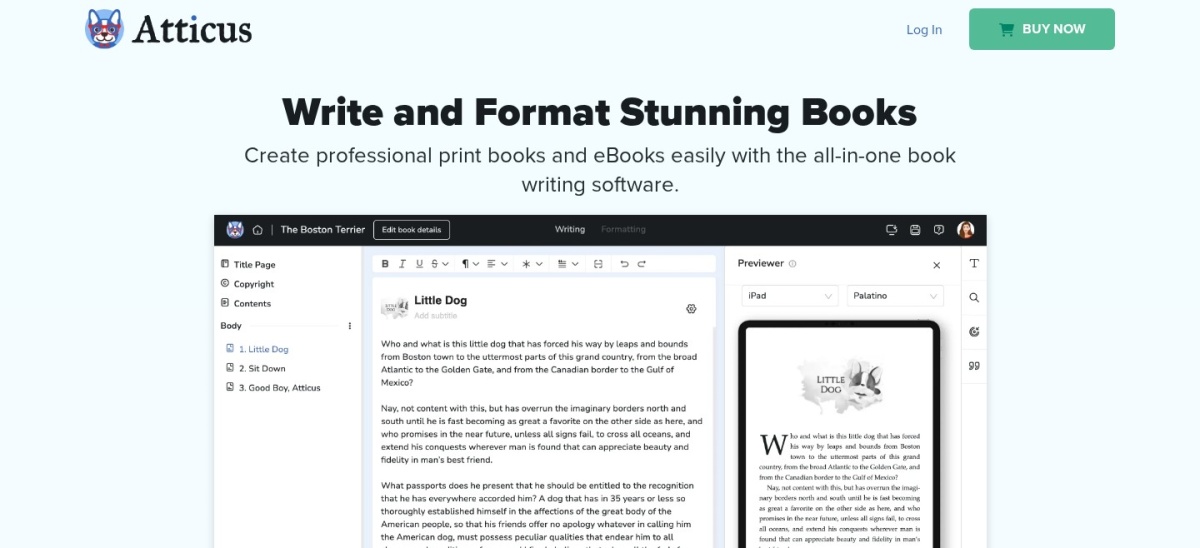
Atticus homepage, captured Nov 2026.
Atticus is a browser-based writing and formatting app in one purchase of $147, with lifetime updates. It combines a lightweight editor with professional ebook and print formatting, 17-plus chapter themes, and export to EPUB, print-ready PDF and DOCX.
The trade off is drafting depth. The editor is deliberately simple, with no plotting tools and no grammar checker, and very long manuscripts are reported to slow down. It suits indie authors who publish several books and want formatting without a subscription.
Google Docs is a free word processor that runs in the browser, with live co-editing, comments and version history built in. It autosaves everything, works on any device, and exports to Word, PDF and EPUB formats.
The trade off is organisation. Google Docs has no binder, corkboard or plotting tools, so a novel becomes one long document or a folder of files you manage yourself. It suits writers who draft with an editor or co-author and value free, instant collaboration.
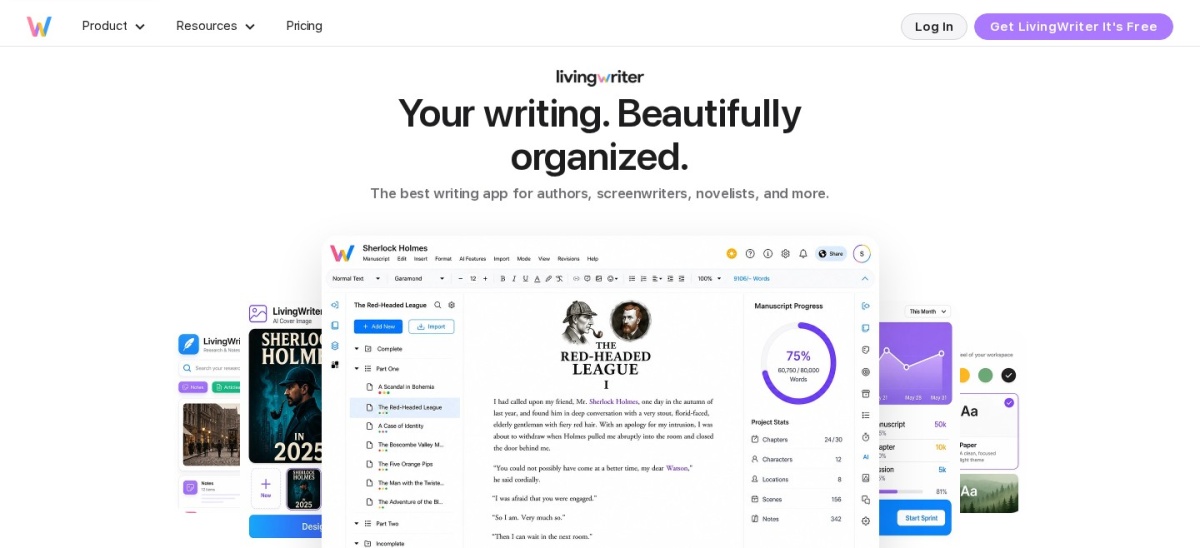
LivingWriter is a cloud writing app for novelists built around linked Story Elements, visual plot boards and story-structure templates. The free plan covers a first book with outlines, templates and PDF export, and paid plans add unlimited manuscripts and pro export formats.
The trade off is trust. LivingWriter scores about 2.5 out of 5 from around 20 Trustpilot reviews, with complaints about exports, billing and support, and Pro now costs $149 a year after a steep rise. It suits writers who value its character cards enough to try the free plan first.
Scrivener costs $59.99 once per platform, with a 30-day trial and no subscription. That one-time price is the benchmark every alternative here is judged against.
Over three years, Dabble at $15 a month costs $540, Ulysses costs about $120, and Atticus costs $147 once. Reedsy Studio and Google Docs cost nothing at all unless you buy add-ons.
Plottr's $150 lifetime licence is the closest match to Scrivener's buy-once model, but it only plans books. If you want Scrivener's full job in one purchase, Atticus is the nearer fit.
How we chose
We started from the writing apps most often named as Scrivener replacements in author reviews and comparison guides, then kept only those with a published user rating on G2, Capterra or Trustpilot.
Prices come from each vendor's pricing page, checked in November 2026. Ratings and review counts come from G2, Capterra and Trustpilot on 29 November 2026.
We left out tools with no public rating, including Novlr, Campfire, yWriter and bibisco, and tools that are not writing apps. No vendor paid for a place, and this list compares pricing pages, documentation and public reviews rather than claiming use of every tool.
How to choose a Scrivener alternative
Start with the Scrivener job you miss most, then let price and platform narrow the list.
Decide what Scrivener job you miss most. If it is plotting, Plottr or Dabble fits. If it is a calm editor, Ulysses or Google Docs fits. If it is formatting, Atticus or Reedsy Studio fits.
Start with the free option. Reedsy Studio, Google Docs and LivingWriter all have free plans, so draft a chapter in one before paying for anything.
Work out the three-year cost. A monthly plan at $15 costs $540 over three years, while a $147 one-time buy costs $147. Subscriptions only win if you use the extras.
Check the export before you commit. Make sure your pick exports EPUB, PDF or Word in a form your publisher or formatter accepts, and test it with one chapter first.
FAQ
What is the best Scrivener alternative in 2026?
Dabble is the best Scrivener alternative for most novelists. It combines a visual Plot Grid, linked story notes and cloud sync from $15 a month, and it is rated 4.5 out of 5 from 112 reviews across G2 and Capterra.
Is there a free alternative to Scrivener?
Yes. Reedsy Studio is free for writing, collaboration and export to EPUB and print-ready PDF, and Google Docs is free with a Google account. LivingWriter's free plan covers one book, while Dabble and Ulysses offer only free trials.
How much does Dabble cost?
Dabble's Writer plan costs $15 a month, or $180 a year, with a 14-day free trial. Author costs $23 a month and adds grammar checks and track changes, while Bestseller costs $39 a month and adds writing courses. Older reviews quote $19 a month, so check the current price.
Which Scrivener alternative is best for plotting?
Plottr is the best Scrivener alternative for plotting. It turns a novel into a timeline of scene cards with more than 30 story-structure templates, and it holds a 4.8 out of 5 rating from 237 Capterra reviews. Note that Plottr plans books but cannot draft them.
Dabble vs Reedsy Studio: which should I choose?
Choose Dabble if you want Scrivener-style plotting and organisation with cloud sync, from $15 a month. Choose Reedsy Studio if you want to write and format a book for free, with optional add-ons from $4.99 a month. Both export EPUB and PDF.
Is Atticus worth $147?
Atticus is worth $147 if you publish more than one book and want writing plus formatting in a single purchase. It includes lifetime updates and 17-plus chapter themes. It is a weaker pick if you need plotting tools or a grammar checker, which it does not have.
SaaS SEO and WordPress specialist with about 8 years of experience. Rakib compares WordPress plugins, themes, hosting and software using public pricing, documentation and user reviews. See how we rank.