Adobe Illustrator is the best vector drawing software for full print and branding production, priced at $263.88/yr prepaid with a 4.6/5 rating across 6,209 reviews on G2. For no-cost editing, Affinity offers vector, pixel, and layout studios free for individuals, while Figma fits browser-based UI and team workflows.
How we make this list: we compare pricing pages, product documentation and public user reviews, then re-check every price before each update. No product paid for a place. Disclosure.
#2 Best free app
Affinity
Free vector, pixel, and layout app for individuals
Adobe Illustrator holds 6,209 reviews on G2 at 4.6/5 and costs $263.88/yr prepaid for individuals.
Affinity provides vector, pixel, and layout tools free for individuals with a free Canva account.
Figma earns 4.7/5 across 1,593 reviews on G2 for shared browser vector and interface work.
CorelDRAW Graphics Suite carries a $439/yr regular subscription or $1,030 one-time business license.
Sketch offers a $120 one-time Mac-only seat or $12/editor/month billed yearly.
How do you choose the best vector drawing software?
Output format separates print houses from product teams. Vector files scale cleanly for logos, signage, and packaging, while screen workflows prioritize shared components and fast handoff.
Pricing models split sharply between free tools, recurring subscriptions, and one-time licenses. A solo illustrator has very different recurring costs than a multi-seat agency or print shop.
Operating system support determines daily friction. Mac-only apps can stall mixed-OS teams, whereas cross-platform desktop and web apps keep files accessible across machines.
Template and AI extras can speed up drafts, but core path control still decides precision. Clean anchor points, boolean operations, and export formats matter most when files go to production.
Adobe Illustrator is a vector graphics editor for logos, icons, typography, and scalable print and digital artwork. Paid plans start with a 7-day free trial and run $22.99/mo billed monthly on an annual plan or $263.88/yr prepaid.
The trade off is ongoing subscription cost and a steep early learning curve compared with lighter editors. It suits designers and brands that need broad file compatibility and print-ready vector output.
What we like
Broad format support for print, web, and brand assets
Available across desktop, iPad, and web
Large review base on G2 with 6,209 ratings
Watch out for
No permanent free tier beyond a 7-day trial
Recurring annual or monthly cost adds up over time
Paid plans include desktop, iPad, and web access plus 100 GB of cloud storage.Visit adobe.com
02
Affinity
4.5/5on G2 (452 reviews, checked Nov 2026)
PriceFree
Best free all-in-one vector, photo, and layout app
Individual cost$0 with free Canva login
StudiosVector, Pixel, Layout
PlatformsMac, Windows, iPad
File formatsAF, PSD, AI, PDF, SVG
affinity.studio
Affinity homepage, captured Nov 2026.
Affinity is a combined vector, pixel, and layout application available free for individuals with a free Canva account. It combines vector drawing, photo editing, and page layout tools in one app on Mac, Windows, and iPad.
The trade off is needing a Canva account to download and activate, with optional Canva AI tools tied to premium Canva plans. It suits individual creators who want studio tools at zero subscription cost.
What we like
Free for individuals with no paid tier required for core tools
Combines vector, raster, and layout workflows in one app
Runs natively on Mac, Windows, and iPad
Watch out for
Requires a Canva account for sign-in and activation
Optional Canva AI tools require a premium Canva plan
Core vector, pixel, and layout tools are free for individuals without a paid subscription.Visit affinity.studio
03
Figma
4.7/5on G2 (1,593 reviews, checked Nov 2026)
Paid from$144/yr
Best for browser-based UI design and team collaboration
Free planStarter (3 files)
Annual design seat$144/yr per seat
Version history30 days free; unlimited paid
CollaborationReal-time multiplayer
figma.com
Figma homepage, captured Nov 2026.
Figma is a cloud design tool for vector editing, UI components, prototyping, and real-time team collaboration. Its free Starter plan includes three Figma Design and Sites files with a single folder and 30-day version history.
The trade off is file and folder limits on the free tier and per-seat billing once teams grow, with Figma Design Pro listed at $144/yr per seat. It suits product designers and teams working around shared screens.
What we like
Strong real-time editing, components, and developer handoff
Free Starter plan lets individuals test workflows
High 4.7/5 rating across 1,593 G2 reviews
Watch out for
Free Starter plan caps active files at three
Per-seat costs scale up as more editors join
Paid seats add unlimited folders, shared component libraries, and unlimited version history.Visit figma.com
04
Sketch
4.5/5on G2 (1,228 reviews, checked Nov 2026)
Starts at$120 one-time
Best for Mac-native vector UI and offline work
Free trial30 days
Mac-only license$120 per seat
Standard plan$12/editor/mo yearly
PlatformmacOS app + web viewer
sketch.com
Sketch homepage, captured Nov 2026.
Sketch is a vector design app focused on Mac workflows, reusable components, and prototyping. After a 30-day free trial, buyers can choose a $120 one-time Mac-only license per seat with one year of updates or a $12/editor/month annual subscription.
The trade off is macOS exclusivity for the native editor and a one-year update window on the one-time license. It suits Mac designers who want local files or a standalone seat option.
What we like
Offers a $120 one-time Mac-only seat alongside subscriptions
Includes 50 GB storage per editor on paid subscriptions
1,228 reviews on G2 with a 4.5/5 score
Watch out for
Native editing app is limited to macOS
One-time license includes one year of updates
Paid plans provide shared workspace storage, cloud sharing, and ongoing product updates.Visit sketch.com
05
CorelDRAW
4.3/5on G2 (557 reviews, checked Nov 2026)
Starts at$439/yr
Best for signage, apparel, and print production
Free trial15 days
Regular annual$439/yr
One-time business$1,030 per license
Color & printPantone & prepress tools
coreldraw.com
CorelDRAW homepage, captured Nov 2026.
CorelDRAW Graphics Suite is a vector illustration and layout suite built for signage, garment graphics, and commercial print shops. It starts with a 15-day free trial and carries a $439/yr regular subscription or a $1,030 one-time business license.
The trade off is higher pricing than lighter vector apps and a workflow geared toward production shops rather than quick web mockups. It suits print, signage, and apparel teams that rely on dedicated prepress tools.
What we like
Built for signage, packaging, and print production
Offers both subscription and one-time purchase paths
557 reviews on G2 with a 4.3/5 rating
Watch out for
Higher cost than free and mid-range vector tools
Heavier feature set than needed for simple web graphics
Paid plans include full vector and layout tools, Pantone color libraries, and AI credits.Visit coreldraw.com
06
Kittl
4.7/5on G2 (43 reviews, checked Nov 2026)
Paid from$144/yr
Best for templates, typography, and merchandise graphics
Free plan5 projects, 500 MB
Pro plan$12/mo billed annually
Free export limitPNG/JPG up to 800px
Commercial rightsIncluded on paid plans
kittl.com
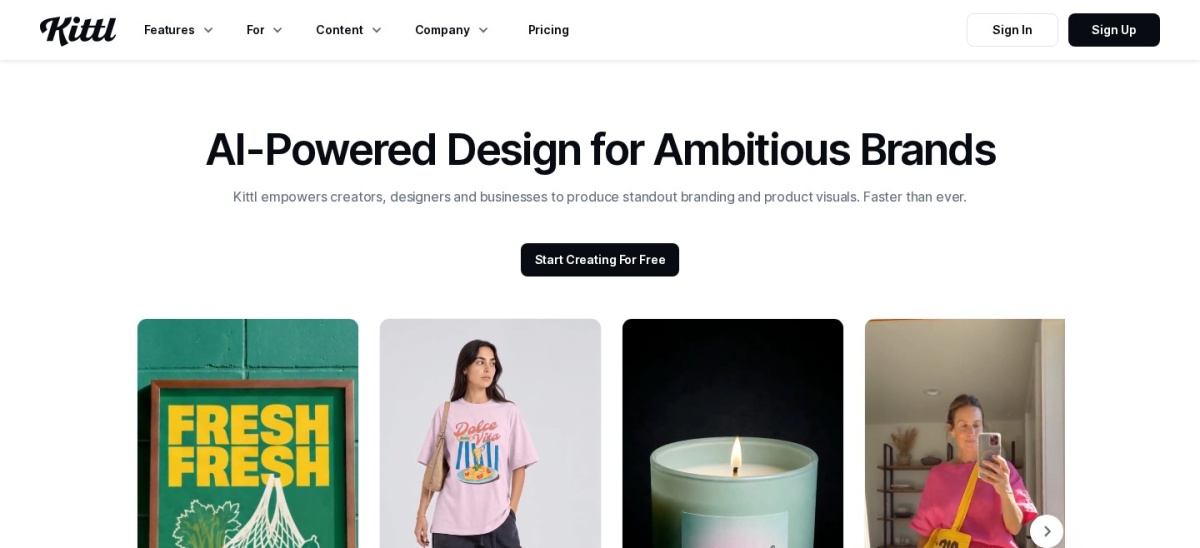
Kittl homepage, captured Nov 2026.
Kittl is a browser-based design and vector editor tailored to typography, templates, mockups, and merchandise graphics. Its free plan includes five active projects, 500 MB of storage, and 100 AI tokens for personal use.
The trade off is that free exports cap at 800px PNG or JPG without commercial rights, while Pro starts at $12/mo billed annually ($144/yr). It suits merch creators and small brands that start from templates and type.
What we like
Strong typography, template, and mockup workflow in the browser
Permanent free tier for testing layouts and personal drafts
4.7/5 rating across 43 reviews on G2
Watch out for
Free plan restricts exports and commercial licensing
Requires an active internet connection in the browser
Paid plans unlock scalable SVG and PDF vector exports, higher-resolution output, and commercial rights.Visit kittl.com
07
Inkscape
4.4/5on G2 (416 reviews, checked Nov 2026)
PriceFree
Best open-source SVG editor across desktop platforms
LicenseFree and open-source
Native formatSVG
PlatformsLinux, macOS, Windows
Core toolsBezier paths, nodes, layers
inkscape.org
Inkscape homepage, captured Nov 2026.
Inkscape is a free, open-source vector graphics editor built around the SVG standard for Linux, macOS, and Windows. It provides Bezier drawing, node editing, boolean operations, layers, and text tools at zero cost.
The trade off is an interface that feels less polished than commercial suites and occasional rough edges on macOS. It suits Linux users, educators, and budget-strict creators working in SVG.
What we like
Completely free and open-source with no paid tiers
Runs on Linux, macOS, and Windows
416 reviews on G2 with a 4.4/5 score
Watch out for
Interface takes time to learn for newcomers
Less streamlined collaboration than cloud design tools
All core vector editing and SVG tools come free with no paid upgrade required.Visit inkscape.org
08
Linearity Curve
4.4/5on G2 (18 reviews, checked Nov 2026)
Paid from$96/yr
Best for Apple-device vector drawing and quick assets
Free plan8 documents, 5 GB storage
Pro annual price$8/mo billed annually
Platform focusApple ecosystem & web
Companion appLinearity Move
linearity.io
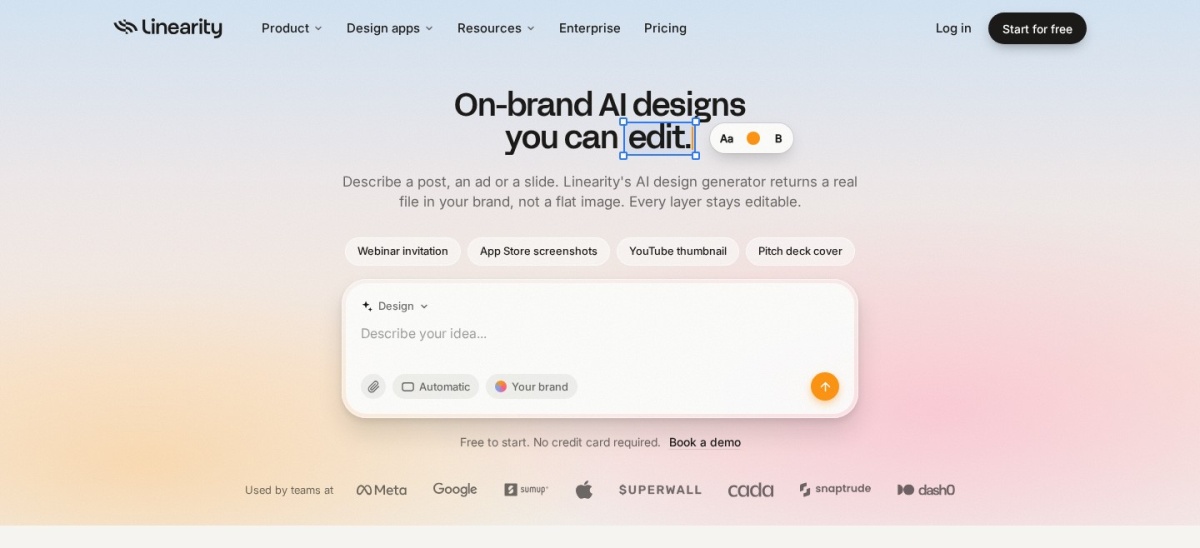
Linearity Curve homepage, captured Nov 2026.
Linearity Curve is a vector drawing tool built around Apple devices and marketing asset workflows alongside Linearity Move. The free tier includes 5 GB of cloud storage and an eight-document limit.
The trade off is the eight-document cap on the free tier and a smaller G2 review count of 18 at 4.4/5, with Pro starting at $8/mo billed annually ($96/yr). It suits creators working on iPad and Mac who want a lower-cost paid option.
What we like
Lower annual entry price at $8/mo billed yearly on Pro
Free tier includes 5 GB storage and an 8-document allowance
Pairs with Linearity Move for motion workflows
Watch out for
Free plan limits active documents to eight
Smaller review footprint on G2 than older suites
Pro removes usage limits across Linearity Curve and Move and adds advanced export options.Visit linearity.io
When do you actually need a paid vector tool?
Free tools cover everyday shapes, icons, and basic layouts without forcing an early bill. Affinity and Inkscape let you draw and export without recurring fees, while Figma and Kittl let you test workflows on a free tier.
Paid plans become worthwhile when you need commercial asset rights, shared team libraries, unlimited files, or print-specific color workflows. Check whether your output is screen-first or print-first before committing to a subscription.
How we chose
We built this shortlist from established vector design tools listed in G2's Vector Graphics category and verified official pricing pages.
All ratings, review counts, and plan prices were checked on 29 Nov 2026 directly from G2 and each vendor's pricing or product page.
We skipped discontinued apps, unverified tools, and any product without a confirmed official price. No vendor paid for a place, and we do not claim testing for this list.
How to pick the right vector editor
Follow four practical checks before you commit to a workflow:
Match the tool to your final output. Pick print-capable suites for packaging and signage, or collaborative web tools for screen interfaces and team handoffs.
Check your operating system first. Confirm whether your team uses Windows, macOS, Linux, or iPad so nobody gets locked out of editable files.
Compare yearly cost against how often you draw. A free or one-time option often makes more sense than a monthly subscription if vector work is occasional.
Verify export and licensing terms before publishing. Make sure SVG, PDF, or print exports and commercial usage rights match what your clients or shop require.
FAQ
What is the best vector drawing software in 2026?
Adobe Illustrator is the best choice overall for print and branding work, holding a 4.6/5 rating across 6,209 reviews on G2. Affinity is the top free option for individuals, and Figma fits browser-based UI teamwork.
What is the best free vector drawing software?
Affinity is free for individuals with vector, pixel, and layout studios included after signing in with a free Canva account. Inkscape is another strong free option that runs open-source across Linux, macOS, and Windows.
How much does vector drawing software usually cost?
Costs range from $0 for free tools like Affinity and Inkscape to $96/yr for Linearity Pro, $144/yr for Figma Design Pro, $263.88/yr prepaid for Illustrator, and $439/yr for CorelDRAW Graphics Suite.
Is Adobe Illustrator or Figma better for vector work?
Adobe Illustrator is stronger for traditional print, logos, and complex illustration workflows, while Figma excels at shared browser UI design and team collaboration. Choose Illustrator for print production and Figma for screen product teams.
Can beginners start with a free vector drawing app?
Yes, beginners can start for free with Affinity, Inkscape, Figma's Starter plan, or Kittl's free plan. Starting free lets you learn path tools and file exports before paying for higher limits or extra assets.
Do any vector drawing tools offer a one-time purchase?
Yes, Sketch offers a $120 one-time Mac-only license per seat with one year of updates, and CorelDRAW offers a $1,030 one-time business license alongside its $439/yr subscription.
SaaS SEO and WordPress specialist with about 8 years of experience. Rakib compares WordPress plugins, themes, hosting and software using public pricing, documentation and user reviews. See how we rank.