Canva is the best software to create posters for most people, with customizable templates, print-ready PDF exports and a 4.7/5 Capterra rating. Adobe Express is an affordable alternative for branded promotional posters, while Adobe Illustrator offers greater control over typography, vector graphics and large-format printing.
How we make this list: we compare pricing pages, product documentation and public user reviews, then re-check every price before each update. No product paid for a place. Disclosure.
Canva earns 4.7/5 from 13,469 Capterra reviews and costs $144 per year for its Pro subscription.
Adobe Express Premium costs $9.99 per month and combines poster templates with branding and resizing tools.
Adobe Illustrator earns 4.8/5 from 8,659 reviews and offers professional vector design for $22.99 per month.
Piktochart Pro costs $120 per year, but unlimited PDF exports require its Business subscription.
Visme Starter costs $147 per year and includes JPG, PNG and PDF downloads.
Adobe Photoshop is available through the Photography plan for $19.99 per month and suits photo-heavy posters.
How do you choose the best software to create posters?
The intended output matters more than the number of templates. A poster for social media needs different dimensions and export settings from a large printed advertisement. Decide where the finished design will appear before choosing software.
Template-based editors reduce the learning curve for beginners. Canva and Adobe Express provide layouts, fonts and visual assets that users can customize without building every element from scratch.
Professional printing benefits from precise layout controls. Vector graphics, editable typography, bleed settings and color management become important when producing large posters or supplying artwork to commercial printers.
Free design access does not always include free high-resolution downloads. Check whether your chosen plan supports the file format, dimensions and image quality you need before spending time creating a poster.
4.7/5on Capterra (13,469 reviews, checked Nov 2026)
Paid from$144/yr
Best for most poster creators
Design platformWeb, desktop and mobile
Poster templatesIncluded
Export formatsPDF, PNG and JPG
Paid planPro, $144/yr
canva.com
Canva homepage, captured Nov 2026.
Canva is a template-based graphic design platform rated 4.7 out of 5 by 13,469 Capterra reviewers. Its free editor includes customizable poster layouts, fonts, illustrations and photo editing tools, making it suitable for classroom projects, advertisements and event announcements.
The trade off is that premium assets and advanced editing features require Canva Pro at $144 per year or $18 with monthly billing. It suits individuals and small businesses that want attractive posters without learning professional graphic design software.
What we like
Accessible drag-and-drop design editor
Templates for numerous poster styles
PDF exports suitable for printing
Supports shared design projects
Large selection of visual assets
Watch out for
Premium templates and assets require payment
Less precise vector editing than Illustrator
Individual Pro subscription is limited to its account holder
Pro adds premium assets, brand kits and advanced editing tools.Visit canva.com
02
Adobe Express
4.6/5on Capterra (1,244 reviews, checked Nov 2026)
Paid from$9.99/mo
Best for affordable branded posters
Design platformWeb and mobile
Poster templatesIncluded
Branding toolsPremium
Paid planPremium, $9.99/mo
adobe.com
Adobe Express homepage, captured Nov 2026.
Adobe Express is a graphic design application for creating promotional materials, posters and social media content. Its free plan offers editable templates and basic design features, and the application holds a 4.6/5 rating from 1,244 Capterra reviews.
The trade off is that advanced resizing, additional creative assets and premium editing functions require the $9.99 monthly subscription. It suits marketers, independent creators and businesses that need to adapt poster designs for multiple promotional channels.
What we like
Affordable premium subscription
Editable templates for promotional posters
Access to Adobe creative assets
Useful resizing and branding features
Accessible without advanced design skills
Watch out for
Some templates and assets require Premium
Less control over complex vector illustrations
Advanced AI features have usage allowances
Premium adds more design assets, branding and advanced resizing.Visit adobe.com
03
Adobe Illustrator
4.8/5on Capterra (8,659 reviews, checked Nov 2026)
Starts at$22.99/mo
Best for professional printed posters
Design platformDesktop and iPad
Graphics engineVector
Print controlsCMYK, bleed and PDF
Paid planIllustrator, $22.99/mo
adobe.com
Adobe Illustrator homepage, captured Nov 2026.
Adobe Illustrator is a professional vector graphics application for creating scalable artwork, detailed illustrations and custom typography. Rated 4.8/5 from 8,659 Capterra reviews, it offers precise control over poster dimensions, shapes, spacing and print preparation.
The trade off is a steeper learning curve and a subscription costing $22.99 per month with an annual commitment. There is a seven-day trial but no permanent free edition. It suits graphic designers, agencies and print professionals creating detailed or large-format posters.
What we like
Vector artwork scales without pixelation
Detailed typography and layout controls
Professional color management
Supports bleed and print production
Adobe Express Premium included
Watch out for
No permanent free plan
Requires more design knowledge
Annual subscription commitment at the listed rate
The subscription includes Illustrator and Adobe Express Premium.Visit adobe.com
04
Piktochart
4.7/5on Capterra (198 reviews, checked Nov 2026)
Paid from$120/yr
Best for infographic posters
Design platformWeb
Free downloads2 PNG downloads
PDF exportsBusiness plan
Paid planPro, $120/yr
piktochart.com
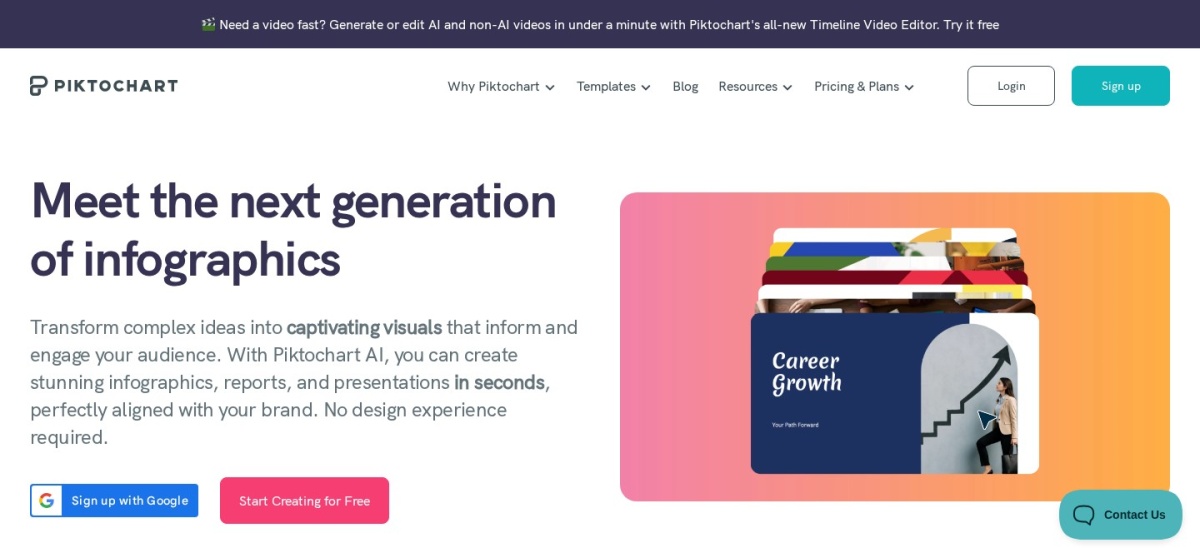
Piktochart homepage, captured Nov 2026.
Piktochart is a visual communication platform that helps users turn research, statistics and written information into posters and infographics. Its free plan supports unlimited visual projects, two PNG downloads and 1GB of storage, allowing users to explore its templates before upgrading.
The trade off is that Pro costs $120 per year and focuses on PNG exports, while unlimited PDF downloads require Business at $204 per year. It suits researchers, educators and marketing teams that want to communicate information through charts and structured visuals.
What we like
Templates designed for visual information
Chart and infographic creation tools
Unlimited visual projects on the free plan
Premium visual assets available on Pro
Watch out for
Free downloads are restricted
PDF downloads require a higher subscription
Less suitable for detailed artistic illustration
Pro adds unlimited PNG downloads, premium templates and additional storage.Visit piktochart.com
05
Visme
4.5/5on Capterra (719 reviews, checked Nov 2026)
Paid from$147/yr
Best for business and educational posters
Design platformWeb
Free storage500MB
Paid exportsJPG, PNG and PDF
Paid planStarter, $147/yr
visme.co
Visme homepage, captured Nov 2026.
Visme is a visual content creation platform for posters, presentations, reports and infographics. Its free Basic plan provides unlimited projects and 500MB of storage, while Starter provides premium templates and common image and document download formats.
The trade off is that downloading designs in JPG, PNG or PDF requires Starter at $147 per year, while advanced branding features belong to higher tiers. It suits organizations and educators producing information-rich posters that need consistent layouts and readable visual elements.
What we like
Templates for business and educational content
Charts and data visualization features
PDF downloads on the entry paid plan
Supports multiple visual content formats
Watch out for
Free plan has restricted download options
Brand Kit requires a higher subscription
Less focused on artistic poster illustration
Starter adds premium templates, downloadable files and additional storage.Visit visme.co
06
Adobe Photoshop
4.7/5on Capterra (9,706 reviews, checked Nov 2026)
Starts at$19.99/mo
Best for photo-heavy artistic posters
Graphics engineRaster
Image editingLayers, masks and retouching
Cloud storage1TB with Photography
Paid planPhotography, $19.99/mo
adobe.com
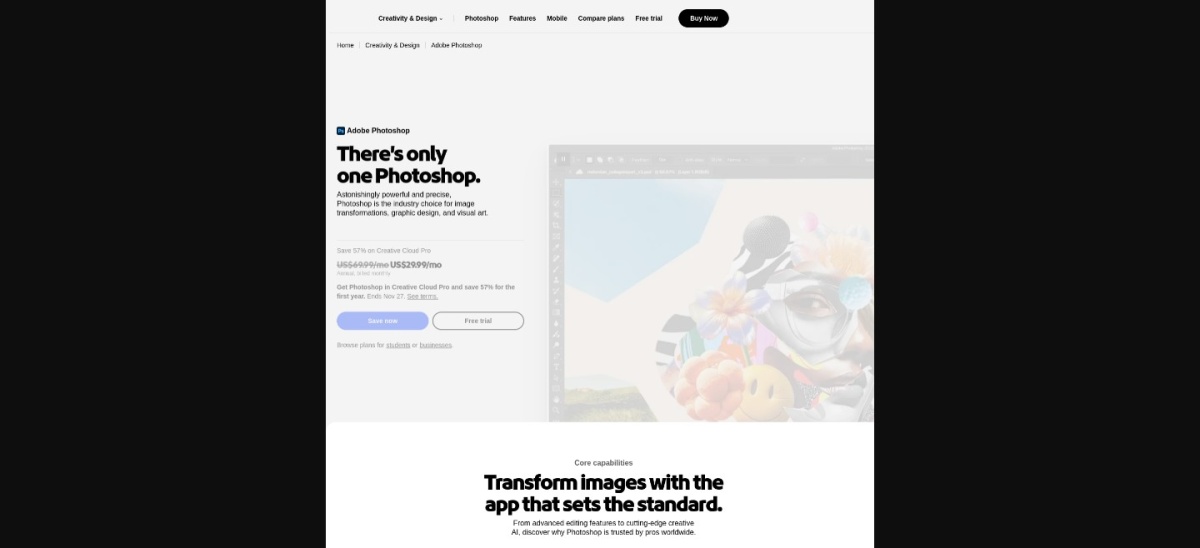
Adobe Photoshop homepage, captured Nov 2026.
Adobe Photoshop is an image editing and composition application for creating photographic advertisements, movie posters and detailed digital artwork. Its Photography subscription includes Photoshop, Lightroom and 1TB of cloud storage, and Photoshop holds a 4.7/5 Capterra rating.
The trade off is that raster artwork requires careful resolution planning for large prints, and the cheapest listed Photography subscription costs $19.99 per month with annual billing commitment. It suits experienced creators who need detailed control over photographs, image blending and layered compositions.
What we like
Detailed image manipulation and retouching
Layer-based editing and masking
Flexible photographic compositions
Supports professional color management
Lightroom included in the Photography plan
Watch out for
No permanent free desktop plan
Steeper learning curve than template editors
Raster designs require resolution planning
Photography includes Photoshop, Lightroom and 1TB of storage.Visit adobe.com
07
Snappa
4.4/5on Capterra (27 reviews, checked Nov 2026)
Paid from$120/yr
Best for AI-assisted digital posters
Design platformWeb
Free credits10 per month
Annual Pro credits3,000
Paid planPro, $120/yr
snappa.com
Snappa homepage, captured Nov 2026.
Snappa is an online graphics creation platform that now uses a credit-based AI image generation and editing model. Its free plan includes 10 monthly credits, while its annual Pro subscription provides 3,000 credits at the beginning of the billing period.
The trade off is that generating, editing and resizing images can consume separate credits, and Pro costs $120 per year or $15 per month. It suits creators producing digital promotional graphics who prefer AI-assisted image creation over detailed manual print production.
What we like
Free access to its design features
AI-assisted image creation and editing
Annual credits available upfront
Additional credit packs available for Pro users
Watch out for
Repeated image revisions consume credits
Smaller public review sample than leading competitors
Not primarily intended for commercial print production
Pro increases the credit allowance and enables additional credit purchases.Visit snappa.com
Which poster design software works best for printing?
Adobe Illustrator is the strongest choice here for professionally printed vector posters. Its layout, typography and color controls help designers prepare artwork that can be enlarged without losing the sharpness of vector elements.
Canva offers a simpler approach for everyday printed posters. Its templates and PDF export options are convenient for schools, event organizers and businesses that do not require detailed production controls.
Adobe Photoshop works well when photographs dominate the design. Set the document dimensions and resolution before editing, and confirm the required file format, bleed and color settings with your printer.
Digital posters have different requirements from printed artwork. Prioritize readable text on smaller screens, appropriate aspect ratios and compressed image exports when creating posters for websites or social media.
How much should you spend on poster design software?
Occasional poster creators can often avoid subscription fees by using the free editions of Canva or Adobe Express. Paying becomes more useful when you repeatedly need premium artwork, consistent branding or advanced editing.
Adobe Express Premium costs $119.88 over a year, while Canva Pro costs $144 with annual billing. Both are accessible options for regular promotional design.
Professional design software costs more but offers greater creative control. Illustrator costs $275.88 over an annual subscription, while the Photography plan containing Photoshop costs $239.88 over the same period.
Always compare standard subscription rates rather than introductory discounts. Adobe and Piktochart displayed seasonal promotions when checked, but the comparison uses their regular published rates.
How we chose
We started with established graphic design applications, online poster editors, vector illustration software and visual communication platforms. Products were compared on poster creation features, typography, templates, export formats, printing suitability and subscription costs.
We checked official pricing information and public Capterra ratings on 29 Nov 2026. Annual totals use regular annual subscription prices where available or monthly charges multiplied by twelve. Promotional discounts are excluded from the price ladder.
We excluded VistaCreate, Fotor, Kittl and PosterMyWall because their official pages did not provide sufficiently clear regular USD subscription prices during verification. Snappa was retained using its updated November 2026 pricing documentation. No vendor paid for a place, and we do not claim testing for this list.
How to choose the right software for poster design
Follow these steps to narrow your options according to your design experience, intended output, available budget and recurring creative needs.
Define where your poster will appear. Choose between printed posters, digital advertisements, classroom displays and social media graphics. Confirm the required dimensions and file format before selecting an editor.
Match the editor to your design experience. Start with Canva or Adobe Express if you prefer templates. Choose Illustrator for custom vector artwork or Photoshop for detailed photographic compositions.
Check the export restrictions. Confirm that your subscription supports the required PDF, PNG or JPG format. Pay particular attention to high-resolution downloads, transparency, watermarks and professional printing controls.
Compare the regular annual cost. Review the full subscription cost, including any annual commitment, premium asset restrictions and AI credit limits. Start with a free plan where available before deciding whether an upgrade is necessary.
FAQ
What is the best software to create posters in 2026?
Canva is the best poster creation software for most users because it combines customizable templates, accessible editing controls and PDF exports. Adobe Express is a lower-cost paid alternative, while Adobe Illustrator is better suited to professional vector artwork and detailed print production.
What is the best free software to create posters?
Canva is the best free poster design software for general-purpose projects. Its free templates and editing tools cover many educational, personal and promotional designs. Adobe Express is another good free option for users who want access to Adobe's creative design environment.
How much does poster design software cost?
Paid poster design software in this comparison starts at $119.88 per year with Adobe Express Premium. Canva Pro costs $144 annually, while Adobe Illustrator costs $275.88 over an annual subscription. Several template-based applications also provide permanent free plans.
Which poster design software is easiest for beginners?
Canva is the easiest choice for most beginners because users can customize existing layouts instead of constructing designs from scratch. Adobe Express is another accessible option. Both provide ready-made visual elements that reduce the need to learn advanced graphic design techniques.
Is Canva or Adobe Express better for making posters?
Canva is better for users who prioritize template variety and everyday design flexibility, while Adobe Express is attractive for branded promotional graphics and affordable premium access. Canva Pro costs $144 annually, compared with $119.88 per year for Adobe Express Premium.
What is the best software for large-format posters?
Adobe Illustrator is the best option here for large-format vector posters because its artwork can be scaled while retaining sharp edges. It also offers precise typography and print preparation controls. Photographic elements still need adequate resolution for the intended print dimensions.
Can I create a professional poster without paying?
Yes, Canva and Adobe Express offer free plans that can produce attractive posters for many everyday purposes. Use free templates, fonts and images, and confirm that the required export format is available without upgrading before completing the design.
Is Photoshop or Illustrator better for poster design?
Illustrator is better for typography, vector illustrations and scalable layouts, while Photoshop is better for photographic compositions and detailed image editing. Choose according to whether your poster relies primarily on scalable graphic elements or manipulated photographs and raster artwork.
What software is best for academic and infographic posters?
Piktochart and Visme are particularly suitable for posters that communicate research findings, statistics and educational information. Piktochart focuses on charts and infographic layouts, while Visme supports structured visual content. Check the available PDF export options before preparing a poster for printing.
SaaS SEO and WordPress specialist with about 8 years of experience. Rakib compares WordPress plugins, themes, hosting and software using public pricing, documentation and user reviews. See how we rank.