DaVinci Resolve is the best software to enhance video quality overall, with free professional color grading and a $295 Studio edition offering advanced restoration tools. Choose Topaz Video for dedicated AI upscaling and footage restoration or AVCLabs Video Enhancer AI for automated enhancement with affordable annual licensing.
How we make this list: we compare pricing pages, product documentation and public user reviews, then re-check every price before each update. No product paid for a place. Disclosure.
DaVinci Resolve Studio costs $295 as a one-time purchase and earns 4.7/5 from 223 G2 reviews.
Topaz Video has a regular annual subscription price of $299 with unlimited local rendering.
AVCLabs Video Enhancer AI costs $119.95 annually before promotional discounts.
Adobe Premiere costs $22.99 monthly with an annual commitment.
Filmora Basic costs $49.99 annually and supports watermark-free 4K exports.
Final Cut Pro is available through Apple Creator Studio for $129 annually.
What to look for in video quality enhancement software
Video enhancement software improves footage through color correction, noise reduction, sharpening, stabilization and resolution upscaling. The right application depends on whether your footage needs basic visual adjustments or more extensive restoration.
AI upscaling estimates additional image detail when increasing video resolution. It can improve the appearance of older footage, but it cannot guarantee accurate reconstruction of details missing from the original recording.
Look for temporal noise reduction when working with grainy or low-light footage. Stabilization is useful for handheld recordings, while color grading helps correct exposure, contrast and inconsistent colors.
Check hardware requirements before purchasing desktop enhancement software. AI processing can place considerable demands on graphics hardware, especially when enhancing long clips or exporting high-resolution footage.
Compare output formats, watermark restrictions, commercial licensing and recurring processing charges. Preview representative footage before committing to a subscription.
The 7 best software tools to enhance video quality
01
DaVinci Resolve
4.7/5on G2 (223 reviews, checked Nov 2026)
Paid from$295 one-time
Best for comprehensive video quality enhancement
Free color gradingIncluded
Advanced noise reductionStudio
AI processingDaVinci Neural Engine in Studio
Paid editionStudio, $295
blackmagicdesign.com
DaVinci Resolve homepage, captured Nov 2026.
DaVinci Resolve is a professional video editing and color grading application with tools for correcting exposure, contrast, saturation and footage stability. Its free edition includes extensive editing and grading capabilities, and G2 records a 4.7/5 rating from 223 reviews.
The trade off is a substantial learning curve, while advanced noise reduction, AI processing and additional restoration effects require Studio at $295. It suits filmmakers, content creators and professional editors who want precise control over video quality.
What we like
Extensive free editing and grading features
Professional color correction controls
Advanced restoration tools in Studio
One-time paid license
Watch out for
Advanced workflows require training
AI processing can demand substantial GPU resources
Some restoration tools require Studio
Studio adds advanced noise reduction, AI tools and additional restoration effects.Visit blackmagicdesign.com
02
Topaz Video
3.6/5on Trustpilot (56,822 reviews, checked Nov 2026)
Starts at$299/yr
Best for dedicated AI video restoration and upscaling
AI upscalingSupported
Local renderingUnlimited
Commercial licensingPersonal plan restrictions apply
Entry planPersonal, regular $299/yr
topazlabs.com
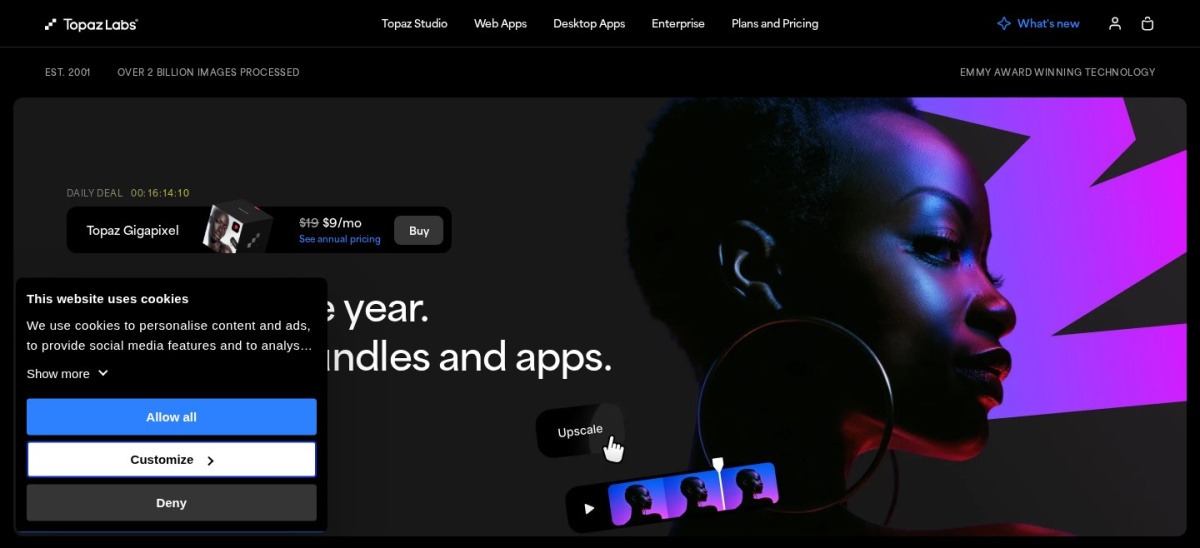
Topaz Video homepage, captured Nov 2026.
Topaz Video is a dedicated AI video enhancement application for upscaling, noise reduction, sharpening and frame interpolation. Personal includes unlimited processing on local hardware for a regular annual price of $299.
The trade off is processing time, graphics hardware requirements and recurring subscription expenses. A promotional annual price of $254 is currently advertised against the regular $299 rate. It suits creators restoring older recordings or improving low-resolution footage.
What we like
Dedicated AI video restoration models
Unlimited local rendering
Supports frame interpolation
Suitable for low-resolution source footage
Watch out for
Rendering can be resource-intensive
Recurring subscription expense
Trustpilot rating covers the vendor rather than this product alone
Personal unlocks desktop enhancement; Pro expands commercial licensing rights.Visit topazlabs.com
03
AVCLabs Video Enhancer AI
4/5on Trustpilot (556 reviews, checked Nov 2026)
Starts at$119.95/yr
Best for automated video enhancement on a budget
AI video enhancementSupported
Face restorationSupported
Licensed computers1
Annual planRegular $119.95/yr
avclabs.com
AVCLabs Video Enhancer AI homepage, captured Nov 2026.
AVCLabs Video Enhancer AI is a desktop restoration application that uses AI models to improve resolution, reduce noise and enhance facial details. Its annual subscription licenses 1 computer and includes software updates and technical support.
The trade off is limited conventional editing functionality and potentially lengthy processing. Annual licensing normally costs $119.95, with a current discounted rate of $95.96; monthly licensing costs $39.95. It suits users who prefer automated video restoration over manual grading.
What we like
Lower annual price than Topaz Video
Dedicated automated enhancement models
Face restoration capabilities
Perpetual licensing option
Watch out for
Processing speed depends on hardware
Limited timeline editing functionality
Trustpilot rating covers the wider vendor
Paid licensing unlocks full video processing and includes updates and support.Visit avclabs.com
04
Adobe Premiere Pro
4.5/5on G2 (1,751 reviews, checked Nov 2026)
Starts at$22.99/mo
Best for professional video editing workflows
Color correctionLumetri Color
StabilizationWarp Stabilizer
Cloud storage100 GB
Entry plan$22.99/mo with annual commitment
adobe.com
Adobe Premiere Pro homepage, captured Nov 2026.
Adobe Premiere Pro is a professional video editing application with color correction, stabilization, sharpening and export controls. Its individual subscription includes the editing application, Frame.io access and 100 GB of cloud storage.
The trade off is the recurring cost of $22.99 monthly with an annual commitment and the potential need for external restoration plugins. It suits professional editors and creators who already work with Adobe creative applications.
What we like
Detailed color correction tools
Integrated footage stabilization
Extensive editing and export controls
Established plugin ecosystem
Watch out for
No perpetual license
Advanced restoration may require additional plugins
Professional interface requires training
The individual subscription includes current editing features, updates and Frame.io.Visit adobe.com
05
Filmora
4.4/5on G2 (612 reviews, checked Nov 2026)
Starts at$49.99/yr
Best for beginners enhancing everyday videos
Paid export resolution4K
Watermark-free exportIncluded on Basic
Basic cloud storage1 GB
Entry planBasic, $49.99/yr
filmora.wondershare.com
Filmora homepage, captured Nov 2026.
Filmora is a consumer video editing application offering visual adjustments, stabilization, creative effects and AI-assisted editing features. Basic includes watermark-free 4K exports, 1 GB of cloud storage and more than 100 advanced editing features.
The trade off is that selected AI features consume credits, and optional creative asset subscriptions add costs. Basic costs $49.99 annually, with additional promotional discounts available. It suits beginners and social media creators who want straightforward editing and visual enhancement.
What we like
Accessible editing interface
Affordable annual subscription
Watermark-free 4K exports on Basic
Includes conventional visual correction tools
Watch out for
Some AI features require additional credits
Optional creative assets can increase costs
Less advanced restoration control than specialist software
Final Cut Pro is a video editing application for Apple devices that supports color correction, noise reduction, stabilization and professional video finishing. Apple Creator Studio includes Final Cut Pro alongside Motion, Compressor and other creative applications for $129 annually.
The trade off is limited platform availability and hardware-dependent feature support. Users who prefer standalone licensing can purchase Final Cut Pro for Mac for $299.99, although selected premium content remains subscription-exclusive. It suits creators working primarily with Apple hardware.
What we like
Professional editing and color grading
Optimized for compatible Apple hardware
Subscription and standalone purchase options
Integrated video finishing tools
Watch out for
Unavailable for Windows
Some features require Apple silicon
Selected premium content requires a subscription
Apple Creator Studio bundles Final Cut Pro with Motion, Compressor and other creative apps.Visit apple.com
07
Shotcut
4.2/5on G2 (42 reviews, checked Nov 2026)
PriceFree
Best for completely free video enhancement
Video resolution support4K and 8K
Noise reductionMultiple filter options
Color correctionThree-way color wheels
LicenseFree and open source
shotcut.org
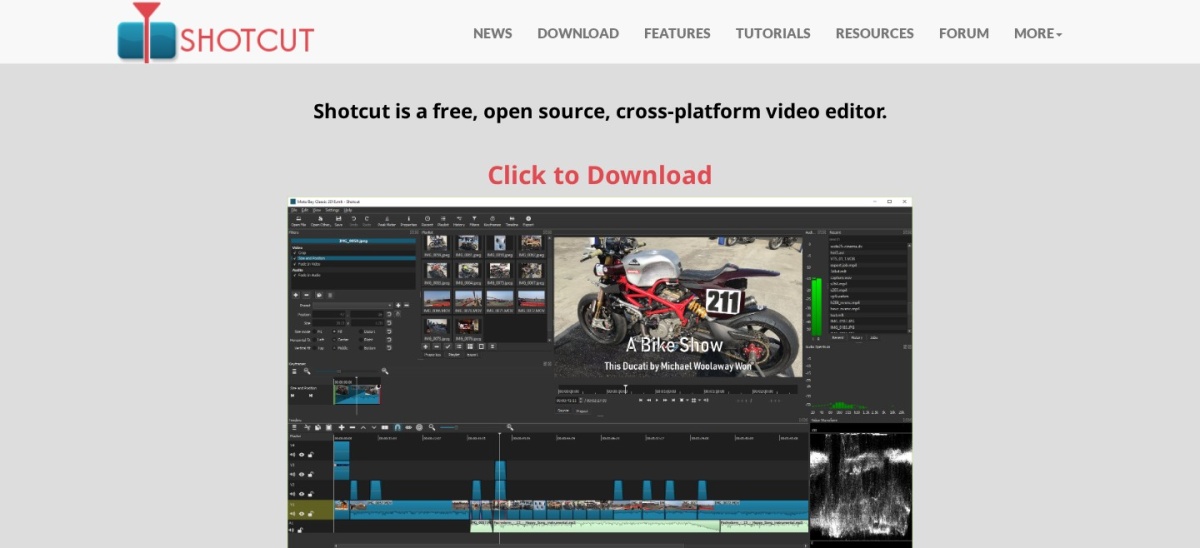
Shotcut homepage, captured Nov 2026.
Shotcut is a free, open-source video editor offering sharpening, stabilization, white balance, noise reduction and color grading filters. Its official feature documentation lists support for 4K and 8K resolutions, alongside configurable video export settings.
The trade off is greater reliance on manually configured filters rather than dedicated AI restoration models. There is no mandatory paid subscription or license purchase. It suits budget-conscious creators correcting exposure, reducing noise and improving everyday video recordings.
What we like
Completely free and open-source software
Multiple video noise reduction filters
Includes sharpening and stabilization
Available for Windows, macOS and Linux
Watch out for
Limited specialized AI restoration capabilities
Filter configuration requires experimentation
Smaller creative ecosystem than commercial editors
All standard enhancement and editing features are available without a paid upgrade.Visit shotcut.org
AI video enhancement vs. traditional video correction
Traditional video correction adjusts existing visual information using exposure controls, color grading, sharpening and noise reduction filters. It works well when footage contains sufficient detail but needs better presentation.
AI enhancement uses trained models to estimate missing details, increase resolution and reconstruct degraded features. Dedicated applications such as Topaz Video and AVCLabs are particularly relevant for older recordings and compressed footage.
Increasing resolution does not automatically improve visual quality. Excessive sharpening and aggressive AI reconstruction can introduce artificial textures, distorted faces and inconsistent motion. Preserve the original footage and compare results before exporting an entire project.
How we chose
We selected established video enhancement and editing applications covering AI restoration, resolution upscaling, color correction, noise reduction and stabilization. The comparison includes dedicated restoration tools and full video editors.
Official pricing pages and public G2 or Trustpilot ratings were checked on 27 Nov 2026. Annualized prices exclude temporary discounts. Trustpilot figures for Topaz Labs and AVCLabs represent company-level reviews rather than individual product ratings.
We excluded products without sufficiently clear pricing, adequate public review histories or relevant enhancement features. HitPaw was excluded because Trustpilot had suspended its company rating and its product-specific review history was insufficient. No vendor paid for a place, and we do not claim testing for this list.
How to choose the best software to enhance video quality
Identify the main quality problems in your footage before purchasing video enhancement software or installing a free editor.
Determine which visual problems need correction. Identify low resolution, compression artifacts, excessive noise, poor exposure, camera shake or inaccurate colors. Different enhancement techniques address different problems.
Choose between AI restoration and manual editing. Select dedicated AI software for automated restoration or a full video editor when you need precise color correction, stabilization and timeline editing.
Check hardware and processing requirements. Review operating system compatibility, graphics hardware requirements, available memory and storage before processing lengthy or high-resolution video projects.
Compare licensing costs and output restrictions. Review regular subscription prices, perpetual licenses, watermark limitations, AI credit allowances and commercial usage rights before purchasing.
FAQ
What is the best software to enhance video quality?
DaVinci Resolve is the best overall choice for comprehensive video quality improvement, with professional grading available for free and advanced restoration in its $295 Studio edition. Topaz Video is preferable when dedicated AI upscaling and restoration are the main priorities.
What is the best free video quality enhancer?
DaVinci Resolve offers extensive free color correction and editing features, while Shotcut provides completely free sharpening, noise reduction and stabilization filters. Shotcut is a suitable alternative when you want open-source software without mandatory paid feature upgrades.
Can AI improve blurry or low-resolution videos?
AI video enhancement can improve perceived sharpness, reduce visual noise and estimate additional detail when increasing resolution. However, severely blurred or compressed footage may contain insufficient original information, and reconstructed details are not guaranteed to reflect the original scene accurately.
Can I convert low-resolution videos to 4K?
Yes. Video enhancement applications can upscale lower-resolution footage to 4K using conventional scaling or AI reconstruction. The resulting quality depends on the source footage, enhancement settings and processing model. Higher output resolution does not guarantee authentic additional detail.
Is Topaz Video better than DaVinci Resolve?
Topaz Video specializes in automated AI upscaling, frame interpolation and restoration. DaVinci Resolve provides broader editing, grading and post-production capabilities. Choose Topaz for dedicated footage enhancement or Resolve when restoration is part of a larger video editing workflow.
Does video enhancement software require a graphics card?
Dedicated AI video enhancement software generally benefits from compatible graphics hardware because processing individual frames requires substantial computing resources. Conventional color correction and sharpening can often run on less demanding systems, although performance depends on footage resolution and export settings.
SaaS SEO and WordPress specialist with about 8 years of experience. Rakib compares WordPress plugins, themes, hosting and software using public pricing, documentation and user reviews. See how we rank.