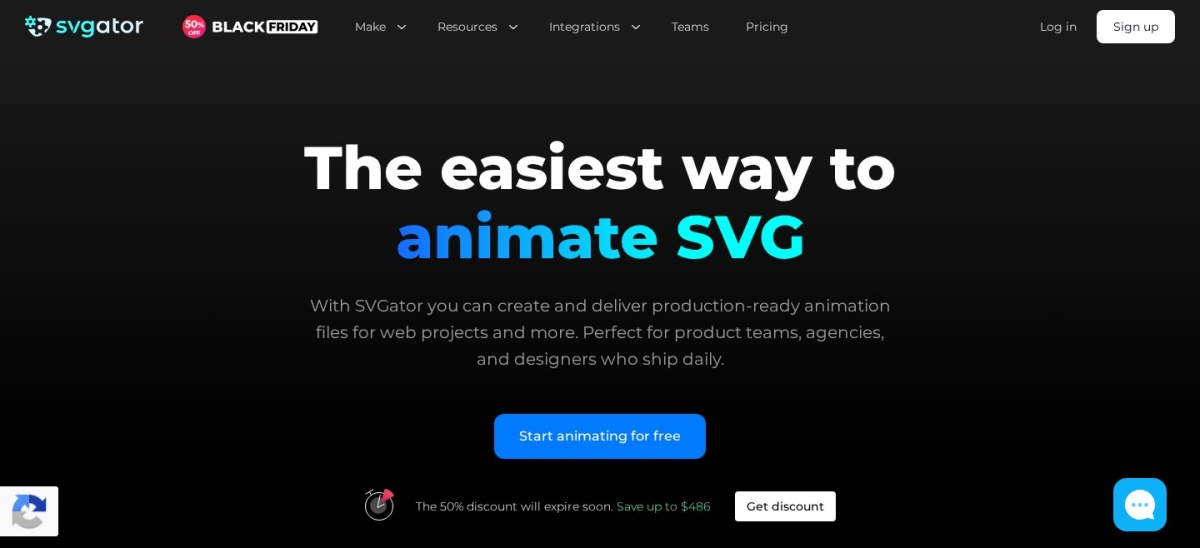
SVGator is the best vector animation software for web and SVG workflows, rated 4.7 out of 5 across 30 G2 reviews with a free tier and paid plans starting at $20 per month regular price. For character rigging and studio series, Toon Boom Harmony leads professional 2D pipelines, while Animaker fits fast browser video templates.
How we make this list: we compare pricing pages, product documentation and public user reviews, then re-check every price before each update. No product paid for a place. Disclosure.
SVGator holds a 4.7 out of 5 rating across 30 G2 reviews and supports CSS, JS, and Lottie exports.
Animaker carries 1,084 G2 reviews at 4.7 out of 5 for browser-based character and marketing video creation.
Toon Boom Harmony earns 4.7 out of 5 across 22 G2 reviews, with Harmony Essentials starting at $259 per year billed annually.
Adobe Animate holds 4.1 out of 5 across 159 G2 reviews, starting at $22.99 per month on an annual plan billed monthly.
Powtoon has 287 G2 reviews at 4.4 out of 5, with Lite starting at $15 per month billed yearly.
How do you choose the best vector animation software?
Export format decides the right tool before you open a timeline. Web icons and UI states need clean SVG or Lottie JSON files, while cartoons and explainers usually call for video or rigged character pipelines.
Browser editors trade deep rigging for fast setup. You can animate paths and keyframes in a browser tab without local installs, whereas desktop tools handle heavy rigs and multi-layer scenes better.
Subscription rules vary sharply across vendors. Some tools charge monthly per seat with export caps, while others bill annually or use tiered studio licenses.
Free plans often gate commercial exports or watermarks. Always check whether a free tier covers client delivery or restricts resolution before building a project on it.
SVGator is a browser-based vector animation editor built around timeline keyframes without manual coding. The free tier starts at $0 and lets you explore the editor and export unlimited static SVGs, while its Starter plan lists a regular price of $20 per month (a 50% discount promotion is also listed on its pricing page).
The trade off is paying once you need animated vector exports or interactive triggers, which start at $20 per month regular price. It suits designers and front-end builders who want animated SVGs or Lottie files for sites and apps.
What we like
Runs in the browser with no local software install
Supports animated SVG, CSS, JS, and Lottie JSON exports
Free plan allows exploring the editor and static SVG exports
G2 reviewers highlight fast web-ready animation without hand-coding
Watch out for
Animated vector exports require a paid plan
Timeline and controls can feel steep at first for new users
Best for template-driven animated marketing videos
WorkspaceBrowser editor
Entry plan$19/mo billed yearly
Free tierYes ($0)
G2 rating4.7/5 (1,084)
animaker.com
Animaker homepage, captured Nov 2026.
Animaker is an online animation and video creation tool for building animated scenes, characters, and explainers from templates. It offers a $0 entry option and lists its Startup plan at $19 per month billed annually ($35 billed monthly).
The trade off is monthly export limits and higher pricing as you add characters, resolution, or voice features, starting at $19 per month billed yearly. It suits marketers, educators, and small teams making quick animated videos.
What we like
Large review base of 1,084 G2 ratings averaging 4.7 out of 5
Ready-made templates and characters speed up video assembly
Includes a free starting option before upgrading
Watch out for
Free exports carry watermarks and tighter limits
Rendering longer or heavier scenes can take extra time
Paid plans unlock watermark-free exports, higher export allowances, and extra assets.Visit animaker.com
03
Toon Boom Harmony
4.7/5on G2 (22 reviews, checked Nov 2026)
Starts at$259/yr
Best for professional 2D character rigging and series
WorkspaceDesktop software
Entry plan$259/yr annual
Free trial21-day trial
G2 rating4.7/5 (22)
toonboom.com
Toon Boom Harmony homepage, captured Nov 2026.
Toon Boom Harmony is a desktop 2D animation program built for traditional drawing, cut-out rigging, and studio production workflows. Harmony Essentials starts at $259 per year with annual billing (or $31 per month on monthly billing).
The trade off is a steep learning curve and higher tiers for advanced rigging and effects, starting at $259 per year on the annual plan. It suits character animators and studios producing episodic or multi-scene 2D work.
What we like
Strong rigging and character animation tools for 2D production
21-day free trial available before paying
4.7 out of 5 rating across 22 G2 reviews
Watch out for
No permanent free tier for ongoing work
Advanced cut-out rigs and effects require higher tiers
Advanced and Premium tiers expand rigging depth, camera tools, and special effects.Visit toonboom.com
04
Powtoon
4.4/5on G2 (287 reviews, checked Nov 2026)
Paid from$15/mo
Best for animated slides, explainers, and internal comms
WorkspaceBrowser editor
Entry plan$15/mo billed yearly
Free tierYes ($0)
G2 rating4.4/5 (287)
powtoon.com
Powtoon homepage, captured Nov 2026.
Powtoon is a browser platform for creating animated presentations, explainer clips, and short social videos using prebuilt scenes and characters. It includes a free plan and lists its Lite plan at $15 per month billed yearly.
The trade off is credit and export caps on lower plans plus watermarks on free exports, starting at $15 per month billed yearly. It suits training teams, presenters, and creators who want slide-style motion quickly.
What we like
Accessible slide-and-timeline editor for fast presentations
Free starting option plus 287 G2 reviews at 4.4 out of 5
Includes built-in templates and character styles
Watch out for
Free plan includes watermarks and limited storage
AI credits and export limits vary by tier
Paid plans remove watermarks, raise storage and export limits, and add AI credits.Visit powtoon.com
05
Adobe Animate
4.1/5on G2 (159 reviews, checked Nov 2026)
Starts at$22.99/mo
Best for Creative Cloud vector and interactive 2D motion
WorkspaceDesktop software
Entry plan$22.99/mo annual
Free trialFree trial
G2 rating4.1/5 (159)
adobe.com
Adobe Animate homepage, captured Nov 2026.
Adobe Animate is a desktop 2D animation application for creating vector motion, character sequences, and interactive content with Creative Cloud integration. Its annual plan billed monthly is listed at $22.99 per month.
The trade off is an ongoing subscription cost with no permanent free tier, starting at $22.99 per month on an annual plan billed monthly. It suits designers already working in Illustrator or Photoshop who want familiar timeline tools.
What we like
Tight workflow fit with other Adobe Creative Cloud apps
Supports timeline keyframes and interactive 2D output
Best for Lottie JSON handoff, editing, and asset libraries
WorkspaceBrowser & plugins
Entry plan$19.99/mo billed yearly
Free tierYes ($0)
G2 rating4.4/5 (18)
lottiefiles.com
LottieFiles homepage, captured Nov 2026.
LottieFiles is a platform and editor focused on creating, editing, testing, and shipping lightweight Lottie animations across web and mobile apps. It offers a free tier and lists its Individual plan at $19.99 per user per month billed annually.
The trade off is per-seat subscription pricing for full library and workspace features, starting at $19.99 per user per month billed annually. It suits product designers and developers shipping lightweight JSON animations to apps and sites.
What we like
Built around lightweight Lottie JSON files for web and mobile
Connects with design and web tools via plugins and hosting
Free option available to test and view animations
Watch out for
Full asset library and team features cost $19.99/mo per seat annually
Smaller G2 review count (18 reviews) than video template tools
Best for bone-rigged 2D character animation on desktop
WorkspaceDesktop software
Regular entry$59.99 one-time
Free trialFree trial
G2 rating5/5 (4)
moho.lostmarble.com
Moho homepage, captured Nov 2026.
Moho is a desktop 2D animation program known for bone rigging and character motion across Windows and macOS. Moho Debut has a regular retail price of $59.99 as a one-time purchase, while Moho Pro lists at $399.99 regular retail price (a 40% sale is also noted on its buy page).
The trade off is a small G2 review sample (4 reviews) and feature limits in Debut compared to Moho Pro, starting at $59.99 one-time. It suits independent animators who prefer a one-time purchase over a subscription.
What we like
One-time purchase model rather than a recurring subscription
Dedicated bone-rigging tools for 2D character movement
Runs natively on Windows and macOS
Watch out for
Small review sample on G2 (4 reviews at 5.0/5)
Debut omits deeper studio capabilities found in Moho Pro
We built this shortlist from G2 software categories and public animation comparisons, focusing on vector and 2D animation tools with active listings and public pricing.
Every rating, review count, and starting price was checked on 29 Nov 2026 from vendor pricing pages and G2 listings, using regular listed prices rather than promotional discounts where both appear.
We excluded tools that lacked verifiable regular pricing or clear vector animation relevance on the pages checked today. No vendor paid for a place, and we do not claim testing for this list.
How to pick the right vector animation tool
Match the software to your target output format and team workflow before paying for a plan.
Pick your target output format first. Choose SVG or Lottie JSON tools for UI icons and websites, and choose video or rigged 2D tools for scenes and characters.
Check whether a browser editor fits your scope. Browser tools work well for quick UI motion and templates, while desktop apps handle heavier files and complex rigs.
Compare regular pricing against seasonal promos. Look at the standard list price and billing cycle so renewal costs do not surprise your budget later.
Verify export and licensing limits before building. Check watermarks, export counts, and commercial rights on free and entry tiers before starting client work.
FAQ
What is the best vector animation software in 2026?
SVGator is the best vector animation software for web and SVG workflows, holding a 4.7 out of 5 rating across 30 G2 reviews with a free tier and $20 per month regular Starter pricing. Animaker and Toon Boom Harmony fit marketing video and studio rigging needs respectively.
How much does vector animation software cost?
Prices range from free tiers and $59.99 one-time for Moho Debut to monthly or annual subscriptions around $15 to $22.99 per month on entry tiers. Higher studio or multi-seat plans cost more depending on features and billing terms.
Can I start with free vector animation software?
Yes, SVGator, Animaker, Powtoon, and LottieFiles all offer a free tier to start, while Toon Boom Harmony, Adobe Animate, and Moho offer free trials. Free plans often limit exports, resolution, or watermarks, so check limits before shipping.
Which vector animation tool is better for beginners?
Browser-based tools like SVGator, Animaker, and Powtoon are generally easier to start with because they run in a browser without heavy setup. Desktop rigging tools like Toon Boom Harmony and Moho take more practice to learn.
SVGator vs Toon Boom Harmony: which should I choose?
Choose SVGator if you need web-ready SVG or Lottie animations in a browser with a free starting tier. Choose Toon Boom Harmony if you need desktop 2D character rigging and production tools starting at $259 per year billed annually.
SaaS SEO and WordPress specialist with about 8 years of experience. Rakib compares WordPress plugins, themes, hosting and software using public pricing, documentation and user reviews. See how we rank.