Monday is the best of the Asana alternatives for most teams, with a visual board and a free plan for up to 2 seats. ClickUp is the most flexible pick at $12 a user a month, while Zoho Projects is the cheapest paid plan at $4 a month.
How we make this list: we compare pricing pages, product documentation and public user reviews, then re-check every price before each update. No product paid for a place. Disclosure.
Monday is the top pick: 4.7 out of 5 on G2, with Basic from $9 a seat a month and a free plan for up to 2 seats.
ClickUp is the most flexible pick at $12 a user a month, with unlimited tasks on its free plan.
Zoho Projects is the cheapest paid plan at $4 a month, and Trello is the cheapest familiar board at $5 a month.
Smartsheet is the only tool here with no free plan, only a 30-day trial.
Paid plans across the 9 tools run from $4 to $15 a month, so the right pick depends on seats and features.
How do you choose between Asana alternatives?
Asana is a solid work manager, but its paid plans start at $10.99 a user a month, and its free plan covers only 2 users. The alternatives here cost less, offer a deeper free plan, or both.
Start with your team size. Per-seat tools like Monday and ClickUp are cheap for one person and dear for twenty, while Basecamp charges $15 a user a month and Zoho Projects starts at $4 a month.
Then check the free plan. Trello, Notion, Jira, Wrike and Zoho Projects all have a free plan, while Smartsheet has none. A small team may never need to pay at all.
Finally, weigh depth against simplicity. Monday and Smartsheet suit teams that live in dashboards, while Trello and Notion suit teams that want a lighter board. Confirm the views and automations you actually use before you shortlist.
monday.com is a visual work manager with boards, timelines and dashboards that teams read at a glance. Basic costs $9 a seat a month billed yearly and covers unlimited items, 200+ templates and a free plan for up to 2 seats.
The trade off is the seat minimum. Basic needs at least 3 seats, so a solo user pays for 3, and automations and integrations need Standard at $12 a seat a month. It suits teams that want polished dashboards without a steep learning curve.
ClickUp is an all-in-one workspace that covers tasks, docs, goals, whiteboards and chat in one place. Core costs $12 a user a month and adds unlimited storage, integrations and guests, while the free plan covers unlimited tasks and members.
The trade off is the learning curve. So many features mean setup takes longer, and the $9 a user a month price on the pricing page is a promotional display, with $12 the regular price. It suits teams that want one tool instead of five.
Notion is a flexible workspace that mixes docs, wikis and tasks in one place, so a project plan can live next to its notes. Plus costs $10 a member a month billed yearly and adds unlimited file uploads, 30-day page history and collaborative blocks.
The trade off is project depth. Notion is not a dedicated project manager, so timelines, workload views and automations are lighter than Monday or ClickUp, and full AI needs Business at $20 a member a month. It suits teams that want docs and tasks together.
Trello is the simplest kanban board here, with cards, lists and drag-and-drop that anyone can learn in minutes. Standard costs $5 a user a month billed yearly and adds unlimited boards, advanced checklists and custom fields, while the free plan covers up to 10 boards.
The trade off is depth. Trello has no built-in Gantt chart or workload view on Standard, and timelines need Premium at $10 a user a month. It suits small teams that want a light board and nothing more.
Smartsheet is a spreadsheet-style work manager with grids, Gantt charts, card views and automation in one place. Pro costs $9 a month billed yearly for 1 user and adds unlimited sheets, Gantt charts and automated workflows.
The trade off is the free plan. Smartsheet has none, only a 30-day trial, and every extra user costs another $9 a month, so teams pay more than on flat-rate tools. It suits teams that think in rows and columns.
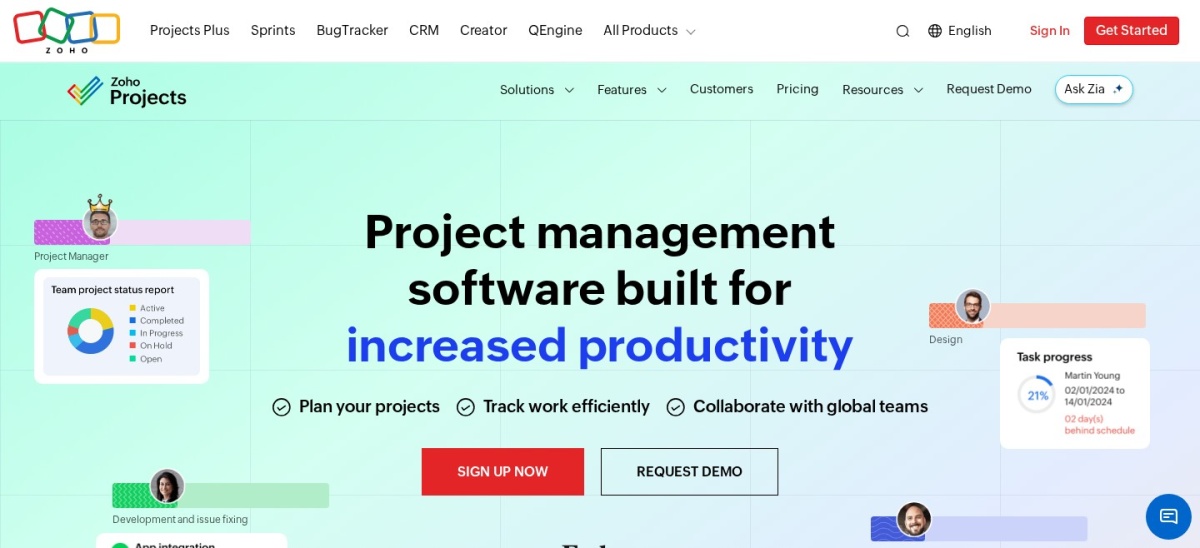
Zoho Projects is a low-cost project manager with Gantt charts, Kanban boards, time tracking and issue tracking in one place. Premium costs $4 a user a month billed yearly and adds Gantt charts, timesheets and custom fields, while the free plan covers small teams.
The trade off is polish. The interface feels plainer than Monday or ClickUp, and some features need the Enterprise plan at $9 a user a month. It suits teams that want Gantt charts at the lowest paid price.
Jira is the standard tracker for software teams, with Scrum boards, Kanban boards, roadmaps and deep issue tracking. Standard costs $7.75 a user a month billed yearly and adds advanced permissions, audit logs and 250 GB of storage, while the free plan covers up to 10 users.
The trade off is complexity. Jira is built for developers, so marketing or ops teams face a steep setup, and the price on the pricing page varies by user count. It suits software teams that run sprints and need issue tracking.
Wrike is a work manager built around dashboards, with Gantt charts, proofing and request forms in one place. Team costs $9.80 a user a month billed yearly and adds Gantt charts, dashboards and 2 GB of storage per user, while the free plan covers small teams.
The trade off is the entry price. Team is dearer than Trello or Zoho Projects for the same seats, and automations and proofing depth need Business. It suits teams that report from dashboards and review creative work.
Basecamp is a simple project hub that mixes to-do lists, message boards, schedules and group chat in one place. Plus costs $15 a user a month and adds unlimited projects, 500 GB of storage and Hill Charts, while the free plan covers personal use.
The trade off is price and depth. At $15 a user a month it is dearer than most tools here, and there are no Gantt charts or workload views. It suits teams that want one calm hub for tasks and chat.
Asana users mostly miss two things when they switch: the clean task list and the timeline view that shows who does what by when. The alternatives here cover both, but in different ways.
Monday and Smartsheet mirror the timeline best, while Trello and Notion are lighter and faster for small teams. ClickUp tries to cover everything, which suits teams that want one tool for docs, goals and chat.
If you only used Asana to list tasks, Trello or Zoho Projects will feel simpler and cheaper, but neither gives you the same reporting depth without a plan upgrade.
How we chose
We shortlisted tools that do the two jobs Asana does: track tasks on shared boards and show who does what by when. Every tool here is an established product with a public pricing page and a verifiable G2 rating.
Prices are the regular cheapest paid plan on each vendor's pricing page, checked on 29 Nov 2026, with annual billing where the vendor offers it. Ratings and review counts come from G2 on the same day. No vendor paid for a place, and we do not claim hands-on testing for this list.
We left out tools with no verifiable rating, tools that only track time without project boards, and enterprise-only suites that do not publish a price.
How to choose an Asana alternative
Match the tool to your team size first, then to your views.
Count seats and boards. Per-seat tools punish big teams, and some free plans cap boards or seats, so check the limits before you shortlist.
List the views you use. If you live in timelines or Gantt charts, Monday and Smartsheet fit best, while Trello suits simple kanban boards.
Check automations and integrations. Rules, forms and app connections often sit on higher plans, so compare the plan you would actually use.
Run the free plan or trial on real work. Move one project across, test the views and automations, and check the reports before you commit to a yearly plan.
FAQ
What are the best Asana alternatives in 2026?
Monday is the best Asana alternative for most teams, with visual boards, a free plan and Basic from $9 a seat a month. ClickUp is the most flexible pick, and Zoho Projects is the cheapest paid plan at $4 a month. Trello suits teams that want the simplest board.
What is the cheapest Asana alternative?
Zoho Projects is the cheapest, with Premium at $4 a month billed yearly and a free plan for small teams. Trello is next at $5 a user a month, while Monday Basic costs $9 a seat a month and ClickUp Core costs $12 a user a month.
Is there a free Asana alternative?
Yes. Trello, Notion, Jira, Wrike, Zoho Projects and Basecamp all have a free plan, and ClickUp is free for unlimited tasks and members. Smartsheet is the only tool here with no free plan, only a 30-day trial.
Which Asana alternative is best for small teams?
Trello is the simplest pick for small teams, with Standard at $5 a user a month and a free plan for up to 10 boards. Monday suits teams that want dashboards, while Zoho Projects suits teams that want the lowest paid bill.
Monday vs ClickUp: which is better?
Monday wins on polished dashboards and ease of use, with Basic at $9 a seat a month. ClickUp wins on flexibility and value, with unlimited tasks free and Core at $12 a user a month. Pick Monday for visual work and ClickUp if you want one tool for docs, goals and chat.
Can I migrate my Asana projects to a new tool?
Yes. Most tools here import Asana projects from a CSV file or a direct importer, and Trello and Monday both offer guided imports. Plan your move around the views and automations you use, then copy one project first to check the result.
SaaS SEO and WordPress specialist with about 8 years of experience. Rakib compares WordPress plugins, themes, hosting and software using public pricing, documentation and user reviews. See how we rank.