Monday is the best Basecamp alternative for most teams, with visual boards, timelines and the highest G2 rating in this list. ClickUp suits teams that want the most features per dollar, while Trello is the simplest board at 5 dollars a user a month.
How we make this list: we compare pricing pages, product documentation and public user reviews, then re-check every price before each update. No product paid for a place. Disclosure.
monday.com leads with a 4.7 out of 5 G2 rating from more than 17,000 reviews and a $9 Basic plan.
ClickUp packs the most into one workspace, with Core at $12 a user a month as the regular price, $9 on sale.
Trello at $5 and Zoho Projects at $4 are the cheapest paid seats here, and both have a free plan.
Smartsheet has no free plan, and Basecamp charges a flat $29 a month instead of per user.
Teamwork is the only pick built for client billing, with time tracking, budgets and invoices from logged time.
How do you choose the best Basecamp alternative?
Flat pricing is Basecamp's big draw, and only a few rivals match it. Most alternatives charge per user, so a 20-person team pays far more than Basecamp's flat $29 a month for small teams.
Gantt views are the feature Basecamp lacks. monday.com, Asana, ClickUp, Wrike, Smartsheet, Teamwork and Zoho Projects all add timelines or Gantt charts that Basecamp never had.
Free plans are where the limits hide. Seat caps, project caps and missing Gantt views are the usual catches, so check the free tier against a normal week before you pay.
Client work changes the shortlist. Teamwork adds billing and profitability reports, while monday.com and Asana suit internal teams that do not invoice by the hour.
monday.com is a visual work platform where projects run on colour-coded boards with status columns, owners and due dates. The free plan covers up to 2 seats, and Basic at $9 per seat a month billed yearly adds unlimited items, unlimited free viewers and 1,000 AI credits a month.
The trade off is the seat rules. Paid plans start at 3 seats, and timeline and Gantt views need Standard at $12 a seat a month, so small teams pay for features they may not use. It suits teams that want a visual board everyone can read at a glance.
ClickUp is an all-in-one workspace that combines tasks, docs, chat, goals and time tracking in one place. The Free Forever plan covers unlimited tasks and members with 60 MB of storage, and Core at $12 a user a month adds unlimited storage, Gantt charts and 1,000 automations a month.
The trade off is the sale price. Core shows $9 a user a month on sale against a $12 regular price, and AI features cost extra on top. It suits teams that want to replace several tools with one workspace.
What we like
Free plan covers unlimited tasks and members
Docs, chat and goals in one workspace
Gantt charts on the Core plan
1,000 automations a month on Core
Watch out for
Core shows a $9 sale price against a $12 regular price
Asana is a work management tool built around projects, tasks and due dates, with list, board, calendar and timeline views. The free Personal plan covers up to 2 users, and Starter at $10.99 per user a month billed yearly adds timeline and Gantt views, dashboards, forms and unlimited automations.
The trade off is price as features grow. Time tracking and resource management need Advanced at $24.99 a user a month, and the per-seat bill rises with every hire. It suits teams that run several projects to fixed deadlines and want clear ownership.
Trello is a Kanban board tool where each project is a board of lists and cards with assignees and due dates. The free plan covers up to 10 collaborators per workspace, and Standard at $5 a user a month billed yearly adds unlimited boards, custom fields and 1,000 automation runs a month.
The trade off is depth. There is no built-in Gantt view or workload view on Standard, and reporting stays basic until Premium at $10 a user a month. It suits small teams that want the simplest possible shared board.
Notion is a flexible workspace that mixes docs, wikis and databases, so projects sit beside the notes and files they need. The free plan covers individuals, and Plus at $10 a member a month billed yearly adds unlimited blocks for teams, 30-day page history and 5 GB file uploads.
The trade off is structure. Notion gives you blank pages and databases instead of ready-made project workflows, so setup takes longer than in Asana or monday.com. It suits small teams that want docs and project tracking in one place.
Smartsheet is a spreadsheet-style project tool where work lives in grid, Gantt, card and calendar views. Pro at $9 a member a month billed yearly covers 1 to 10 members with unlimited sheets, 250 automations a month and 20 GB of attachment storage.
The trade off is the missing free plan. There is only a 30-day trial, and the 10-member cap on Pro pushes growing teams to Business at $19 a member a month. It suits teams that already plan in spreadsheets and want schedules with formulas.
Wrike is a work management platform with interactive Gantt charts, shareable dashboards and request forms. The free plan covers basic task work, and Team at $10 a user a month billed yearly adds Gantt charts, dashboards and AI Essentials for teams of 2 to 15 users.
The trade off is the seat math. Team sells seats in groups of five and stops at 15 users, so the 16th person forces a jump to Business at $25 a user a month. It suits mid-size teams that plan with Gantt charts and dashboards.
Teamwork is a project management platform built for client work, with time tracking, budgets and profitability reports in one place. The free plan covers up to 5 users and 5 projects, and Basics at $9.99 a user a month billed yearly adds 300 projects, billable time tracking and client collaboration.
The trade off is the tier jump. Basics covers the essentials, but workload planning and invoices need Accelerate at $24.99 a user a month. It suits agencies and services teams that bill by the hour.
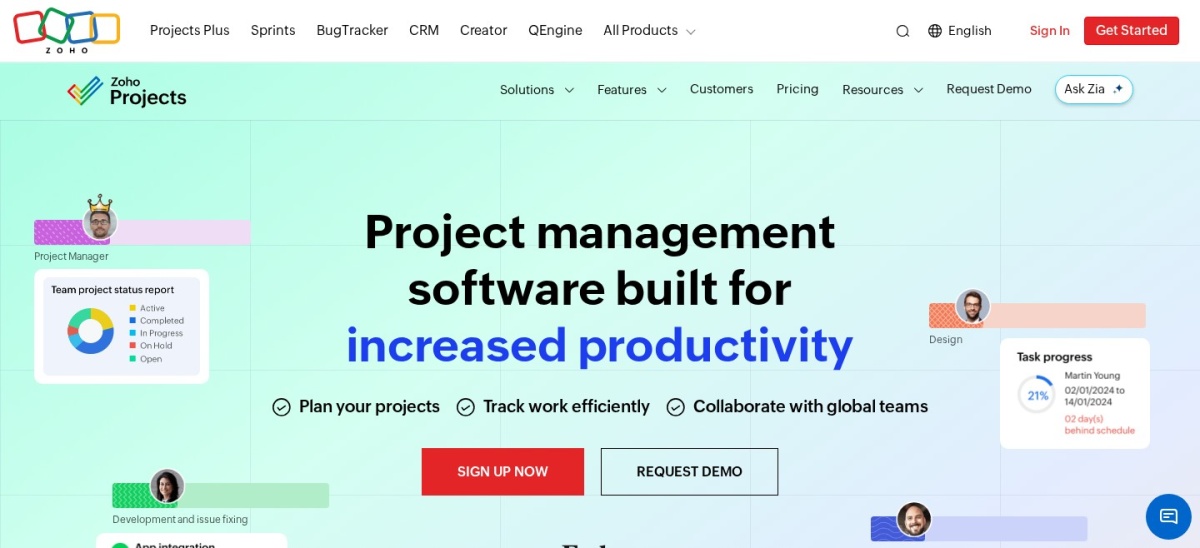
Zoho Projects is a project tool with Gantt charts, timesheets, budgets and issue tracking built in. The free plan covers up to 5 users and 3 projects, and Premium at $4 a user a month billed yearly adds unlimited projects, time logs, timesheets and 100 GB of storage.
The trade off is the ecosystem pull. It works best beside other Zoho apps, and support reviews are mixed. It suits small businesses that want time tracking and budgets at the lowest price here.
Basecamp keeps projects calm: one page per project with to-dos, message boards, chat, schedules and files, and flat pricing with no per-user fees.
What you give up is structure. Basecamp has no Gantt view at any price, no time tracking on the Freelancer plan, and no templates until Pro at $79 a month.
The alternatives add structure and cost. monday.com and Asana add timelines and portfolios, ClickUp adds docs and goals, and every one of them bills per user, so count seats before you switch.
How we chose
We started from the most widely used work management platforms with a G2 profile and a published product, then kept nine with a free plan or trial and published per-user or flat pricing.
Prices come from each vendor's pricing page, checked on 29 November 2026. Ratings and review counts come from G2 on the same day. Where a vendor shows a sale, the list shows the regular price.
We left out tools with no verifiable rating on G2, Capterra or Trustpilot. No vendor paid for a place, and we do not claim hands-on testing for this list.
How to choose a Basecamp alternative
Start with your team size and whether you bill clients, then match the pricing model to that shape.
Count seats before you compare prices. Per-user pricing climbs with every hire, while Basecamp charges a flat monthly price, so model the cost at your real team size.
Check for the views Basecamp lacks. Gantt charts, timelines and workload views sit on paid plans in most tools, so confirm the view you need is on the plan you would buy.
Try the free plan with a real project. Run one live project through the free tier and check guests, viewers and automations before you move the team.
Confirm time tracking if you bill hours. Teamwork and Zoho Projects include time tracking on entry paid plans, while Asana needs Advanced and monday.com needs Pro.
FAQ
What is the best Basecamp alternative in 2026?
monday.com is the best Basecamp alternative for most teams, with visual boards, timelines and a 4.7 out of 5 G2 rating from more than 17,000 reviews. ClickUp suits teams that want the most features per dollar, and Trello is the simplest board at $5 a user a month.
Is there a free alternative to Basecamp?
Yes. monday.com, ClickUp, Asana, Trello, Notion, Wrike, Teamwork and Zoho Projects all have free plans, while Smartsheet offers only a 30-day trial. Free plans cap seats, projects or views, so check the limits before you move a team.
How much does Basecamp cost compared with alternatives?
Basecamp charges a flat $29 a month for the Freelancer plan and $79 a month for Pro, with no per-user fees. Alternatives charge $4 to $12 per user a month, so a small team pays less per seat, but a large team pays far more than Basecamp's flat price.
Which Basecamp alternative is best for small teams?
Trello is the best Basecamp alternative for small teams that want the simplest board, with Standard at $5 a user a month. Zoho Projects is cheaper still at $4 a month and adds time tracking, while monday.com suits teams that want visual boards and timelines.
monday.com vs Asana: which should I pick?
Pick monday.com when you want visual boards, timelines and dashboards that anyone can read at a glance, from $9 a seat a month. Pick Asana when you want structured timelines, portfolios and clear task ownership, with Starter at $10.99 a user a month.
Does any Basecamp alternative include time tracking?
Yes. Teamwork and Zoho Projects include time tracking on their entry paid plans, at $9.99 and $4 a user a month. Asana needs Advanced at $24.99 a month for native time tracking, and monday.com needs Pro, so check the plan before you buy.
SaaS SEO and WordPress specialist with about 8 years of experience. Rakib compares WordPress plugins, themes, hosting and software using public pricing, documentation and user reviews. See how we rank.