Canva is the answer to what software is best for thumbnails for most creators, with ready-made YouTube templates and a free plan. Photoshop suits professionals who want full control, while Adobe Express is the fastest free way to make a clean thumbnail.
How we make this list: we compare pricing pages, product documentation and public user reviews, then re-check every price before each update. No product paid for a place. Disclosure.
Canva is the best thumbnail software for most creators, with YouTube-sized templates and a free plan, Pro at $10 a month.
Photoshop gives the most control over a thumbnail, with layers, masks and Generative Fill, from $22.99 a month.
Snappa and Picmaker are the fastest simple picks, with pre-sized YouTube templates and no learning curve.
Pixlr is the cheapest paid upgrade here at $1.99 a month, and GIMP is fully free.
Every tool here except Photoshop has a free plan, so test the templates before you pay.
How do you choose what software is best for thumbnails?
Size comes first. A YouTube thumbnail is 1280 by 720 pixels, so the best tools offer that size as a preset and warn you when text sits outside the safe area.
Templates beat blank canvases for most creators. Canva, Snappa and Picmaker all ship ready-made YouTube thumbnail templates, so a good thumbnail takes minutes rather than an hour.
Text must stay readable at small sizes. Bold type, high contrast and no more than five words win the click, which is why simple tools often beat Photoshop for speed.
Price follows control. Free tools cover templates and text, while Photoshop costs $22.99 a month for layers, masks and Generative Fill that most thumbnails never need.
Canva is a browser design tool with ready-made YouTube thumbnail templates at 1280 by 720, stock photos and a Brand Kit on Pro. The free plan covers templates and 5 GB of storage, and Pro costs $10 a month on annual billing.
The trade off is originality. Millions of creators use the same templates, so a Canva thumbnail can look familiar, and background removal needs Pro. It suits creators who publish often and want a good thumbnail in minutes.
Adobe Photoshop is the desktop editor for thumbnails that need retouching, compositing and precise cutouts. It has layers, masks, brushes and Generative Fill, and the single-app plan costs $22.99 a month on annual billing.
The trade off is speed and price. Photoshop has no ready-made thumbnail templates and costs $22.99 a month, so a simple thumbnail takes longer than in Canva. It suits professionals whose thumbnails need real photo work.
What we like
Deepest editing control in this list
Generative Fill fixes any photo fast
Full PSD compatibility
Watch out for
No ready-made thumbnail templates
Most expensive tool in this list
No free plan, only a 7-day trial
Photography plan adds Lightroom for $19.99 a monthVisit adobe.com
03
Adobe Express
4.4/5on G2 (1,110 reviews, checked Nov 2026)
Paid from$9.99/mo
Best free Adobe option for thumbnails
Starting price$9.99 a month
Free planYes, 5 GB storage
YouTube templatesYes
Stock assets1M+ on free plan
adobe.com
Adobe Express homepage, captured Nov 2026.
Adobe Express is Adobe's browser design tool for quick social graphics, with YouTube thumbnail templates, Adobe Stock assets and one-click resize across social sizes. The free plan includes 5 GB of storage, and Premium costs $9.99 a month.
The trade off is depth. Express has no layers or Generative Fill, and background removal needs Premium, so heavy retouching still needs Photoshop. It suits creators who want Adobe templates without the Photoshop price.
Snappa is a browser design tool built for speed, with pre-sized YouTube thumbnail formats, templates and stock photos in one simple editor. The free plan covers 3 downloads a month, and Pro costs $10 a month on annual billing.
The trade off is the review base. Only 39 G2 reviews back its 4.6 rating, and there is no mobile app, so edits happen on desktop only. It suits non-designers who want a clean thumbnail in minutes.
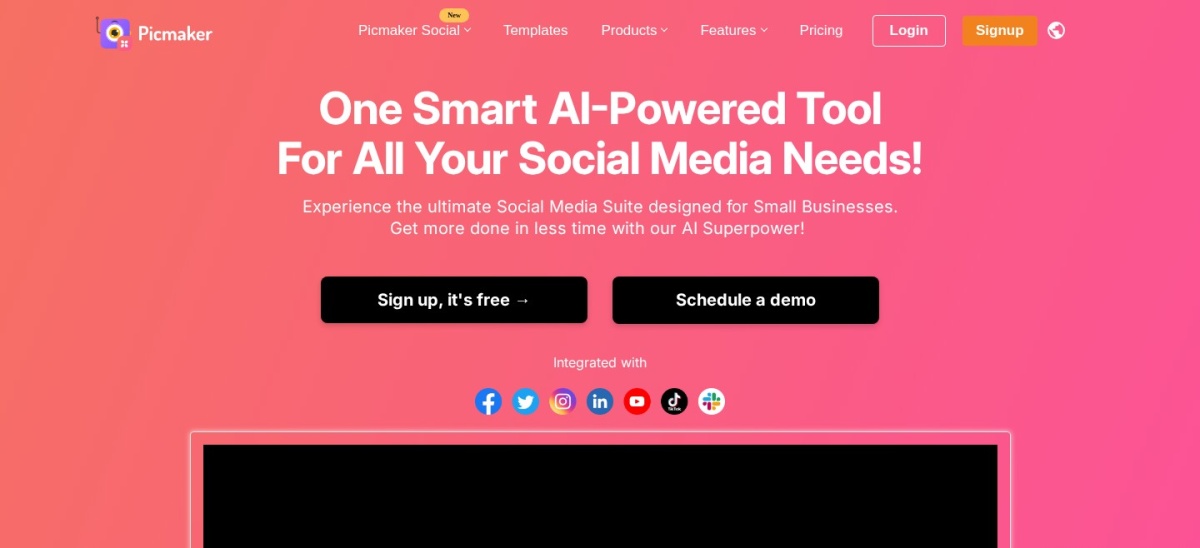
Picmaker is an AI-powered design tool with YouTube thumbnail templates, a social scheduler and brand tools in one place. It has more than 1 million users, a free plan, and Pro costs $9.95 a month.
The trade off is proof. Only 111 G2 reviews back its 4.7 rating, and the scheduler pushes the tool toward social teams rather than pure thumbnail work. It suits small businesses that want thumbnails and scheduling together.
VistaCreate is a browser design tool in the Canva mould, with YouTube thumbnail templates, stock assets and animation tools. The free Starter plan covers the basics, and Pro costs $10 a month on annual billing.
The trade off is reach. VistaCreate has a smaller template library than Canva and a thinner review base at 171 G2 reviews, and its Trustpilot score is low. It suits creators who want a Canva-style tool at the same price.
Pixlr is a browser photo editor with layers, masks, brushes and AI tools in two modes: Express for quick edits and Editor for layer work. The free plan covers basic editing, and Plus costs $1.99 a month on annual billing.
The trade off is credits. Heavy AI use runs through the 80 monthly credits on Plus, and the free plan shows ads and caps saves per day. It suits creators who want Photoshop-style layers without the Photoshop price.
Picsart is a mobile-first creative platform with photo editing, templates and collage tools for social content. It has more than 150 million users, a free plan, and Plus costs $8 a month on annual billing.
The trade off is the desktop. Picsart is built for phones, so precise thumbnail work is harder than in Canva or Photoshop, and trials have drawn billing complaints. It suits creators who edit and post from a phone.
GIMP is a free, open-source image editor with layers, masks, brushes and full PSD support, and it runs on Windows, Mac and Linux. There is no paid tier at all, so every feature is free forever.
The trade off is polish. GIMP has no ready-made thumbnail templates, the interface feels dated, and learning it takes longer than Canva or Snappa. It suits creators who want Photoshop-style control for no money.
YouTube shows thumbnails at 1280 by 720 pixels, a 16 by 9 ratio, and accepts images up to 2 MB in JPG, GIF or PNG.
Keep faces and text inside the middle of the frame. YouTube crops the edges on some screens, and the video length badge covers the bottom right corner.
Export at 1280 by 720 even if the design tool offers larger sizes. Bigger files load slower and YouTube compresses them anyway.
How we chose
We started from the design tools most often named for YouTube thumbnails in 2026 comparisons, then kept 9 established products with a free plan or trial and a public review record.
Prices come from each vendor's pricing page, checked on 29 November 2026. Ratings and review counts come from G2 on the same day. Where a vendor shows a sale, the list shows the regular price.
We left out tools with no verifiable rating and tools built only for video thumbnails. No vendor paid for a place, and we do not claim hands-on testing for this list.
How to choose thumbnail software
Start with how often you publish, then pick the tool that matches your speed.
Pick the YouTube size first. Use a tool with a 1280 by 720 preset so text and faces never sit outside the frame.
Count your weekly thumbnails. Daily publishers need templates and brand kits, while occasional creators can use any free plan.
Test the free plan with a real video. Build one thumbnail for a live video and check it at small size before you pay for anything.
Upgrade only for control you use. Photoshop earns its $22.99 a month only if you retouch photos and use layers every week.
FAQ
What software is best for thumbnails in 2026?
Canva is the best software for thumbnails for most creators. It has ready-made YouTube templates at 1280 by 720, a free plan, and Pro at $10 a month, and it is rated 4.7 out of 5 on G2.
What is the best free thumbnail maker?
Canva is the best free thumbnail maker, with YouTube templates, stock photos and a free plan that never expires. GIMP is the best fully free option, with no paid tier at all.
Is Photoshop good for YouTube thumbnails?
Yes, Photoshop is the best choice when a thumbnail needs retouching, compositing or Generative Fill. It costs $22.99 a month with a 7-day trial, so it suits professionals rather than occasional creators.
What size should a YouTube thumbnail be?
A YouTube thumbnail should be 1280 by 720 pixels, a 16 by 9 ratio, in JPG, GIF or PNG under 2 MB. Keep faces and text in the middle, since YouTube crops the edges on some screens.
Canva vs Snappa: which is better for thumbnails?
Canva wins on template range and brand kits, while Snappa wins on speed, with pre-sized YouTube formats and no learning curve. Both have free plans, so try one thumbnail in each before you choose.
Do I need to pay for thumbnail software?
No. Canva, Adobe Express, Snappa, Picmaker, VistaCreate, Pixlr, Picsart and GIMP all have free plans that cover YouTube templates. Pay only for premium templates, brand kits or background removal.
SaaS SEO and WordPress specialist with about 8 years of experience. Rakib compares WordPress plugins, themes, hosting and software using public pricing, documentation and user reviews. See how we rank.