Best Background Remover Software in 2026: 8 Tools Compared
WLWPLegible EditorsLast verified 24 Nov 2026How we rank9 min read
★ Short answer
Canva is the best background remover software for most people, with one-click removal inside a design suite most teams already use. Adobe Express is the best free option, and PhotoRoom is the best for product sellers.
How we make this list: we compare pricing pages, product documentation and public user reviews, then re-check every price before each update. No product paid for a place. Disclosure.
Canva is the best pick for most people, with one-click removal inside a design suite from $12 a month.
Adobe Express is the best free option, removing backgrounds with no watermark at no cost.
PhotoRoom is the best for product sellers, with batch processing and marketplace templates.
Pixlr is the cheapest paid option, with Plus from $1.99 a month billed yearly.
Fotor is the best budget editor, with Pro batch removal from $3.99 a month billed yearly.
Do not buy remove.bg credits: its standalone site closes on 1 December 2026.
What background remover software should cover
Background removal is a one-click job now. Upload a photo, the AI cuts out the subject, and you download a clean PNG or drop it into a design, with no manual masking.
Free plans differ on what you can download. Adobe Express exports without a watermark for free, while Canva needs Pro for removal and PhotoRoom watermarks free exports.
Quality depends on edges. Hair, fur and transparent objects still challenge every tool here, so check a hard photo on the free tier before you pay.
The standalone remove.bg site closes on 1 December 2026 and moves into Canva. Do not buy remove.bg credits now, and use Canva or Adobe Express instead.
Canva is the best background remover for most people, folding one-click removal into a design suite most teams already pay for. Pro costs $12 a month billed annually, or $15 monthly, and a cutout drops straight into templates, text and brand kits.
The trade off is the paywall. Background removal needs Pro, so one-off users should use Adobe Express for free. It suits sellers and designers who remove backgrounds as one step in a larger design job.
Adobe Express is the best no-cost option for one-off removals. Open an image, remove the background, and export without a watermark, all free. Premium costs $9.99 a month and adds more templates and assets.
The trade off is depth. Adobe Express is a quick design tool, not a full editor, so batch work and precise edge control sit elsewhere. It suits anyone who needs a clean cutout fast and free.
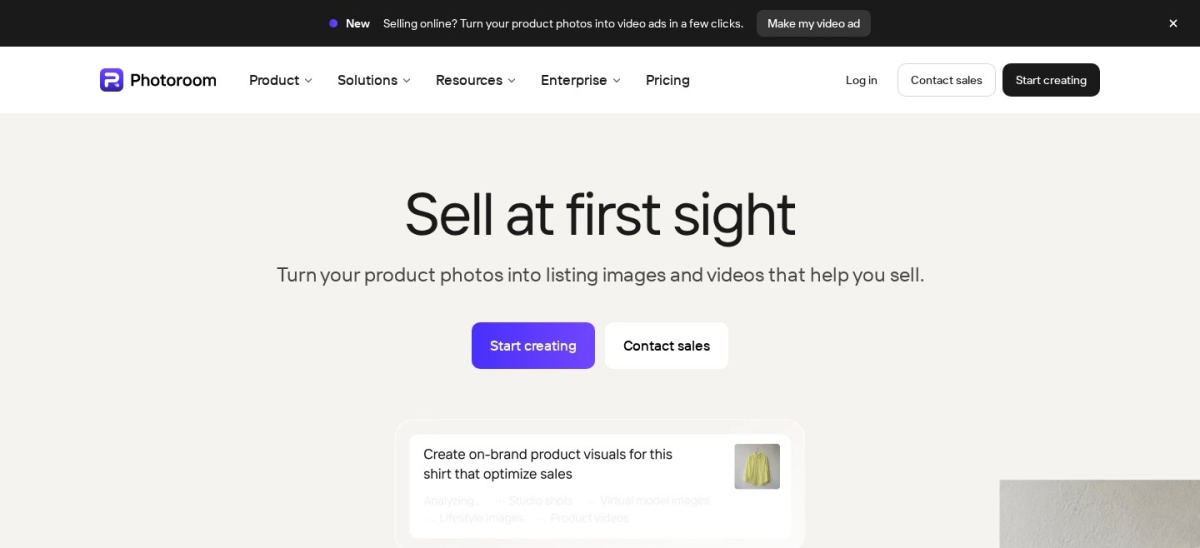
PhotoRoom is built for sellers. Shoot a product on a plain table, and the app cuts it out, stages it on a clean or AI-generated background, and exports it at marketplace sizes. Pro costs $12.99 a month, with batch processing included.
The trade off is the thin rating base. PhotoRoom holds 4.3 out of 5 on G2 from only 20 reviews, so the score rests on few voices. It suits e-commerce sellers who need clean product shots fast.
Pixlr is the cheapest paid option in this list, with Plus from $1.99 a month billed yearly, or $2.49 monthly. It runs a full photo editor in the browser, with layers, masks and retouching beside the AI cutout tool.
The trade off is ads. The free tier shows ads and gates premium features, and one comparison lists Plus at $9.99 a month instead. It suits budget users who want a browser editor with removal built in.
Fotor is an all-in-one online photo editor that pairs background removal with retouching, collage and design tools. Pro costs $3.99 a month billed yearly, with AI batch background removal and replacement on the paid plan.
The trade off is the free tier. Basic is not watermark-free, and one comparison lists Pro at $8.99 a month instead of $3.99. It suits casual creators who remove backgrounds as one step in a larger edit.
Adobe Photoshop is the pick for professionals who need manual control over edges. Its Remove Background tool cuts out a subject in one click, and masks and brushes fix hair and fur that AI alone misses. It costs $22.99 a month.
The trade off is price and weight. Photoshop is a full editor, not a remover, and it has no free plan beyond a 7-day trial. It suits professionals who need full editing, not just removal.
Picsart is a creative platform with AI background removal, templates and collage tools for social content. Plus costs $8 a month billed annually, or $13 monthly, with unlimited downloads and premium content.
The trade off is the free tier. The free version is heavily restricted, with watermarks and ads, and AI quality varies. It suits social creators who want removal inside a content app.
4.3/5on G2 (Not published reviews, checked Nov 2026)
Paid from$9.99/mo
Best free batch removal
Batch removalYes, free tier
CreditsFree tier included
AI toolsText to image and video
Paid planStandard, $9.99/mo
adobe.com
Adobe Firefly homepage, captured Nov 2026.
Adobe Firefly is Adobe's AI creative platform, with free batch background removal on its free tier. Standard costs $9.99 a month and adds 2,000 monthly credits for premium features, with Pro at $29.99 a month.
The trade off is the thin rating base. Firefly holds 4.3 out of 5 on G2 with no published review count, so the score is indicative only. It suits Adobe users who want free batch removal with AI tools.
Adobe Express is the only tool here that removes backgrounds for free with no watermark. Canva, PhotoRoom, Pixlr, Fotor, Picsart and Firefly all offer free tiers, but removal or clean export sits behind a paid plan on most of them.
Paid plans buy batch work and higher resolution. PhotoRoom Pro adds batch processing and marketplace templates, while Fotor Pro adds batch removal from $3.99 a month billed yearly.
Photoshop is the exception. At $22.99 a month it is a full editor, not a remover, and only makes sense if you need manual control over edges.
How we chose
We started from every background remover still sold in 2026, then kept those with a verifiable G2 rating and a working vendor site.
Prices come from each vendor pricing page and October and November 2026 comparisons, checked on 24 November 2026. Ratings come from G2 on the same day. Where a vendor shows a sale, the list shows the regular price.
We left out remove.bg because its standalone site closes on 1 December 2026, and Pixelcut, Clipdrop, Slazzer, Erase.bg, Removal.AI and Clipping Magic because no verifiable G2, Capterra or Trustpilot rating could be found for them. No vendor paid for a place.
How to choose background remover software
Start with how often you remove backgrounds and whether you need batch work, then match the free tier to that shape.
Try a hard photo first. Upload an image with hair or fur on the free tier and check the edges before you pay.
Check the free export rules. Confirm whether clean, watermark-free downloads need a paid plan.
Count your monthly volume. Batch sellers need a plan with batch exports, while one-off users can stay free.
Check the licence for commercial use. Confirm the plan covers commercial use if the cutouts go into listings or ads.
FAQ
What is the best background remover software?
Canva is the best background remover software for most people, with one-click removal inside a design suite most teams already use. Adobe Express is the best free option, and PhotoRoom is the best for product sellers.
Is there a free background remover with no watermark?
Yes. Adobe Express removes backgrounds for free with no watermark, which makes it the best no-cost option in this list. Canva and PhotoRoom both watermark or gate clean exports on their free tiers.
What happened to remove.bg?
The standalone remove.bg site closes on 1 December 2026 at 9:00am CET, and background removal moves into Canva. Do not buy remove.bg credits now, and use Canva or Adobe Express for the same job.
What is the best background remover for product photos?
PhotoRoom is the best background remover for product photos, with batch processing, marketplace templates and AI-generated backgrounds from $12.99 a month. Pixelcut and Canva are the main alternatives for sellers.
Can I remove a background in Photoshop?
Yes. Photoshop removes backgrounds with one click through its Remove Background tool, and gives manual control over edges with masks and brushes. It costs $22.99 a month, so it suits professionals who need full editing.
Does Canva remove backgrounds for free?
No. Background removal in Canva needs a Pro plan, from $12 a month billed annually. Adobe Express removes backgrounds for free with no watermark, so use it for one-off removals.