Proxmox VE is the best VMware ESXi alternative for most server environments, combining KVM virtual machines and LXC containers with free open-source access or €120/socket/yr ($140/yr) Community support. Teams running Windows-heavy estates should consider Windows Server Hyper-V ($1,176 per 16 cores), while Xen shops can use XCP-ng via Vates VMS ($2,000/yr for up to three hosts).
How we make this list: we compare pricing pages, product documentation and public user reviews, then re-check every price before each update. No product paid for a place. Disclosure.
Proxmox VE starts at €120/socket/yr (about $140/yr) on Community, avoiding Broadcom's 16-core minimum per CPU.
Three of the seven platforms—Proxmox VE, XCP-ng, and Apache CloudStack—can run in production with $0 software license fees.
Windows Server 2025 Standard costs $1,176 for a 16-core license and includes rights for two Windows VMs.
Vates VMS bundles XCP-ng and Xen Orchestra starting at $2,000/yr for up to three physical servers.
Desktop hypervisors like Oracle VM VirtualBox (free GPL v2) and Parallels Desktop ($99.99/yr) handle local dev labs rather than bare-metal clusters.
How do you choose the right VMware ESXi alternative?
Licensing structure is now the biggest reason IT teams leave VMware ESXi. Following Broadcom's shift to per-core subscriptions with a 16-core per-CPU floor, small two-socket hosts face steep annual renewals even when workloads stay flat.
Bare-metal hypervisors split into three clear camps: open-source KVM or Xen stacks with optional per-socket or per-host support, Windows-native virtualization bundled into Windows Server, and cloud orchestrators built for multi-node private clouds.
Hardware reuse and backup compatibility decide how fast you can migrate. Platforms like Proxmox VE and XCP-ng run on existing x86 servers and import VMware virtual disks directly, whereas hyperconverged suites often push you toward new certified nodes.
Workstation hypervisors fill a narrower gap for developers. If your goal is running local test VMs on macOS, Windows, or Linux laptops rather than high-availability server clusters, desktop tools cost a fraction of datacenter subscriptions.
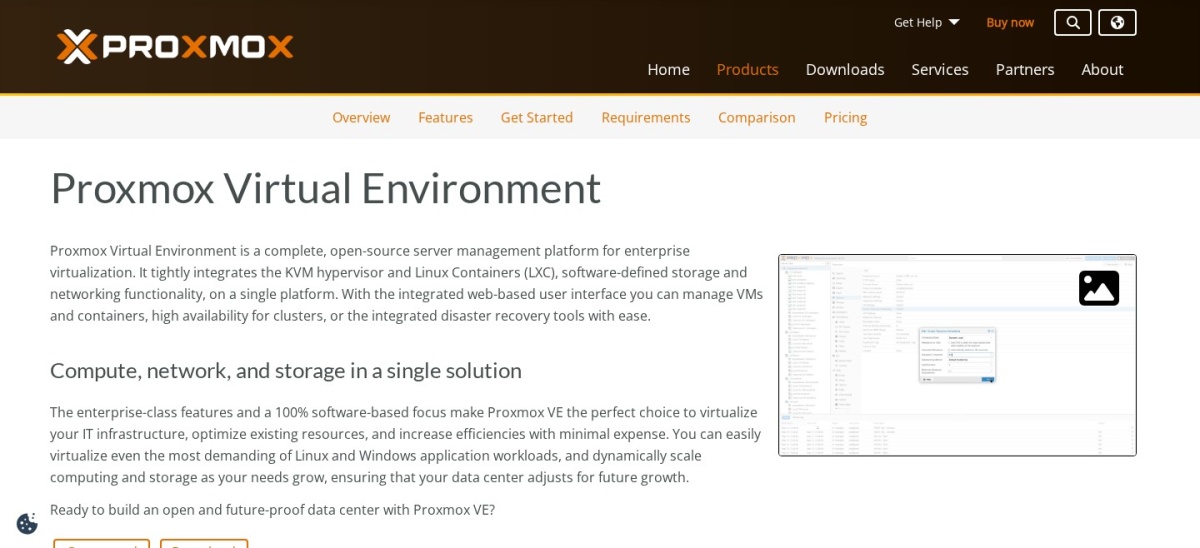
Proxmox VE is an open-source Type-1 virtualization platform that runs full QEMU/KVM virtual machines and lightweight Linux containers (LXC) from one browser-based interface. Its free download unlocks clustering, live migration, ZFS, Ceph storage, and an ESXi import wizard without core limits.
The trade off is that the free tier uses the public no-subscription repository, while production-tested enterprise updates start at €120/socket/yr (~$140/yr) on Community or €370/socket/yr on Basic. It suits small to mid-sized IT teams migrating existing x86 servers off ESXi.
What we like
No feature paywalls on clustering, live migration, or ZFS/Ceph
Per-socket support pricing avoids per-core hardware penalties
Built-in ESXi VM import tool simplifies migration
Watch out for
Enterprise repository requires a paid subscription
Advanced Ceph and SDN setups need Linux CLI familiarity
Community (€120/socket/yr) adds Enterprise Repository access; Basic (€370/socket/yr) adds 3 support tickets.Visit proxmox.com
02
Windows Server Hyper-V
4.5/5on G2 (389 reviews, checked Nov 2026)
Starts at$1,176 one-time
Best for Windows-centric server estates
Hypervisor typeType-1 (Windows Server)
Pricing modelPer 16 physical cores
Entry paid plan$1,176 (Standard 16-core)
Guest OS rights2 Windows VMs (Standard)
microsoft.com
Windows Server Hyper-V homepage, captured Nov 2026.
Windows Server Hyper-V is Microsoft's native Type-1 hypervisor built into Windows Server 2025. Purchasing Windows Server 2025 Standard at $1,176 for a 16-core license covers the physical host plus two Windows Server virtual machines, alongside Failover Clustering and Windows Admin Center management.
The trade off is steep guest licensing once VM density climbs, pushing dense hosts toward Windows Server Datacenter at $6,771 per 16 cores for unlimited Windows VMs. It suits organizations already standardized on Active Directory and Microsoft licensing.
What we like
Included in existing Windows Server Standard or Datacenter licenses
Native integration with Active Directory, Azure Arc, and Veeam
Familiar GUI and PowerShell automation for Windows admins
Watch out for
16-core minimum per server plus Client Access Licenses (CALs)
Datacenter edition jumps to $6,771 per 16 cores for dense hosts
Windows Server 2025 Datacenter ($6,771 per 16 cores) unlocks unlimited Windows VMs and Storage Spaces Direct.Visit microsoft.com
03
XCP-ng
4.2/5on G2 (45 reviews, checked Nov 2026)
Paid from$2,000/yr
Best open-source Xen hypervisor
Hypervisor typeType-1 (Xen Project)
Pricing modelFree or per-host bundle
Entry paid plan$2,000/yr (up to 3 hosts)
Management UIXen Orchestra Appliance
xcp-ng.org
XCP-ng homepage, captured Nov 2026.
XCP-ng is a free, open-source Type-1 hypervisor based on the Xen Project and backed by Vates. You can install the full hypervisor across unlimited physical hosts at $0 with live migration, high availability, GPU passthrough, and API access enabled.
The trade off is commercial support and the turnkey Xen Orchestra Appliance, which start at $2,000/yr on the Vates VMS Essential bundle for up to three servers (6 support tickets/yr). It suits teams wanting predictable per-host pricing without per-CPU fees.
What we like
100% open-source hypervisor with zero CPU or RAM license caps
Host-based support pricing stays flat regardless of core count
Includes integrated VM backup and DR inside Xen Orchestra
Watch out for
Smaller third-party ecosystem than Proxmox VE or Hyper-V
Entry commercial bundle covers a maximum of 3 hosts
Vates VMS Essential ($2,000/yr for 3 hosts) adds turnkey Xen Orchestra and 6 pro support tickets/yr.Visit xcp-ng.org
04
Ubuntu Server with LXD
4.5/5on G2 (2,419 reviews, checked Nov 2026)
Paid from$1,775/yr
Best for Linux VM and container density
Hypervisor typeKVM VMs + LXD containers
Pricing modelFree or per physical server
Entry paid plan$1,775/server/yr (24/7 Infra)
Storage supportZFS, Ceph, LVM, Btrfs
ubuntu.com
Ubuntu Server with LXD homepage, captured Nov 2026.
Ubuntu Server with LXD lets administrators run both full KVM virtual machines and OS-level system containers on bare metal using a single CLI and REST API. The base OS and LXD stack are free to deploy, with built-in clustering and Ceph or ZFS storage.
The trade off is enterprise SLA coverage, which costs $1,775/server/yr for Ubuntu Pro 24/7 Infra support (weekday-only support is 50% less) and relies heavily on command-line workflows. It suits Linux-first engineering teams running high-density workloads.
What we like
Free for unlimited physical hosts with 5-year standard LTS updates
Runs system containers and full VMs through one unified toolset
Ubuntu Pro includes up to 576 TB of supported Ceph storage
Watch out for
Primarily CLI-driven compared to vCenter or Proxmox web UIs
24/7 Full Ubuntu Pro server support rises to $3,400/server/yr
Ubuntu Pro Infra ($1,775/server/yr) adds 24/7 enterprise support, Kernel Livepatch, and Ceph coverage.Visit ubuntu.com
05
Apache CloudStack
4.2/5on G2 (53 reviews, checked Nov 2026)
PriceFree
Best for multi-zone private cloud IaaS
Hypervisor typeOrchestrator (KVM, XCP-ng, ESXi)
Pricing modelApache 2.0 open source
Entry paid plan$0 (community-maintained)
Scale targetMulti-zone / multi-region
cloudstack.apache.org
Apache CloudStack homepage, captured Nov 2026.
Apache CloudStack is a free, open-source Infrastructure-as-a-Service (IaaS) platform that orchestrates KVM, XCP-ng, and existing VMware ESXi hosts under a multi-tenant web portal. It includes software-defined networking, user self-service, snapshots, and REST APIs with zero licensing fees.
The trade off is the absence of a vendor-sold subscription tier, meaning organizations rely on community mailing lists or third-party consultants for production SLAs. It suits hosting providers and mid-to-large IT teams building private clouds across multiple zones.
What we like
Zero software licensing fees under the Apache 2.0 license
Manages KVM, XCP-ng, and legacy ESXi clusters side by side
Built-in multi-tenancy, VPC networking, and self-service portal
Watch out for
No first-party commercial SLA from the Apache Foundation
Heavier architecture than needed for a 2- or 3-node office cluster
All IaaS orchestration, networking, and multi-hypervisor features are free under Apache 2.0.Visit cloudstack.apache.org
06
Parallels Desktop
4.3/5on G2 (59 reviews, checked Nov 2026)
Starts at$99.99/yr
Best for running VMs on Apple Silicon Macs
Hypervisor typeType-2 (macOS host)
Pricing modelAnnual subscription or one-time
Entry paid plan$99.99/yr (Standard regular)
VM limits (Pro)Up to 128 GB vRAM, 32 vCPUs
parallels.com
Parallels Desktop homepage, captured Nov 2026.
Parallels Desktop is a Type-2 desktop hypervisor authorized by Microsoft to run Windows 11, Linux, and macOS virtual machines on Apple Silicon and Intel Macs. Its Standard Edition lists regularly at $99.99/yr (frequently discounted to $49.99/yr) and supports up to 8 GB vRAM and 4 vCPUs per VM.
The trade off is that it runs on top of macOS rather than bare-metal servers, and developer tools like CLI control or 128 GB vRAM require Pro Edition at $119.99/yr. It suits developers and engineers replacing local VMware Fusion workstations.
What we like
Fast Windows 11 and Linux virtualization on M-series Macs
Coherence mode runs Windows apps directly alongside macOS windows
Pro Edition ($119.99/yr) adds CLI automation and up to 32 vCPUs
Watch out for
Not a bare-metal server hypervisor for datacenter clusters
Requires a separate Microsoft Windows license for Windows guests
Pro Edition ($119.99/yr regular) raises limits to 128 GB vRAM, 32 vCPUs, and adds CLI tools.Visit parallels.com
07
Oracle VM VirtualBox
4.5/5on G2 (294 reviews, checked Nov 2026)
PriceFree
Best free cross-platform desktop hypervisor
Hypervisor typeType-2 (Windows, Linux, macOS)
Pricing modelFree GPL v2 base package
Entry paid plan$0 (GPL v2 open source)
Max guest vCPUsUp to 32 virtual CPUs
virtualbox.org
Oracle VM VirtualBox homepage, captured Nov 2026.
Oracle VM VirtualBox is a free, open-source Type-2 hypervisor that runs Windows, Linux, BSD, and Solaris guests across Windows, Linux, and macOS hosts. Under the GPL v2 base license, developers get snapshots, OVF import/export, Vagrant integration, and up to 32 vCPUs per VM at no cost.
The trade off is workstation-only performance without bare-metal clustering, plus strict PUEL licensing rules on the Extension Pack if used commercially for USB 3.0 or VRDP. It suits developers and QA testers building local multi-OS sandboxes.
What we like
Base package is free for commercial and personal use under GPL v2
Runs on Windows, Linux, and macOS with standard OVF/OVA support
Tight integration with HashiCorp Vagrant for automated test labs
Watch out for
Type-2 architecture lacks bare-metal HA clustering for servers
Extension Pack requires commercial licensing for business use
Base package is free under GPL v2; Extension Pack features are free only for personal or evaluation use.Visit virtualbox.org
Bare-metal server hypervisors vs. desktop hypervisors
VMware ESXi is a Type-1 bare-metal hypervisor installed directly on server hardware, so true drop-in replacements are Proxmox VE, Windows Server Hyper-V, XCP-ng, Ubuntu Server with LXD, and Apache CloudStack. These platforms manage shared storage, live VM migration, and multi-host high availability.
If you only used VMware for local testing on a laptop or workstation, desktop Type-2 hypervisors like Parallels Desktop and Oracle VM VirtualBox are simpler and cheaper to run without dedicated server hardware.
How we chose
We selected seven established virtualization platforms spanning Type-1 bare-metal hypervisors, private cloud orchestrators, and Type-2 workstation hypervisors that actively maintain releases and support common guest operating systems.
All ratings, review counts, and regular non-promotional entry prices were verified on 29 Nov 2026 directly from official vendor pricing pages and G2 product profiles.
We excluded quote-only enterprise HCI appliances without transparent list pricing and legacy projects without active upstream maintenance. No vendor paid for a place, and we do not claim testing for this list.
How to plan a VMware ESXi migration in 4 steps
Audit your current hosts, guest operating systems, and backup tools before picking a replacement hypervisor.
Count physical sockets, cores, and Windows VMs. If you run dozens of Windows Server guests on a dense host, Windows Server Datacenter ($6,771 per 16 cores) includes unlimited Windows VM rights, whereas Linux-heavy clusters save money on per-socket Proxmox VE or per-host XCP-ng.
Verify existing hardware and SAN compatibility. Confirm whether your current RAID controllers, Fibre Channel, or iSCSI storage arrays appear on the target hypervisor's compatibility list so you do not have to buy new servers.
Check your backup vendor's hypervisor support. Make sure tools like Veeam, Proxmox Backup Server, or Xen Orchestra support agentless incremental backups and instant recovery on your chosen platform before cutting over.
Run a pilot migration on non-critical VMs. Test VMDK or OVF disk imports, virtual NIC drivers, and live migration failover on a spare host before scheduling production cutovers.
FAQ
What is the best VMware ESXi alternative in 2026?
Proxmox VE is the best overall VMware ESXi alternative for most server deployments. It runs both KVM virtual machines and LXC containers, includes clustering and live migration for free, and offers official enterprise repository subscriptions starting at €120/socket/yr (~$140/yr).
What is the best free open-source alternative to VMware ESXi?
Proxmox VE and XCP-ng are the strongest free open-source Type-1 hypervisors. Both let you run unlimited hosts with live migration and high availability at $0, charging only if you choose optional commercial support or enterprise update repositories.
How much do VMware ESXi alternatives cost?
Entry regular prices range from $0 for open-source Proxmox VE, XCP-ng, Apache CloudStack, and VirtualBox to €120/socket/yr (~$140/yr) for Proxmox Community, $1,176 one-time for Windows Server 2025 Standard (16 cores), and $2,000/yr for a 3-host Vates VMS XCP-ng bundle.
Which ESXi alternative is best for Windows Server workloads?
Windows Server Hyper-V is the most natural fit for Windows-heavy environments. A Windows Server 2025 Standard license ($1,176 for 16 cores) covers the hypervisor host plus two Windows VMs and integrates directly with Active Directory and Failover Clustering.
Proxmox VE vs XCP-ng: which one should you pick?
Choose Proxmox VE if you want built-in LXC containers, native ZFS/Ceph storage, and lower per-socket entry support (€120/socket/yr). Choose XCP-ng if your team prefers Xen architecture and wants flat per-host support bundled with Xen Orchestra ($2,000/yr for up to three hosts).
SaaS SEO and WordPress specialist with about 8 years of experience. Rakib compares WordPress plugins, themes, hosting and software using public pricing, documentation and user reviews. See how we rank.