Photoshop is the best software for bulk retouching gemstone images, with actions and batch processing that keep hundreds of jewelry shots consistent. Lightroom suits catalog-based studios, while Capture One is the pick for tethered shoots where color accuracy matters most.
How we make this list: we compare pricing pages, product documentation and public user reviews, then re-check every price before each update. No product paid for a place. Disclosure.
Photoshop leads for gemstone work because actions and batch processing keep large jewelry sets consistent.
Lightroom is the cheapest Adobe route at $11.99 a month, with catalog tools built for volume.
Capture One gives the most accurate color for tethered studio shoots, from $18 a month.
Evoto and Imagen cut retouching time with AI, but both charge per photo or per credit.
One-time licenses from Luminar Neo and DxO PhotoLab suit studios that dislike subscriptions.
How do you choose the best software for bulk retouching gemstone images?
Gemstone photos live or die on color accuracy. A sapphire that looks washed out or a diamond that looks yellow will cost sales, so the editor must handle RAW files and keep white balance steady across a whole set.
Batch processing is the deciding feature. Look for actions, presets, copy-paste edits and sync across images, because retouching 200 ring shots one by one is not a workable week.
AI retouching saves the most time on dust, scratches and background cleanup. Tools such as Evoto and Imagen apply one look across a shoot, but check the per-photo cost before committing a large catalog.
Price structures split three ways. Subscriptions suit studios with steady volume, one-time licenses suit occasional batches, and credit plans punish you when a season gets busy.
The 9 best software for bulk retouching gemstone images
01
Adobe Photoshop
4.6/5on G2 (13,460 reviews, checked Nov 2026)
Starts at$22.99/mo
Best for bulk gemstone retouching overall
Batch processingActions and droplets
RAW supportCamera Raw included
AI retouchingGenerative Fill
Paid planSingle app, $22.99/mo
adobe.com
Adobe Photoshop homepage, captured Nov 2026.
Adobe Photoshop is the standard editor for jewelry and gemstone retouching, with actions, droplets and batch processing that apply the same corrections to hundreds of shots. Camera Raw handles white balance and exposure, while layers and masks let you clean stones, metal and backgrounds without touching the original file.
The trade off is the subscription and the learning curve. At $22.99 a month it is the priciest single-app plan here, and batch work needs actions set up first, which takes an afternoon to learn. It suits studios that retouch gemstone images every week and want full control.
What we like
Actions and batch processing for large sets
Camera Raw keeps color consistent
Layers and masks protect the original file
Huge library of tutorials and plugins
Watch out for
$22.99 a month is the dearest single-app plan here
Batch setup takes time to learn
The Photography plan bundles Lightroom from $19.99 a monthVisit adobe.com
02
Adobe Lightroom
4.6/5on G2 (3,403 reviews, checked Nov 2026)
Starts at$11.99/mo
Best for catalog-based batch editing
Batch editingPresets and sync
CatalogCloud library included
AI toolsDenoise and masking
Paid planLightroom, $11.99/mo
adobe.com
Adobe Lightroom homepage, captured Nov 2026.
Adobe Lightroom is the catalog editor for high-volume photo work, built around presets, copy-paste edits and sync that push one look across a whole shoot. It organizes thousands of gemstone images, keeps RAW adjustments non-destructive, and its AI masking picks out stones and metal without manual brushing.
The trade off is depth. Lightroom cannot do the pixel-level cleanup Photoshop handles, so heavy blemish or background work still needs a round trip to another editor. It suits studios that shoot in volume and want fast, consistent catalogs.
What we like
Presets and sync speed up whole shoots
Catalog keeps thousands of shots organized
Cheapest Adobe plan here
AI masking speeds up selections
Watch out for
No pixel-level retouching
No Photoshop included on this plan
Photography plan adds Photoshop for $19.99 a monthVisit adobe.com
03
Capture One Pro
4.5/5on G2 (79 reviews, checked Nov 2026)
Starts at$18/mo
Best color accuracy for studio shoots
Tethered shooting550+ cameras supported
Color toolsProfiles and grading
Batch processingStyles and copy-apply
Paid planPro, $18/mo
captureone.com
Capture One Pro homepage, captured Nov 2026.
Capture One Pro is the RAW editor studio photographers reach for when color must be exact, which is the whole job with gemstones. Tethered shooting shows each shot on screen as it is taken, and styles copy color and exposure across a set in one click.
The trade off is price and learning time. At $18 a month on the annual plan it costs more than Lightroom, and its layer and masking tools take practice. It suits jewelry studios that shoot tethered and judge every stone by its color.
3.8/5on Trustpilot (379 reviews, checked Nov 2026)
Starts at$80/yr
Best AI retouching for large batches
AI retouchingBlemish and tone sliders
Batch syncOne look, whole shoot
Free planTrial with 50 credits
Paid planStarter, $80/yr
evoto.ai
Evoto homepage, captured Nov 2026.
Evoto is an AI retouching app that fixes one photo and syncs the same corrections across the whole set, which is exactly how bulk gemstone work should flow. Sliders handle blemishes, tone and glare, and batch export keeps a large catalog moving.
The trade off is the credit system and its portrait focus. Every exported photo costs a credit, so a busy season adds up, and its smartest tools target faces rather than stones. It suits studios that also shoot portraits and want fast AI retouching.
4.7/5on Trustpilot (1,265 reviews, checked Nov 2026)
PriceFree
Best for learning your editing style
Style learningBuilds a personal profile
Batch editingWhole gallery at once
Culling add-on$12/mo
Paid planFrom $0.05 per photo
imagen-ai.com
Imagen homepage, captured Nov 2026.
Imagen is an AI editing service that learns your style from past edits and applies it across a whole gallery, so a gemstone catalog keeps one consistent look. It handles culling, color and exposure in bulk, and works inside Lightroom Classic.
The trade off is per-photo pricing. Editing costs about $0.05 a photo, so 12,000 photos a year runs to roughly $600 before add-ons, and retouching is a light add-on rather than the main event. It suits photographers who already edit in Imagen and want a matched style.
4.8/5on Trustpilot (1,800 reviews, checked Nov 2026)
Starts at$20/mo
Best flat-rate AI culling and editing
AI cullingUnlimited imports
AI retouchingFlat $20/mo
Batch exportLightroom and Capture One
Paid planAI Retouching, $20/mo
aftershoot.com
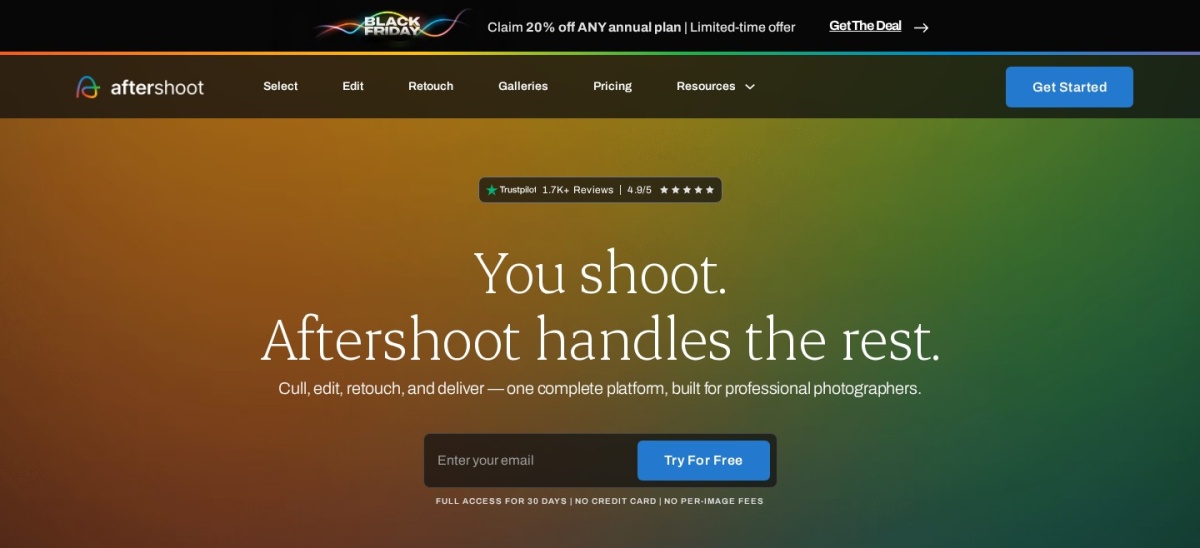
Aftershoot homepage, captured Nov 2026.
Aftershoot is a desktop AI app that culls thousands of frames, then edits and retouches them with a flat monthly price and no per-photo fees. Its AI retouching includes cloth dewrinkle and skin tools, and edits sync across a full album.
The trade off is focus. Aftershoot is built for wedding and event photographers, so its retouching targets people and fabric rather than gemstones, and the full editing bundle costs more than culling alone. It suits high-volume studios that want one flat fee.
4.7/5on Trustpilot (603 reviews, checked Nov 2026)
Starts at$169/yr
Best specialist retouching plugins
PluginsHeal, Dodge and Burn
Batch processingUnlimited with license
HostsPhotoshop and Capture One
Paid planStart, $169/yr
retouch4me.com
Retouch4me homepage, captured Nov 2026.
Retouch4me is a set of single-purpose AI plugins that automate the repetitive parts of high-end retouching inside Photoshop, Lightroom and Capture One. Heal, Dodge and Burn and Fabric handle skin, tone and cloth, and the Apex plugin retouches a portrait in one click.
The trade off is cost and scope. Each plugin is sold separately from about $145, and the Fabric plugin is the one most relevant to gemstone and product shots. It suits retouchers who want specialist tools rather than another full editor.
Luminar Neo is an AI-led photo editor sold as a one-time license, with relight, enhance and sky tools that speed up batch work on product shots. Presets and sync apply one look across a set, and it works as a plugin inside Photoshop and Lightroom.
The trade off is depth and price confusion. It cannot match Photoshop for precise masking, and Skylum also sells a Pro subscription, so check which license you are buying. It suits studios that want AI speed without a monthly bill.
DxO PhotoLab is a RAW editor built around image quality, with DeepPRIME noise reduction and lab-measured lens corrections that keep gemstone detail sharp. Batch presets copy adjustments across a set, and local adjustments handle stones without touching the background.
The trade off is retouching depth. PhotoLab has no healing or cloning tools to match Photoshop, so dust and scratches need another editor, and the full Elite edition costs $249.99. It suits studios that prize clean RAW files above all.
Shoot tethered when you can. Seeing each shot on a big screen catches color and focus problems before the set grows.
Fix one hero shot first. Set white balance, exposure and sharpening on your best image, then sync those settings across the set.
Run AI cleanup last. Let the AI pass handle dust and scratches only after color is locked, so it never shifts the stones.
Check the set on one screen. Open ten finished shots side by side and look for any stone that drifts warmer or cooler than the rest.
How we chose
We started from the photo editors and AI retouching tools that jewelry and product photographers name most often, then kept the nine with a published price and a verifiable rating on G2, Capterra or Trustpilot.
Prices come from each vendor's pricing page or a November 2026 pricing check, and ratings come from G2 or Trustpilot on 29 November 2026. Where a vendor shows a sale, the list shows the regular price.
We left out tools with no public rating and tools with no published price. No vendor paid for a place, and we do not claim hands-on testing for this list.
How to choose software for bulk retouching gemstone images
Start with how many images you retouch in a busy week, then match the tool to that volume.
Count your weekly volume. Under 50 shots a week, a one-time license is enough. Over 200, batch sync and AI tools pay for themselves.
Check color accuracy first. Shoot a known stone, edit it in each trial, and compare the result with the stone in hand before you buy.
Price the whole year. Add per-photo or credit costs across a busy season. A cheap monthly plan can cost more than a $129 license.
Keep Photoshop in the loop. Even AI tools hand off to Photoshop for heavy cleanup, so pick tools that export cleanly to it.
FAQ
What is the best software for bulk retouching gemstone images in 2026?
Photoshop is the best pick for most jewelry studios. Its actions and batch processing keep hundreds of gemstone shots consistent, and Camera Raw keeps color steady across a set. Lightroom is the cheaper Adobe route for catalog work.
How much does gemstone retouching software cost?
Prices run from $80 a year for Evoto to $276 a year for Photoshop, with one-time licenses from $129. Per-photo tools look cheap until volume grows, so price a full year before you choose.
Is there free software for bulk retouching gemstone images?
Retouch4me offers free plugins for frequency separation and color match, and most tools here offer a free trial. No full bulk retouching tool in this list is free, so budget for at least a one-time license.
Can AI retouch gemstone photos?
AI handles dust, scratches, tone and background cleanup well across a batch. It struggles with fine stone detail and color judgment, so check every hero shot by eye before delivery.
Photoshop or Lightroom for gemstone images?
Pick Lightroom when you shoot in volume and want fast catalogs with presets and sync. Pick Photoshop when you need pixel-level cleanup, layers and masks for hero shots.
What is the cheapest way to retouch gemstone images in bulk?
Evoto at $80 a year is the cheapest subscription here, and Luminar Neo at $129 one time is the cheapest license. Both beat per-photo pricing once you pass a few thousand images a year.
SaaS SEO and WordPress specialist with about 8 years of experience. Rakib compares WordPress plugins, themes, hosting and software using public pricing, documentation and user reviews. See how we rank.