Canva is the top image editing software for background removal for most people, since the remover sits inside a full design suite used by millions. Adobe Express removes backgrounds free at full resolution, and Photoshop is the pick when edges need manual control.
How we make this list: we compare pricing pages, product documentation and public user reviews, then re-check every price before each update. No product paid for a place. Disclosure.
Canva is the best all-round pick, since background removal sits inside a full design suite used by millions.
Adobe Express removes backgrounds free at full resolution with no watermark, the best free route here.
Photoshop is the pick when an automatic cutout gets hair, fur or glass wrong and needs manual control.
remove.bg, the old default, closes its standalone site on 1 December 2026, so do not build a workflow on it.
PhotoRoom is the cheapest route for product photos at $7.50 a month billed annually, with batch exports.
How do you choose the top image editing software for background removal?
One-click removal is now a commodity. Most tools in this list cut out a subject in seconds, so the choice comes down to what happens after the cutout, not the cutout itself.
Free removal is not always free to download. Some tools remove backgrounds free but watermark exports or cap resolution, so check the export terms before choosing.
Batch tools matter for sellers. A shop with hundreds of product photos needs bulk removal and consistent backgrounds, which is where PhotoRoom and Canva earn their price.
Edge quality separates the good from the average. Hair, fur, glass and fine product details still trip automatic tools, and only Photoshop gives full manual control over the mask.
The 8 best image editing tools for background removal
01
Canva
4.7/5on G2 (7,529 reviews, checked Nov 2026)
Paid from$15/mo
Best background removal overall
Free planYes, remover needs Pro
Pro$15/mo
Templates600K+ templates
BatchBulk Create on Pro
canva.com
Canva homepage, captured Nov 2026.
Canva is a design platform with a one-click Background Remover inside the editor, so the cutout lands directly in a design. Pro costs $15 a month and adds the remover, Magic Studio tools and 600,000-plus templates.
The trade off is the price gate. Free Canva cannot remove backgrounds at all, so occasional users pay $15 a month for one feature unless they use the rest of Pro. It suits designers and social media managers.
Adobe Express is a browser design tool with background removal included on the free plan at full resolution with no watermark. Premium costs $9.99 a month and adds the rest of the Express suite, but removal alone costs nothing.
The trade off is depth. Express is a quick design tool, not a full editor, so fine edge control is limited. It suits anyone who wants clean cutouts free without paying first.
Adobe Photoshop is the professional image editor, with Select Subject and Remove Background for a fast automatic start, plus Refine Edge and layer masks for manual correction. The single-app plan costs $22.99 a month.
The trade off is price and learning curve. It is the priciest option here and overkill for one-click jobs. It suits professionals who need pixel-level control over hair, fur and glass.
Pixlr is a browser photo editor with a one-click AI background remover, layered editing and templates, with no install needed. The free plan works with ads, and Plus costs $7.99 a month.
The trade off is the free tier. Ads and premium gates sit around the best features, and exports can feel limited next to desktop editors. It suits quick browser edits without installing software.
Picsart is an all-in-one creative platform for editing photos and videos, adding text and sharing to social media. Its free plan covers basic editing, and Gold costs $15 a month with the background remover and premium tools.
The trade off is focus. It is built for social content, not print or product work, and the best tools sit behind Gold. It suits creators who edit and post from one app.
Fotor is an all-in-one online photo editor with AI background removal, enhancement and upscaling beside a full editor. The free plan covers basic editing, and Pro costs $8.99 a month.
The trade off is cutout quality on hard edges. The remover can miss fine hair at first, though the editor lets you refine the result. It suits quick web edits at a low price.
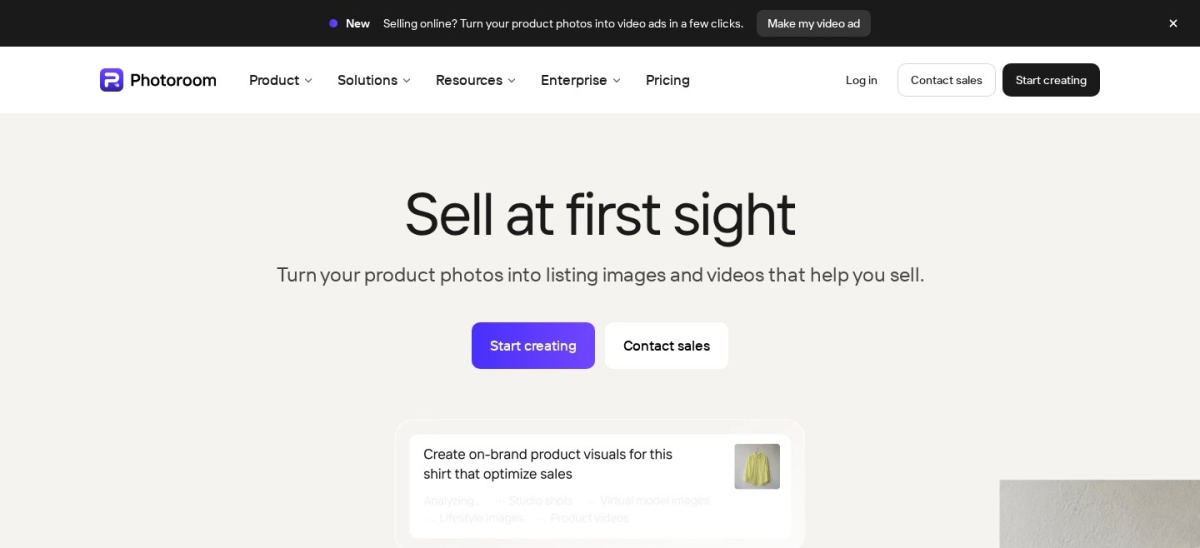
PhotoRoom is an AI photo editor built for product photos, with instant background removal, AI backgrounds, shadows and listing templates. Pro costs $7.50 a month billed annually with 1,000 exports, while free exports are watermarked.
The trade off is the thin review base. G2 shows only 20 reviews, and free exports carry a watermark. It suits sellers who batch-edit listing photos every week.
GIMP is a free, open-source image editor for Windows, Mac and Linux, with the Foreground Select tool and plugins for background removal. It costs nothing, with no subscription, watermark or export limit.
The trade off is ease. Removal takes manual steps and plugins, and the interface feels dated next to Canva or Express. It suits users who want a free desktop editor and do not mind learning it.
remove.bg, the tool most people still think of as the default, closes its standalone site on 1 December 2026. Its parent company was acquired by Canva, and background removal is moving into Canva products.
If your workflow depends on remove.bg, switch now. Canva is the direct successor for web users, Adobe Express covers free single removals, and API users should follow the migration path to Leonardo.Ai.
How we chose
We started from image editors with a background remover and a G2 rating, then kept those with a published price or a usable free tier.
Prices come from each vendor's pricing page, checked on 29 November 2026, using regular monthly rates. Ratings and review counts come from G2 on the same day. Where a vendor shows a sale, the list shows the regular price.
We left out remove.bg because its standalone site closes on 1 December 2026, and tools with no verifiable rating. No vendor paid for a place, and we do not claim hands-on testing for this list.
How to choose image editing software for background removal
Start with a hard photo, then judge each tool on the cutout and the export.
Try the free remover first. Upload a hard photo with hair or glass and check the edge quality and export terms before paying.
Check the export limits. Confirm whether free exports are full resolution and watermark-free, since some tools charge for clean downloads.
Count your monthly volume. Batch sellers should price per export, since credit and subscription costs diverge fast at hundreds of images.
Pick the tool for the next step. Choose the editor that fits what happens after removal: design, listings or print, not just the cutout.
FAQ
What is the best image editing software for background removal in 2026?
Canva is the best image editing software for background removal for most people, since the remover sits inside a full design suite. Adobe Express removes backgrounds free, and Photoshop is the pick for manual control.
Is there a free background remover?
Yes. Adobe Express removes backgrounds free at full resolution with no watermark, and Canva Free includes basic editing, though its remover needs Pro. Pixlr and Fotor also offer free removal with limits.
What happened to remove.bg?
remove.bg closes its standalone site on 1 December 2026, with background removal moving into Canva. Do not buy long-term credits or build a workflow on the standalone site.
Canva or Photoshop for background removal?
Pick Canva for fast cutouts inside designs and social posts. Pick Photoshop when edges need manual control, such as hair, fur or glass, or when print quality matters.
Which tool is best for product photos?
PhotoRoom is the best pick for product photos, with AI backgrounds, batch exports and listing templates from $7.50 a month billed annually. Canva is the better choice when designs follow the cutout.
Does background removal work on hair and fur?
Automatic tools handle simple edges well but often struggle with hair, fur and glass. Photoshop gives the most control for fixing those edges by hand with masks and refinement tools.
SaaS SEO and WordPress specialist with about 8 years of experience. Rakib compares WordPress plugins, themes, hosting and software using public pricing, documentation and user reviews. See how we rank.