Adobe Acrobat is the best top 10 PDF software pick for most people, with the fullest editor on an annual plan. Foxit matches most of it for about half the yearly price, and UPDF is the budget pick.
How we make this list: we compare pricing pages, product documentation and public user reviews, then re-check every price before each update. No product paid for a place. Disclosure.
Adobe Acrobat is the most complete editor here, with OCR, redaction, comparison and e-signing from $19.99 a month.
Foxit matches most of Acrobat at $129.99 a year, with a perpetual licence at $209.99 for buyers who dislike subscriptions.
PDFelement is the cheapest full desktop editor at $79.99 a year, and its one-time licence costs $129.99.
UPDF and Sejda are the budget picks: UPDF at $49.99 a year and Sejda at $63 a year, both with free plans.
PDF-XChange Editor is the only Windows-only pick and the only one with a one-time licence.
How do you choose top 10 PDF software?
Most PDF work is the same few jobs: edit text, fill a form, merge pages, compress a file and sign it. The top 10 PDF software tools in this list all cover those jobs, and they differ on price, platform and depth.
Start with where you work. Acrobat, Foxit and PDFelement are full desktop editors, UPDF and Smallpdf work in the browser and on mobile, and PDF Expert and PDF-XChange are tied to one platform.
Check the price shape, not just the number. Acrobat and Smallpdf are subscriptions, Foxit and PDFelement offer a one-time licence as well, and PDF-XChange is one-time only, so the cheapest first year is not always the cheapest over three years.
Try before you pay. Every tool here offers a free plan or a free trial, so run a real document through it and check that text edits, OCR and signatures work as you expect.
Adobe Acrobat is the reference PDF editor, from the company that created the PDF format. Pro covers text and image editing, page tools, conversion to Office formats, OCR for scans, redaction, file comparison and e-signing, on desktop, web and mobile.
The trade off is price. Pro costs $19.99 a month on an annual plan, or $239.88 for the year, which is more than Foxit, Nitro or PDFelement charge for similar editing. It suits professionals who edit, compare and sign PDFs every day.
What we like
Most complete editor in this list
OCR, redaction and comparison built in
Files open correctly everywhere
Rated 4.5 out of 5 from 5,788 G2 reviews
Watch out for
Priciest subscription here
No free plan, only a 7-day trial
Month-to-month costs $29.99 a month
Standard is cheaper but drops comparison and redactionVisit adobe.com
02
Foxit PDF Editor
4.6/5on G2 (3,784 reviews, checked Nov 2026)
Starts at$129.99/yr
Best Acrobat alternative at a lower price
Cheapest paid planEditor, $129.99/yr
Free plan14-day trial only
OCRYes
Perpetual licence$209.99 one-time
foxit.com
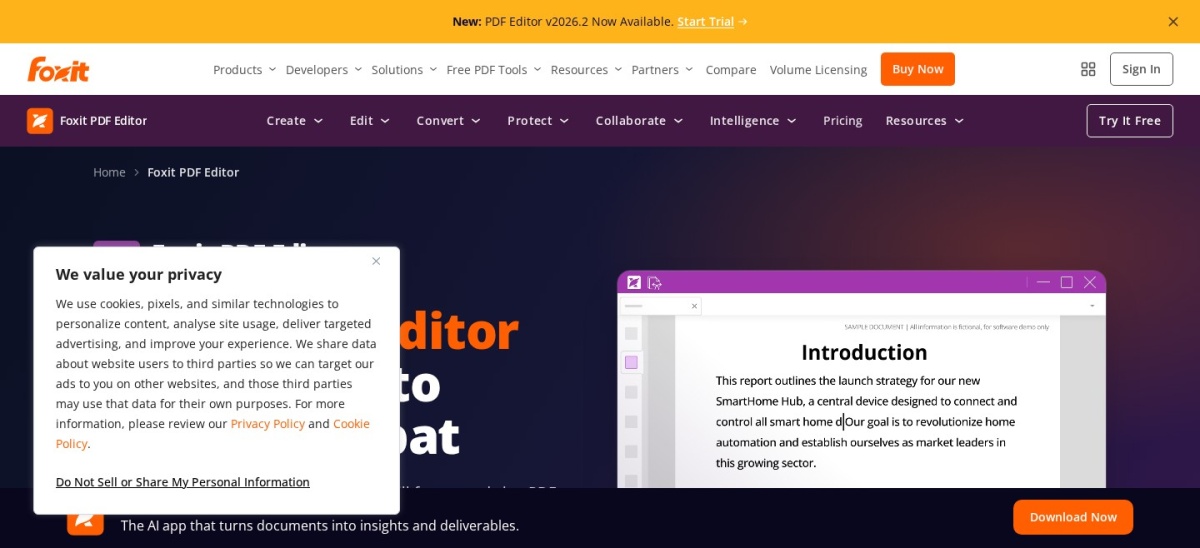
Foxit PDF Editor homepage, captured Nov 2026.
Foxit PDF Editor is the closest Acrobat alternative in this list, with text and image editing, conversion, OCR, batch work, redaction and shared review. It holds a 4.6 out of 5 rating on G2 from more than 3,700 reviews, the highest score among the full desktop editors here.
The trade off is that e-signing requests and mobile apps need Editor+ at $159.99 a year, and the base plan includes only a small AI credit allowance. It suits businesses that want Acrobat-level editing at a lower yearly price.
What we like
Closest Acrobat match at $129.99 a year
Highest G2 rating among desktop editors here
Perpetual licence at $209.99 for one-time buyers
Monthly billing from $10.99 a month
Watch out for
E-signing needs the $159.99 Editor+ plan
No free plan, only a 14-day trial
Small AI credit allowance on the base plan
Editor+ adds e-signing and mobile apps at $159.99 a yearVisit foxit.com
03
PDFelement
4.5/5on G2 (1,070 reviews, checked Nov 2026)
Starts at$79.99/yr
Best budget full desktop editor
Cheapest paid planYearly, $79.99/yr
Free plan14-day trial only
OCRYes
Perpetual licence$129.99 one-time
pdf.wondershare.com
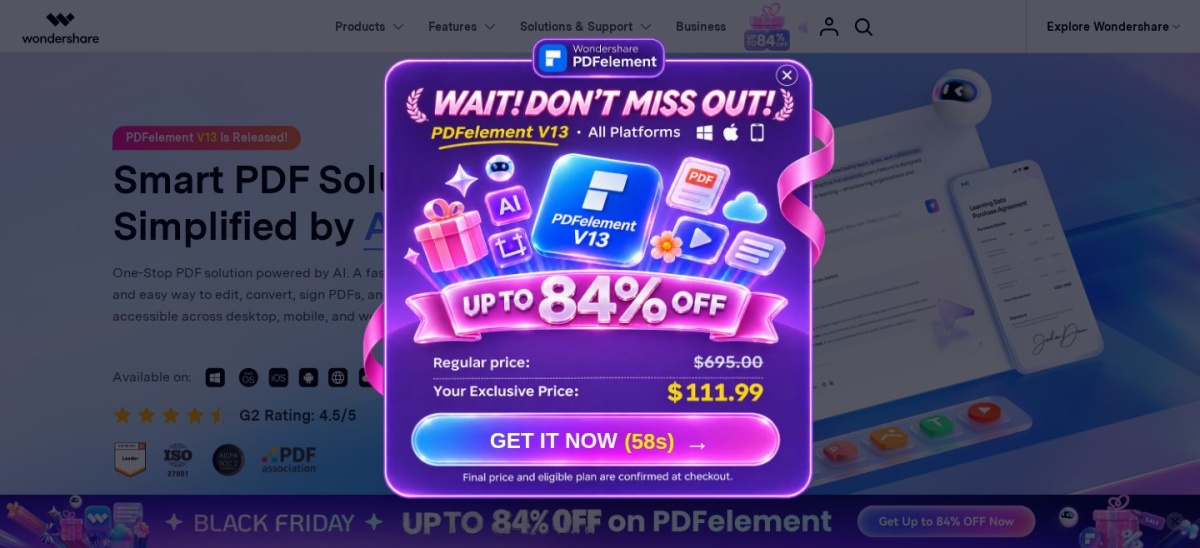
PDFelement homepage, captured Nov 2026.
PDFelement is a desktop PDF editor from Wondershare that covers text and image editing, conversion to Office formats, OCR, form building, redaction and e-signing. One licence covers desktop, mobile and web, and the yearly plan is the cheapest full editor subscription in this list.
The trade off is the pricing page. The $79.99 yearly price is a discounted auto-renew rate against a $129 list price, so the renewal can cost more. It suits small businesses that edit PDFs daily on a budget.
Nitro PDF is built for offices that turn paper and Word files into clean PDFs all day. The Standard plan covers PDF creation, editing, e-signatures and batch conversion with a familiar Office-style ribbon, plus an admin console for teams.
The trade off is price transparency. The official pricing page names its plans but prints no subscription price, and the $15 a month figure comes from review sites. It suits Windows teams that want a full editor with an admin console.
What we like
Familiar Office-style ribbon
Batch conversion and e-signatures included
Admin console for team licences
Rated 4.4 out of 5 from 444 G2 reviews
Watch out for
No numeric price on the official pricing page
Classic licence is Windows only
No free plan, only a 14-day trial
Classic is a one-time Windows licence at $270 for 3 yearsVisit gonitro.com
05
UPDF
4.5/5on G2 (510 reviews, checked Nov 2026)
Paid from$49.99/yr
Best budget cross-device editor
Cheapest paid planPro, $49.99/yr
Free planYes, limited
PlatformsWindows, Mac, iOS, Android
AIYes, on Pro
updf.com
UPDF homepage, captured Nov 2026.
UPDF is a cross-device PDF editor with text and image editing, annotation, conversion, forms and AI tools on Windows, Mac, iOS and Android. Pro costs $49.99 a year, the lowest subscription in this list, and a limited free plan covers basic viewing and annotation.
The trade off is polish. It lacks some of Acrobat's advanced preflight and print production tools, and the free plan watermarks some exports. It suits people who work in the browser and on mobile and want signing included.
What we like
Lowest subscription price in this list at $49.99 a year
PDF-XChange Editor is a Windows-only PDF editor with text editing, annotation, forms, OCR and document security. The free version covers viewing and basic annotation, and Editor Plus is a one-time purchase, so there is no yearly bill.
The trade off is that it runs on Windows only, with no Mac, web or mobile version, and the interface looks dated next to Acrobat or Foxit. It suits Windows users who want a one-time licence.
PDF Expert is a fast PDF editor for Mac, iPad and iPhone, with text editing, annotation, forms, signing and file merging in a clean Apple-style interface. Premium costs $79.99 a year, and a limited free version covers reading and basic annotation.
The trade off is the small review base and the Apple-only focus. It holds 4.7 out of 5 on G2 from only 33 reviews, and there is no Windows or Android version. It suits Apple users who want a fast, clean editor.
Smallpdf is a browser-first PDF platform with tools for compressing, converting, merging, splitting and signing PDFs, plus desktop and mobile apps. Pro costs $108 a year, or about $10 a month, and the free plan covers a few jobs a day.
The trade off is depth. It handles quick jobs well but lacks the full text editing, OCR and redaction of the desktop editors. It suits people who work in the browser and want signing included.
Sejda is a web and desktop PDF platform with tools for editing, merging, splitting, compressing and converting PDFs. The free plan covers a few tasks a day, and the Desktop plan costs $63 a year. It is rated 4.7 out of 5 on Capterra.
The trade off is the small review base and the task limits. Capterra shows only 47 reviews, and the free plan caps daily tasks. It suits occasional users who want a cheap paid plan and a usable free tier.
Subscription vs one-time: what costs less over 3 years
Subscriptions look cheap per month but add up. Three years of Acrobat Pro costs about $720, while three years of Foxit costs about $390, and PDF-XChange costs $62 once.
One-time licences have a catch. They cover the version you buy, and major upgrades can cost extra, while subscriptions always include the newest version.
For a single user who edits PDFs weekly, a one-time licence usually wins. For a team that needs the newest features and admin controls, a subscription is simpler to manage.
How we chose
We started from the PDF editors people actually pay for, then kept the nine with a published price, a verifiable G2 or Capterra rating, and a free plan or trial.
Prices come from each vendor's pricing page, checked on 29 November 2026. Adobe, Foxit and PDFelement prices were confirmed on their official pricing pages this week, and the rest were checked against Nov 2026 vendor price roundups.
We left out editors with no published price and web-only converters with no editing. No vendor paid for a place, and we do not claim hands-on testing for this list.
How to choose top 10 PDF software
Start with the jobs you do every week, then match the tool to those jobs.
List your weekly PDF jobs. Editing text, filling forms, signing and merging cover most needs, so pick a tool that does all four well.
Check your platforms. Windows-only tools cost less but leave Mac and mobile users out, so confirm the editor runs where you work.
Compare three-year cost. Multiply the yearly price by three and compare it with one-time licences before you decide.
Run a real document through the trial. Edit text, run OCR on a scan and sign a page, then keep the tool that handles your files cleanly.
FAQ
What is the best top 10 PDF software in 2026?
Adobe Acrobat is the best top 10 PDF software for most people. Pro covers editing, OCR, redaction, comparison and e-signing from $19.99 a month on an annual plan, and it is rated 4.5 out of 5 on G2.
What is the cheapest PDF editor?
UPDF is the cheapest PDF editor subscription in this list at $49.99 a year, with a limited free plan. PDF-XChange Editor Plus costs $62 once, which is cheaper still over three years.
Is Foxit better than Adobe Acrobat?
Foxit is better than Acrobat on price and close on features. Foxit PDF Editor costs $129.99 a year against $239.88 for Acrobat Pro, with a higher G2 rating, though e-signing needs the Editor+ plan.
Which PDF software has a free plan?
UPDF, PDF-XChange Editor, PDF Expert, Smallpdf and Sejda all have free plans. Acrobat, Foxit, PDFelement and Nitro offer free trials instead, from 7 to 14 days.
What is the best PDF software for Mac?
PDF Expert is the best PDF software for Mac users. It is fast, clean and built for Mac, iPad and iPhone, at $79.99 a year, though Acrobat and Foxit also run on Mac.
Adobe Acrobat vs Foxit: which should I buy?
Buy Acrobat if you need the fullest editor and work with clients who expect Adobe files. Buy Foxit if you want most of the same editing at $129.99 a year with a one-time licence option.
SaaS SEO and WordPress specialist with about 8 years of experience. Rakib compares WordPress plugins, themes, hosting and software using public pricing, documentation and user reviews. See how we rank.