Draw.io is the best Excalidraw alternative for users who want free, open-source diagramming, local file storage and a hand-drawn sketch theme, with a 4.4/5 G2 rating. Choose Miro for collaborative workshops and project planning or FigJam for design brainstorming and affordable team collaboration.
How we make this list: we compare pricing pages, product documentation and public user reviews, then re-check every price before each update. No product paid for a place. Disclosure.
Draw.io is completely free for standalone diagramming, earns 4.4/5 from 450 G2 reviews and reports more than 100 million users.
Miro earns 4.6/5 from 13,844 G2 reviews and offers 3 editable boards on its free subscription.
FigJam Professional starts at $36 annually per Collab seat, making it the cheapest paid whiteboard upgrade in this comparison.
Mural Team+ costs $119.88 annually per member and removes the free plan's 3-editable-mural restriction.
Whimsical offers 50 new board objects and 50 document blocks monthly for free, with Pro costing $120 annually per editor.
Milanote provides 100 notes, images or links and 10 file uploads for free, with unlimited shared boards.
How do you choose the best Excalidraw alternatives?
The best Excalidraw replacement depends on whether you value its hand-drawn appearance, simple interface, open-source licensing or collaborative canvas. Not every online whiteboard reproduces all these characteristics, so identify which features matter most to your workflow.
Draw.io is the closest option for users who prioritize free diagramming and file ownership. Its sketch theme provides a hand-drawn visual style, while its desktop application supports working with locally stored diagrams.
Collaborative whiteboards are more suitable for recurring team workshops and project planning. Miro, FigJam and Mural provide interactive canvases, reusable templates and collaboration features, although their free subscriptions restrict editable files or boards.
Free board counts can hide other usage restrictions. Whimsical permits unlimited boards but limits free accounts to 50 new board objects monthly. Milanote allows unlimited shared boards but limits the notes, images and links that users can create.
Subscription costs depend on who needs editing privileges. FigJam charges for Collab seats, Whimsical charges editors while viewers remain free, and Miro charges workspace members on paid subscriptions. Compare actual editing requirements before purchasing licenses for everyone.
For connected diagrams and organizational processes
Custom pricing
Free plan
4.4/5
Price ladder: cheapest paid plan per year
List prices, USD, checked Nov 2026
Draw.ioFree
CreatelyFREECustom
FigJamFREE$36
MiroFREE$96
MuralFREE$120
MilanoteFREE$120
WhimsicalFREE$120
The 7 best Excalidraw alternatives
01
Draw.io
4.4/5on G2 (450 reviews, checked Nov 2026)
PriceFree
Best free and open-source Excalidraw alternative
Standalone applicationFree forever
Source code licenseApache 2.0
Drawing themesSketch, Classic and Simple
StorageLocal files or connected storage
drawio.com
Draw.io homepage, captured Nov 2026.
Draw.io is an open-source diagramming application for flowcharts, technical architecture, process maps and visual sketches. Its standalone web and desktop applications are free, require no mandatory account and include a sketch theme that reproduces a hand-drawn appearance. The vendor reports more than 100 million users.
The trade off is that Draw.io emphasizes structured diagrams rather than facilitated brainstorming sessions and workshop management. Its standalone application remains free, although separately licensed integrations may involve additional costs. It suits developers, students and professionals who want unrestricted diagramming and control over file storage.
What we like
Free standalone web and desktop applications
Hand-drawn sketch theme
Open-source code under Apache 2.0
Local file storage and offline desktop editing
Extensive technical diagram shape libraries
Watch out for
Fewer dedicated workshop facilitation features
Interface is more complex than Excalidraw
Collaborative workflows depend on the chosen storage integration
The standalone diagramming application has no paid upgrade; commercial integrations are separate products.Visit drawio.com
02
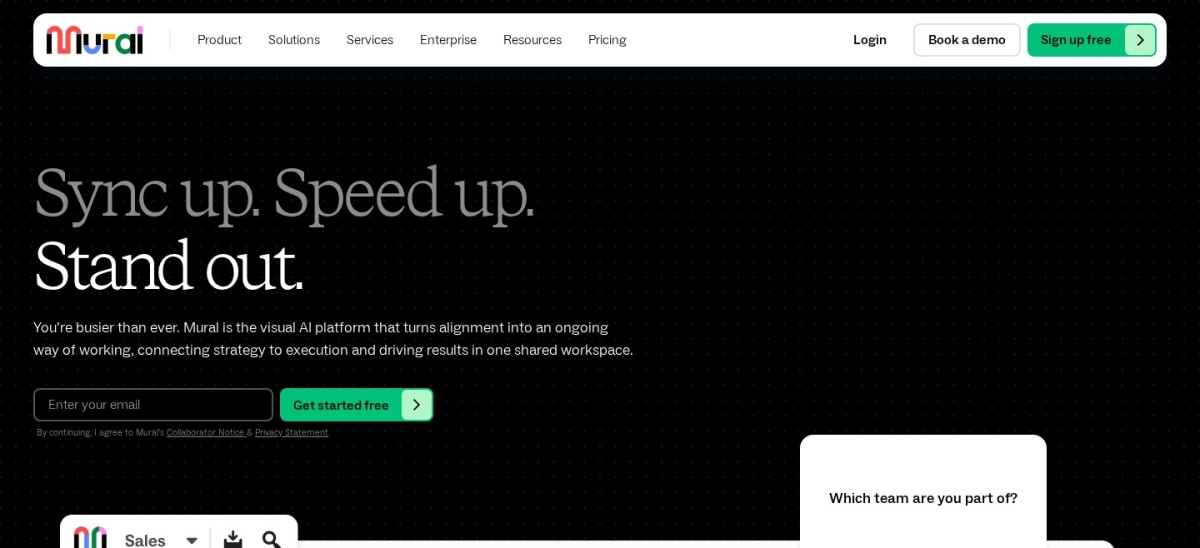
Miro
4.6/5on G2 (13,844 reviews, checked Nov 2026)
Paid from$8/mo
Best for collaborative brainstorming and project planning
Free editable boards3
Free team membersUnlimited
Free monthly AI credits10
Starter editable boardsUnlimited
miro.com
Miro homepage, captured Nov 2026.
Miro is a collaborative visual workspace for brainstorming, diagramming, project planning and facilitated workshops. Its free subscription supports unlimited team members, three editable boards and 10 monthly AI credits. Starter costs $8 per member monthly with annual billing and provides unlimited editable boards and private board controls.
The trade off is that paid workspace membership becomes expensive as teams grow. Starter costs $96 annually per member, and adding collaborators as full members consumes additional paid seats. It suits organizations that need persistent collaborative canvases, reusable templates and structured visual planning rather than occasional sketches.
What we like
Largest G2 review count in this comparison
Unlimited team members on the free plan
Extensive brainstorming and planning templates
Unlimited editable boards on Starter
Support for diagrams and collaborative workshops
Watch out for
Free subscription limited to three editable boards
Paid workspace members require individual licenses
Broader feature set can be excessive for simple sketches
Free boards are accessible to workspace members by default
Starter adds unlimited editable and private boards, visitor access and expanded AI allowances.Visit miro.com
03
FigJam
4.6/5on G2 (464 reviews, checked Nov 2026)
Paid from$3/mo
Best for design teams and affordable visual collaboration
Free subscriptionFigma Starter
Entry paid licenseProfessional Collab seat
Professional Collab AI credits500/mo
Primary integrationFigma Design
figma.com
FigJam homepage, captured Nov 2026.
FigJam is Figma's collaborative whiteboard for brainstorming, visual planning, diagrams and design discussions. Its free Starter subscription provides an entry point for small projects, while a Professional Collab seat costs $3 monthly with annual billing and includes 500 monthly AI credits.
The trade off is that FigJam works best within Figma's broader product environment and seat-based licensing structure. The $36 annual Collab license does not include every Figma Design capability available through a Full seat. It suits product managers, designers and developers collaborating on early concepts and visual project plans.
What we like
Lowest paid subscription price in this comparison
Direct connection with Figma Design workflows
Interactive sticky notes and drawing tools
Real-time collaborative brainstorming
Templates for workshops and project planning
Watch out for
Free subscription has workspace file restrictions
Different Figma seat types can complicate purchasing
Less suitable for offline technical diagramming
Professional Collab provides expanded whiteboard access, team collaboration and additional AI capabilities.Visit figma.com
04
Whimsical
4.6/5on G2 (189 reviews, checked Nov 2026)
Paid from$10/mo
Best for flowcharts, wireframes and mind maps
Free monthly board objects50
Free monthly document blocks50
Free version history7 days
Pro version history90 days
whimsical.com
Whimsical homepage, captured Nov 2026.
Whimsical is a visual collaboration application combining flowcharts, mind maps, wireframes, sketches and documents. Its free subscription allows unlimited boards but limits creation to 50 board objects and 50 document blocks monthly, with seven days of version history and watermarked exports.
The trade off is that regular diagram creation can quickly exhaust the free monthly object allowance. Pro costs $10 per editor monthly with annual billing or $12 with monthly billing and removes object limits and export watermarks. It suits product teams, founders and developers who prefer structured visual communication.
What we like
Unlimited boards on the free subscription
Dedicated flowchart, mind map and wireframe tools
Viewers remain free on every subscription
Clean visual formatting for structured diagrams
Unlimited objects and documents on Pro
Watch out for
Free creation limited to 50 board objects monthly
Free exports contain a watermark
Advanced security controls require Business
Less focused on unrestricted freehand drawing
Pro removes creation limits and export watermarks while extending version history to 90 days.Visit whimsical.com
05
Mural
4.6/5on G2 (1,512 reviews, checked Nov 2026)
Paid from$9.99/mo
Best for facilitated workshops and remote team collaboration
Free editable murals3 at a time
Free workspace membersUnlimited
Team+ editable muralsUnlimited
Team+ monthly billing$12/member/mo
mural.co
Mural homepage, captured Nov 2026.
Mural is a collaborative digital workspace designed for workshops, brainstorming, strategic planning and facilitated team activities. Its free subscription supports unlimited members and murals, with three murals editable simultaneously. Team+ costs $9.99 per member monthly with annual billing and removes the editable mural restriction.
The trade off is that Mural emphasizes team facilitation rather than lightweight personal sketching or detailed technical diagrams. Team+ costs $12 per member with monthly billing, while single sign-on requires Business at $17.99 per member monthly with annual billing. It suits facilitators, consultants and distributed teams conducting recurring workshops.
What we like
Dedicated workshop and facilitation capabilities
Unlimited free workspace members
Visual collaboration tools included in Free
Unlimited editable murals on Team+
Editable visitor access on Team+
Watch out for
Free subscription permits only three editable murals simultaneously
Free visitors have view-only access
Single sign-on requires Business
Per-member licensing increases costs for large teams
Team+ adds unlimited editable murals, private rooms, editable visitor access, AI and basic integrations.Visit mural.co
06
Milanote
4.5/5on G2 (43 reviews, checked Nov 2026)
Paid from$9.99/mo
Best for creative moodboards and visual project organization
Free notes, images and links100
Free file uploads10
Shared boardsUnlimited
Individual monthly billing$12.50/mo
milanote.com
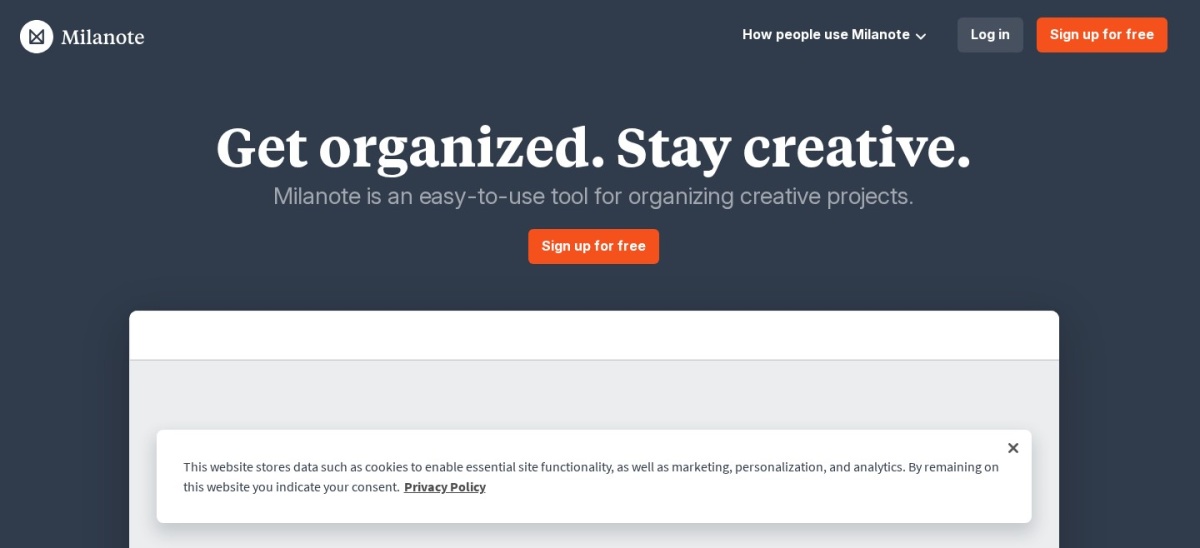
Milanote homepage, captured Nov 2026.
Milanote is a visual organization application for creative projects, moodboards, storyboards, brainstorming and research collection. Its free subscription includes 100 notes, images or links, 10 file uploads and unlimited shared boards. The individual paid subscription costs $9.99 monthly with annual billing.
The trade off is that Milanote prioritizes collecting and arranging creative material rather than formal architecture diagrams or precise flowchart construction. Its individual subscription costs $12.50 with monthly billing and removes content and upload restrictions. It suits creative professionals organizing references, visual concepts, project briefs and storyboards.
What we like
Flexible arrangement of images, notes and references
Unlimited shared boards on Free
Dedicated creative project templates
Affordable individual subscription
Unlimited content creation on paid subscriptions
Watch out for
Free subscription limits stored content
Not designed for detailed technical diagramming
Smaller G2 review sample than established whiteboard competitors
The individual paid subscription removes limits on notes, images, links and file uploads.Visit milanote.com
07
Creately
4.4/5on G2 (1,398 reviews, checked Nov 2026)
PricingCustom pricing
Best for connected diagrams and organizational processes
Free shapes per diagram45
Drawing environmentInfinite canvas
Pro connected data sources1, refreshed daily
Enterprise licensingCustom annual agreement
creately.com
Creately homepage, captured Nov 2026.
Creately is a visual collaboration and diagramming platform supporting organizational charts, process maps, technical diagrams and connected business information. Its free subscription includes an infinite canvas, real-time whiteboard collaboration and up to 45 shapes per diagram. Pro removes diagram and shape restrictions.
The trade off is pricing transparency under Creately's updated subscription structure. Its official Enterprise plan requires a custom annual agreement, while the Pro and Business prices did not render in the accessible pricing page. It suits organizations that need structured diagrams connected with operational information and shared business processes.
What we like
Infinite canvas on the free subscription
Structured diagramming and organizational chart tools
Real-time visual collaboration
Connected data sources on commercial plans
Substantial G2 review history
Watch out for
Free diagrams limited to 45 shapes
Cheapest regular paid price could not be confirmed
Advanced data connections require higher subscriptions
Broader product structure can complicate purchasing
Pro adds unlimited shapes and diagrams, expanded export formats, private sharing and one connected data source.Visit creately.com
Should you replace Excalidraw with an open-source or cloud whiteboard?
Open-source diagramming software is attractive when file ownership, offline access and long-term compatibility are important. Draw.io provides a free standalone application with source code licensed under Apache 2.0 and the ability to store diagrams locally.
Cloud whiteboards are more convenient when several people regularly collaborate on shared projects. Miro, FigJam and Mural provide persistent online workspaces, interactive collaboration and templates for common planning activities.
Structured visual planning tools occupy a middle ground. Whimsical and Creately provide specialized diagramming capabilities alongside collaboration, making them suitable when informal sketches gradually become formal documentation.
Choose according to your actual workflow rather than the number of available features. A local diagramming application may be enough for individual work, while collaborative workshops often justify a paid cloud subscription.
How much do Excalidraw alternatives cost for a five-person team?
FigJam Professional costs $180 annually for five Collab seats using its published $3 monthly annual billing rate. Miro Starter costs $480 annually for five paid workspace members at $8 monthly.
Mural Team+ costs $599.40 annually for five paid members. Whimsical Pro costs $600 annually for five editors, although colleagues who only need viewing access do not require paid editor licenses.
Five individual Milanote subscriptions would cost $599.40 annually. Its separately advertised team subscription starts at $49 monthly with annual billing, but buyers should confirm the applicable team size before choosing that package.
Draw.io's standalone application does not charge per user. Teams that need unrestricted drawing rather than dedicated workshop management can therefore avoid mandatory diagramming subscription costs, although connected storage and commercial integrations may involve separate expenses.
How we chose
We compared established visual collaboration and diagramming applications covering Excalidraw's main use cases, including sketches, technical diagrams, brainstorming, wireframes and shared project planning. Rankings emphasize free access, visual flexibility, collaboration, file ownership and public user ratings.
Official product pages, pricing pages and individual G2 review profiles were opened on 29 Nov 2026. Annualized prices use regular annual billing rates where confirmed. Draw.io's free designation applies to its standalone application, not separately licensed commercial integrations. G2 review counts reflect the aggregate figures displayed when the profiles were opened.
We excluded products with inaccessible review or pricing information where suitable replacements were available. Creately remains a provisional seventh entry because Enterprise custom pricing was confirmed but its cheaper Pro price was inaccessible; its pricing must be verified or the product replaced before publication. No vendor paid for a place, and we do not claim testing for this list.
How to choose the right alternative to Excalidraw
Identify your preferred drawing style, collaboration requirements, file storage preferences and subscription budget before selecting a replacement whiteboard.
Decide whether freehand sketches or structured diagrams matter most. Choose Draw.io if you need free technical diagrams and a sketch-style presentation. Whimsical is preferable for structured flowcharts and wireframes, while Miro and FigJam are more appropriate for collaborative brainstorming and visual planning.
Compare free subscription restrictions carefully. Check editable board limits, monthly object allowances, stored content and export restrictions. Unlimited boards do not necessarily mean unlimited creation, as illustrated by Whimsical's monthly object allowance and Milanote's free content restrictions.
Calculate licensing costs for active collaborators. Determine which participants need to create and edit boards regularly and which only require viewing access. Compare per-member, per-editor and seat-based pricing, including the availability of free visitors and guests.
Review export formats and file ownership. Check whether you can save diagrams locally, export editable files and maintain access after canceling a subscription. If you use visual diagrams in technical documentation or long-term projects, prioritize portable file formats and dependable storage options.
FAQ
What is the best Excalidraw alternative in 2026?
Draw.io is the best Excalidraw alternative for users who prioritize free diagramming, a hand-drawn visual style and local file storage. It earns 4.4/5 from 450 G2 reviews. Miro is preferable for collaborative workshops, while FigJam is particularly useful for product design teams.
What is the best free alternative to Excalidraw?
Draw.io is the best free alternative because its standalone web and desktop applications do not require paid subscriptions or mandatory account registration. Its open-source code, sketch theme and local file support make it especially suitable for users who value Excalidraw's accessibility and simplicity.
Is Draw.io better than Excalidraw?
Draw.io is better for structured technical diagrams, formal flowcharts, architecture documentation and local file management. Excalidraw is often preferable for spontaneous sketches and informal visual communication. Draw.io also provides a sketch theme for users who want a hand-drawn appearance alongside conventional diagramming features.
How much do Excalidraw alternatives cost?
Excalidraw alternatives range from free standalone software to paid collaborative whiteboards. FigJam Professional starts at $36 annually per Collab seat, Miro Starter costs $96 annually per member, Mural Team+ costs $119.88 annually per member, and Whimsical Pro costs $120 annually per editor.
Is Draw.io or Miro better for small teams?
Draw.io is better for small teams that need free technical diagrams and flexible file storage. Miro is preferable for teams that regularly brainstorm, facilitate workshops and maintain shared project boards. Miro's free subscription includes unlimited team members and three editable boards.
What is the easiest Excalidraw alternative for beginners?
FigJam is an accessible choice for beginners who want visual brainstorming, sticky notes and shared sketches without learning formal diagramming conventions. Whimsical is another suitable option for users who prefer automatically organized shapes, connected flowcharts and structured mind maps.
Which Excalidraw alternative works offline?
Draw.io is the strongest offline option in this comparison because its desktop application supports editing locally stored diagram files without relying on a browser-based workspace. This makes it suitable for users who prioritize offline accessibility, file ownership and independent storage.
What is the best Excalidraw alternative for design teams?
FigJam is the best choice for design teams already using Figma because it connects brainstorming, visual planning and product design workflows. Its Professional Collab seat starts at $3 monthly with annual billing, allowing teams to purchase collaboration access separately from full design licenses.
Which Excalidraw alternative is best for flowcharts and mind maps?
Whimsical is particularly useful for flowcharts, mind maps and wireframes because it combines dedicated visual editing tools with collaborative documents. Its free subscription allows 50 new board objects monthly, while Pro removes creation limits for $10 per editor monthly with annual billing.
SaaS SEO and WordPress specialist with about 8 years of experience. Rakib compares WordPress plugins, themes, hosting and software using public pricing, documentation and user reviews. See how we rank.