Google Sheets is the best of the Excel alternatives for most people, because it is free, opens Excel files, and lets several people edit one sheet at the same time. Notion suits teams that want docs and tables in one place, while Airtable fits structured records and linked data.
How we make this list: we compare pricing pages, product documentation and public user reviews, then re-check every price before each update. No product paid for a place. Disclosure.
Google Sheets is free, edits Excel files, and is the easiest way for a team to share one live spreadsheet.
Notion Plus costs $10 per member a month and pairs tables with docs, wikis and project pages.
Airtable Team costs $20 per user a month and is the strongest pick for linked records and structured data.
Smartsheet Pro costs $9 per member a month and adds Gantt views, automations and project workflows.
Rows Plus costs $6 per user a month and connects spreadsheets to live business data, but it has only 24 G2 reviews.
LibreOffice Calc and ONLYOFFICE are free desktop options, with paid plans only for hosted or business use.
How do you choose the best Excel alternatives?
Start with what the spreadsheet has to do. Everyday budgets, lists and shared trackers need far less than a financial model with thousands of formulas.
File compatibility matters most for Excel switchers. Every tool here opens Excel files, but only some keep advanced formulas and pivot tables intact when you save.
Collaboration is where the free tools win. Google Sheets, Zoho Sheet and Notion let several people edit at once, while desktop tools suit solo work offline.
Price is usually per person, not per team. Airtable charges per editor and Smartsheet caps Pro at 10 paid members, so count editors before you compare monthly rates.
4.7/5on Capterra (13,224 reviews, checked Nov 2026)
Paid from$7/mo
Best Excel alternative overall
Free versionYes, full editor
Paid planWorkspace Business Starter
Annual price$7/user/mo
Excel filesOpens and saves .xlsx
google.com
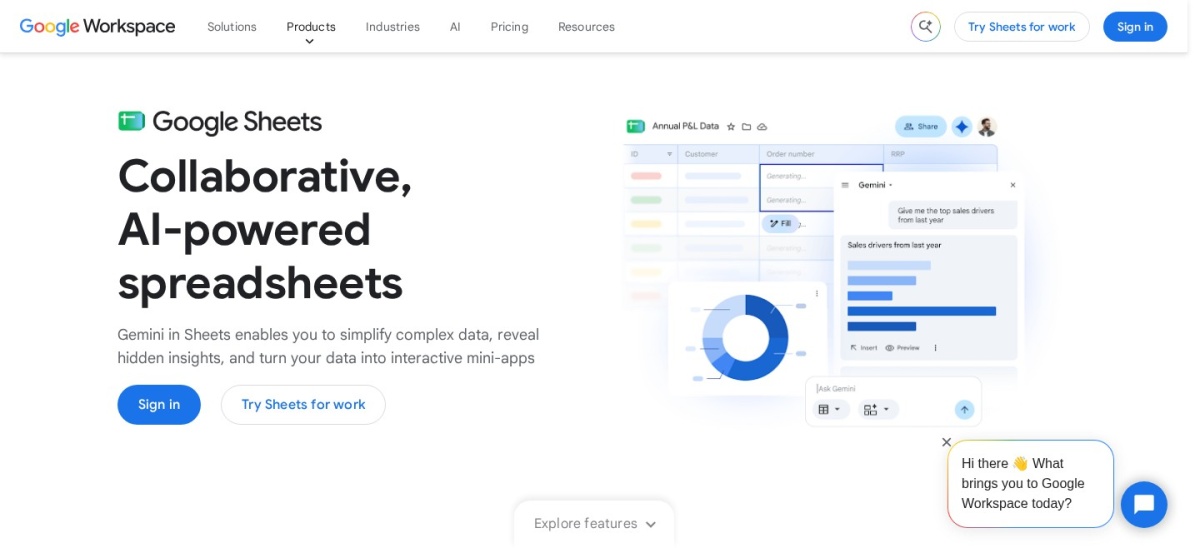
Google Sheets homepage, captured Nov 2026.
Google Sheets is a free browser-based spreadsheet from Google that covers formulas, charts, pivot tables and real-time collaboration. The free version handles everyday budgets, trackers and shared reports, and it opens and saves Excel files without converting them first.
The trade off is depth. Very large models and advanced desktop analysis still belong in Excel, and business administration features need a paid Workspace plan at $7 per user each month. It suits remote teams, shared trackers and anyone who wants a free spreadsheet that others can edit at once.
What we like
Free spreadsheet editing and collaboration
Simultaneous editing with version history
Opens and saves Excel files
Works directly with Google Drive
Watch out for
Less suited to very large or complex models
Business admin features need Workspace
Needs an internet connection for live editing
Workspace Business Starter adds business email and 30 GB storage per userVisit google.com
02
Notion
4.6/5on G2 (13,972 reviews, checked Nov 2026)
Paid from$10/mo
Best for docs and tables together
Free versionYes, unlimited personal use
Paid planPlus
Annual price$10/member/mo
Excel filesImports CSV and Excel
notion.com
Notion homepage, captured Nov 2026.
Notion is a workspace that pairs database tables with docs, wikis and project pages, so a spreadsheet can sit beside the notes and tasks it relates to. The free plan covers unlimited personal use, and Plus adds unlimited file uploads, 30-day page history and custom sites.
The trade off is calculation power. Notion tables handle filters, relations and rollups well, but they are not a match for heavy Excel formulas or large datasets. Plus costs $10 per member a month on annual billing. It suits small teams that want one place for docs, trackers and plans.
What we like
Tables, docs and wikis in one workspace
Huge template library for trackers
Strong free plan for individuals
Good for team knowledge bases
Watch out for
Weaker than Excel for heavy formulas
Per-member pricing adds up fast
Large databases can feel slow
Plus adds 30-day history, 5 GB uploads and custom sitesVisit notion.com
03
Airtable
4.6/5on G2 (3,306 reviews, checked Nov 2026)
Paid from$20/mo
Best for spreadsheet-style databases
Free versionYes, basic tables
Paid planTeam
Annual price$20/user/mo
Record linkingYes, across tables
airtable.com
Airtable homepage, captured Nov 2026.
Airtable is a spreadsheet-style database for organising records, linking information and building collaborative workflows. Its free version supports basic tables and apps, while the Team plan adds capacity, customisation and collaboration features for operational projects.
The trade off is that Airtable is built for structured records rather than advanced maths. The Team plan costs $20 per user monthly when billed annually, and you pay for every collaborator with editing rights. It suits operations, content planning, inventory tracking and customer records.
What we like
Relational records connect information across tables
Multiple views for organising shared data
Supports automations and custom interfaces
Free plan for lightweight projects
Watch out for
Not a replacement for advanced Excel calculations
Per-editor pricing increases team costs
Higher limits need expensive upgrades
Team adds greater capacity, customisation and collaborationVisit airtable.com
04
Smartsheet
4.4/5on G2 (23,291 reviews, checked Nov 2026)
Starts at$9/mo
Best for project management spreadsheets
Free versionNo, trial only
Paid planPro
Annual price$9/member/mo
Paid members1 to 10 on Pro
smartsheet.com
Smartsheet homepage, captured Nov 2026.
Smartsheet is a work management platform that uses spreadsheet-style tables to organise projects, responsibilities and recurring processes. Its Pro plan includes unlimited sheets, forms and reports, rich formulas, Gantt and calendar views, and 250 automations a month for up to 10 paid members.
The trade off is that Smartsheet prioritises project coordination over advanced spreadsheet modelling. Pro costs $9 per member monthly on annual billing, or $12 with monthly billing. It suits project managers and operations teams that want structured workflows beside familiar grid layouts.
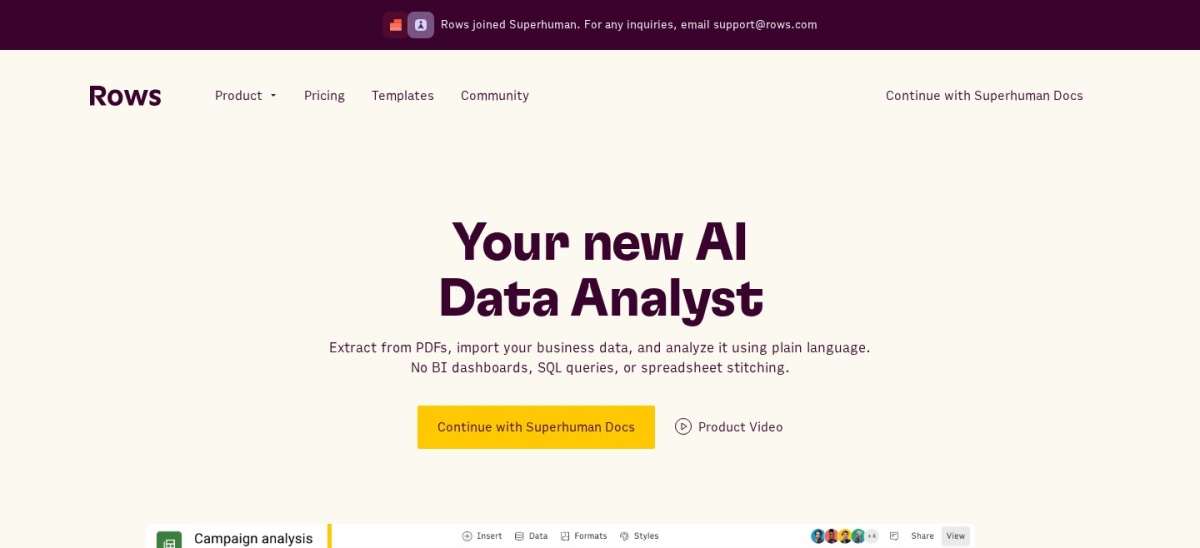
Rows is a spreadsheet platform that combines formulas with data integrations and AI-assisted analysis. Its free plan includes unlimited spreadsheets, 5 monthly AI tasks and 10 connected integration accounts, while Plus provides 200 monthly AI tasks and daily automated data refreshes.
The trade off is a small public review history, with only 24 G2 reviews, and Rows has joined Superhuman, so buyers should check its longer-term plans. Plus costs $6 per user monthly on annual billing. It suits marketers and analysts who want external business data inside their sheets.
What we like
Built-in connections to business applications
AI-assisted data analysis
Free plan includes integrations
Scheduled data updates on Plus
Watch out for
Only 24 G2 reviews so far
Product transition creates uncertainty
Advanced automation needs higher plans
Plus adds 200 AI tasks and daily data refreshesVisit rows.com
06
Zoho Sheet
4.4/5on G2 (159 reviews, checked Nov 2026)
Paid from$3/mo
Best affordable business spreadsheet
Free versionYes, full editor
Paid suiteZoho Workplace Standard
Annual price$3/user/mo
Excel filesImports and exports .xlsx
zoho.com
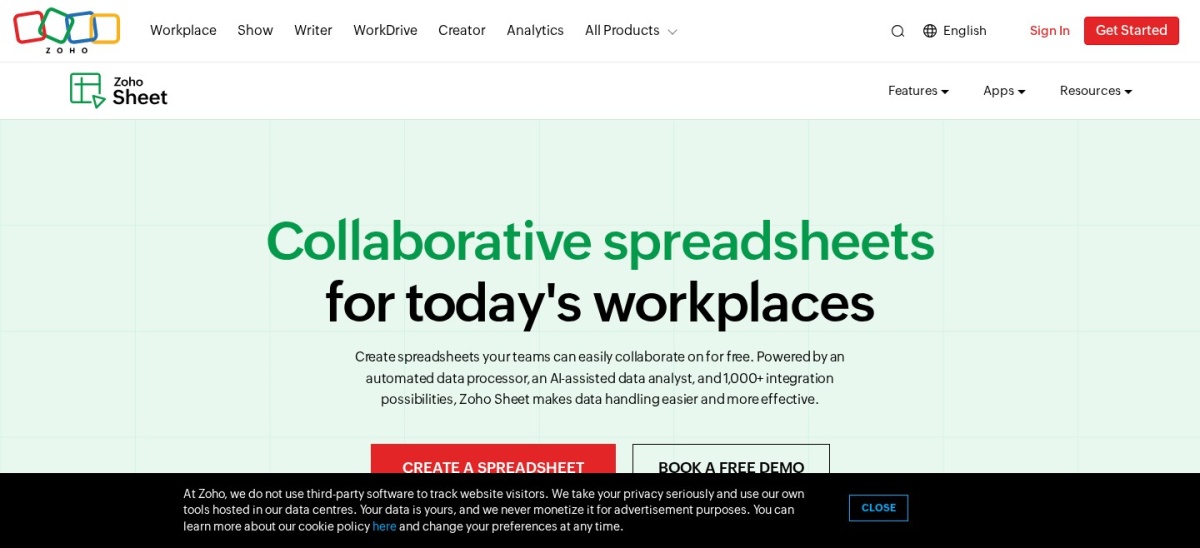
Zoho Sheet homepage, captured Nov 2026.
Zoho Sheet is a cloud spreadsheet with formulas, charts, pivot tables and real-time collaboration that costs nothing on its own. The free editor covers everyday work, and Zoho Workplace Standard adds business email, cloud file management and other productivity apps for $3 per user a month.
The trade off is a smaller analytical ecosystem than Excel, and the paid subscription bundles more than spreadsheets. Workplace Standard costs $3 per user monthly on annual billing, or $4 monthly. It suits small businesses that want affordable collaborative spreadsheets inside one suite.
What we like
Free online spreadsheet editing
Real-time collaboration and sharing
Supports Excel file imports
Includes formulas, charts and pivot tables
Watch out for
Fewer specialised analytical tools than Excel
Paid plan bundles extra applications
Some features depend on other Zoho products
Workplace Standard adds business email and file storageVisit zoho.com
07
ONLYOFFICE
4.6/5on G2 (26 reviews, checked Nov 2026)
Paid from$149/yr
Best for self-hosted spreadsheet editing
Free versionYes, desktop and cloud
Paid planDocs Home
Annual price$149 per server
Home usersUp to 10
onlyoffice.com
ONLYOFFICE homepage, captured Nov 2026.
ONLYOFFICE is an open-source office suite with spreadsheet, document and presentation editors. Its free editions support spreadsheet editing and collaboration, while the paid Docs Home plan provides a self-hosted option for up to 10 users at $149 per server each year.
The trade off is setup. Self-hosted deployments need technical configuration and maintenance, and the Home plan caps at 10 users. It suits individuals and teams that want spreadsheet compatibility, control over their deployment and integrated document editing.
LibreOffice Calc is a free, open-source spreadsheet for Windows, Mac and Linux with more than 500 functions for financial, statistical and mathematical work. It opens and saves Excel files, works fully offline, and asks for no account, subscription or cloud storage.
The trade off is collaboration. Calc is a desktop app, so live co-editing and cloud sharing need a separate service, and its interface feels dated next to Sheets. It suits one person who wants a full spreadsheet with no subscription and no sign-up.
Traditional spreadsheets such as Google Sheets, Zoho Sheet and LibreOffice Calc focus on calculations in cells, formulas and charts. They suit budgets, models and lists.
Database-style tools such as Airtable and Notion organise linked records across tables. They suit inventory, content plans and customer records better than flat grids.
Smartsheet sits between the two, with grid layouts plus project views and automations. Rows adds live business data to the grid instead.
Pick a traditional spreadsheet when formulas matter most. Pick a database-style tool when records, links and workflows matter more.
How we chose
We started from the established spreadsheet and spreadsheet-style tools buyers compare with Excel, then kept those with a verifiable G2 or Capterra rating and a published price or free plan.
Prices come from each vendor's pricing page, checked on 29 November 2026. Ratings and review counts come from G2 or Capterra on the same day. Where a vendor shows a sale, the list shows the regular price.
We left out tools with no verifiable rating and tools whose pricing page was inaccessible. No vendor paid for a place, and we do not claim hands-on testing for this list.
How to choose an Excel alternative
Match the tool to your workload, your files and how many people edit them.
List what your sheets must do. Heavy formulas and large datasets point to Sheets or a desktop tool, while linked records point to Airtable or Notion.
Check Excel file compatibility. Open your trickiest workbook in the free version first and confirm formulas, charts and pivot tables survive the round trip.
Count the editors, not just the users. Airtable charges per editor and Smartsheet caps Pro at 10 paid members, so the cheapest headline price is not always the cheapest bill.
Start free before you pay. Sheets, Zoho Sheet, Notion, Airtable, Rows and LibreOffice Calc all cost nothing to start, so prove the fit before subscribing.
FAQ
What is the best Excel alternative in 2026?
Google Sheets is the best Excel alternative for most people. It is free, opens and saves Excel files, and lets several people edit one sheet at the same time, with a 4.7 out of 5 Capterra rating from more than 13,000 reviews.
What is the best free Excel alternative?
Google Sheets is the strongest free option, with formulas, charts, pivot tables and live collaboration at no cost. Zoho Sheet and LibreOffice Calc are also free, and Notion and Airtable offer useful free plans.
Is Google Sheets better than Excel?
Google Sheets is better for free, real-time collaboration and shared trackers. Excel is better for complex calculations, advanced analysis and large desktop models. The right pick depends on whether sharing or calculation power matters more.
Which Excel alternative is best for small business?
Google Sheets suits most small businesses because it is free and easy to share. Zoho Sheet is the cheapest paid route at $3 per user a month, while Smartsheet fits teams that run projects in grids.
Can Excel alternatives open Excel files?
Yes. Google Sheets, Zoho Sheet, LibreOffice Calc and ONLYOFFICE all open and save Excel files. Very advanced formulas and macros may not survive the round trip, so check your trickiest workbook first.
Google Sheets vs Airtable: which is better?
Google Sheets is better for calculations and shared budgets. Airtable is better for structured records, linked tables and operational workflows. Many teams use Sheets for maths and Airtable for tracking work.
SaaS SEO and WordPress specialist with about 8 years of experience. Rakib compares WordPress plugins, themes, hosting and software using public pricing, documentation and user reviews. See how we rank.