WLWPLegible EditorsLast verified 22 Nov 2026How we rank12 min read
★ Short answer
Scribe is our top SOP software for quickly documenting digital workflows, with a free plan supporting 10 shared guides and Pro Personal costing $25 per seat monthly with annual billing. Whale is better for centralized SOP management and employee training, while Tango specializes in capturing interactive step-by-step instructions.
How we make this list: we compare pricing pages, product documentation and public user reviews, then re-check every price before each update. No product paid for a place. Disclosure.
Scribe Basic allows 10 shared guides free, while Pro Personal costs $25 per seat monthly with annual billing and adds desktop capture and exports.
Whale supports 1 creator and up to 10 members free; Scale costs $299 monthly with annual billing and includes 3 creators.
Tango offers 5 shared workflows free, while Pro costs $22 per user monthly with annual billing for smaller teams.
Guidde Free supports 25 how-to videos; Pro costs $19 per creator monthly with annual billing and adds unlimited video guides.
Waybook Core lists at $139 monthly with annual billing for a 10-seat configuration and includes unlimited SOP documents and steps.
Process Street and Trainual publish no standard subscription prices on their current pricing pages, requiring tailored quotes.
What to look for in SOP software
Standard operating procedure software helps organizations document how work should be completed. Instead of storing instructions in scattered documents, teams can maintain searchable procedures covering daily operations, employee onboarding, customer service and recurring business activities.
Start with SOP creation. Some platforms automatically capture screenshots and actions as employees complete tasks. Others provide structured editors, templates and knowledge libraries for documenting procedures that happen both online and offline.
Document management matters after the initial procedure is written. Look for version history, access permissions, approval workflows and review reminders. Employees should be able to identify the current procedure without searching through outdated copies.
Training and accountability features are also important. Quizzes, completion tracking, sign-offs and role-based assignments help managers confirm that employees have read and understood the processes relevant to their responsibilities.
Finally, distinguish documentation from workflow execution. A written SOP explains what to do, while a workflow platform can assign recurring tasks, collect information and monitor completion. Businesses that need both should compare these capabilities before subscribing.
Scribe is a process documentation platform that automatically turns recorded digital workflows into step-by-step guides with screenshots and instructions. Its free Basic plan supports browser-based capture and up to 10 shared guides. Pro Personal adds desktop and mobile capture, company branding, screenshot editing, redaction and document exports.
The trade off is that its strongest features focus on screen-based procedures rather than physical operational processes. Pro Personal costs $25 per seat monthly with annual billing, equivalent to $300 yearly, or $35 with monthly billing. It suits operations, support and training teams documenting software workflows.
What we like
Automatically captures workflow steps and screenshots
Free plan supports 10 shared guides
Paid plans support desktop application capture
Exports to PDF, HTML and Markdown
Screenshot editing and redaction tools
Watch out for
Free plan has a guide-sharing limit
Desktop capture requires Pro
Pro Team has a minimum seat commitment
Advanced governance requires Enterprise
Pro Personal adds desktop capture, branding, screenshot editing and document exports.Visit scribe.com
02
Whale
4.8/5on G2 (214 reviews, checked Nov 2026)
Paid from$299/mo
Best for centralized SOP management
Free creators1
Free membersUp to 10
Scale creators3 included
Paid planScale, $299/mo annually
usewhale.io
Whale homepage, captured Nov 2026.
Whale is an SOP and employee training platform for documenting company procedures and maintaining an accessible knowledge library. Its free plan includes 1 creator, up to 10 members, screen recording, video-to-SOP conversion, checklists and Coral AI. Scale adds unlimited documentation, training flows, AI quizzes and document exports.
The trade off is the substantial jump between free and paid subscriptions. Scale costs $299 monthly with annual billing, equivalent to $3,588 yearly, and includes 3 creators; additional creators cost extra. It suits growing organizations that need centralized procedures, training and employee knowledge management.
What we like
Free SOP management for small teams
AI-assisted procedure creation
Video-to-SOP conversion
Training flows and quizzes on Scale
Centralized searchable company knowledge
Watch out for
Scale has a high entry price
Additional creators increase subscription costs
Advanced training requires a paid plan
Organizations must maintain documentation accuracy
Scale adds unlimited documentation, AI quizzes, training flows, exports and MCP access.Visit usewhale.io
03
Tango
4.7/5on G2 (552 reviews, checked Nov 2026)
Paid from$22/mo
Best for interactive workflow documentation
Free shared workflows5
Free workspace usersUp to 10
Pro version history14 days
Paid planPro, $22/user/mo annually
tango.ai
Tango homepage, captured Nov 2026.
Tango is a workflow documentation platform that captures actions and converts them into illustrated process guides. Its free plan includes 5 shared workflows, browser capture, link sharing and access for up to 10 workspace users. Pro adds unlimited workflows, desktop capture, branded exports, screenshot annotations and viewer insights.
The trade off is that advanced in-app guidance, automation and administrative controls require Enterprise. Pro costs $22 per user monthly with annual billing for smaller teams, equivalent to $264 yearly per user, while larger teams have a lower per-seat rate. It suits teams documenting repetitive software tasks and onboarding workflows.
What we like
Automatic browser workflow capture
Free plan supports small workspaces
Interactive guidance for documented processes
Pro supports desktop applications
Exports to PDF, Markdown and HTML
Watch out for
Free plan limits shared workflows
Advanced in-app automation requires Enterprise
Paid pricing varies by team size
Documentation is primarily screen-based
Pro adds unlimited workflows, desktop capture, branded exports and viewer analytics.Visit tango.ai
04
Guidde
4.8/5on G2 (97 reviews, checked Nov 2026)
Paid from$19/mo
Best for video-based SOP creation
Free video guides25
Pro video guidesUnlimited
Pro export formatsVideo, PPT and PDF
Paid planPro, $19/creator/mo annually
guidde.com
Guidde homepage, captured Nov 2026.
Guidde is an AI-powered video documentation platform for turning software workflows into visual instructions. Its free plan supports up to 25 how-to videos, browser recording, voiceovers and shareable links. Pro adds unlimited guides, watermark removal, brand customization, video exports and tools for blurring sensitive information.
The trade off is that desktop capture, advanced analytics and broader team controls require Business or Enterprise. Pro costs $19 per creator monthly with annual billing, equivalent to $228 yearly, compared with $29 on monthly billing. It suits support, onboarding and training teams that prefer visual procedures over text-only documentation.
What we like
Free plan supports 25 video guides
AI-assisted video instruction creation
Pro includes unlimited how-to videos
Brand customization and exports
Useful for software training and onboarding
Watch out for
Free guides have limited customization
Desktop capture requires Business
Advanced analytics require higher tiers
Creator-based billing increases with authors
Pro adds unlimited video guides, branding, exports and sensitive-information blurring.Visit guidde.com
05
Waybook
4.9/5on Capterra (56 reviews, checked Nov 2026)
Starts at$139/mo
Best for employee SOP libraries and onboarding
Displayed configuration10 seats
SOP documentsUnlimited
Free trial7 days
Paid planCore, $139/mo annually for 10 seats
waybook.com
Waybook homepage, captured Nov 2026.
Waybook is a company knowledge and training platform for organizing standard operating procedures, policies and employee instructions. Core includes unlimited subjects, documents and steps, an AI content writer, templates, flowcharts and revision history. It also supports employee training progress and completion tracking.
The trade off is that subscription pricing depends on the selected seat configuration. Its pricing page displays Core at $139 monthly with annual billing for 10 seats, equivalent to $1,668 yearly, with additional member charges. It suits organizations maintaining a structured company playbook and onboarding employees through documented procedures.
What we like
Unlimited SOP documents and steps
AI-assisted procedure writing
Employee training progress tracking
Document revision history
Templates and flowchart creation
Watch out for
Pricing depends on seat configuration
More advanced training features require Pro
Initial knowledge-base setup takes time
Not primarily designed for workflow automation
Pro expands training and knowledge management capabilities beyond Core.Visit waybook.com
06
Process Street
4.6/5on G2 (463 reviews, checked Nov 2026)
PricingCustom pricing
Best for recurring SOP execution and compliance
Startup users5
Startup guests10
Startup dataset recordsUp to 5,000
Paid planStartup, custom quote
process.st
Process Street homepage, captured Nov 2026.
Process Street is a process management platform that turns standard operating procedures into repeatable workflows. Its Startup plan lists unlimited workflows, tasks, forms and pages, with capacity for 5 users, 10 guests and up to 5,000 dataset records. The platform supports approvals, task assignments and recurring operational processes.
The trade off is pricing transparency. Process Street does not publish a fixed subscription amount on its current pricing page, and buyers must contact sales for a quote. It suits operations teams that need to execute, monitor and document recurring procedures rather than simply store instructions.
What we like
Executable SOPs and recurring workflows
Task assignments and approvals
Conditional logic and process controls
Workflow tracking and analytics
Supports structured compliance procedures
Watch out for
No fixed public subscription price
Sales consultation required
More configuration than simple documentation tools
Advanced reporting depends on the selected plan
Pro expands workflow capacity, automation, integration and governance options.Visit process.st
07
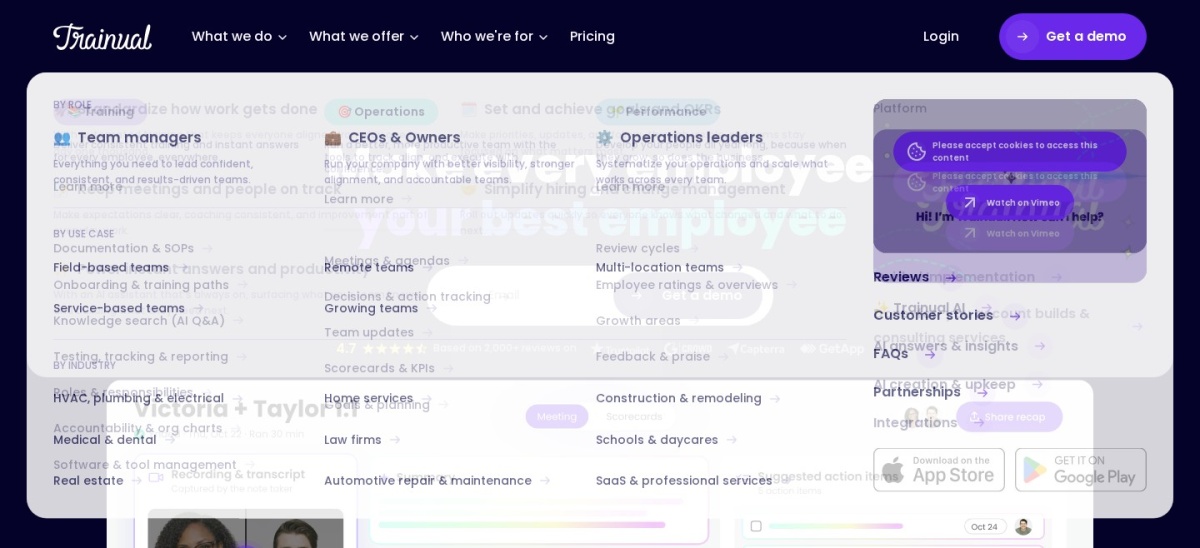
Trainual
4.7/5on G2 (1,075 reviews, checked Nov 2026)
PricingCustom pricing
Best for SOP-driven employee training
Entry packageCore
SOP creationAI-assisted
Training featuresTesting and progress tracking
Paid planCustom quote
trainual.com
Trainual homepage, captured Nov 2026.
Trainual is an employee training and operations platform for documenting SOPs, organizing company knowledge and onboarding staff. Its training offering includes AI-assisted documentation, onboarding paths, knowledge search, testing and progress reporting. Teams can organize instructions by role and assign relevant materials to employees.
The trade off is that Trainual does not publish standard subscription amounts on its current pricing page. Pricing depends on team size and selected capabilities, requiring a demonstration and tailored quote. It suits growing businesses that want employees to learn, acknowledge and consistently follow documented processes.
What we like
Centralized SOP and policy documentation
Employee onboarding and training paths
Knowledge checks and progress reporting
AI-assisted content creation and search
Role-based training organization
Watch out for
No published regular subscription price
Requires a sales consultation
Initial documentation requires preparation
Broader operations features depend on the package
Higher packages expand training, operational accountability and performance management.Visit trainual.com
Essential SOP software features to compare
An SOP editor should support clear titles, numbered instructions, screenshots, videos and relevant attachments. Employees need to understand each procedure without relying on a manager to explain missing steps.
Automatic screen capture reduces the effort required to document software tasks. Scribe and Tango emphasize step-by-step recordings, while Guidde focuses on creating video-based instructions.
A centralized knowledge library helps employees find current procedures. Search, categories, permissions and document ownership make SOPs easier to maintain as organizations grow.
Version history and review controls matter when processes change. Teams should be able to identify updated instructions, understand revisions and prevent outdated procedures from remaining in circulation.
Training features help organizations move from documentation to adoption. Whale, Waybook and Trainual support different combinations of learning materials, quizzes, progress tracking and employee acknowledgment.
SOP documentation software vs workflow automation
Documentation software explains how work should be completed. It is useful for recording instructions, preserving organizational knowledge and helping employees perform unfamiliar activities.
Scribe, Tango and Guidde focus primarily on capturing and sharing process instructions. These tools are particularly useful when procedures involve websites, desktop applications and repeatable software tasks.
Workflow automation software helps teams carry out the process itself. Process Street combines documented procedures with assignments, approvals, forms and process tracking.
Some platforms combine documentation and training rather than executing workflows. Whale, Waybook and Trainual help organizations distribute procedures and monitor employee learning.
Choose documentation-first software when creating SOPs is your immediate challenge. Choose an execution-oriented platform when the business also needs accountability for completing recurring operational tasks.
How we chose
We selected established SOP platforms covering automatic process capture, document management, employee onboarding and recurring workflow execution. The shortlist prioritizes maintained products with relevant capabilities, active vendor offerings and at least 20 independent reviews.
We opened official vendor pricing pages and G2 or Capterra review pages on 24 November 2026 for this article dated 22 November 2026. We compared published regular prices, free-plan allowances, creation features, collaboration limits and training capabilities. Prices are annualized using the stated billing arrangements.
We excluded products lacking sufficient independent reviews, clear SOP functionality or reliable vendor pricing information. Custom pricing is used only where the current official pricing page does not publish a fixed subscription amount. No vendor paid for a place, and we do not claim testing for this list.
How to choose the best SOP software
Identify the procedures your organization needs to standardize, then compare creation tools, document controls, employee training and subscription costs.
Identify which procedures need documentation. List the processes employees repeat most frequently, including onboarding, customer support, software administration and internal approvals. Choose screen-capture tools for digital tasks or a structured SOP library for broader operational procedures.
Compare SOP creation and maintenance features. Review templates, automatic screenshots, video capture, search, permissions and version history. Select a platform that makes it practical to update instructions whenever processes or software change.
Decide whether training or workflow execution matters. Choose Whale, Waybook or Trainual when employees need assigned training and completion records. Consider Process Street when procedures must become recurring workflows with task assignments, approvals and monitoring.
Calculate the full annual subscription cost. Include paid creators, employee seats, minimum team requirements and optional enterprise features. Compare free-plan restrictions with the number of procedures your organization needs, and confirm custom quotes before committing.
FAQ
What is the best SOP software in 2026?
Scribe is our overall recommendation for documenting digital processes because it automatically captures steps and screenshots. Its free Basic plan supports 10 shared guides, while Pro Personal costs $25 per seat monthly with annual billing. Whale is better suited to centralized SOP management and employee training.
What is SOP software used for?
SOP software helps organizations create, organize, distribute and maintain standard operating procedures. It can document recurring tasks, support employee onboarding and preserve company knowledge. Some platforms also provide quizzes, acknowledgments, approvals and workflow execution to help employees follow documented instructions.
What is the best free SOP software?
Scribe, Tango, Guidde and Whale offer free plans. Scribe supports 10 shared guides, Tango allows 5 shared workflows, Guidde provides 25 how-to videos and Whale supports 1 creator with up to 10 members. Choose according to whether you need screenshots, videos or a centralized knowledge library.
Which SOP software automatically creates procedures?
Scribe and Tango capture digital workflows and generate step-by-step instructions. Guidde records processes and produces video-based guides, while Whale supports screen recording and video-to-SOP conversion. Automatic output should still be reviewed for accuracy, sensitive information and missing decision points.
Is Scribe better than Tango?
Scribe emphasizes automatic documentation, screenshots, exports and sharing. Tango offers workflow capture alongside interactive guidance capabilities. Scribe Pro Personal costs $25 monthly with annual billing, while Tango Pro costs $22 per user monthly with annual billing for smaller teams. The choice depends on your preferred documentation format.
Which SOP software is best for employee training?
Trainual, Whale and Waybook are particularly relevant to employee training. They combine documented procedures with learning materials, progress tracking or knowledge checks. Whale has a permanent free plan, Waybook publishes subscription pricing, and Trainual requires a tailored quote based on organizational requirements.
What is the difference between SOP software and project management software?
SOP software documents how recurring activities should be performed. Project management software organizes work, responsibilities, deadlines and deliverables. Some process management platforms combine both functions by turning documented procedures into assigned tasks that employees complete and managers monitor.
How much does SOP software cost?
Entry paid subscriptions vary by product. Guidde Pro costs $19 per creator monthly with annual billing, Tango Pro costs $22 per user monthly for smaller teams, and Scribe Pro Personal costs $25 monthly. Larger SOP management platforms can cost substantially more or require custom quotes.
Can SOP software track whether employees follow procedures?
Some platforms support training completion, sign-offs, task assignments and workflow monitoring. Waybook, Whale and Trainual focus on employee learning, while Process Street tracks recurring process execution. Documentation-only products may show guide engagement without verifying that every operational step was completed correctly.