Best Workflow Automation Software in 2026: 8 Tools Compared
WLWPLegible EditorsLast verified 22 Nov 2026How we rank13 min read
★ Short answer
Make is our top workflow automation pick in 2026 because its Core plan delivers 10,000 monthly credits and unlimited scenarios for $10.59/mo ($127/yr) on regular billing. Zapier is best for non-technical teams needing 8,000+ app connectors, while n8n suits developers who want unlimited self-hosted runs.
How we make this list: we compare pricing pages, product documentation and public user reviews, then re-check every price before each update. No product paid for a place. Disclosure.
Make starts at $10.59/mo ($127/yr) on Core with 10,000 monthly credits and a 4.6/5 G2 rating across 510 reviews.
Zapier connects 8,000+ apps (4.5/5 on G2, 2,170 reviews) but starts at $29.99/mo ($360/yr) regular monthly billing for 750 tasks.
n8n offers unlimited workflow executions via its free self-hosted Community edition, while Cloud Starter starts at €20/mo billed annually (~$264/yr).
Activepieces includes 1,000 free monthly credits and costs $20/mo ($240/yr) regular monthly billing for 10,000 credits across 5 users.
IFTTT is the cheapest entry option at $2.09/mo ($25/yr) on Starter for 5,000 monthly credits and simple trigger-action applets.
Per-seat tools like ClickUp ($12/user/mo regular) and monday.com ($12/seat/mo regular on Standard) bundle task boards with built-in automations.
What to look for in workflow automation software
Workflow automation software connects separate apps so an event in one tool triggers actions in others without manual data entry. Before picking a platform, check how it meters usage: task-based tools charge for every successful action step, credit-based tools charge per module or run, and execution-based tools count an entire multi-step workflow run as a single unit.
Integration depth matters just as much as app count. A tool with 8,000 connectors saves setup time for standard SaaS handoffs, while HTTP request modules, webhooks, and custom JavaScript or Python nodes let technical teams bridge internal APIs when a native connector does not exist.
Pay attention to plan ceilings before committing to annual contracts. Free plans often restrict multi-step branching, active workflow counts, or polling intervals to 15–60 minutes, while team features such as shared credentials, audit logs, and single sign-on frequently sit on higher tiers.
Min polling interval1 minute on Core (15 min on Free)
make.com
Make homepage, captured Nov 2026.
Make is a visual workflow automation platform that connects over 3,500 apps on a drag-and-drop scenario canvas. Its permanent Free plan includes 1,000 credits per month, routers, filters, and 2 active scenarios with a 15-minute minimum polling interval.
The trade off is that Make bills one credit for nearly every module step, including triggers and test runs, and Core costs $10.59/mo ($127/yr) at regular monthly billing ($9/mo billed annually). It suits operations and marketing teams building complex branching workflows on a modest budget.
What we like
Visual flowchart canvas supports complex routers, iterators, and error handlers
Core unlocks unlimited active scenarios and 1-minute scheduled intervals
Strong built-in JSON, array, and text transformation functions
Includes Maia AI assistant and AI agent modules across plans
Watch out for
Every module step and test execution consumes monthly credits
Free plan caps users at 2 active scenarios
Steeper learning curve than linear trigger-action builders
Core ($10.59/mo) lifts the 2-scenario cap, boosts credits to 10,000/mo, and cuts polling to 1 minute.Visit make.com
Zapier is a no-code automation platform that connects more than 8,000 web apps through linear workflows called Zaps. Its Free plan provides 100 tasks per month, unlimited two-step Zaps, and access to Zapier Tables, Forms, and Copilot.
The trade off is per-step task billing and higher entry pricing at $29.99/mo ($360/yr) on regular monthly billing ($19.99/mo billed annually) for 750 tasks. It suits non-technical teams that prioritize broad app compatibility and fast setup over high-volume data processing.
What we like
Largest catalog of pre-built SaaS integrations on the market
Built-in Filter, Formatter, and Paths steps do not consume tasks
Includes native Tables, Forms, and AI Copilot on all tiers
Fastest onboarding for non-technical business users
Watch out for
Free tier restricts workflows to two steps (one trigger, one action)
Every completed action step counts as a separate billed task
Costs rise steeply for high-volume or multi-step workflows
Professional ($29.99/mo) unlocks multi-step Zaps, webhooks, premium apps, and 750 monthly tasks.Visit zapier.com
n8n is a fair-code workflow automation and AI agent orchestration tool that bills per complete workflow execution rather than per individual step. Developers can self-host the free Community edition on their own server for unlimited runs or use n8n Cloud.
The trade off is a steeper technical setup, and n8n Cloud Starter starts at €24/mo (~$26/mo or ~$312/yr) on regular monthly billing (€20/mo billed annually) for 2,500 executions. It suits engineering and technical ops teams running complex, multi-step automations or AI agents.
What we like
Charges per full workflow run regardless of how many steps it contains
Free self-hosted Community edition removes execution limits
Native JavaScript, Python, LangChain, and MCP nodes
Unlimited users and workflows included on every Cloud tier
Watch out for
Self-hosting requires managing server updates, backups, and security
Cloud Starter is priced in euros and caps at 5 concurrent runs
Less approachable for non-technical staff than Zapier
Self-hosted optionFree MIT-licensed Community Edition
Included seatsUp to 5 users on Free and Plus
activepieces.com
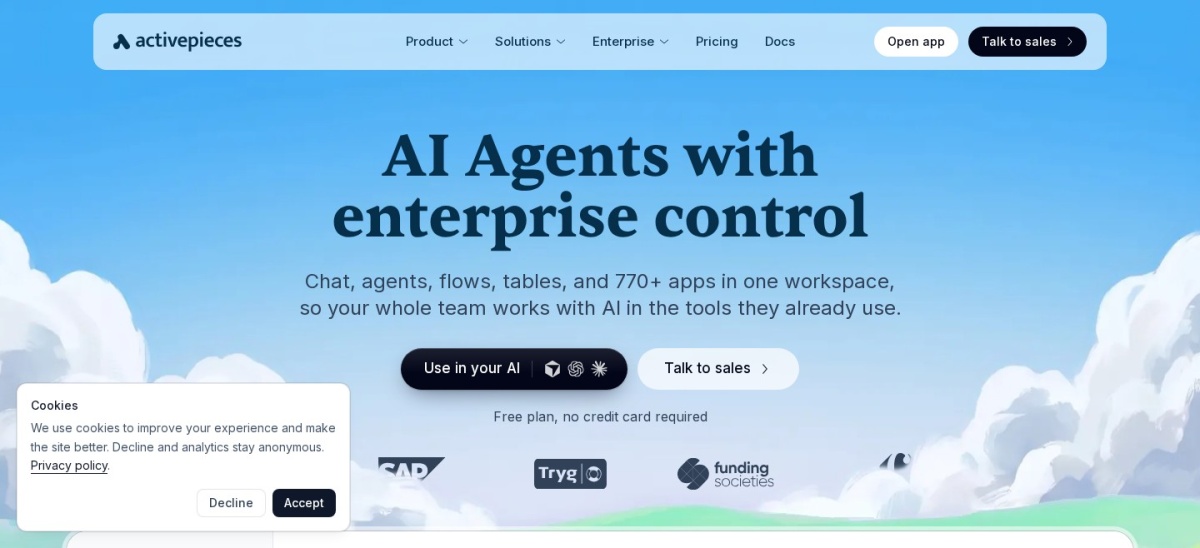
Activepieces homepage, captured Nov 2026.
Activepieces is an open-source automation builder that pairs a clean drag-and-drop canvas with built-in AI agents, tables, and MCP support. Its Cloud Free plan includes 1,000 credits per month, unlimited flows, and up to 5 users, alongside a free MIT-licensed self-hosted edition.
The trade off is a smaller integration library than Zapier, and Cloud Plus costs $20/mo ($240/yr) on regular monthly billing ($16/mo billed annually) with $0.007 per extra credit. It suits small teams wanting open-source flexibility without n8n's steeper interface.
What we like
MIT-licensed open-source core with free self-hosting option
Cloud Free and Plus both support up to 5 team members
Supports bring-your-own AI keys on Plus to control model costs
Transparent $0.007 per-credit overage rate without forced upgrades
Watch out for
Smaller pre-built app catalog (~770+ pieces) than Zapier or Make
Single sign-on requires jumping to the $200/mo Team tier
Frontier AI steps consume multiple credits per run
Plus ($20/mo) expands monthly allowance to 10,000 credits and enables bring-your-own AI keys.Visit activepieces.com
Microsoft Power Automate homepage, captured Nov 2026.
Microsoft Power Automate combines cloud workflow automation with robotic process automation (RPA) for Windows desktops. Organizations with Microsoft 365 licenses already get standard cloud connectors for Outlook, Teams, SharePoint, and Excel at no extra charge.
The trade off is per-user licensing at $15/user/mo ($180/yr per seat, billed yearly) for Power Automate Premium, which is required for non-Microsoft connectors like Salesforce or SQL Server. It suits companies standardized on Microsoft 365 that also need attended desktop automation.
What we like
Basic cloud flows with standard connectors are included in Microsoft 365
Includes attended desktop RPA and process mining on the $15/user/mo tier
Deep native integration with SharePoint, Excel, Teams, and Dataverse
Unattended bot licensing available at $150/bot/mo for back-office jobs
Entry paid tierStandard ($25/mo regular, ~15% off annual)
Monthly allowance5,000 tasks (100 on Free)
Active flowsUnlimited on paid plans (5 on Free)
Custom logicDeluge scripting, webhooks, subflows
zoho.com
Zoho Flow homepage, captured Nov 2026.
Zoho Flow is a cloud integration builder designed to link Zoho CRM, Books, Desk, and Forms with over 1,000 external business apps. Its Free plan covers 100 tasks per month across 5 active flows with 15-minute polling and a 30-day execution history.
The trade off is a narrower third-party connector catalog than Zapier, and Standard starts at $25/mo ($300/yr) on regular monthly billing for 5,000 tasks while gating premium apps and on-prem agents behind the $41/mo Professional plan. It suits SMBs already running Zoho apps.
What we like
Standard tier includes 5,000 monthly tasks and unlimited flows
Supports custom Deluge functions, decision branches, and reusable subflows
Tight integration with Zoho One, Zoho CRM, and WordPress plugins
15-day free trial of Professional features without a credit card
Watch out for
Fewer non-Zoho SaaS integrations than Zapier or Make
5-minute polling and on-prem connectors require the $41/mo Professional plan
Smaller public review footprint on G2 (21 reviews)
Standard ($25/mo) removes the 5-flow limit, raises tasks to 5,000/mo, and adds custom Deluge functions.Visit zoho.com
Connected services1,000+ apps, webhooks, and smart devices
Polling speed15 min on Starter, 5 min on Pro
ifttt.com
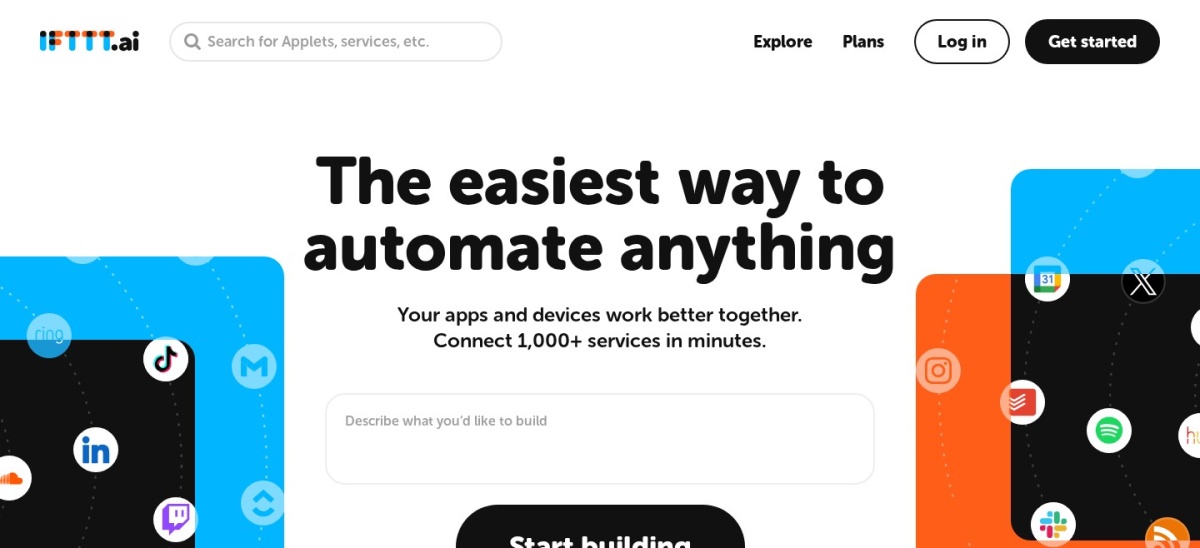
IFTTT homepage, captured Nov 2026.
IFTTT (If This Then That) is a lightweight automation service built around simple trigger-action recipes called Applets across 1,000+ apps and smart home devices. Its Free plan includes 1,000 credits per month and unlimited Applets with hourly polling checks.
The trade off is limited multi-branch business logic and polling delays, even though Starter costs just $2.09/mo ($25.08/yr billed annually) for 5,000 credits. It suits solo creators, freelancers, and smart-office setups automating straightforward social, RSS, or notification tasks.
What we like
Lowest entry price in the category at $25.08/yr for 5,000 credits
Unmatched support for smart home and consumer IoT devices
One-minute setup using pre-built community Applets
Includes webhooks, queries, and filter code on paid tiers
Watch out for
Lacks visual branching canvases, loops, and complex data mapping
Polling triggers still carry 5- to 15-minute delays on paid plans
Missing deep enterprise CRM connectors like HubSpot
Starter ($2.09/mo billed annually) increases monthly credits to 5,000 and speeds up polling checks.Visit ifttt.com
Automation quota1,000 actions/mo on Core (100 on Free)
AI credits1,000/user/mo pooled on Core
Webhooks & APIUnlocked on Business ($17/user/mo annual)
clickup.com
ClickUp homepage, captured Nov 2026.
ClickUp is an all-in-one project management workspace that embeds rule-based task automations directly into lists, boards, docs, and forms. Its Free Forever plan includes unlimited tasks, 60 MB of storage, and 100 automation actions per month.
The trade off is per-seat workspace billing—Core costs $12/user/mo ($144/yr per user) on regular monthly billing ($9/user/mo billed annually)—and external webhook automations require the Business tier. It suits teams that want task tracking and internal status automations in one app.
What we like
Combines tasks, docs, forms, chat, and automations in one workspace
Core includes 1,000 monthly automations, custom fields, and Gantt views
Business ($17/user/mo annual) expands quota to 10,000 automations and webhooks
24/7 live support and 100% money-back guarantee on paid plans
Watch out for
Every workspace member requires a paid seat when upgrading
Webhook triggers and advanced integrations sit on the Business plan
Dense interface takes time for new teams to configure cleanly
Core ($12/user/mo) expands automations to 1,000/mo and adds unlimited storage, forms, and custom fields.Visit clickup.com
Tasks vs. credits vs. executions: why sticker prices mislead
Comparing entry prices alone can hide a 10x cost difference once workflows go live. Zapier and Zoho Flow bill per completed action task, so a 5-step workflow running 1,000 times consumes 5,000 tasks—immediately pushing you past Zapier's 750-task entry tier.
Make and Activepieces bill in credits, where standard module steps cost 1 credit each, while AI steps or code modules can consume 2 to 20 credits per run. By contrast, n8n counts an entire workflow run as 1 execution whether it has 3 steps or 30, making it far cheaper for multi-step pipelines.
How we chose
We selected these 8 workflow automation platforms by evaluating leading standalone integration builders (iPaaS), open-source automation engines, and work management suites with native rule builders.
All prices, plan limits, G2 ratings, and review counts were verified on 22 Nov 2026 directly from official vendor pricing pages and G2 product profiles. Where vendors display annual discounts alongside regular monthly rates, we list the regular monthly rate for the cheapest paid plan and note the annual discount.
We excluded enterprise-only platforms without public pricing pages (such as Workato and Tray.ai), tools scheduled for shutdown (such as Pipedream Workflows), and niche utilities with fewer than 20 verified G2 reviews. No vendor paid for a place, and we do not claim testing for this list.
How to choose workflow automation software
Map your busiest repetitive process from trigger to final action before comparing monthly subscription tiers.
Audit your required app connectors first. List every CRM, form, database, and chat app you need to connect, and confirm whether those integrations are included on the entry tier or gated as premium apps.
Calculate monthly volume using each tool's meter. Multiply your expected monthly trigger events by the number of action steps in each workflow to compare task-based, credit-based, and execution-based quotas accurately.
Match builder complexity to your team's skills. Choose linear builders like Zapier or IFTTT for non-technical staff, visual routers like Make for operations analysts, or n8n when developers need custom code and self-hosting.
Check polling intervals and error handling. If leads or support tickets require instant routing, verify that your plan supports instant webhooks or 1-minute polling rather than 15-minute delays.
FAQ
What is the best free workflow automation software?
n8n is the best free option if you can self-host its open-source Community edition, offering unlimited executions. For cloud hosting, Make's Free plan gives 1,000 monthly credits with branching routers, and Activepieces includes 1,000 free credits for up to 5 users.
Is Make cheaper than Zapier in 2026?
Yes, for most multi-step workflows. Make Core starts at $10.59/mo ($9/mo billed annually) for 10,000 credits, whereas Zapier Professional starts at $29.99/mo ($19.99/mo billed annually) for 750 tasks, though Make counts triggers and test runs toward credits.
When should I choose n8n over Zapier or Make?
Choose n8n when your workflows have many steps, loops, or AI agent calls, or when you need to self-host data on your own servers. Because n8n bills per full execution rather than per step, complex flows cost a fraction of task-based tools.
Does Microsoft 365 include Power Automate for free?
Yes, eligible Microsoft 365 plans include Power Automate cloud flows using standard connectors across Outlook, Teams, Excel, and SharePoint. Connecting third-party apps like Salesforce or running desktop RPA bots requires the $15/user/mo Premium license.
What is the difference between standalone automation tools and ClickUp?
Standalone tools like Zapier, Make, and n8n connect thousands of external apps together. Project workspaces like ClickUp or monday.com focus on automating internal tasks, statuses, and notifications inside your boards, charging per user seat rather than per workflow.
How do AI steps affect workflow automation pricing?
Most platforms charge extra credits or tasks for built-in AI actions. Zapier prices AI steps at 1x to 5x tasks depending on the model tier, while Activepieces and Make deduct higher credit rates unless you connect your own API keys.