Best Workload Management Tool in 2026: 7 Tools Compared
WLWPLegible EditorsLast verified 22 Nov 2026How we rank12 min read
★ Short answer
Float is the best workload management tool for teams that need clear resource schedules and capacity visibility, starting at $7 per scheduled person monthly. Resource Guru is a cheaper alternative at $5 per person monthly, while Teamwork.com suits client-service businesses that need project delivery, time tracking and resource planning together.
How we make this list: we compare pricing pages, product documentation and public user reviews, then re-check every price before each update. No product paid for a place. Disclosure.
Float starts at $7 per scheduled person monthly and scores 4.2/5 from 2,248 G2 reviews.
Resource Guru costs $5 per person monthly on Grasshopper and scores 4.6/5 from 506 G2 reviews.
Teamwork.com has a free plan and paid Basics pricing from $9.99/user/month billed annually, with a 4.4/5 G2 rating.
Asana starts at $10.99/user/month billed annually, but its resource management features require Advanced at $24.99/user/month.
ClickUp offers unlimited tasks on its free plan. Core regularly costs $12/user/month, while Business adds resource management at a regular $25/user/month.
Wrike starts at $10/user/month, while Smartsheet Pro costs $9/member/month billed annually and includes project views and automation.
What workload management software should help you do
Workload management software helps managers distribute assignments based on team availability, skills, deadlines and existing commitments. The goal is to prevent scheduling conflicts while ensuring important projects have enough people assigned.
The most useful distinction is between task management and capacity planning. Task management shows who owns individual assignments. Capacity planning reveals whether someone has enough available time to complete the work assigned to them.
Look for visual workload charts, resource calendars, utilization reports, leave management and project forecasting. These features help managers identify bottlenecks before they affect delivery.
Dedicated scheduling tools such as Float and Resource Guru focus on resource availability. Broader platforms such as Asana, ClickUp and Wrike connect workload planning with tasks, project dependencies and team collaboration.
Compare what each subscription actually includes. Some platforms advertise low entry prices but reserve workload balancing, utilization reporting or resource forecasting for higher plans.
Best overall for team workload and resource scheduling
Resource schedulingIncluded in Starter
Capacity planningIncluded
Trial30 days
Paid planStarter, $7/person/month
float.com
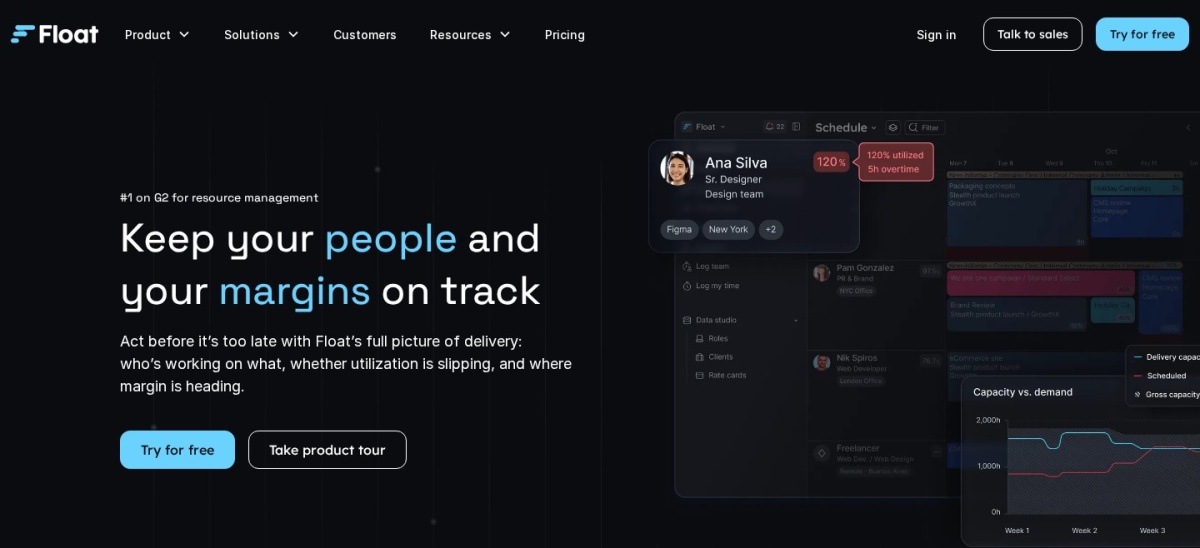
Float homepage, captured Nov 2026.
Float is a resource scheduling platform that shows team availability, planned assignments and project capacity through a shared visual calendar. Its Starter plan includes resource scheduling, capacity and time-off management, project scoping and integrations. G2 rates Float 4.2/5 from 2,248 reviews.
The trade off is that Starter costs $7 per scheduled person monthly, while time tracking, project cost estimates and advanced reporting require Pro at $12 per scheduled person monthly. It suits agencies, studios and delivery teams that need to balance workloads across simultaneous projects.
What we like
Clear visual resource scheduling
Capacity and time-off management
Project scoping and role suggestions
Integrations and API access
Dedicated resource planning workflow
Watch out for
No permanent free plan
Time tracking requires Pro
Advanced financial reporting costs extra
Less focused on detailed task management
Pro adds time tracking, project cost estimates, rate cards and advanced reporting.Visit float.com
02
Resource Guru
4.6/5on G2 (506 reviews, checked Nov 2026)
Starts at$5/mo
Best affordable tool for resource allocation
Resource schedulingIncluded
ProjectsUnlimited
Time-off managementIncluded
Paid planGrasshopper, $5/person/month
resourceguruapp.com
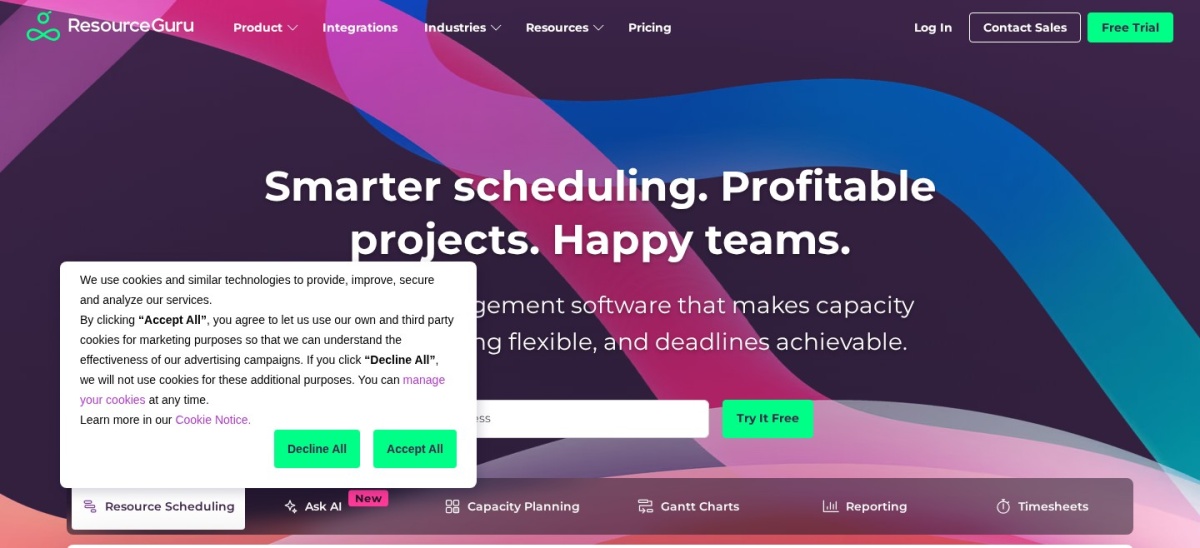
Resource Guru homepage, captured Nov 2026.
Resource Guru is a resource management platform for scheduling people, projects and equipment through a shared availability calendar. Its Grasshopper plan costs $5 per person monthly and includes unlimited projects, leave management, repeat bookings and scheduling conflict alerts. G2 rates it 4.6/5 from 506 reviews.
The trade off is that workload heatmaps, Gantt charts and more advanced planning features require Blackbelt at $8 per person monthly. Additional non-human resources also carry separate charges. It suits small and midsize teams that need straightforward scheduling without a large project management suite.
Best for agency workload and client project delivery
Free planAvailable
Paid trial14 days
Time trackingAvailable
Paid planBasics, $9.99/user/mo annually
teamwork.com
Teamwork homepage, captured Nov 2026.
Teamwork is a client project management platform combining task planning, time tracking, budgets and resource management. Its free edition provides basic project organization, while Basics adds paid project delivery features and 1,000 monthly AI credits. G2 rates Teamwork 4.4/5 from 1,226 reviews.
The trade off is that Basics costs $9.99/user/month billed annually, while advanced workload balancing, resource forecasting and profitability management are associated with higher plans. It suits agencies and professional service businesses managing staff assignments alongside client deadlines and budgets.
What we like
Designed for client project delivery
Task management and time tracking
Resource planning and utilization tools
Project budgets and profitability features
Free entry plan
Watch out for
Advanced resource forecasting requires upgrades
Financial reporting adds complexity
Paid seats increase operating costs
Some capabilities target established service teams
Basics expands project delivery and time tracking; higher plans add deeper resource forecasting.Visit teamwork.com
04
Asana
4.4/5on G2 (14,143 reviews, checked Nov 2026)
Paid from$10.99/mo
Best for balancing work across project portfolios
Free planPersonal
Starter$10.99/user/month
Resource managementAdvanced plan
Paid planStarter, annual billing
asana.com
Asana homepage, captured Nov 2026.
Asana is a work management platform for coordinating assignments, project timelines and cross-functional initiatives. Its free Personal plan provides basic task management, while Starter includes Gantt charts, reporting dashboards, forms and unlimited automations. G2 rates Asana 4.4/5 from 14,143 reviews.
The trade off is that Starter costs $10.99/user/month billed annually but does not include the resource management capabilities offered by Advanced at $24.99/user/month. It suits organizations that already manage projects in Asana and need to connect team capacity with portfolio-level work.
What we like
Structured project and task management
Timeline and Gantt views
Portfolio planning on Advanced
Resource management and goals on Advanced
Large integration ecosystem
Watch out for
Capacity planning requires Advanced
Resource management is relatively expensive
Advanced features increase setup complexity
Subscription costs rise with team size
Starter adds timelines and automation; Advanced unlocks resource management and portfolios.Visit asana.com
05
ClickUp
4.6/5on G2 (15,880 reviews, checked Nov 2026)
Paid from$12/mo
Best customizable workload management workspace
Free tasksUnlimited
Free storage60 MB
Resource managementBusiness plan
Paid planCore, regular $12/user/mo
clickup.com
ClickUp homepage, captured Nov 2026.
ClickUp is a customizable work management platform combining task assignments, calendars, documents, time tracking and dashboards. Its Free Forever plan includes unlimited tasks and members, while Core adds unlimited storage, Gantt charts and automation. G2 rates ClickUp 4.6/5 from 15,880 reviews.
The trade off is that Core regularly costs $12/user/month billed annually, although a $9 promotional rate is advertised. Full resource management requires Business, regularly $25/user/month before its $17 promotion. It suits teams that want workload planning inside a broader task and collaboration platform.
What we like
Unlimited tasks on the free plan
Customizable project views
Time tracking and dashboards
Resource management on Business
Documents and collaboration features
Watch out for
Resource management requires Business
Complex customization can slow adoption
Free storage is limited
Regular prices exceed advertised discounts
Core adds storage and automation; Business adds resource management and advanced dashboards.Visit clickup.com
06
Wrike
4.2/5on G2 (4,648 reviews, checked Nov 2026)
Paid from$10/mo
Best for structured team and enterprise workloads
Free planAvailable
Team size2-15 users
Resource planningHigher plans
Paid planTeam, $10/user/month
wrike.com
Wrike homepage, captured Nov 2026.
Wrike is a work management platform supporting task assignments, project timelines, dashboards and cross-team coordination. Its free version covers basic project tracking, while Team supports 2-15 users and provides expanded planning views. G2 rates Wrike 4.2/5 from 4,648 reviews.
The trade off is that Team costs $10/user/month, while more advanced workload planning and resource management require higher subscriptions. Wrike also uses seat bundles that can affect the total purchase. It suits operations teams that need structured workflows and visibility across departments.
What we like
Project and workload coordination
Gantt charts and dashboards
Customizable team workflows
Resource planning on higher plans
Established enterprise features
Watch out for
Advanced capacity features require upgrades
Seat bundle rules affect costs
Implementation can be complex
Some integrations and features cost extra
Team adds project planning features; higher plans expand resource and capacity management.Visit wrike.com
07
Smartsheet
4.4/5on G2 (23,292 reviews, checked Nov 2026)
Starts at$9/mo
Best for spreadsheet-style workload tracking
Pro members1-10
ContributorsUnlimited
Automation250/month
Paid planPro, $9/member/mo annually
smartsheet.com
Smartsheet homepage, captured Nov 2026.
Smartsheet is a spreadsheet-style work management platform that combines project grids, Gantt charts, reports and automated workflows. Its Pro plan supports 1-10 members, unlimited contributors and 250 automations monthly. G2 rates Smartsheet 4.4/5 from 23,292 reviews.
The trade off is that Pro costs $9/member/month billed annually, while Business starts at $19/member/month billed annually. Dedicated capacity planning may require additional resource management products. It suits operations teams comfortable managing assignments, schedules and project information in structured tables.
What we like
Familiar spreadsheet-style interface
Grid, Gantt and calendar views
Automated workflows and forms
Unlimited contributors on Pro
Extensive project reporting options
Watch out for
Dedicated capacity planning may cost extra
Advanced controls require Business
Complex sheets need maintenance
Less intuitive for teams preferring visual calendars
Business adds advanced workflows and administration; resource products provide deeper capacity planning.Visit smartsheet.com
Workload management vs resource management software
Workload management focuses on distributing assignments fairly and realistically among team members. It helps managers understand existing commitments, deadlines and available working hours.
Resource management has a broader scope. It can include staffing forecasts, specialist skills, equipment scheduling, project profitability and long-term capacity planning.
Float and Resource Guru concentrate on resource scheduling. Asana, ClickUp and Wrike integrate workloads with project management and task tracking.
Choose a dedicated scheduler when availability is your main concern. Choose a broader platform when workloads must remain connected to task dependencies, approvals and project reporting.
How to use workload software to prevent overbooking
Start by recording realistic team availability. Account for working schedules, planned leave, recurring meetings and existing project commitments.
Estimate the effort required for upcoming work and assign it based on available capacity and relevant skills. Avoid treating every working hour as available for project delivery.
Review workload calendars regularly to identify overbooked employees and gaps in staffing. Move flexible assignments or adjust deadlines before conflicts affect delivery.
Compare planned work with actual time where the software supports time tracking. Use the differences to improve future estimates rather than evaluating employees solely on utilization percentages.
How we chose
We compared established resource scheduling and work management products offering workload visibility, capacity planning, project assignments or resource forecasting. The shortlist prioritizes maintained products with public user reviews, documented capabilities and official subscription information.
The editorial reference date is 22 November 2026, and official prices and G2 ratings were checked on 24 November 2026. Annual equivalents are calculated from the cheapest published regular paid plans, and introductory discounts are distinguished from standard prices.
We excluded products with unclear pricing, insufficient independent review evidence or no meaningful resource management capabilities. We also identified situations where workload features require a higher subscription than the cheapest paid plan. No vendor paid for a place, and we do not claim testing for this list.
How to choose the best workload management tool
Identify how your team schedules work, then select software that provides the right capacity visibility and coordination features.
Map current assignments and team availability. Document who works on each project, their usual availability and recurring commitments. Decide whether you need a simple scheduling calendar or detailed capacity planning across multiple projects.
Choose the right workload visualization. Compare resource calendars, utilization heatmaps, workload charts and Gantt views. Select an interface that helps managers identify overbooking and distribute assignments without repeatedly switching between reports.
Evaluate integrations and forecasting. Check whether the platform connects with your existing task, calendar and time tracking systems. Teams managing future project demand should prioritize tentative bookings, capacity forecasts and resource allocation scenarios.
Calculate the cost of workload features. Compare the cheapest subscription with the plan that actually includes workload management. Consider seat minimums, scheduled-resource charges, annual commitments and the cost of advanced reporting.
FAQ
What is the best workload management tool in 2026?
Float is the top choice in this comparison for dedicated workload scheduling and capacity visibility. It starts at $7 per scheduled person monthly. Resource Guru is a lower-cost alternative, while Teamwork.com is suitable for organizations managing employee workloads alongside client projects.
What is the cheapest workload management software?
Resource Guru has the lowest paid entry price among these picks at $5 per person monthly. However, its workload heatmaps require Blackbelt at $8 per person monthly. Float starts at $7 per scheduled person monthly and includes capacity management in its entry plan.
Is there free workload management software?
Yes. ClickUp, Asana, Wrike and Teamwork.com provide free plans for basic task and project coordination. However, advanced capacity planning and workload visualization often require paid subscriptions. Check the available features carefully before relying on a free plan for resource scheduling.
What is the difference between workload management and task management?
Task management organizes assignments, responsibilities and deadlines. Workload management examines how those assignments are distributed among people and whether sufficient capacity exists to complete them. A task board can show unfinished work without revealing that an employee has already been scheduled beyond their availability.
Is Float better than Resource Guru?
Float emphasizes visual scheduling, capacity planning and project delivery reporting, with paid plans starting at $7 per scheduled person monthly. Resource Guru starts at $5 per person monthly and offers straightforward booking and availability management. The better choice depends on your reporting needs and planning complexity.
Does Asana have workload management?
Yes. Asana provides resource management and workload planning capabilities on its Advanced subscription, which costs $24.99 per user monthly when billed annually. Its cheaper Starter plan includes project planning, dashboards and automation but does not provide the complete Advanced resource management feature set.
Can workload management software prevent employee burnout?
Workload management tools can help managers notice overloaded schedules, unrealistic deadlines and uneven task distribution. However, software alone cannot prevent burnout. Sustainable workloads also require realistic expectations, employee input, adequate staffing and management practices that allow people to raise capacity concerns.
What features should workload management software include?
Useful features include resource scheduling, team availability, assignment tracking, capacity charts, leave management and workload reporting. More advanced systems offer skills matching, utilization forecasting, tentative bookings, time tracking and financial planning. Prioritize the features that address actual scheduling problems in your organization.
How do I measure team workload accurately?
Begin with available working hours, then account for meetings, leave and existing commitments. Estimate assignment effort and compare planned capacity with actual time where appropriate. Review workload distribution with employees regularly, because hours alone do not capture task complexity, interruptions or mental effort.