Best Software for Homelab Automation in 2026: 7 Tools Compared
WLWPLegible EditorsLast verified 22 Nov 2026How we rank10 min read
★ Short answer
n8n is our top pick for homelab automation, offering a free self-hosted Community Edition and a 4.7/5 rating across 328 G2 reviews. Pick Portainer for visual Docker and Kubernetes container management, or Proxmox VE when you need full virtual machine and LXC hypervisor automation.
How we make this list: we compare pricing pages, product documentation and public user reviews, then re-check every price before each update. No product paid for a place. Disclosure.
n8n earns a 4.7/5 rating from 328 G2 reviews and runs free on your own hardware, while cloud plans start at €240/yr (about $276).
Portainer holds a 4.8/5 G2 rating across 307 reviews and includes 3 free Business Edition nodes before paid Home & Student plans at $155/yr.
Proxmox VE scores 4.6/5 on G2 with unlimited free commercial or homelab use, and optional Community subscriptions start at €120/yr per CPU socket.
HCP Terraform rates 4.6/5 across 153 G2 reviews and covers up to 500 managed resources free, with paid Essentials usage starting at $0.10 per resource-month.
Red Hat Ansible Automation Platform holds a 4.6/5 rating across 378 G2 reviews while open-source Ansible Core remains free over SSH.
What to look for in homelab automation software
Homelab automation spans three distinct jobs: connecting APIs and local webhooks, provisioning virtual machines or containers, and keeping server configurations repeatable. A workflow engine like n8n or Node-RED handles event triggers and alerts, while infrastructure tools like Ansible and Terraform rebuild servers from code.
Self-hosting terms matter as much as sticker price. Many vendors offer full-featured open-source or source-available editions that run free on local hardware, reserving paid subscriptions for hosted cloud execution, enterprise authentication, or ticketed vendor support.
Check how each tool scales as your lab grows from one mini PC to a multi-node cluster. Licensing tied to CPU sockets, managed nodes, or monthly workflow executions can stay zero-cost for a small lab or climb quickly once you add extra hosts.
n8n is a node-based workflow automation platform that connects local homelab APIs, databases, webhooks, and AI models on a visual canvas. Its self-hosted Community Edition is free for personal or internal use with unlimited users, workflows, and steps, while the hosted Starter cloud plan includes 2,500 monthly executions and 5 active workflows.
The trade off is that hosted cloud plans start at €20/mo billed annually (€240/yr, about $276) and self-hosted setups require you to handle backups, updates, and reverse-proxy security yourself. It suits homelab builders who want one central automation engine linking Docker services, alerts, and local LLMs.
What we like
Free self-hosted Community Edition with unlimited workflows and steps
Charges per completed workflow execution rather than per individual node
Supports custom JavaScript, webhooks, and local AI model integrations
4.7/5 rating across 328 verified G2 reviews
Watch out for
Self-hosted edition excludes enterprise SSO features like SAML and LDAP
Complex multi-branch workflows have a steeper learning curve than basic triggers
Paid Starter cloud plan adds managed hosting, 2,500 monthly executions, and 1,600 Assistant credits.Visit n8n.io
02
Portainer
4.8/5on G2 (307 reviews, checked Nov 2026)
Paid from$155/yr
Best for Docker and Kubernetes container management
Free tierUp to 3 Business Edition nodes
Home & Student$155/yr for up to 15 nodes
RuntimesDocker, Swarm, Kubernetes
DeploymentCompose stacks and Git webhooks
portainer.io
Portainer homepage, captured Nov 2026.
Portainer is a browser-based container management platform that automates stack deployments, image updates, and access controls across Docker, Swarm, and Kubernetes hosts. Homelab users can run Community Edition free or claim a free Business Edition license covering up to 3 nodes, while the non-commercial Home & Student tier expands coverage to 15 nodes.
The trade off is that moving beyond 3 nodes requires the $155/yr Home & Student license, and commercial Starter plans jump to $1,045/yr. It suits homelabbers managing multi-container Compose stacks who want Git-driven deployments without living in SSH terminals.
What we like
Free Business Edition tier covers up to 3 nodes with add-ons included
Dedicated $155/yr Home & Student tier supports up to 15 homelab nodes
Manages Docker, Swarm, and Kubernetes under a single interface
4.8/5 rating across 307 G2 reviews
Watch out for
Commercial Starter pricing jumps sharply to $1,045/yr once outside personal use
Does not include native backup for underlying Docker persistent volumes
Home & Student plan includes community support only
Paid Home & Student plan expands Business Edition licensing from 3 nodes to 15 non-commercial nodes.Visit portainer.io
03
Proxmox VE
4.6/5on G2 (39 reviews, checked Nov 2026)
Paid from$138/yr
Best for VM and LXC hypervisor automation
LicenseGNU AGPLv3 (all features free)
WorkloadsKVM virtual machines and LXC
AutomationREST API, CLI, cloud-init, HA
Subscription unitPer occupied physical CPU socket
proxmox.com
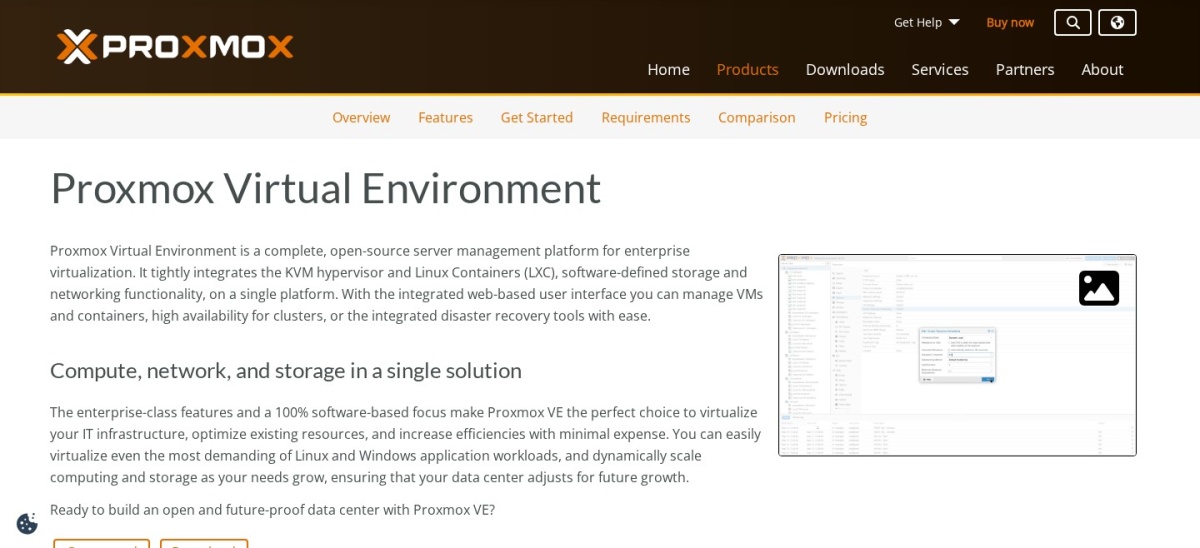
Proxmox VE homepage, captured Nov 2026.
Proxmox VE is an open-source Debian-based hypervisor that runs full KVM virtual machines and lightweight LXC containers with built-in clustering, ZFS storage, snapshots, and scheduled backups. Every feature—including high availability, live migration, and the REST API for Terraform or Ansible provisioning—is unlocked free under the GNU AGPLv3 license.
The trade off is that accessing the tested Enterprise update repository requires an optional Community subscription at €120/yr per occupied CPU socket (about $137/yr), and multi-node Ceph or SDN networking takes patience to configure. It suits homelab owners consolidating multiple virtual servers onto bare-metal hardware.
What we like
Full hypervisor, clustering, HA, and backup features are free with no artificial caps
Supports cloud-init templates and REST API calls for automated VM provisioning
Runs heavy KVM virtual machines alongside low-overhead LXC containers
4.6/5 rating on G2
Watch out for
Free no-subscription repository receives updates earlier than the Enterprise repo
Subscriptions are billed per physical CPU socket, doubling cost on dual-socket servers
Community tier relies on public forums rather than direct support tickets
Paid Community subscription unlocks access to the stable Enterprise update repository per CPU socket.Visit proxmox.com
04
HCP Terraform
4.6/5on G2 (153 reviews, checked Nov 2026)
Paid from$0.10/mo
Best for declarative infrastructure-as-code provisioning
Free tierUp to 500 managed resources
Entry paid rate$0.10/mo per managed resource
LanguageHashiCorp Configuration Language
Concurrency1 remote run on Free, 3 on Essentials
hashicorp.com
HCP Terraform homepage, captured Nov 2026.
HCP Terraform (paired with the open-source Terraform CLI) provisions virtual machines, containers, DNS records, and cloud buckets from declarative configuration files. The HCP Terraform Free plan covers unlimited users, workspaces, and up to 500 managed resources with remote state locking, VCS triggers, and SAML SSO.
The trade off is that exceeding 500 managed resources moves you to the Essentials pay-as-you-go tier starting at $0.10 per managed resource per month (billed hourly at $0.00013/hr), and HCL state drift can be tricky to debug. It suits homelabbers who want version-controlled infrastructure across Proxmox, Cloudflare, and cloud providers.
What we like
Free HCP tier includes 500 managed resources and remote state locking
Broad provider ecosystem covers Proxmox, Docker, Cloudflare, and major clouds
Execution plans preview infrastructure changes before applying them
4.6/5 rating across 153 G2 reviews
Watch out for
Hourly peak resource billing on paid tiers can fluctuate if resources churn
Free tier is limited to 1 concurrent remote run and 1 agent run
State file conflicts and HCL loops require careful module structure
Paid Essentials plan removes the 500-resource cap and increases concurrency to 3 remote runs.Visit hashicorp.com
05
Ansible Automation Platform
4.6/5on G2 (378 reviews, checked Nov 2026)
Paid from$5,000/yr
Best for agentless server configuration management
ArchitectureAgentless over SSH or WinRM
Playbook formatHuman-readable YAML
Community optionFree open-source Ansible Core CLI
Commercial entryBasic Tower up to 100 nodes
redhat.com
Ansible Automation Platform homepage, captured Nov 2026.
Ansible automates package installs, OS hardening, and service configuration across Linux and Windows servers using YAML playbooks over standard SSH without installing remote agents. Homelab users run the upstream open-source Ansible Core CLI (or community web UIs like AWX and Semaphore) completely free across unlimited hosts.
The trade off is that Red Hat's commercial Ansible Automation Platform starts at $5,000/yr for up to 100 nodes, making the paid edition strictly an enterprise product. It suits homelab administrators who want repeatable, idempotent server builds from a single Git repository.
What we like
Agentless SSH execution requires no background daemon on target machines
Open-source Ansible Core CLI is free with thousands of community roles
Idempotent YAML playbooks safely re-run without duplicating changes
4.6/5 rating across 378 G2 reviews
Watch out for
Commercial Red Hat licensing starts at $5,000/yr, out of reach for home labs
Open-source CLI lacks a built-in scheduler or web UI without AWX or Semaphore
Push-based fact gathering slows down across large host inventories
Paid Red Hat subscription adds supported Automation Controller, RBAC, and vendor SLA up to 100 nodes.Visit redhat.com
06
Home Assistant
4.8/5on Trustpilot (9 reviews, checked Nov 2026)
Paid from$65/yr
Best for local smart home and sensor-driven triggers
Core licenseOpen-source Apache 2.0 (free)
ProtocolsMQTT, Zigbee, Matter, Z-Wave, REST
Optional cloudNabu Casa remote access & voice
DeploymentDedicated OS, VM, or Docker
home-assistant.io
Home Assistant homepage, captured Nov 2026.
Home Assistant is an open-source, local-first automation hub that bridges smart home sensors, UPS power monitors, smart plugs, and MQTT brokers with homelab servers. The core platform runs free on a Raspberry Pi, Proxmox VM, or Docker container with a visual automation editor and local voice pipeline support.
The trade off is that out-of-the-box encrypted remote access and Alexa or Google Assistant integration require an optional Nabu Casa subscription ($65/yr in the US, or €7.50/mo in Europe), and Trustpilot coverage is small at 9 reviews. It suits homelabbers automating server power-cycling, rack cooling, and physical sensor alerts.
What we like
100% local execution keeps device states and automations working offline
Native MQTT, webhook, and REST integrations link physical sensors to servers
Active monthly release cadence with thousands of community integrations
Optional Nabu Casa subscription directly funds core open-source development
Watch out for
Encrypted cloud tunnel and voice assistant sync require a paid Nabu Casa plan
Docker container installs omit the built-in add-on supervisor store
YAML automation edge cases still surface for advanced templating
Paid Nabu Casa subscription adds zero-config remote HTTPS access, cloud backups, and voice assistant sync.Visit home-assistant.io
07
Node-RED
4.5/5on G2 (4 reviews, checked Nov 2026)
PriceFree
Best for lightweight MQTT and IoT flow wiring
LicenseOpen-source Apache 2.0 (free)
RuntimeNode.js (low RAM footprint)
Core strengthMQTT, serial, GPIO, HTTP wiring
Paid tierNone (OpenJS Foundation project)
nodered.org
Node-RED homepage, captured Nov 2026.
Node-RED is a browser-based, flow-driven programming tool built on Node.js that wires together MQTT brokers, hardware sensors, REST APIs, and Home Assistant events. Maintained as an OpenJS Foundation project under the Apache 2.0 license, it is completely free with no paid tiers and runs comfortably on low-power single-board computers.
The trade off is that Node-RED has no vendor-hosted cloud plan, requires manual authentication setup before exposing its editor, and has limited G2 review volume. It suits homelab enthusiasts who want fast, visual JSON message routing between IoT devices and local services.
What we like
Completely free and open source with no licensing caps or paid tiers
Lightweight Node.js runtime uses minimal RAM on Raspberry Pi or LXC containers
Large palette of community nodes for MQTT, Modbus, Home Assistant, and HTTP
Inline JavaScript function nodes handle custom payload transformations
Watch out for
No official hosted cloud tier or commercial support SLA
Built-in dashboard UI is basic compared to dedicated observability tools
Flows stored as large JSON files can be awkward to diff in Git
No paid plan exists; Node-RED is free open-source software maintained under the OpenJS Foundation.Visit nodered.org
How these tools fit together in a homelab stack
Most homelabs combine two or three tools from different layers rather than relying on one platform for everything. A common layout runs Proxmox VE on bare metal to host virtual machines, uses Terraform and Ansible to provision and configure Linux guests, and runs Portainer to manage Docker Compose stacks.
On the event-driven layer, Home Assistant and Node-RED handle physical sensors, UPS battery triggers, and MQTT messages, while n8n connects external SaaS APIs, webhooks, and local AI workflows.
How we chose
We selected seven established tools widely used in self-hosted homelabs across workflow orchestration, container management, hypervisor virtualization, and infrastructure-as-code provisioning. Every candidate had to offer a maintained free or self-hosted entry point alongside transparent public documentation.
All prices, subscription tiers, and public user ratings were verified on 22 Nov 2026 directly from vendor pricing pages, official documentation, G2, and Trustpilot. Where vendors price in euros or usage units, we listed the exact published entry rate and noted the billing unit.
We excluded discontinued projects, closed-source tools with no self-hosted or free tier, and platforms without verifiable public pricing or review profiles. No vendor paid for a place, and we do not claim testing for this list.
How to choose homelab automation software
Follow these four steps before deploying an automation tool in your homelab.
Match the tool to your automation layer. Pick n8n or Node-RED for API and webhook flows, Home Assistant for physical sensors and power triggers, Portainer for Docker stacks, and Proxmox VE, Terraform, or Ansible for server provisioning.
Check self-hosted feature limits before installing. Confirm whether capabilities you need—such as multi-node clustering, SSO authentication, or GitOps webhooks—are included in the free community release or locked behind a paid license.
Calculate how licensing scales with your hardware. Review whether paid tiers charge per physical CPU socket (Proxmox VE), per managed node (Portainer), per managed resource (HCP Terraform), or per monthly workflow execution (n8n).
Plan backups and reverse-proxy security up front. Automation engines store API keys, SSH credentials, and infrastructure state files, so keep web interfaces behind a VPN or authenticated reverse proxy and schedule automated config backups.
FAQ
Can you run a complete homelab automation stack for free?
Yes. Proxmox VE, Ansible Core, Node-RED, Home Assistant Core, and n8n Community Edition are all free to self-host, while Portainer covers up to 3 Business Edition nodes free and HCP Terraform includes 500 managed resources free.
What is the difference between n8n and Node-RED?
n8n focuses on multi-step API, webhook, database, and AI agent workflows with built-in credential stores and execution history. Node-RED is a lighter Node.js flow tool geared toward MQTT, IoT hardware, and local event routing.
Should I use Terraform or Ansible for homelab servers?
Use Terraform to create and destroy virtual machines, containers, and DNS records declaratively, then use Ansible over SSH to install packages and configure software inside those servers.
Does Proxmox VE require a paid subscription for homelab use?
No. Proxmox VE is licensed under GNU AGPLv3 with every virtualization, clustering, backup, and API feature unlocked free. Paid subscriptions starting at €120/yr per socket only add Enterprise repository access and support.
How much does Portainer cost for a home lab?
Portainer is free for up to 3 nodes on Business Edition, and its non-commercial Home & Student plan costs $155/yr for up to 15 nodes with full Business Edition features.
When is a Nabu Casa subscription worth it for Home Assistant?
Nabu Casa is worth the $65/yr subscription if you want zero-configuration encrypted remote access, cloud backups, and Alexa or Google Assistant integration without setting up your own reverse proxy or Cloudflare Tunnel.