Canva leads with a 4.7 rating across 7,928 G2 reviews and a free tier that includes over 1.6 million templates for fast photo grids. For lower-cost annual plans, PhotoGrid starts at $33.99 per year and PicCollage VIP starts at $35.99 per year for mobile-heavy collages.
How we make this list: we compare pricing pages, product documentation and public user reviews, then re-check every price before each update. No product paid for a place. Disclosure.
Canva holds a 4.7 rating from 7,928 G2 reviews and offers a free tier with 1.6M+ templates and 5GB storage.
Adobe Express carries a 4.4 G2 rating across 1,110 reviews and prices Premium at $9.99/mo with 200M+ Adobe Stock assets.
PhotoGrid offers a $33.99/yr annual plan ($2.83/mo) with 10,000+ elements and video grid support.
PicCollage VIP costs $35.99/yr ($4.99/mo) for 5,000+ stickers, 3,000+ backgrounds, and ad-free exports.
BeFunky Plus is billed annually at $83.88 ($6.99/mo) and pairs a browser collage maker with photo editing tools.
What to look for in photo collage maker software
Photo collage tools range from browser design suites with multi-photo frames to mobile apps built around freestyle scrapbooks and short video grids. Before picking one, decide whether you mainly need quick social media grids, print-ready layouts, or mixed photo-and-video compositions.
Free plans often cover basic grids and limited template sets while restricting high-resolution downloads, background removal, or watermark-free exports. Checking export resolution, asset licensing, and storage limits up front avoids surprises once a project is finished.
Pricing models also vary between monthly subscriptions, discounted annual billing, and separate per-item print orders. Compare the regular annual cost against how frequently you publish collages, and note any seasonal promotions or credit caps.
Canva is a visual design platform with collage templates, frames, and drag-and-drop layout tools across web and mobile. Its free plan includes over 1.6 million templates, 5GB of cloud storage, and basic AI access.
The trade off is that background removal, 5 Brand Kits, and over 141 million premium assets require Canva Pro at $144/yr billed annually ($18/mo monthly). It suits creators and small teams who make regular social grids and marketing graphics.
What we like
Large free template library with 1.6M+ options
Works across web browsers and mobile apps
One-click resizing and background removal on Pro
Watch out for
Pro is limited to one person per account
Premium stock assets and Brand Kits sit behind paid tiers
Canva Pro adds 141M+ premium assets, background remover, resizing, and 100GB storage.Visit canva.com
02
Adobe Express
4.4/5on G2 (1,110 reviews, checked Nov 2026)
Paid from$9.99/mo
Best for Adobe Stock assets and social video
Starting planFree ($0)
Entry paid tierPremium ($9.99/mo)
Free storage5 GB
PlatformsWeb, iOS, Android
adobe.com
Adobe Express homepage, captured Nov 2026.
Adobe Express is a browser and mobile design editor offering static, motion, and photo collage templates paired with Adobe Fonts and AI tools. The free plan includes 5GB of storage, 100,000+ templates, and over 1 million royalty-free Adobe Stock assets.
The trade off is that generative AI credits are capped at 250 per month on Premium at $9.99/mo. It suits marketers and creators who want Adobe Stock access and cross-channel resizing.
What we like
Access to 200M+ royalty-free Adobe Stock assets on Premium
Includes 30,000+ Adobe Fonts on the paid plan
Free plan covers 5GB storage and core editing
Watch out for
Monthly generative AI credit limits apply
Complex multi-layer edits still favor desktop photo editors
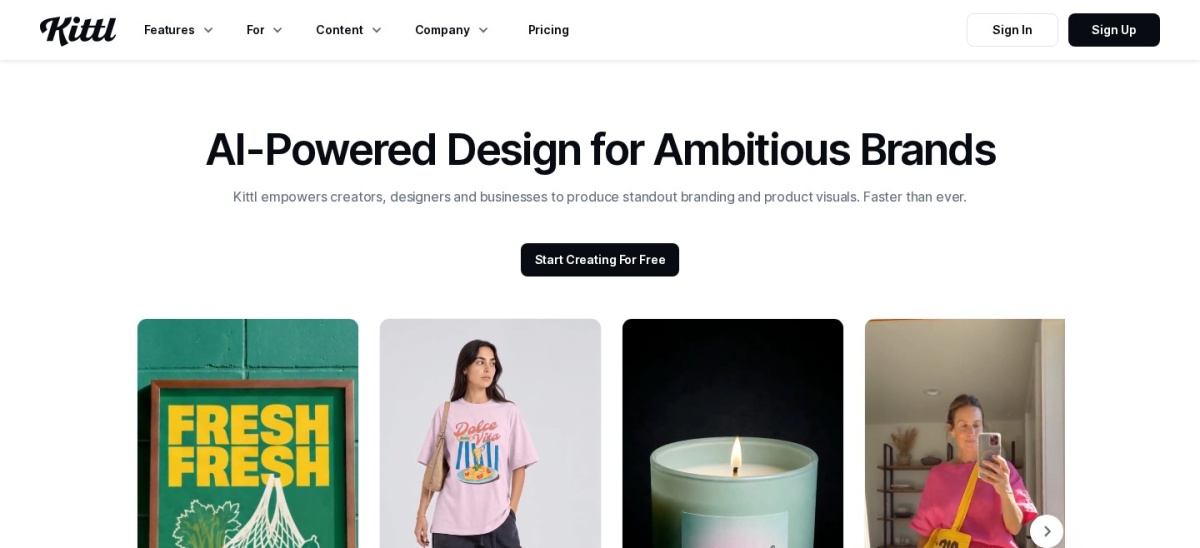
Kittl is a browser-based graphic design platform built around editable templates, typography controls, and vector-friendly layouts. You can start on a free plan before upgrading to a paid subscription.
The trade off is that high-resolution exports up to 10,800px at 300dpi, SVG/PDF output, and 2,000 monthly AI tokens start on Pro at $12/mo billed annually. It suits designers and sellers producing print graphics or merchandise.
What we like
Exports PNG and JPG up to 10,800px at 300dpi on Pro
Supports SVG and PDF vector exports for print
Strong text and template layout tools in the browser
Watch out for
Smaller review count on G2 than Canva or Adobe Express
AI features rely on a monthly token allowance
Kittl Pro unlocks 300dpi high-res exports, SVG/PDF output, custom fonts, and 2,000 monthly AI tokens.Visit kittl.com
04
VistaCreate
4.6/5on Capterra (436 reviews, checked Nov 2026)
Paid from$120/yr
Best for small teams wanting a flat annual price
Starting planStarter (Free)
Entry paid tierPro ($120/yr)
Pro seatsUp to 10 members
Free trial14 days on Pro
create.vista.com
VistaCreate homepage, captured Nov 2026.
VistaCreate is an online graphic design and collage editor offering templates and stock media for social and print formats. Its free Starter plan includes 1 seat, 100,000+ templates, and 1 million+ creative assets.
The trade off is that HD downloads, one-click resizing, and AI tools require VistaCreate Pro at $120/yr billed annually ($13/mo monthly). It suits small teams of up to 10 people who want collaboration under one subscription.
What we like
Pro covers up to 10 team members under one plan
Free Starter plan includes 100,000+ templates
Offers a 14-day free trial of the Pro plan
Watch out for
Starter plan excludes HD downloads and one-click resizer
Smaller template and asset catalog than larger rivals
VistaCreate Pro adds HD downloads, one-click resizer, unlimited storage, and up to 10 team seats.Visit create.vista.com
05
BeFunky
4.3/5on G2 (106 reviews, checked Nov 2026)
Paid from$83.88/yr
Best for combining photo editing with grid collages
Starting planFree ($0)
Entry paid tierPlus ($83.88/yr)
Monthly rate$6.99/mo annual
Access modeBrowser editor
befunky.com
BeFunky homepage, captured Nov 2026.
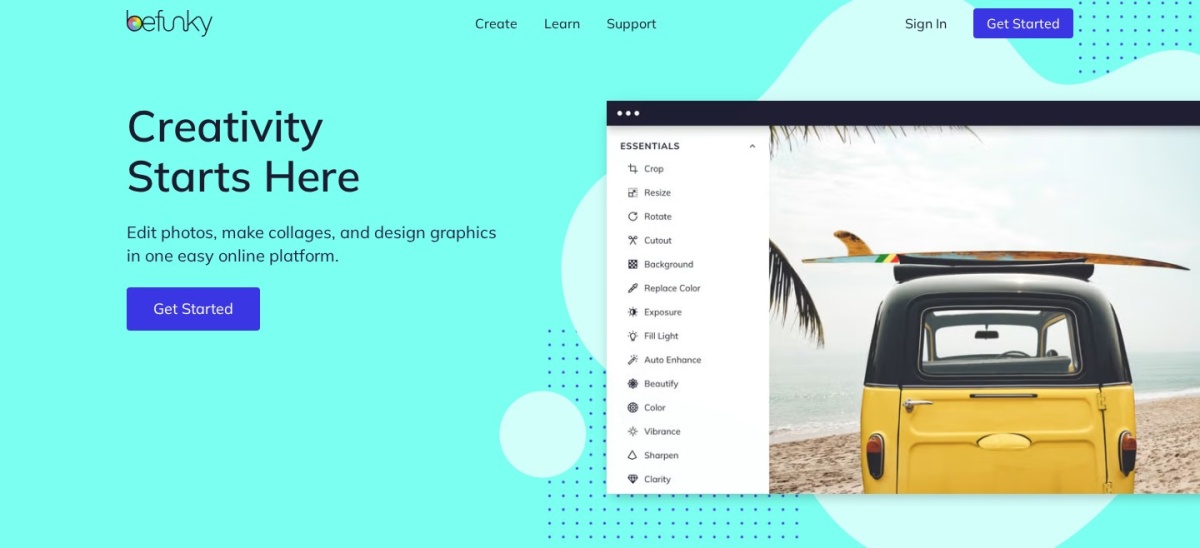
BeFunky is a browser-based photo editor, collage maker, and graphic designer that lets users start editing directly in the web app. Its free tier offers basic collage layouts and photo editing tools.
The trade off is that free collage layouts are limited and browser cache clearing can remove unsaved images unless saved to an account, while Plus costs $83.88/yr billed annually ($6.99/mo). It suits casual browser users who want quick grids and photo touch-ups.
What we like
Opens straight into a browser collage and photo editor
Annual Plus plan costs $83.88/yr ($6.99/mo)
Combines collage grids with photo retouching tools
Watch out for
Free plan limits collage layouts and features
Clearing browser cache can affect unsaved local images
BeFunky Plus unlocks full collage layouts, Collage Wizard, and expanded editing tools.Visit befunky.com
06
PicCollage
4.8/5on App Store (1,800,000 reviews, checked Nov 2026)
Paid from$35.99/yr
Best for playful mobile collages and stickers
Starting planFree ($0)
Entry paid tierVIP ($35.99/yr)
Monthly rate$4.99/mo
VIP stickers5,000+ stickers
piccollage.com
PicCollage homepage, captured Nov 2026.
PicCollage is a mobile collage app built for photo grids, freestyle layouts, and decorative stickers on iOS and Android. Its free version lets you assemble collages with ads and watermarks on exports.
The trade off is that removing watermarks and ads requires VIP at $35.99/yr ($4.99/mo), and video-in-collage limits appear in iOS VIP docs. It suits mobile users making personal, event, or scrapbook-style collages.
What we like
Low $35.99/yr annual VIP price ($4.99/mo monthly)
Includes 5,000+ stickers, 3,000+ backgrounds, and 1,000 cloud backups on VIP
High 4.8 star rating across ~1.8 million App Store ratings
Watch out for
Free exports include watermarks and ads
Best suited to mobile screens rather than desktop design work
PicCollage VIP removes watermarks and ads and adds 5,000+ stickers, 3,000+ backgrounds, and 1,000 cloud backups.Visit piccollage.com
07
PhotoGrid
4.9/5on App Store (100,000+ reviews, checked Nov 2026)
Paid from$33.99/yr
Best for fast auto-grids and video collages
Starting planBasic (Free)
Entry paid tierPremium ($33.99/yr)
Monthly rate$2.83/mo annual
Video grid limitUp to 15 min HD
photogrid.app
PhotoGrid homepage, captured Nov 2026.
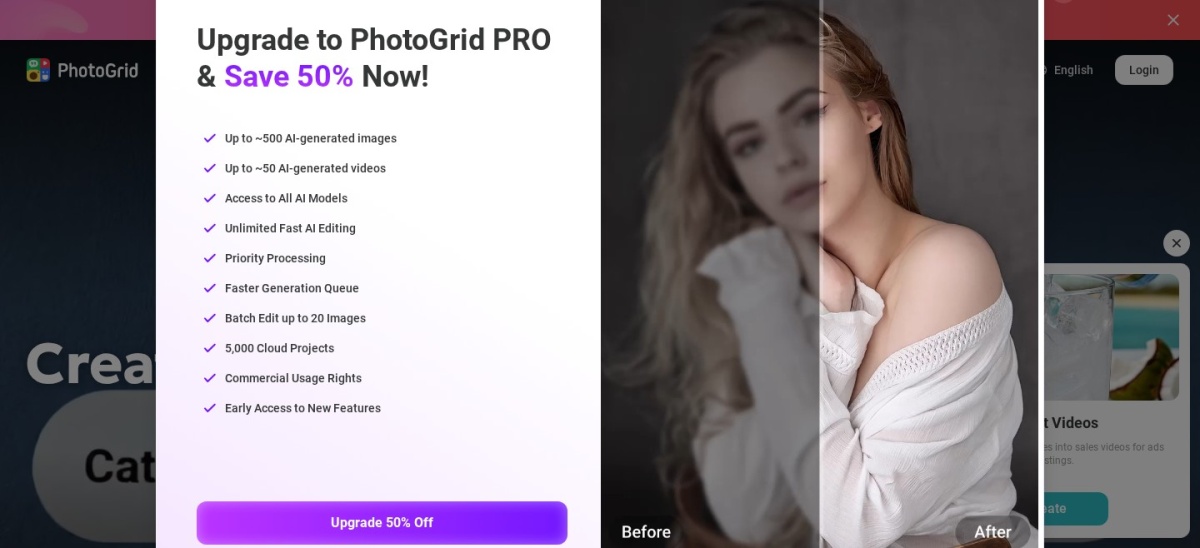
PhotoGrid is a collage and photo-video editing app that auto-generates grid layouts as you select photos. Its free Basic tier supports basic photo collages, 30-second 720p video editing, and 1,000+ elements.
The trade off is that removing ads and watermarks and unlocking 15-minute HD video grids requires Premium at $33.99/yr billed annually ($2.83/mo). It suits users who want quick auto-arranged grids and photo-video mashups.
What we like
Lowest annual price on this list at $33.99/yr ($2.83/mo)
Supports up to 15-minute HD video grids on Premium
Accesses 10,000+ elements on the annual Premium plan
Watch out for
Free tier includes ads, watermarks, and 720p video limits
Less suited to multi-page brand design than full design suites
PhotoGrid Premium removes ads and watermarks and adds 10,000+ elements and 15-minute HD video grids.Visit photogrid.app
Browser design suites vs. mobile collage apps
Browser-based tools like Canva, Adobe Express, Kittl, VistaCreate, and BeFunky give you more room for multi-photo alignment, typography, and export settings on a larger screen. They work well when building collages for blog posts, presentations, or print layouts.
Mobile-first apps like PicCollage and PhotoGrid focus on quick photo selection, automatic grid previews, stickers, and video grids on phones. If most of your photos already live on your phone and you post straight to social feeds, a mobile app often feels faster.
How we chose
We selected these seven tools from established collage makers and browser design platforms that remain actively maintained with public pricing and user review data.
We checked pricing pages, plan documentation, and review listings on 22 Nov 2026, recording regular listed prices rather than temporary discounts.
We excluded print-only ordering services where costs depend on individual physical items and skipped tools without clear, verifiable public pricing.
No vendor paid for a place, and we do not claim testing for this list.
How to choose a photo collage maker in 4 steps
Follow these four steps before subscribing to a collage plan:
Decide where the collage will live. Pick a browser suite like Canva or Kittl for blog graphics and print layouts, or a mobile app like PhotoGrid or PicCollage for quick phone grids.
Check free export rules first. Test whether the free plan leaves watermarks, lowers resolution, or limits layouts before committing to a paid tier.
Match asset and video needs to the tier. Confirm whether you need stock photos, background removal, font controls, or video grid support included in the entry plan.
Compare annual billing against monthly rates. Annual plans usually lower the effective monthly cost, so only prepay a year if you plan to use the tool regularly.
FAQ
Which photo collage maker has the best free plan?
Canva stands out on the free tier because it includes over 1.6 million templates, 5GB of storage, and basic AI features at no cost, making it practical for everyday grids without upgrading right away.
Which collage tool is cheapest per year?
Among the paid annual plans listed here, PhotoGrid is the lowest at $33.99/yr ($2.83/mo), followed closely by PicCollage VIP at $35.99/yr ($4.99/mo).
Do I need a paid plan to remove watermarks?
Several tools on this list, including PicCollage and PhotoGrid, place watermarks or ads on free exports and require a paid VIP or Premium subscription to remove them.
Can I include videos inside a photo collage?
Yes, apps like PhotoGrid and platforms such as Adobe Express and Canva support video elements or video templates, though video length limits and export options vary by plan.
Which option is best if I need print-ready resolution?
Kittl supports high-resolution exports up to 10,800px at 300dpi as well as SVG and PDF vector formats on its Pro plan, making it well suited for print layouts.
SaaS SEO and WordPress specialist with about 8 years of experience. Rakib compares WordPress plugins, themes, hosting and software using public pricing, documentation and user reviews. See how we rank.