Planner 5D is the best home design software for beginners, with a free 2D and 3D editor and more than 8,400 furniture and decor items in its premium catalog. Live Home 3D is better for complete house modeling, while Home Design 3D suits beginners who enjoy drawing and decorating floor plans.
How we make this list: we compare pricing pages, product documentation and public user reviews, then re-check every price before each update. No product paid for a place. Disclosure.
Planner 5D offers unlimited free projects and a Premium subscription for $59.99 annually.
Live Home 3D Standard costs $24.99 annually and removes the free version's 2-floor limit.
Home Design 3D has a 4.3/5 rating from 105K App Store users, with annual plans starting at $44.99.
Homestyler offers free design features and mobile subscriptions starting at $4.99 monthly.
magicplan earns 4.7/5 from 41K App Store ratings and offers room scanning and measured floor planning.
What beginners should look for in home design software
Home design software helps homeowners visualize room layouts, furniture arrangements and renovation ideas before making physical changes. Beginner-friendly applications simplify these activities without requiring extensive architectural drawing or computer-aided design experience.
Look for software that supports both 2D floor planning and 3D visualization. Floor plans help you understand dimensions and circulation, while three-dimensional previews make furniture placement and material choices easier to evaluate.
Furniture and material libraries are particularly useful for beginners. Ready-made models reduce the need to create individual objects, while adjustable dimensions help you determine whether furnishings fit your available space.
Check what the free subscription allows before committing to a paid plan. Some applications restrict project saving, furniture selection, image exports or the number of floors available without upgrading.
Home design software is useful for developing concepts, but visual models are not necessarily suitable for construction approval. Structural alterations, electrical installations and major renovations may require qualified professional advice.
The 7 best home design software tools for beginners
01
Planner 5D
4.4/5on App Store (43K reviews, checked 25 Nov 2026)
Paid from$59.99/yr
Best home design software for beginners overall
Free projectsUnlimited
Free decor catalog150+ items
Premium furniture catalog8,400+ items
Design modes2D and 3D
planner5d.com
Planner 5D homepage, captured 25 Nov 2026.
Planner 5D is a home design application combining drag-and-drop floor planning with interactive three-dimensional visualization. Its free mobile version supports unlimited projects, more than 150 decor items and a collection of over 600 colors, textures and patterns.
The trade off is that full furniture selection, object resizing and additional AI design features require Premium at $59.99 annually. Advanced professional exports require a higher subscription. It suits beginners who want to experiment with room layouts before purchasing furniture or starting renovations.
What we like
Accessible drag-and-drop design interface
Unlimited free projects
Switches between floor plans and 3D views
Extensive premium furniture collection
Cross-platform project synchronization
Watch out for
Free furniture selection is restricted
AI features have credit allowances
Professional export formats require an upgrade
Premium unlocks the full furniture catalog, resizing and additional AI design features.Visit planner5d.com
02
Live Home 3D
4.6/5on App Store (19K reviews, checked 25 Nov 2026)
Paid from$24.99/yr
Best for designing complete houses
Free building floors2
Interior and exterior designYes
Standard lifetime license$59.99
Standard annual subscription$24.99
livehome3d.com
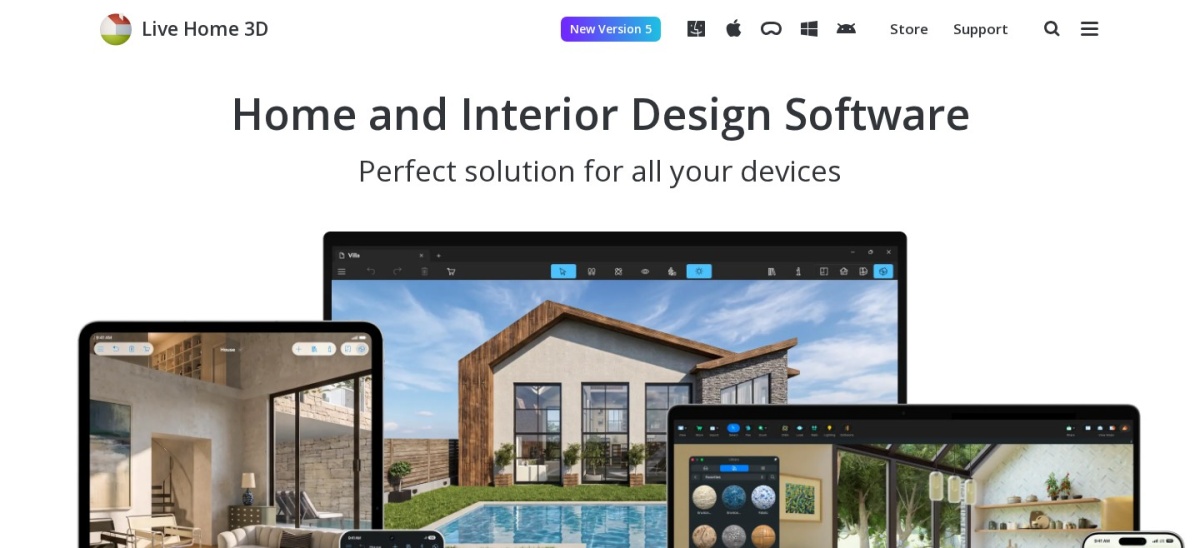
Live Home 3D homepage, captured 25 Nov 2026.
Live Home 3D is a multiplatform house design application that combines measured floor plans with interactive interior and exterior models. Its free mobile edition allows buildings with up to 2 floors, making it useful for exploring residential layouts before upgrading.
The trade off is that free projects have saving restrictions, watermarks and building floor limits. Standard costs $24.99 annually or $59.99 for a lifetime license, while terrain editing and advanced roofing require Pro. It suits beginners planning complete houses rather than individual rooms.
What we like
Supports both interior and exterior design
Detailed three-dimensional house models
Affordable annual subscription
Lifetime licensing option
Available across mobile and desktop platforms
Watch out for
More controls to learn than basic room planners
Advanced landscaping requires Pro
Free project saving has restrictions
Standard removes watermarks, saving restrictions and the building floor limit.Visit livehome3d.com
03
Home Design 3D
4.3/5on App Store (105K reviews, checked 25 Nov 2026)
Paid from$44.99/yr
Best for interactive floor planning and decorating
Floor planning2D and 3D
Building designMultiple floors
Monthly subscriptionFrom $12.99
Annual subscriptionFrom $44.99
homedesign3d.net
Home Design 3D homepage, captured 25 Nov 2026.
Home Design 3D is a residential planning application for drawing walls, arranging furnishings and exploring completed designs through three-dimensional views. Its App Store listing has 105K ratings, and beginners can explore the interface before purchasing access to premium functionality.
The trade off is that saving and additional design capabilities depend on the selected subscription. Annual plans start at $44.99, with monthly options starting at $12.99. It suits beginners who want to draw their own rooms and compare decorating ideas visually.
What we like
Interactive three-dimensional exploration
Adjustable wall and furniture dimensions
Supports multistory residential projects
Custom textures and imported blueprints
Large established user base
Watch out for
Free project saving is restricted
Different subscription options can be confusing
Not intended for structural engineering calculations
Paid subscriptions expand project saving and access to design features.Visit homedesign3d.net
04
Homestyler
4.4/5on App Store (5.6K reviews, checked 25 Nov 2026)
Paid from$4.99/mo
Best for interior decorating and realistic previews
Free materials300K+
Free templates500+
Free rendering2K renders
Mobile subscriptionsFrom $4.99/mo
homestyler.com
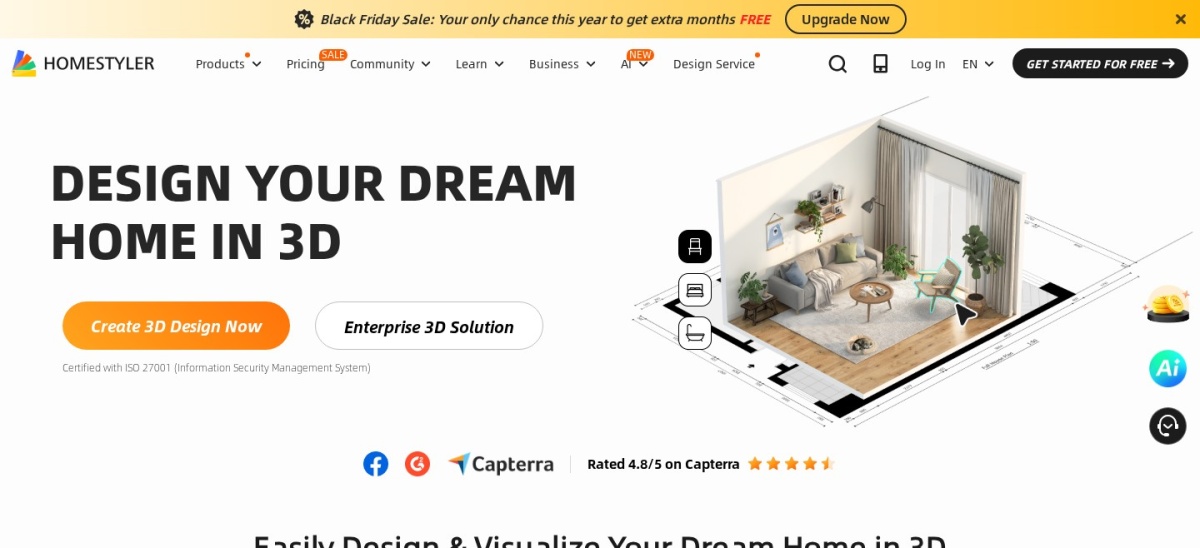
Homestyler homepage, captured 25 Nov 2026.
Homestyler is an interior design platform for arranging furniture, experimenting with decorative styles and generating visual room previews. Its mobile listing advertises free access to more than 300,000 materials, over 500 templates and 2K rendering options.
The trade off is that watermark removal, expanded modeling and additional customization require paid features. Mobile subscriptions start at $4.99 monthly, with other membership options available. Its web platform also advertises temporary promotional offers. It suits beginners who want to compare decorating concepts and realistic interior images.
What we like
Extensive material and furniture collections
Free rendering options
Ready-made interior design templates
Supports visual experimentation with decorating styles
Projects can be refined using the web platform
Watch out for
Advanced customization requires payment
Mobile and web subscription options differ
Less focused on technical construction documentation
Paid features expand modeling capabilities, customization and rendering options.Visit homestyler.com
05
Home Planner
4.6/5on App Store (47K reviews, checked 25 Nov 2026)
Paid from$74.99/yr
Best for furnishing and redecorating existing rooms
Room scanningYes
Design modes2D and 3D
Monthly personal plan$14.99
Annual personal plan$74.99
icandesignapp.com
Home Planner homepage, captured 25 Nov 2026.
Home Planner is an interior design application combining room measurement, floor planning and furniture visualization. Its premium personal subscription includes high-definition rendering and additional design functionality, with monthly access listed at $14.99 and annual access at $74.99.
The trade off is that unrestricted projects, expanded furniture selection and high-quality images require an upgrade. The $74.99 annual personal membership offers better recurring value than monthly or weekly billing. It suits beginners redecorating existing rooms and comparing different furniture arrangements.
What we like
Room scanning and measurement tools
Accessible furniture placement workflow
Supports floor plans and realistic previews
Ready-made room layouts
Multiple subscription durations
Watch out for
Expanded furniture access requires a subscription
Scanning accuracy depends on the device and environment
Short-term subscription rates are comparatively expensive
Personal membership expands project access, furniture options and HD rendering.Visit icandesignapp.com
06
RoomSketcher
3.3/5on App Store (182 reviews, checked 25 Nov 2026)
Paid from$24/mo
Best for measured and printable floor plans
Free starting credits2
Free AI plan conversions1
Pro monthly credits5
Print to scalePro
roomsketcher.com
RoomSketcher homepage, captured 25 Nov 2026.
RoomSketcher is a floor planning application designed for creating residential layouts and visual property presentations. Its free subscription includes 2 starting credits and one AI floor plan conversion, allowing beginners to explore the design workflow before purchasing additional access.
The trade off is that generated outputs consume credits, and advanced measurements, printing and furniture access require paid features. Pro has a regular monthly price of $24, with discounted annual billing and single-project upgrades available. It suits beginners who prioritize dimensioned layouts over decorative experimentation.
What we like
Clear floor plan visualization
Printable scale drawings on Pro
Supports two-dimensional and three-dimensional outputs
Existing plan conversion tools
Watch out for
Credit-based output costs complicate budgeting
Lower App Store rating than other listed tools
Advanced measurements require paid access
Pro adds the complete furniture library, measurements, print-to-scale and monthly credits.Visit roomsketcher.com
07
magicplan
4.7/5on App Store (41K reviews, checked 25 Nov 2026)
Paid from$129.99/yr
Best for measuring existing homes and renovations
Room captureAR and LiDAR
Floor plan editingYes
Sketch monthly subscription$12.99
Sketch annual subscription$129.99
magicplan.app
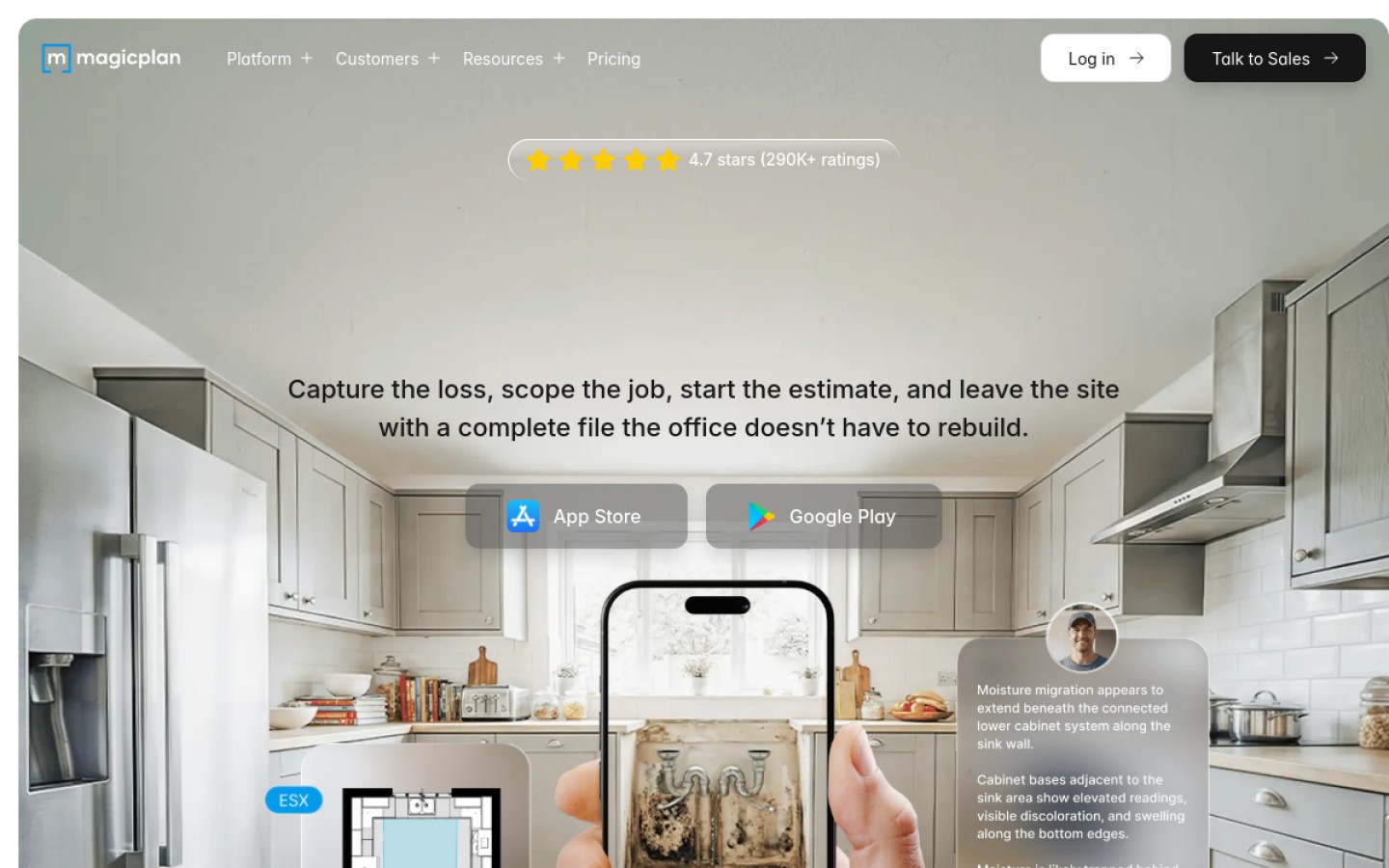
magicplan homepage, captured 25 Nov 2026.
magicplan is a mobile floor planning and property documentation application that captures existing rooms using augmented reality and compatible scanning hardware. Its Sketch subscription is listed at $129.99 annually, providing an entry point for more extensive floor planning work.
The trade off is that the application prioritizes measured layouts and property documentation rather than realistic interior decoration. Sketch costs $12.99 monthly or $129.99 annually, while reporting and estimating have separate subscription tiers. It suits homeowners documenting existing spaces before discussing renovations with contractors.
Scanning capabilities depend on compatible hardware
Sketch expands floor planning access, while higher tiers add reporting and estimating.Visit magicplan.app
How much does beginner home design software cost?
Live Home 3D Standard offers an affordable annual subscription at $24.99. Home Design 3D starts at $44.99 annually, while Planner 5D Premium costs $59.99 annually. All provide accessible design tools, although their project and furniture restrictions differ.
One-time licenses may be preferable for homeowners who expect to continue designing over several years. Live Home 3D lists its Standard lifetime license at $59.99, providing an alternative to recurring subscription charges.
Credit-based platforms require additional consideration because rendering, floor plan generation and other outputs can affect total spending. The price ladder compares published subscription costs rather than estimating variable project expenses.
Should beginners use 2D floor plans or 3D home design software?
Start with a measured floor plan when renovating an existing property. Accurate room dimensions, door positions and window locations help prevent furniture placement mistakes and unrealistic design concepts.
Use three-dimensional visualization after establishing the basic layout. It helps you evaluate how furniture, materials, colors and lighting work together inside a room. Planner 5D, Home Design 3D and Live Home 3D support both design perspectives.
Applications such as magicplan focus more closely on documenting physical spaces, while Homestyler emphasizes decorative visualization. Choosing the right application depends on whether accurate measurement or visual exploration is more important to your project.
How we chose
We selected established home design applications that allow beginners to create residential layouts, visualize interiors or document existing properties. Rankings consider accessibility, design capabilities, furniture libraries, subscription costs, platform availability and public user ratings.
Official pricing pages and App Store listings were checked on 25 Nov 2026. Review counts retain the rounded figures displayed by the App Store. Prices use published recurring subscription options, with mobile membership pricing identified where applicable.
We excluded discontinued software, specialist engineering applications and tools without established public review histories. Rankings prioritize practical residential planning capabilities rather than professional architectural complexity. No vendor paid for a place, and we do not claim testing for this list.
How to choose the best home design software for beginners
Identify the type of property design you want to create before comparing software features and subscriptions.
Define your design project. Decide whether you are decorating an existing room, planning a renovation or designing an entire house. Interior decorating applications and measured floor planning software serve different purposes.
Check measurement and visualization features. Look for adjustable room dimensions, furniture sizing and interactive three-dimensional previews. Room scanning may be useful for existing properties, but important measurements should still be checked manually.
Compare free and paid design restrictions. Review project saving limits, furniture libraries, rendering quality and export options. Consider whether an annual subscription, short-term membership or lifetime license offers better value for your planned project.
Choose software that matches your experience. Start by recreating a familiar room before designing an entire property. Prioritize straightforward controls, clear tutorials and accessible editing tools rather than purchasing professional features you may never need.
FAQ
What is the best home design software for beginners?
Planner 5D is our top overall choice because it offers accessible floor planning, interactive 3D visualization and unlimited free projects. Live Home 3D is preferable for complete house modeling, while Home Design 3D provides straightforward residential layout and decorating tools.
What is the best free home design software for beginners?
Planner 5D offers a useful free starting point with unlimited projects and a limited furniture catalog. Homestyler is another option for experimenting with interior styles and rendering room designs. Both offer paid upgrades for additional customization and design capabilities.
What is the easiest software for designing a house?
Planner 5D simplifies residential design through drag-and-drop editing and visual floor planning. Home Design 3D is another accessible option for drawing walls and arranging furniture. Live Home 3D offers more detailed building controls when beginners need greater design flexibility.
Can I design my own house without an architect?
Home design software allows homeowners to develop concepts, explore layouts and prepare visual references independently. However, construction drawings, structural modifications and regulatory approval may require qualified professionals. A visually convincing house model should not automatically be treated as a construction-ready plan.
Which home design software is best for interior decorating?
Homestyler is our preferred choice for interior decorating because it offers extensive materials, templates and rendering options. Home Planner is particularly useful for furnishing existing rooms, while Planner 5D combines decorating features with broader residential floor planning capabilities.
Which home design app can scan an existing room?
magicplan specializes in capturing existing spaces through augmented reality and compatible LiDAR hardware. Home Planner and Planner 5D also offer room scanning features. Measurement accuracy depends on hardware, scanning conditions and the complexity of the physical space.
Is home design software suitable for planning renovations?
Yes. Home design software can help homeowners compare layouts, estimate available space and communicate renovation ideas to contractors. RoomSketcher and magicplan are particularly useful for documenting existing layouts, while visualization-focused tools help explore furniture, finishes and decorative changes.
SaaS SEO and WordPress specialist with about 8 years of experience. Rakib compares WordPress plugins, themes, hosting and software using public pricing, documentation and user reviews. See how we rank.