Remini is the best app to restore old photos for most people, with one-tap face repair rated 4.6 out of 5 on G2 from 14 reviews. Pick MyHeritage for family archives and colorization, or VanceAI if you want to restore a whole set of damaged photos in a browser.
How we make this list: we compare pricing pages, product documentation and public user reviews, then re-check every price before each update. No product paid for a place. Disclosure.
Remini is the fastest phone fix for faces, rated 4.6 out of 5 on G2, but its weekly plans cost far more than the $9.99 monthly plan.
MyHeritage is the natural pick for family historians, with repair, colorization and animation beside the family tree for $49.99 a year.
VanceAI gives the most restoration-specific web workflow, with credits that roll over while you subscribe, from $15 a month billed yearly.
Topaz Photo is the only desktop tool here that runs fully on your computer, at $199 a year after the one-time licence ended.
Six of the 9 tools have a free plan, but free exports are usually watermarked or not high resolution.
What to look for in an old-photo app
Old photos fail in different ways. Some are faded, some are scratched or torn, and some are simply small and blurry, and each kind of damage needs a different tool.
Face repair is the hardest part. AI tools rebuild faces from a blurry original, which can sharpen a portrait, but the rebuilt face can also look different from the person in the photo, so keep the original scan untouched.
Check the export before you pay. Free plans often watermark results or limit downloads to low resolution, and our guide on optimizing images for WordPress shows how to prepare images for the web.
Price models vary more than features. Weekly plans, monthly plans, credit packs and one-time licences can cost very different amounts for the same set of photos, so compare the yearly total before you commit.
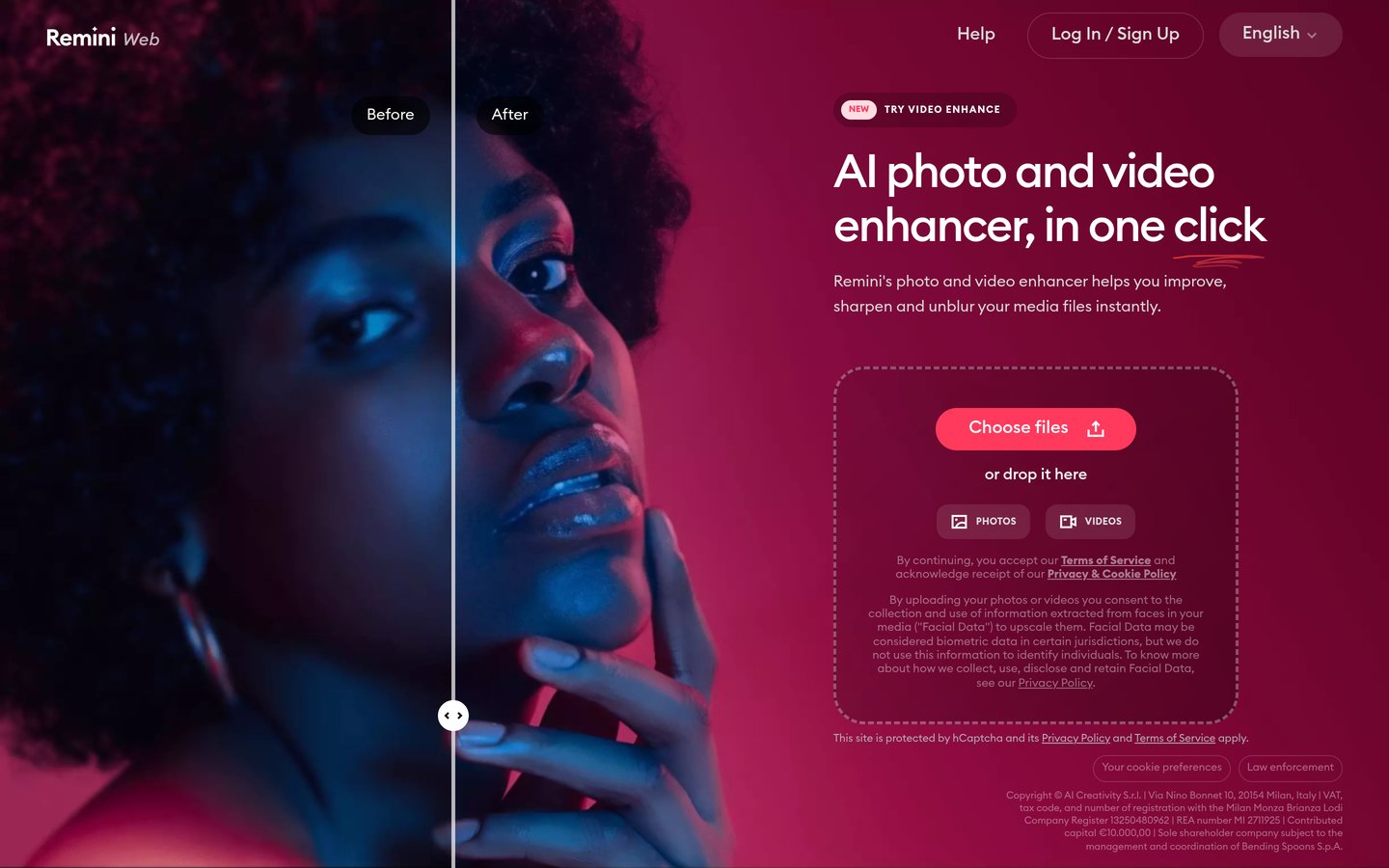
Remini is a phone-first AI photo enhancer from Bending Spoons that rebuilds soft, blurry faces in old photos with one tap. The free version gives daily enhancement credits with ads and a watermark on exports, and the app also runs in a browser as Remini Web.
The trade off is price. The 1 Month plan costs $9.99 a month on the App Store, while weekly Lite and Pro plans run $4.99 to $9.99 a week, so a weekly plan costs far more over a month. It suits anyone who wants the fastest face fix on a phone and has a small set of photos.
What we like
One-tap face repair that works fast
Rated 4.6 out of 5 on G2 from 14 reviews
Works on iPhone, Android and the web
Free daily credits to try it first
Watch out for
Weekly plans add up fast if you keep one
Rebuilt faces can look artificial or change features
Free exports carry a watermark and show ads
Paid plans remove the watermark and lift the daily limitsVisit remini.ai
02
MyHeritage
4.4/5on Trustpilot (111,915 reviews, checked Nov 2026)
Paid from$49.99/yr
Best for family historians
Photo repairScratches and tears
ColorizationIn Color tool
AnimationDeep Nostalgia
Paid planReimagine, $49.99/yr
myheritage.com
MyHeritage homepage, captured Nov 2026.
MyHeritage is a genealogy service whose photo tools sit beside the family tree. Photo Enhancer sharpens faces, Photo Repair fixes scratches and tears, In Color colorizes black-and-white photos, and Deep Nostalgia animates portraits. A few photos are free, with a MyHeritage logo on the result.
The trade off is the subscription maze. The photo-only Reimagine app costs $49.99 a year after a 7-day trial, or $7.99 a month, while the full Complete plan costs far more. It suits family historians who already keep a tree on MyHeritage.
What we like
Repair, colorize and animate in one place
Color results are period-plausible rather than garish
Reimagine scans whole album pages
Rated 4.4 out of 5 on Trustpilot from 111,915 reviews
VanceAI is a web suite of single-purpose AI tools for repairing photos, with a dedicated old-photo restorer, a colorizer, a sharpener and an upscaler. New accounts get 10 free credits, and restoration costs 4 credits per image. Paid image inputs can reach 10MB and 34 megapixels.
The trade off is the credit system. Starter costs $15 a month billed yearly, or $180 a year, for 260 credits a month, and each restoration uses several credits, so a large archive burns through them. It suits people restoring a whole set of damaged photos in a browser.
What we like
Dedicated restoration workflow, not a general editor
Credits roll over while subscribed
Batch processing for large archives
Rated 4.5 out of 5 on G2 from 15 reviews
Watch out for
Only 15 G2 reviews, a thin rating base
Faces in badly damaged photos can come out distorted
3.6/5on Trustpilot (56,812 reviews, checked Nov 2026)
Starts at$199/yr
Best for print-quality desktop restoration
Face recoveryAdjustable strength
UpscalingUp to 6x
Runs offlineYes, on your computer
Paid planPersonal, $199/yr
topazlabs.com
Topaz Photo homepage, captured Nov 2026.
Topaz Photo is a desktop app for Mac and Windows that runs its AI models on your own computer, so photos never need to be uploaded. It combines denoise, sharpen, face recovery and upscaling up to 6x in one pipeline, with Autopilot suggesting a starting point you can adjust.
The trade off is price and hardware. The Personal plan costs $199 a year, after the old $199 one-time licence ended in late 2025, and fast processing needs a capable computer, especially the graphics card. It suits photographers restoring photos for large prints.
What we like
Local processing keeps photos on your computer
Face recovery strength can be dialled back
Upscaling up to 6x for large prints
Works as a Lightroom and Photoshop plugin
Watch out for
No free plan, only a trial
Subscription replaced the old one-time licence
Trustpilot rating is 3.6 out of 5 from 56,812 reviews
Adobe Photoshop is the professional editor that gives you full manual control over a damaged photo. Clone, heal and patch tools remove scratches and stains pixel by pixel, while Generative Fill rebuilds missing areas and Neural Filters add color to black-and-white photos.
The trade off is cost and learning time. Photoshop for Individuals costs $22.99 a month, with a 7-day free trial and no permanent free plan, and the interface takes time to learn. It suits editors who want to decide exactly what gets rebuilt, rather than trusting a one-click pass.
What we like
Precise manual repair tools
Generative Fill rebuilds missing areas
Rated 4.6 out of 5 on G2 from 13,449 reviews
Huge library of guides and tutorials
Watch out for
Most expensive monthly plan in this list
Steep learning curve for beginners
No permanent free plan
Paid plans are subscription only; the trial lasts 7 daysVisit adobe.com
06
Fotor
4.1/5on G2 (342 reviews, checked Nov 2026)
Paid from$8.99/mo
Best budget web editor with restoration
AI photo restoreYes, on Pro
ColorizationYes
Batch editingYes, on Pro
Paid planPro, $8.99/mo
fotor.com
Fotor homepage, captured Nov 2026.
Fotor is a web photo editor with AI tools for restoring old photos, including enhancement, colorization and upscaling, plus batch editing for sets of images. The free Basic plan covers basic editing with 500MB of cloud storage, while Pro unlocks the AI tools and high-resolution exports.
The trade off is the free plan. Free exports are not high resolution and carry a watermark, and advanced AI features sit behind Pro at $8.99 a month. It suits casual users who want restoration inside a general editor they already use.
What we like
Restoration inside a full web editor
Batch editing for photo sets
Rated 4.1 out of 5 on G2 from 342 reviews
Free Basic plan for simple edits
Watch out for
Free exports are watermarked and not high resolution
Ads and paywalls in the free version
Restoration is one feature among many, not the focus
Pro adds high-resolution exports and the AI toolsVisit fotor.com
07
PicWish
4.2/5on Trustpilot (359 reviews, checked Nov 2026)
Paid from$59.99/yr
Best for cheap pay-as-you-go restoration
Old-photo restorationYes
ColorizationYes
Pay as you goCredit packs from $12.99
Paid planPro, $59.99/yr
picwish.com
PicWish homepage, captured Nov 2026.
PicWish is a web AI photo editor with a dedicated old-photo restoration tool that repairs, enhances, enlarges and colorizes vintage photos. The free plan gives previews and a limited number of non-HD downloads a day, and one-time credit packs start at $12.99 for 300 credits.
The trade off is resolution. Free downloads are not high resolution, and HD downloads need Pro at $59.99 a year, or $9.99 a month, with 450 credits a month. It suits anyone restoring a few photos who wants to pay once for credits instead of subscribing.
What we like
One-time credit packs never expire
Restoration and colorization in one tool
Rated 4.2 out of 5 on Trustpilot from 359 reviews
Free previews before you pay
Watch out for
Free downloads are not high resolution
Some reviewers report paid accounts not activating
4.1/5on Trustpilot (186 reviews, checked Nov 2026)
Paid from$9/mo
Best for upscaling restored photos for print
RestorationYes, with colorization
Max upscale512 megapixels on Max
Batch processingYes
Paid planStarter, $9/mo billed yearly
letsenhance.io
Let's Enhance homepage, captured Nov 2026.
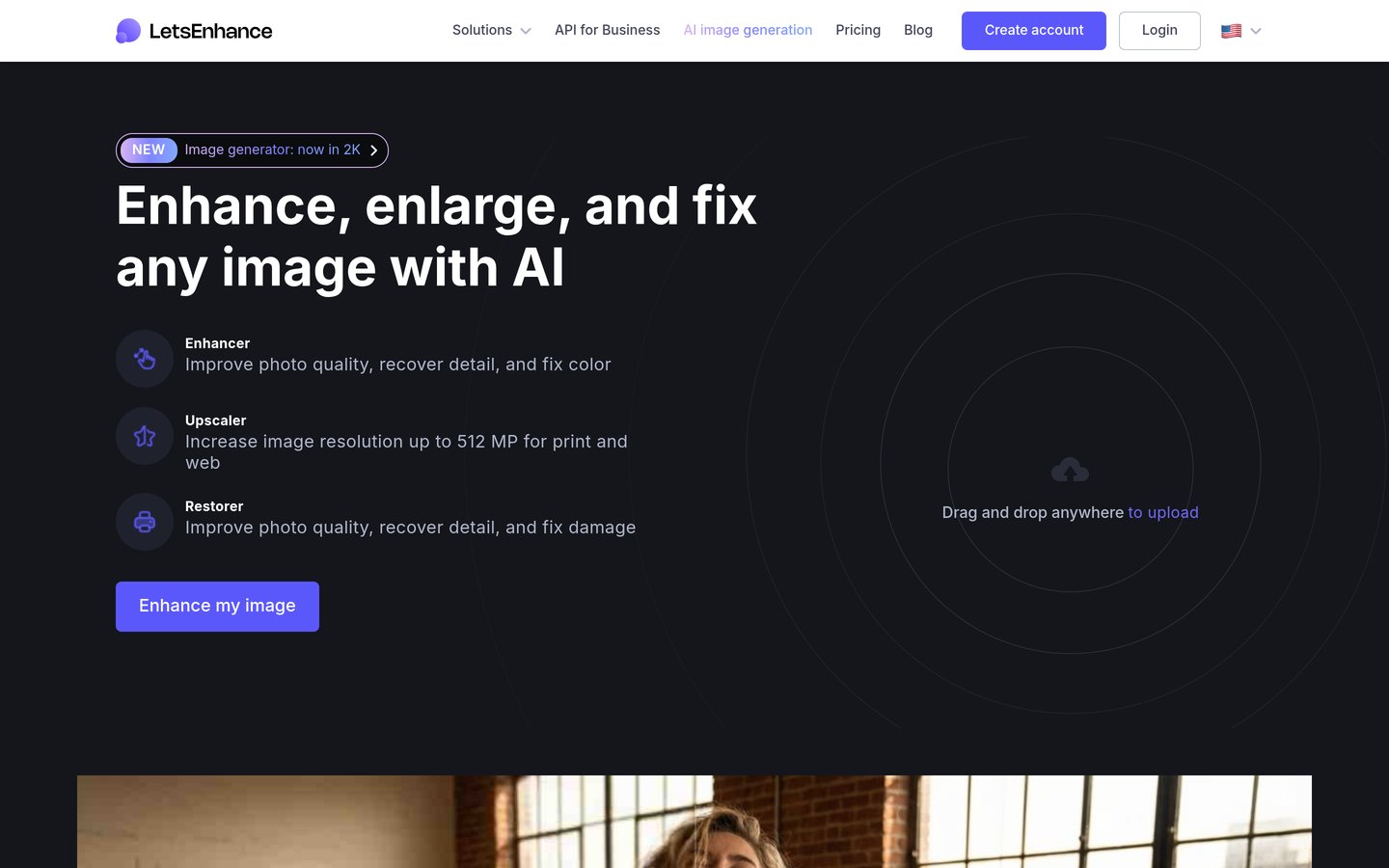
Let's Enhance is a web tool that upscales and sharpens photos and repairs old ones, with colorization for black-and-white images. The free plan gives 10 credits on sign-up, and Starter costs $9 a month billed yearly for 100 credits a month, with unused credits rolling over.
The trade off is the watermark. Free results carry a watermark, and the pricing page lists no refund rule, so check the terms before paying. It suits people who restore a photo and then need it enlarged for a large print.
3.8/5on Trustpilot (2,750 reviews, checked Nov 2026)
Starts at$112.99/yr
Best desktop enhancer for Windows and Mac
Old-photo restorationYes, AI models
Batch processingYes
PlatformsWindows and Mac
Paid plan1 Year, $112.99/yr
hitpaw.com
HitPaw FotorPea homepage, captured Nov 2026.
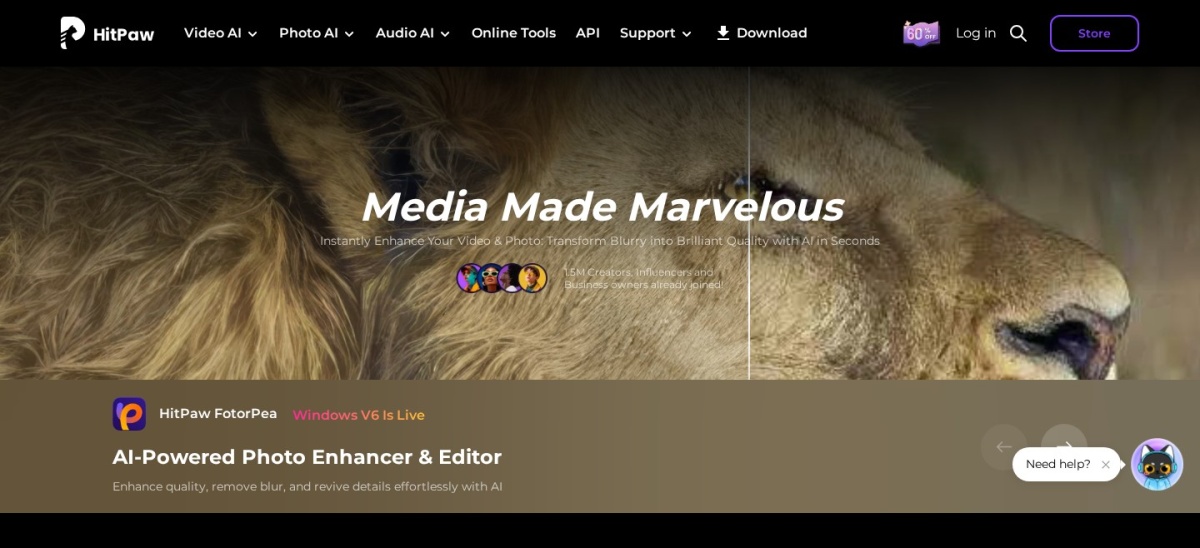
HitPaw FotorPea is a desktop AI photo enhancer for Windows and Mac, previously sold as HitPaw Photo Enhancer. It offers AI enhancement models for old photos, upscaling and batch processing, and the free version lets you preview results before paying.
The trade off is export. The free version blocks watermark-free exports, and the 1 Year licence lists at $112.99 on Windows, with 500 credits a year for cloud rendering. It suits desktop users who want batch enhancement without uploading photos to a website.
What we like
Desktop app for Windows and Mac
Batch processing for large sets
Free preview before paying
Rated 3.8 out of 5 on Trustpilot from 2,750 reviews
Watch out for
Free version cannot export
Plan credits expire at the end of the year
Billing and refund complaints appear in reviews
Paid plans add exports, batch processing and cloud creditsVisit hitpaw.com
Free vs paid: what you give up
Free plans are good for a first look. Most give a few enhancements, previews or daily credits, which is enough to judge a tool on your own worst photo.
Paid plans mostly add clean exports and volume. You get watermark-free, high-resolution downloads, batch processing and more credits or photos per month.
For a whole family archive, count the photos first. A credit pack or a yearly plan is usually cheaper than weekly billing once you have more than a few dozen photos.
How we chose
We started from the apps and services most often named for old-photo restoration, then kept 9 with a dedicated restoration feature and a public rating on G2 or Trustpilot.
Prices come from each vendor's pricing page or app store listing, checked on 25 November 2026. Ratings and review counts come from G2 or Trustpilot on the same day. Where a vendor shows a sale, the list shows the regular price.
We left out tools with no public rating, including AKVIS Retoucher, which has no G2, Capterra or Trustpilot rating. No vendor paid for a place, and we do not claim to have used these tools ourselves.
How to choose an app to restore old photos
Start with your worst photo, then match the tool to the damage, not the marketing.
Sort your photos by damage. Group torn and scratched prints apart from faded or blurry ones, because manual repair and one-click AI fix different problems.
Try the free credits on the worst photo first. A tool that handles your hardest image will handle the easy ones, and a free preview shows whether faces stay true.
Check the export limits. Confirm the download is high resolution and watermark-free before you pay, and check whether credits expire.
Compare the yearly total. Weekly plans, monthly billing and credit packs can differ by hundreds of dollars a year for the same archive, so add it up first.
FAQ
What is the best app to restore old photos?
Remini is the best app to restore old photos for most people. Its one-tap face repair sharpens blurry portraits fast, it is rated 4.6 out of 5 on G2, and the $9.99 monthly plan is cheaper than its weekly plans.
Can I restore old photos for free?
Yes, for a few photos. Remini, MyHeritage, VanceAI, Fotor, PicWish and Let's Enhance all offer free credits or a free plan, but free exports are usually watermarked or limited to low resolution, so expect to pay for clean, high-resolution results.
Which app is best for colorizing black-and-white photos?
MyHeritage is the strongest pick for colorization, with its In Color tool producing period-plausible tones beside the family tree. VanceAI, PicWish and Let's Enhance also colorize, and Photoshop gives manual control over color if you want to adjust every area yourself.
Do AI restorers change faces?
They can. AI face repair rebuilds detail that the original photo lost, so a rebuilt face can look sharper but slightly different from the person. Keep the original scan untouched and compare the result closely before you print or share it.
Is Topaz Photo still a one-time purchase?
No. Topaz ended perpetual licences in late 2025, so Photo is now subscription only, at $199 a year for the Personal plan. People who bought a licence before then keep that version, but it no longer receives new AI models without a subscription.
How much does it cost to restore a whole family archive?
It depends on the size and the billing model. A yearly plan such as MyHeritage at $49.99 or PicWish at $59.99 covers unlimited or credit-based use, while weekly plans and credit packs add up fast, so count your photos and compare yearly totals first.
SaaS SEO and WordPress specialist with about 8 years of experience. Rakib compares WordPress plugins, themes, hosting and software using public pricing, documentation and user reviews. See how we rank.