Canva is our top pick for photo animation, combining a free tier with 1.6M+ templates and a Pro plan starting at $144/yr. VEED suits fast browser video and subtitle workflows, while Adobe Express offers a $9.99/mo individual plan with generative AI credits.
How we make this list: we compare pricing pages, product documentation and public user reviews, then re-check every price before each update. No product paid for a place. Disclosure.
Canva Pro costs $144/yr billed annually ($18/mo monthly) and includes 100GB storage plus 5 Brand Kits.
Adobe Express Premium is listed at $9.99/mo with 250 monthly generative AI credits and 100GB storage.
VEED Creator starts at $147/yr billed annually ($25/mo monthly) with 500 monthly AI credits and 1080p export.
Animaker Starter is $300/yr billed annually ($45/mo monthly) and includes 90 seconds of generative video per month.
Runway Standard starts at $144/yr billed annually ($15/mo monthly) with 625 monthly credits and 4K upscaling.
What to look for in a photo animation app
Choosing a photo animation app depends on whether you need quick motion presets for social graphics, timeline-based video editing, or AI image-to-video generation from a static frame. Browser-based editors make team handoffs simple, whereas AI credit models reward careful prompt planning so generations do not waste monthly quotas.
Check export resolution, watermark rules, and commercial licensing before committing to a tier. Many free plans cap output resolution, add watermarks, or restrict commercial rights, while credit-based video generators vary widely in how many seconds a single clip consumes.
Consider whether you want an all-in-one visual suite that also handles banners, presentations, and captions, or a dedicated video generator built around motion control and multi-model rendering. Annual billing typically lowers the effective monthly rate, though monthly plans offer flexibility for short campaigns.
Canva is a web and mobile visual design platform that pairs still-photo animation and short video creation with templates and brand kits. Its permanent free plan includes 1.6M+ templates, 5GB of storage, and capped AI usage.
The trade off is that background removal, 100GB storage, and higher AI allowances require Canva Pro at $144/yr billed annually or $18/mo monthly. It suits solo creators, marketers, and small businesses that want motion inside a broader design workflow.
What we like
Usable free plan with 1.6M+ templates and 5GB storage
Combines photo animation with social graphics, presentations, and video
Pro includes 100GB storage and 5 Brand Kits for consistent styling
Accessible drag-and-drop interface across web and mobile
Watch out for
Background remover and larger AI quotas sit behind paid tiers
Pro covers one person per account rather than multi-seat team controls
Canva Pro ($144/yr or $18/mo) adds 100GB storage, 5 Brand Kits, background removal, and expanded AI limits.Visit canva.com
02
Adobe Express
4.5/5on G2 (854 reviews, checked Nov 2026)
Paid from$9.99/mo
Best for fast social templates and Adobe assets
Free templates100,000+
Premium storage100 GB
AI credits250/mo (Premium)
Monthly price$9.99/mo
adobe.com
Adobe Express homepage, captured Nov 2026.
Adobe Express is a browser and mobile content editor offering static and video templates, Adobe Stock assets, and animation tools. Its free tier includes 100,000+ templates, 1M+ stock assets, and scheduling for 1 account per network.
The trade off is that advanced animation options, video background removal, and 250 monthly generative AI credits require the $9.99/mo Premium plan. It suits creators who want quick social animations paired with Adobe fonts and stock media.
What we like
Low entry price at $9.99/mo for the individual Premium plan
Free plan includes 100,000+ templates and 4,000+ Adobe Fonts
Works across desktop browsers and mobile devices
Watch out for
Heavy template reliance can make recurring posts look similar
Less suited to deep timeline editing than dedicated video software
Adobe Express Premium ($9.99/mo) adds 100GB storage, 250 monthly generative AI credits, and video background removal.Visit adobe.com
03
Runway
4.2/5on G2 (151 reviews, checked Nov 2026)
Paid from$144/yr
Best for AI video generation and 4K upscaling
Free credits125 one-time
Standard credits625/mo
Annual price$144/yr ($12/mo eq.)
Monthly price$15/mo
runwayml.com
Runway homepage, captured Nov 2026.
Runway is a generative AI video and media workspace used to animate still images, generate clips, and edit footage. Its free tier provides 125 one-time credits and 5GB of storage with watermarked exports.
The trade off is that credit allowances deplete quickly during prompt iteration, with Standard priced at $144/yr billed annually or $15/mo monthly. It suits video creators who want watermark-free AI generation and 4K upscaling.
What we like
Includes 625 monthly credits on Standard with watermark-free exports
Supports 4K upscaling and 20GB storage on the Standard plan
Annual billing lowers the effective cost to $12/mo equivalent
Watch out for
Free tier grants 125 one-time credits rather than a monthly refresh
Trial-and-error prompting can consume monthly credits fast
Runway Standard ($144/yr or $15/mo) unlocks watermark-free output, 4K upscaling, 20GB storage, and 625 monthly credits.Visit runwayml.com
04
VEED
4.6/5on G2 (2,195 reviews, checked Nov 2026)
Paid from$147/yr
Best for browser video editing, AI clips, and subtitles
Free export720p watermarked
Creator export1080p no watermark
Annual price$147/yr ($12.25/mo eq.)
Monthly price$25/mo
veed.io
VEED homepage, captured Nov 2026.
VEED is a browser-based video editor combining timeline tools, subtitles, and AI media generation for social and marketing clips. Its free plan includes 2GB of storage and up to 50 monthly AI credits with watermarked 720p exports.
The trade off is that watermark-free 1080p exports and 500 monthly AI credits require Creator at $147/yr billed annually or $25/mo monthly. It suits marketers and creators who edit short videos and captions directly in a browser.
What we like
High 4.6/5 rating across 2,195 reviews on G2
Creator plan removes watermarks and adds 1080p export plus 500 AI credits/mo
Runs in the browser with support for up to 3 editors on Creator
Watch out for
Free plan caps exports at 720p with a watermark
Unused monthly AI credits expire rather than rolling over
VEED Creator ($147/yr or $25/mo) removes watermarks, enables 1080p export, and provides 500 monthly AI credits with 5GB storage.Visit veed.io
05
Luma
1.4/5on Trustpilot (72 reviews, checked Nov 2026)
Paid from$300/yr
Best for high-credit image-to-video and Luma Agents
Plus credits10,000/mo
Commercial useIncluded on Plus
Annual price$300/yr
Monthly price$30/mo
lumalabs.ai
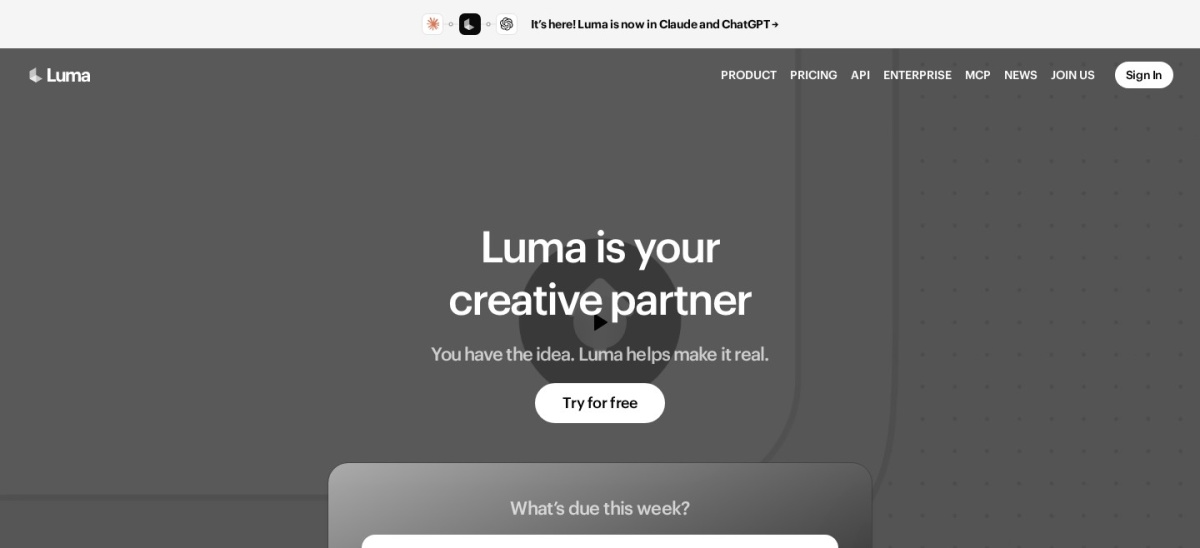
Luma homepage, captured Nov 2026.
Luma provides AI image and video generation models, including image-to-video workflows, alongside Luma Agents for repeatable production tasks. It offers a free tier with draft-level exploration before upgrading to paid tiers.
The trade off is a higher entry price at $300/yr billed annually or $30/mo monthly for Plus, alongside mixed public Trustpilot sentiment. It suits creators generating frequent 720p to 1080p image-to-video clips who want 10,000 monthly credits and commercial rights.
What we like
Plus includes 10,000 monthly credits and commercial usage rights
Supports multiple video resolutions and guest collaborator edit access
Annual billing on Plus costs $300/yr versus $30/mo month to month
Watch out for
Higher starting price than entry plans from Canva or Adobe Express
Higher-resolution 1080p clips consume substantially more credits per second
Luma Plus ($300/yr or $30/mo) adds 10,000 monthly credits, commercial use rights, and guest edit access.Visit lumalabs.ai
06
Animaker
4.7/5on G2 (1,081 reviews, checked Nov 2026)
Paid from$300/yr
Best for character animation and explainer videos
Starter gen video90 secs/mo
Starter AI assets200 credits/mo
Annual price$300/yr ($25/mo eq.)
Monthly price$45/mo
animaker.com
Animaker homepage, captured Nov 2026.
Animaker is an online animation and video creation platform built for animated characters, scenes, and AI-assisted video clips. Its free plan includes 300MB of storage and up to 3 video downloads per month with watermarks.
The trade off is a $300/yr annual price ($45/mo monthly) on Starter, which caps generative video at 90 seconds per month. It suits educators, trainers, and marketers building animated explainers and character scenes.
What we like
Strong 4.7/5 rating across 1,081 reviews on G2
Starter includes 90 seconds of generative video and 200 AI asset credits/mo
Supports full HD exports and up to 15-minute video lengths on Starter
Watch out for
Free downloads carry watermarks and cap at 3 exports per month
Monthly billing at $45/mo is noticeably higher than annual billing
Animaker Starter ($300/yr or $45/mo) adds FHD exports, 90 seconds of monthly generative video, and 200 AI asset credits.Visit animaker.com
07
InVideo
4.2/5on G2 (184 reviews, checked Nov 2026)
Paid from$200/yr
Best for AI-scripted video workflows and stock media
Plus annual price$200/yr
Plus monthly price$20/mo
Plus storage20 GB
Plus AI avatars4 avatars
invideo.io
InVideo homepage, captured Nov 2026.
InVideo is an online video creation platform that combines AI generation workflows, stock media, and browser editing to turn prompts and images into videos. It offers a free tier with limited quota and watermarked exports.
The trade off is a credit-based usage model where video generation consumes credits quickly, with Plus priced at $200/yr billed annually or $20/mo monthly. It suits marketers and ecommerce teams producing AI-assisted video drafts and social clips.
What we like
Plus plan starts at $200/yr annually or $20/mo billed monthly
Includes 20GB of storage and watermark-free exports on paid plans
Combines AI video workflows with stock assets and voice tools
Watch out for
Credit consumption can be unpredictable across video models and lengths
Unused monthly credits do not carry over after cancellation
InVideo Plus ($200/yr or $20/mo) unlocks watermark-free exports, 20GB storage, AI avatars, and monthly generation credits.Visit invideo.io
Credits vs. flat subscriptions for photo animation
Design-first editors like Canva and Adobe Express bundle animation effects into standard subscriptions with predictable storage and asset libraries, whereas generative video tools like Runway, Luma, and InVideo meter heavy rendering with monthly credits.
If you animate a photo using motion presets, zooms, or text overlays, a flat subscription usually gives more steady output. If you generate AI motion from prompts or reference frames, check how many credits a single 5-second or 10-second clip uses before picking a tier.
How we chose
We assembled this list from established browser and AI creative platforms that support animating still images or turning photos into motion video, comparing public feature lists and category directories.
All ratings, review counts, and plan prices were checked on 22 Nov 2026 using G2, Trustpilot, and published pricing pages, recording regular monthly or annual rates rather than temporary discounts.
We excluded unmaintained tools, products without verifiable public pricing, and platforms with unclear commercial terms. No vendor paid for a place, and we do not claim testing for this list.
How to choose a photo animation app
Follow four practical checks before paying for a plan:
Match the tool to your output format. Pick a visual design suite like Canva or Adobe Express for social graphics and motion templates, or an AI video generator like Runway or Luma for image-to-video clips.
Check free-tier export limits first. Verify whether the free plan adds watermarks, caps video resolution, or limits monthly generations before you start a project.
Estimate real monthly credit burn. On credit-based platforms, factor in test renders and failed prompts so your monthly allowance covers finished clips without mid-month surprises.
Compare annual and monthly billing. Annual plans often reduce the effective monthly price, while monthly billing suits short campaigns or testing a workflow.
FAQ
Which photo animation app has a free plan?
All seven tools on this list offer a free tier or free starting access, including Canva, Adobe Express, Runway, VEED, Luma, Animaker, and InVideo. Free plans typically cap storage, resolution, watermarks, or monthly credits.
What is the cheapest paid option on this list?
Adobe Express Premium is listed at $9.99/mo ($119.88/yr equivalent), while Canva Pro and Runway Standard each start at $144/yr when billed annually ($18/mo and $15/mo on monthly billing respectively).
Do AI photo animators require writing prompts?
Some AI image-to-video tools rely on text prompts and settings to guide motion, while template and motion-preset editors let you pick animations or layers directly. Testing a few clips on a free tier helps show which workflow fits.
Why do some tools use monthly credits instead of unlimited renders?
Generating AI video clips requires significant compute per second and resolution, so vendors often allocate monthly credits across plans. Higher tiers generally increase monthly credit pools, storage, or export options.
Should I choose annual billing right away?
Annual billing usually lowers the effective monthly cost compared to paying month to month, as seen on Canva, VEED, Luma, and Animaker. Start with a free tier or monthly plan first if you are still testing fit.
Can I use animated photos for commercial marketing?
Commercial usage rights depend on each vendor's terms and plan tier, especially when using stock assets, music, or AI models. Check the license terms on your chosen plan before publishing paid ads or client work.
SaaS SEO and WordPress specialist with about 8 years of experience. Rakib compares WordPress plugins, themes, hosting and software using public pricing, documentation and user reviews. See how we rank.