Canva is the best graphic design tool for beginners, offering over 1.6 million free templates and a 4.7/5 G2 rating. Choose Adobe Express for affordable premium stock assets and multimedia editing, or Visme for creating presentations, educational graphics and visually engaging business reports.
How we make this list: we compare pricing pages, product documentation and public user reviews, then re-check every price before each update. No product paid for a place. Disclosure.
Canva Free includes 1.6 million templates, 5GB of storage and access to Affinity.
Adobe Express Premium costs $9.99 monthly and includes over 30,000 fonts.
Visme Starter costs $147 annually and supports JPG, PNG and PDF downloads.
Piktochart Pro costs $120 annually and includes 100GB of storage.
Venngage Premium costs $10 monthly with annual billing and supports unlimited designs.
Figma has a 4.7/5 G2 rating from 1,601 reviews and offers unlimited free drafts.
What beginners should look for in graphic design software
Beginner-friendly graphic design software should help you create useful visuals without requiring extensive knowledge of illustration, typography or image editing. Template-based editors are particularly useful for learning basic design principles.
Look for a drag-and-drop editor, reusable layouts, accessible font controls and a collection of stock images. These features reduce the time spent preparing individual design elements.
Consider what you intend to create. Social media graphics, presentations, infographics and website interfaces have different requirements, and specialized tools may be more suitable than general-purpose editors.
Check export formats and commercial usage rights before choosing a subscription. Some free plans restrict downloads, premium assets, transparent backgrounds and high-resolution exports.
Start with free features whenever possible. Upgrade when you regularly need premium templates, brand management, advanced editing capabilities or larger storage allowances.
Canva is an online graphic design platform for creating social media graphics, presentations, posters and marketing materials. Its free plan includes over 1.6 million templates, 4.7 million media assets, 5GB of cloud storage and a drag-and-drop editor.
The trade off is that premium assets, advanced resizing and expanded branding features require Pro at a regular price of $18 monthly. Eligible new subscribers currently receive a 50% discount for their first three months. It suits beginners who want a versatile editor for everyday visual content.
What we like
Extensive free template collection
Accessible drag-and-drop interface
Supports digital and printed designs
Integrated stock media library
Free access to Affinity
Watch out for
Many premium assets require a subscription
Limited free brand management
Advanced editing requires additional learning
Pro adds premium templates, resizing tools, background removal and 100GB of storage.Visit canva.com
02
Adobe Express
4.4/5on G2 (1,110 reviews, checked Nov 2026)
Paid from$9.99/mo
Best for affordable multimedia graphic design
Free templates345,000+
Premium templates730,000+
Premium fonts30,000+
Premium storage100GB
adobe.com
Adobe Express homepage, captured Nov 2026.
Adobe Express is a browser-based and mobile design application combining image editing, video creation and customizable templates. Its free plan includes more than 345,000 templates and 5,000 fonts, alongside basic editing tools and selected generative AI features.
The trade off is that premium stock assets, automated resizing and expanded editing capabilities require Premium at $9.99 monthly. The subscription includes 250 monthly generative credits. It suits beginners seeking affordable design software with access to Adobe's creative asset collection.
What we like
Affordable monthly premium subscription
Extensive typography and stock assets
Integrated photo and video editing
Social media scheduling capabilities
Watch out for
Advanced creative features require Premium
Generative AI usage has credit limits
Less detailed editing than dedicated Adobe applications
Visme is a visual communication platform for creating presentations, infographics, business documents and educational materials. Its Basic plan supports unlimited projects, 500MB of storage and up to 50 pages per project, with access to selected templates and design assets.
The trade off is that downloadable JPG, PNG and PDF files require Starter at $12.25 monthly with annual billing. Additional branding and export capabilities require Business at $297 annually. It suits beginners who regularly create presentations, reports and informational graphics.
What we like
Unlimited projects on the free plan
Templates for professional and educational content
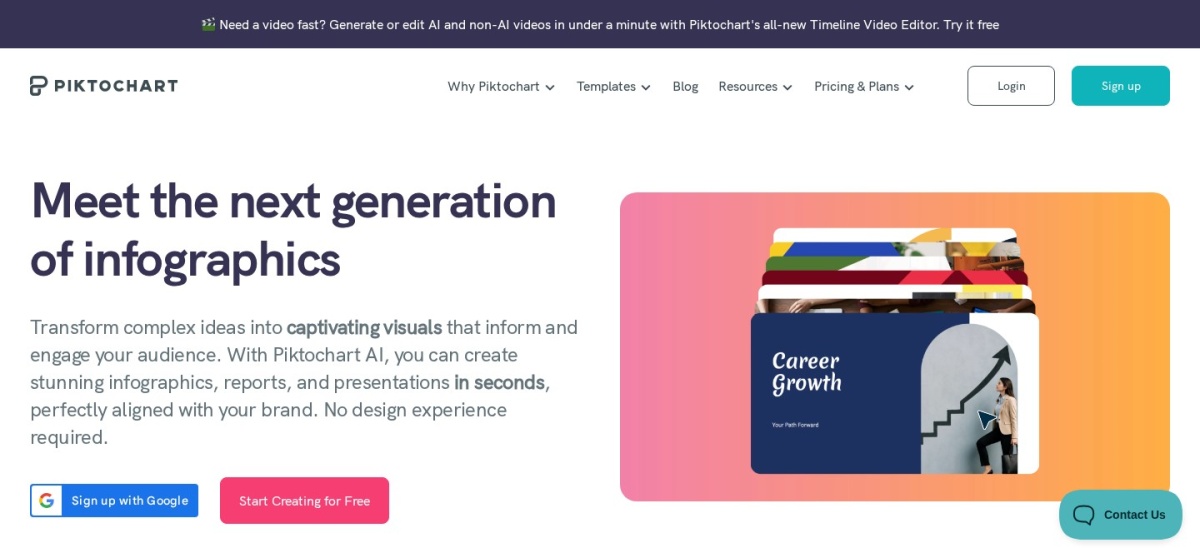
Piktochart is a template-based graphic design platform specializing in infographics, reports and visual explanations. Its free plan supports unlimited visual projects, 60 AI credits, two PNG downloads and 1GB of storage.
The trade off is that unlimited PNG downloads, premium illustrations and transparent background exports require Pro at $10 monthly with annual billing, compared with $15 on monthly billing. It suits beginners who need to communicate information visually without learning advanced illustration software.
What we like
Specialized infographic templates
Integrated visual reporting tools
Unlimited free visual projects
Affordable annual subscription
Watch out for
Free plan has limited file downloads
Advanced brand management requires Business
Less suitable for detailed illustration projects
Pro adds unlimited PNG exports, premium illustrations, templates and 100GB of storage.Visit piktochart.com
05
Venngage
4.7/5on G2 (137 reviews, checked Nov 2026)
Paid from$10/mo
Best for accessible informational graphics
Free designs5
Free image uploads6
Premium designsUnlimited
Premium image uploads50
venngage.com
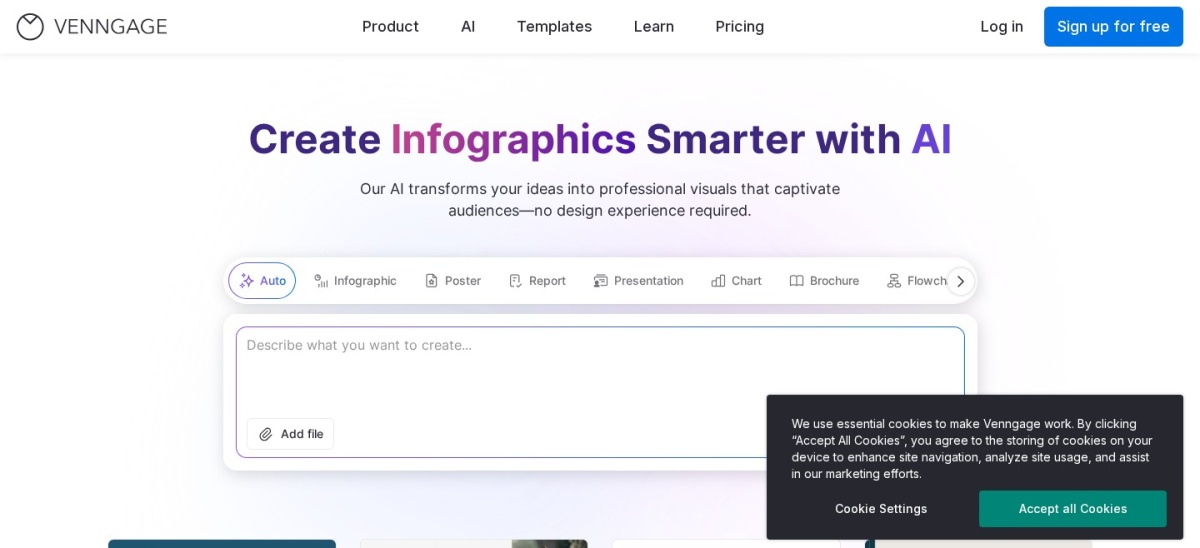
Venngage homepage, captured Nov 2026.
Venngage is an online graphic design tool for creating infographics, diagrams, posters and informational documents. Its free plan supports five designs, six image uploads and public sharing, with access to selected icons, widgets and AI design features.
The trade off is that private sharing, high-resolution PNG exports and unlimited designs require Premium at $10 monthly with annual billing, compared with $19 on monthly billing. It suits beginners producing informational graphics for educational, marketing or professional communication.
Snappa is an AI-assisted graphic design application for creating social media graphics, advertisements, blog images and thumbnails. Its free plan includes 10 monthly credits, access to all core features and commercial usage rights.
The trade off is that generating, editing or resizing an image consumes credits, and the free plan requires a payment card. Pro costs $120 annually and provides 3,000 credits upfront. It suits beginners who prefer describing their desired graphics rather than manually arranging every design element.
What we like
Accessible prompt-based design workflow
Presets for popular social media formats
Commercial usage included on free and paid plans
Additional credit packs available to Pro subscribers
Watch out for
Image edits and resizes consume credits
Free registration requires a payment card
Unused monthly credits do not roll over
Pro increases credit allowances and provides access to additional credit packs.Visit snappa.com
07
Figma
4.7/5on G2 (1,601 reviews, checked Nov 2026)
Paid from$16/mo
Best for learning interface and vector design
Free draftsUnlimited
Free AI allowanceUp to 500 credits/mo
Professional Full seat$16/mo
Professional Full seat AI allowance3,000 credits/mo
figma.com
Figma homepage, captured Nov 2026.
Figma is a collaborative design platform for creating website layouts, application interfaces, vector graphics and interactive prototypes. Its free Starter plan includes unlimited drafts, interface design kits, templates and up to 500 monthly AI credits.
The trade off is a steeper learning curve than general-purpose template editors. Professional costs $16 monthly with annual billing for a Full seat, which provides complete design access. Cheaper collaboration seats have limited design permissions. It suits beginners interested in developing transferable digital design skills.
What we like
Detailed vector and layout editing
Unlimited personal drafts
Real-time collaborative design
Interactive prototyping capabilities
Reusable design components
Watch out for
Requires more design knowledge than template editors
Complete paid design access requires a Full seat
Less focused on ready-made marketing graphics
Professional Full seats add unlimited team projects, shared libraries and advanced prototyping.Visit figma.com
Which graphic design skills should beginners learn first?
Start with visual hierarchy, which determines where viewers look first. Use differences in size, spacing and contrast to distinguish headings, supporting information and calls to action.
Learn basic typography and color coordination. Choose readable fonts, maintain consistent spacing and use colors that provide sufficient contrast against backgrounds.
Practice alignment and composition by customizing existing templates. Once you understand why a layout works, create original designs without relying entirely on ready-made arrangements.
Is paid graphic design software worth it for beginners?
All seven platforms in this comparison offer a free plan. Canva and Adobe Express provide extensive free template collections, while Figma offers unlimited personal drafts for learning more detailed design techniques.
Paid subscriptions become useful when you regularly need premium assets, high-resolution downloads, transparent backgrounds or brand management features. Adobe Express Premium costs $119.88 over twelve months, while Visme Starter costs $147 annually.
The comparison uses published regular monthly rates or annual billing rates. Figma pricing reflects a Full design seat rather than a cheaper collaboration-only license. Temporary promotional discounts are excluded from annual cost estimates.
How we chose
We selected established graphic design platforms with accessible editing interfaces, documented features and public customer feedback. We compared template availability, free-plan restrictions, design capabilities, export formats and subscription costs.
Prices and G2 ratings were checked on 25 Nov 2026 using official vendor pricing pages and public review profiles. Annual costs reflect twelve months of the listed subscription or the published annual billing rate. Temporary introductory promotions are excluded.
We excluded discontinued applications, products without sufficient public customer feedback and specialized professional software that offers limited accessibility for beginners. Rankings prioritize learning accessibility, practical design capabilities and transparent pricing. No vendor paid for a place, and we do not claim testing for this list.
How to choose the best graphic design tool as a beginner
Identify the graphics you want to create, then compare editing interfaces, available templates and subscription restrictions before selecting your design software.
Define your primary design projects. Decide whether you need social media graphics, presentations, infographics, website layouts or printed materials. Choose an editor with suitable templates and export capabilities.
Explore the free design features. Create a sample graphic using the available templates, fonts and image editing tools. Check whether the interface makes it easy to adjust layouts and customize individual elements.
Check export formats and licensing. Confirm that your chosen plan supports the required image resolution, file formats and commercial usage rights. Pay particular attention to stock asset licensing and transparent background exports.
Upgrade when your projects require it. Compare regular subscription costs against the features you actually need. Avoid paying for advanced collaboration, automation or branding capabilities that are unnecessary for your current projects.
FAQ
What is the best graphic design software for beginners?
Canva is our top pick because its free plan includes more than 1.6 million templates and an accessible drag-and-drop editor. Adobe Express is an affordable multimedia design alternative, while Visme is particularly useful for presentations and business graphics.
What is the best free graphic design tool for beginners?
Canva offers an extensive free template library, stock assets and basic editing features. Adobe Express also provides a substantial free design collection. Figma is a suitable free option for beginners interested in website interfaces, vector graphics and collaborative design.
Is Canva or Adobe Express better for beginners?
Canva offers a larger free template collection and broad support for everyday design projects. Adobe Express provides integrated photo editing, video creation and access to Adobe's font collection. Both offer free plans, making it possible to compare their workflows before subscribing.
Can I learn graphic design without professional software?
Yes. Beginner-friendly applications can help you practice typography, color theory, alignment and visual composition without purchasing professional software. Start by customizing existing templates, then gradually create original layouts as your understanding of design principles improves.
Which graphic design software is best for creating infographics?
Piktochart and Venngage are suitable for creating infographics, diagrams and informational graphics from customizable templates. Visme is another useful option when your projects combine data visualization, presentations and business reports within the same design workflow.
Is Figma suitable for graphic design beginners?
Figma is suitable for beginners who want to learn vector graphics, website layouts and digital interface design. Its free plan includes unlimited drafts. However, the interface requires more learning than template-based alternatives such as Canva or Adobe Express.
Do beginners need AI graphic design tools?
AI design tools are optional rather than essential. They can help generate initial layouts, images and design variations, but beginners should still learn composition, typography and visual hierarchy. These foundational skills help users evaluate and improve automatically generated graphics.
SaaS SEO and WordPress specialist with about 8 years of experience. Rakib compares WordPress plugins, themes, hosting and software using public pricing, documentation and user reviews. See how we rank.