iLovePDF leads with a 4.6 out of 5 rating across 584 G2 reviews and annual Premium pricing starting at $48 per year. For completely free merging, PDF24 Tools offers unlimited online and offline use on Windows, while Foxit PDF Editor suits teams needing full PDF editing at $129.99 per year.
How we make this list: we compare pricing pages, product documentation and public user reviews, then re-check every price before each update. No product paid for a place. Disclosure.
iLovePDF holds a 4.6/5 rating across 584 G2 reviews with a free Basic plan and Premium from $48/yr.
Smallpdf rates 4.5/5 across 310 G2 reviews, offering a free tier and an annual plan listed at $108/yr on G2.
Sejda offers a free tier with hourly and daily task limits and a Desktop+Web Annual plan at $63/yr.
PDF24 Tools provides free online merging and the offline PDF24 Creator for Windows with no paid tier.
PDFsam Basic offers free open-source desktop merging on Windows, macOS, and Linux, while PDFsam Enhanced starts at $69/yr.
Foxit PDF Editor rates 4.6/5 across 3,784 G2 reviews and starts at $129.99/user/yr.
What to look for when choosing PDF merge software
Combining multiple PDFs into a single file is a basic task, yet tools differ sharply in how they handle page reordering, file-size caps, and local versus cloud processing. Browser-based tools let you drag and drop files without installing software, which works well on shared or mobile devices.
Desktop applications keep sensitive contracts, financial packets, and internal records on your own computer rather than uploading them to external servers. That distinction matters when merging confidential files or large page counts.
Free tiers and trials often cap task counts, file sizes, or batch processing, or add watermarks on trial exports. Checking whether a tool charges annually, monthly, or via a one-time license helps match costs to how often you assemble PDFs.
For business teams needing full editing and security
$129.99/yr
No free plan
4.6/5
Price ladder: cheapest paid plan per year
List prices, USD, checked Nov 2026
PDF24Free
iLovePDFFREE$48
SejdaFREE$63
PDFsamFREE$69
PDFelement$80
SmallpdfFREE$108
Foxit$130
The 7 best pdf merge software
01
iLovePDF
4.6/5on G2 (584 reviews, checked Nov 2026)
Paid from$48/yr
Best for browser and desktop merging on a budget
PlatformsWeb, Windows, macOS, mobile
Free tierYes, limited processing
Annual plan$48/yr billed annually
Review score4.6/5 on G2 (584 reviews)
ilovepdf.com
iLovePDF homepage, captured Nov 2026.
iLovePDF is a web and desktop PDF utility suite that includes a drag-and-drop merge tool alongside splitting, compression, and conversion tools. Its free Basic plan provides access to essential tools with limited document processing.
The trade off is that free usage has document and file-size limits, while Premium costs $48 per year billed annually or $9 per month on monthly billing. It suits people who want a low-cost subscription with web, mobile, and desktop access.
What we like
Offers a free Basic plan with no sign-up required on web tools
Includes desktop, mobile, and browser options for merging files
Packs extra utilities such as compression, splitting, and OCR
Carries a 4.6/5 rating across 584 G2 reviews
Watch out for
Free plan limits document processing volume
Requires a paid plan for broader batch and desktop capabilities
Premium adds higher processing limits, desktop and mobile apps, and extra PDF tools.Visit ilovepdf.com
02
PDF24 Tools
4.7/5on Capterra (47 reviews, checked Nov 2026)
PriceFree
Best for completely free online and Windows merging
PlatformsWeb, Windows desktop
Free tier100% free with no limits
Paid planNone listed
Review score4.7/5 on Capterra (47 reviews)
pdf24.org
PDF24 Tools homepage, captured Nov 2026.
PDF24 Tools is a free browser PDF toolkit paired with PDF24 Creator, an offline Windows application that keeps files locally on your PC. It lets you merge, split, compress, and reorder PDF pages without artificial usage limits.
The trade off is that PDF24 Creator is built for Windows rather than macOS or Linux, and the web pages include advertising. It suits users who want zero subscription fees and local Windows processing.
What we like
Free for private and business use with no paid plan
Offline Windows desktop app keeps documents on your computer
Supports page sorting, rotation, splitting, and compression
Watch out for
Offline PDF24 Creator is Windows-only
Web interface displays advertisements
No paid plan is required; PDF24 funds its free tools with web ads.Visit pdf24.org
03
PDFsam
4.2/5on G2 (49 reviews, checked Nov 2026)
Paid from$69/yr
Best for local open-source merging across desktop OSes
PlatformsWindows, macOS, Linux
Free tierPDFsam Basic (open source)
Paid editorPDFsam Enhanced from $69/yr
Review score4.2/5 on G2 (49 reviews)
pdfsam.org
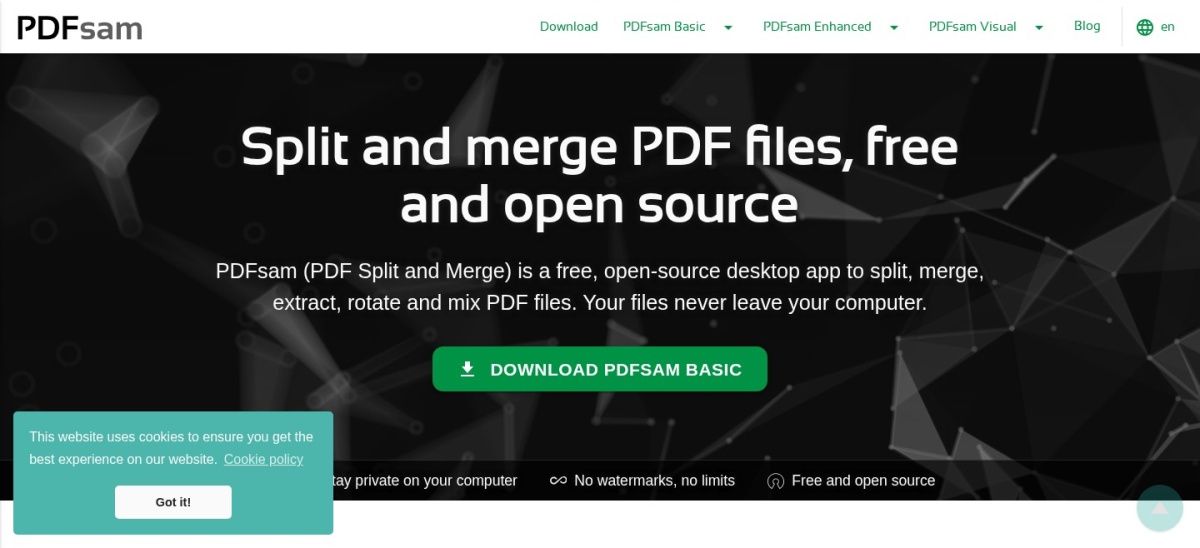
PDFsam homepage, captured Nov 2026.
PDFsam centers on PDFsam Basic, a free and open-source desktop program for Windows, macOS, and Linux that merges, splits, rotates, and mixes PDF pages locally. Because processing happens on your machine, files are not uploaded to a third-party server.
The trade off is that full PDF editing and OCR require PDFsam Enhanced for Windows, which starts at $69 per user per year. It suits users who want offline merging on Windows, Mac, or Linux without recurring fees.
What we like
PDFsam Basic is free and open source on Windows, macOS, and Linux
Runs locally on your computer for document privacy
Offers specialized page mixing and splitting controls
Watch out for
Basic edition focuses on structural tasks rather than full editing
Paid PDFsam Enhanced editor is limited to Windows
PDFsam Enhanced starts at $69/user/yr for Windows editing, forms, OCR, and security.Visit pdfsam.org
04
Sejda
4.5/5on G2 (42 reviews, checked Nov 2026)
Paid from$63/yr
Best for flexible short-term passes and web or desktop use
PlatformsWeb, Windows, macOS, Linux
Free tierYes, hourly/daily task limits
Annual plan$63/yr Desktop+Web
Review score4.5/5 on G2 (42 reviews)
sejda.com
Sejda homepage, captured Nov 2026.
Sejda offers browser-based PDF merging and editing alongside Sejda Desktop, which processes documents locally without server uploads. Its free tier allows merging files up to size and page caps with no sign-up required.
The trade off is that free use is restricted to a small number of tasks per hour or day, while Desktop+Web Annual costs $63 per user per year. It suits occasional users and small teams who want optional one-week passes or desktop privacy.
What we like
Provides both browser tools and a local desktop application
Free tier works without requiring account registration
Supports batch processing and higher file caps on paid tiers
Watch out for
Free tier caps tasks per hour on web and per day on desktop
Advanced editing and higher OCR page limits require a paid plan
Paid plans lift file and page limits, add batch processing, and include Sejda Desktop.Visit sejda.com
05
Wondershare PDFelement
4.5/5on G2 (1,070 reviews, checked Nov 2026)
Starts at$79.99/yr
Best for combining PDFs inside a multi-device editing suite
PlatformsWindows, macOS, iOS, Android, Web
Free tierFree trial (watermarked output)
Annual planFrom $79.99/yr single-platform
Review score4.5/5 on G2 (1,070 reviews)
wondershare.com
Wondershare PDFelement homepage, captured Nov 2026.
Wondershare PDFelement is a cross-platform PDF editor that combines merging, page organization, text editing, conversion, and OCR in one workspace. Its single-platform yearly plan starts at $79.99 per year, with a perpetual license option also available.
The trade off is that the free trial limits batch and combine actions and adds a watermark to saved files, while paid plans start at $79.99 per year. It suits users who want OCR and document editing alongside PDF merging.
What we like
Includes page organization, OCR, redaction, and format conversion
Offers yearly plans starting at $79.99/yr plus perpetual licensing
Backwards-compatible desktop apps for Windows and macOS
Watch out for
Free trial restricts batch merging and watermarks output
AI add-ons carry extra usage or subscription terms beyond base plans
Paid plans remove trial limits and watermarks and unlock full editing, conversion, and OCR tools.Visit wondershare.com
06
Smallpdf
4.5/5on G2 (310 reviews, checked Nov 2026)
Paid from$108/yr
Best for quick browser-based merging with cloud storage
PlatformsWeb, desktop, iOS, Android
Free tierYes, limited daily tasks
Annual plan$108/yr listed on G2
Review score4.5/5 on G2 (310 reviews)
smallpdf.com
Smallpdf homepage, captured Nov 2026.
Smallpdf is a browser-first PDF platform with desktop and mobile apps that lets you merge, compress, convert, and sign documents. Its free tier provides access to core tools with daily usage limits.
The trade off is that heavy daily merging requires a paid subscription, with G2 listing the annual plan at $108 per year and monthly billing at $12. It suits teams and individuals who prefer a clean web interface and cloud drive integrations.
What we like
Straightforward drag-and-drop interface for merging and organizing PDFs
Works across web browsers, mobile apps, and desktop clients
Connects with Google Drive, Dropbox, and OneDrive
Watch out for
Free plan caps daily usage and downloads
Costs more annually than entry plans from iLovePDF or Sejda
Paid Pro plans remove daily task limits and unlock unlimited access across web, mobile, and desktop.Visit smallpdf.com
07
Foxit PDF Editor
4.6/5on G2 (3,784 reviews, checked Nov 2026)
Starts at$129.99/yr
Best for business teams needing full editing and security
PlatformsWindows, macOS, Web, mobile
Free tierFree trial available
Annual planFrom $129.99/user/yr
Review score4.6/5 on G2 (3,784 reviews)
foxit.com
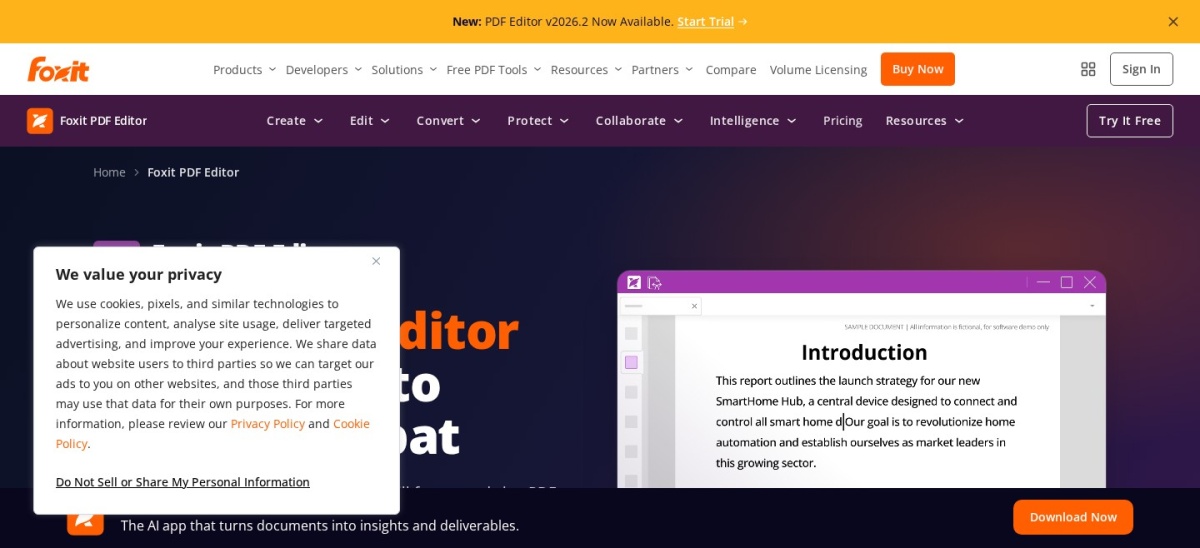
Foxit PDF Editor homepage, captured Nov 2026.
Foxit PDF Editor is a desktop and web PDF application with a ribbon interface for merging, rearranging, editing, converting, and securing documents. Its PDF Editor plan starts at $129.99 per user per year.
The trade off is that it costs more per year than lightweight merging utilities and starts at $129.99 per user annually. It suits businesses that need page assembly alongside form creation, redaction, and administrative controls.
What we like
Familiar ribbon interface for merging, splitting, and editing PDFs
Includes security controls, redaction, and Microsoft 365 integrations
Strong 4.6/5 rating across 3,784 G2 reviews
Watch out for
Higher annual price than basic PDF merging tools
More complex than single-purpose merge utilities
Paid plans provide full PDF editing, conversion, security features, and team administration.Visit foxit.com
Cloud vs. local merging
Cloud-based PDF mergers run in your browser and work on almost any device without local installation. They are convenient for quick merges, though files are transferred to vendor servers for processing and then removed after a set period.
Local desktop tools such as PDFsam Basic or PDF24 Creator process files directly on your computer. Choosing a local tool keeps sensitive documents off external servers and avoids browser upload limits.
How we chose
This list is compiled from established standalone PDF utilities and editors covered across software review directories, with a focus on tools that support PDF merging and page organization.
All pricing, free-tier terms, and G2 or Capterra review ratings were checked on 22 Nov 2026 from vendor pages and review directories.
We excluded WordPress plugins, discontinued software, and tools whose current pricing or review data could not be verified from opened pages. No vendor paid for a place, and we do not claim testing for this list.
How to choose the right PDF merge tool
Follow four steps to pick software that fits your file sensitivity and merge frequency.
Check how often you merge files. If you only combine documents occasionally, a free tier or short-term pass may cover your needs without an annual subscription.
Decide between browser and desktop processing. Use a web app for cross-device convenience, or pick a local desktop app when working with confidential files or large batches.
Verify page reordering and extra tools. Confirm whether you only need to join files or also need thumbnail reordering, page deletion, OCR, or file compression.
Compare regular annual and one-time costs. Look past introductory discounts to compare regular yearly prices and any extra fees for team seats or add-ons.
FAQ
What is the best free PDF merge software?
PDF24 Tools and PDFsam Basic are strong free options because both support PDF merging without subscription fees. PDF24 offers web tools and an offline Windows Creator app, while PDFsam Basic runs locally across Windows, macOS, and Linux.
Can I merge PDFs without uploading them to a website?
Yes, desktop applications such as PDFsam Basic and PDF24 Creator process files locally on your computer. Local processing keeps private documents on your machine rather than sending them to a cloud server.
Do I need a full PDF editor just to merge files?
No, dedicated PDF merge and organization tools handle combining and reordering pages at a lower cost or for free. A full editor such as Foxit PDF Editor makes more sense when you also edit text, build forms, or manage redactions.
Why do free PDF mergers often have limits?
Browser-based tools run on remote servers and often cap tasks per hour or day, file sizes, or batch counts on free plans. Upgrading to a paid tier typically removes those caps and adds extra features.
Does merging PDFs change bookmarks or page order?
Most modern PDF merge tools let you drag and drop files or pages into your preferred order before saving the combined file. Always review the combined document to verify page sequence and formatting before sharing it.
SaaS SEO and WordPress specialist with about 8 years of experience. Rakib compares WordPress plugins, themes, hosting and software using public pricing, documentation and user reviews. See how we rank.