Deputy is the top pick for nurse scheduling software in 2026, earning a 4.6 out of 5 rating across 775 Capterra reviews with built-in overtime and break compliance starting at $5/user/mo. For small outpatient teams on a tight budget, Sling offers a free plan for up to 30 staff, while Connecteam starts at $29/mo for 30 users.
How we make this list: we compare pricing pages, product documentation and public user reviews, then re-check every price before each update. No product paid for a place. Disclosure.
Deputy leads for compliance-heavy clinics at $5/user/mo ($60/yr per user) with a 4.6 rating from 775 Capterra reviews.
Sling provides a genuinely free plan for up to 30 users, with paid plans starting at $2/user/mo ($24/yr).
Connecteam bundles scheduling, GPS time clocks, and team chat at $29/mo ($348/yr) for the first 30 users.
Homebase charges a flat $30/mo ($360/yr) per location for unlimited staff, beating per-user pricing for large single clinics.
ShiftCare targets home health and aged care agencies starting at $8/user/mo ($96/yr) billed annually with a 5-user minimum.
What to look for in nurse scheduling software
Nursing rosters carry constraints that standard retail shift tools miss, including minimum rest periods between 12-hour shifts, skill-mix matching across RNs and LPNs, and strict overtime thresholds. Software built or adapted for healthcare lets nurse managers flag certification requirements and prevent accidental double-booking before publishing a roster.
Pricing models split sharply between per-user subscriptions and flat site rates. Per-user tools like Deputy ($5/user/mo) and When I Work ($2.50/user/mo) keep costs predictable for small outpatient practices, whereas flat-rate location plans like Homebase ($30/location/mo) or 30-user bundles like Connecteam ($29/mo) save money once a single ward exceeds 15 to 20 nurses.
Mobile self-service is equally critical for clinical retention. Nurses expect to check upcoming rotations, claim open per-diem shifts, and submit swap requests from their phones without chasing down a charge nurse or editing a shared spreadsheet.
Deputy is a workforce scheduling and time-tracking platform used by over 390,000 businesses, including outpatient clinics and care facilities. Its entry Lite plan costs $5/user/mo ($60/yr per user) and includes drag-and-drop shift scheduling, shift swaps, mobile timesheets, and built-in labor compliance alerts for overtime and meal breaks.
The trade off is that Deputy enforces a $30/mo minimum spend on monthly plans and locks auto-scheduling and custom reporting behind its Core ($6.50/user/mo) and Pro ($9/user/mo) tiers. It suits multi-location medical practices that need strict labor-law guardrails and payroll integrations.
What we like
Built-in overtime, meal break, and rest-period compliance checks
Fast mobile shift swaps and open-shift claiming for nurses
Direct integrations with ADP, Gusto, QuickBooks, and Xero
Supports multi-location staffing and role-based permissions
Watch out for
No permanent free tier and a $30/mo minimum monthly spend
Auto-scheduling requires upgrading to the Core tier at $6.50/user/mo
Lite ($5/user/mo) unlocks unlimited shift scheduling, GPS timesheets, and compliance rules.Visit deputy.com
02
Sling
4.6/5on Capterra (214 reviews, checked Nov 2026)
Paid from$2/mo
Best free option for small clinics
Cheapest plan$2/user/mo (Premium)
Free tierUp to 30 users
Billing modelPer user, monthly/annual
Annual discount$1.70/user/mo billed yearly
getsling.com
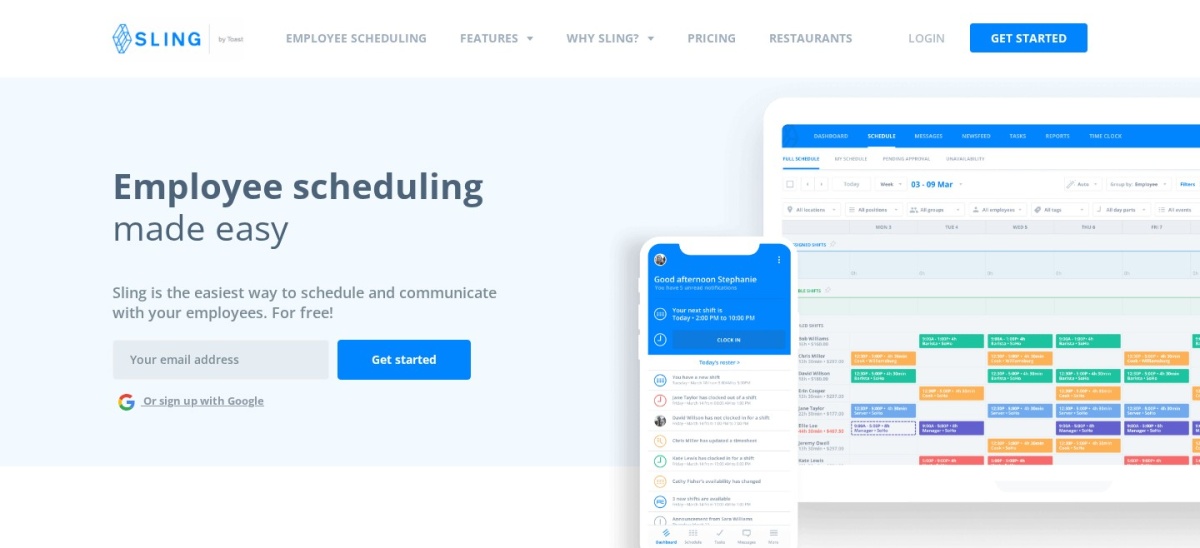
Sling homepage, captured Nov 2026.
Sling is a cloud shift-scheduling and staff communication app with a permanent free tier covering up to 30 users. The free plan includes long-term shift templates, open-shift offers, shift swaps, time-off approvals, and private team messaging without requiring a credit card.
The trade off is that mobile clock-ins, geofencing, and overtime alerts require the Premium plan at $2/user/mo ($24/yr regular monthly rate, or $1.70/user/mo billed annually), while auto-assigning shifts sits on Business at $4/user/mo. It suits small clinics and private practices under 30 staff.
What we like
Generous free plan supports up to 30 employees with shift swaps
Low entry paid tier at $2/user/mo adds mobile time tracking
Includes built-in shift alarms, newsfeeds, and private messaging
No base fees or long-term contracts
Watch out for
Auto-scheduling and PTO tracking require the $4/user/mo Business plan
Owned by Toast, with native POS integrations aimed mainly at hospitality
Premium ($2/user/mo) adds mobile clock-in, geofencing, and overtime tracking.Visit getsling.com
03
Connecteam
4.6/5on Capterra (5,322 reviews, checked Nov 2026)
Paid from$29/mo
Best mobile hub for home-health teams
Cheapest plan$29/mo for 30 users
Free tierUp to 10 users
Billing modelFlat hub fee + extra users
Extra user rate$0.80/mo beyond 30 users
connecteam.com
Connecteam homepage, captured Nov 2026.
Connecteam is a mobile workforce app that combines shift scheduling, GPS time clocks, digital checklists, and encrypted team chat in one interface. Its Small Business Plan is free for life for up to 10 users, while the Operations Basic plan costs $29/mo billed annually ($348/yr, or $35/mo monthly) for the first 30 users.
The trade off is that Connecteam splits features across separate Operations, Communications, and HR hubs, and auto-assigned shifts require upgrading to Expert at $99/mo. It suits home-health nurses and mobile care teams needing checklists and GPS verification alongside schedules.
What we like
Free for life for teams of up to 10 users across all hubs
Flat $29/mo bundle covers up to 30 users ($0.80/mo per extra user)
Pairs shift scheduling with digital patient-visit forms and GPS clock-in
High user satisfaction with 5,322 Capterra reviews
Watch out for
Modular hub pricing adds up if you need paid HR and Communications tiers
Repeating shift templates and auto-clock-out require the $49/mo Advanced tier
Operations Basic ($29/mo) covers 30 users with GPS time clock, open shifts, and checklists.Visit connecteam.com
04
When I Work
4.5/5on Capterra (1,308 reviews, checked Nov 2026)
Starts at$2.50/mo
Best for fast shift publishing and swaps
Cheapest plan$2.50/user/mo (Single)
Free tierNone (14-day trial)
Billing modelPer user, per month
Multi-site plan$5/user/mo
wheniwork.com
When I Work homepage, captured Nov 2026.
When I Work is an employee scheduling and attendance app built around fast schedule creation and mobile shift trading. Its Single Location or Schedules plan starts at $2.50/user/mo ($30/yr per user) and includes one-click auto-scheduling, unlimited shift templates, availability tracking, and team messaging.
The trade off is that there is no permanent free plan, and multi-location healthcare groups need the $5/user/mo tier to unlock custom scheduling rules, role permissions, and cross-site labor sharing. It suits single-site outpatient practices wanting minimal setup.
What we like
Includes one-click auto-scheduling on the $2.50/user/mo entry plan
Straightforward mobile app for shift trades and availability updates
Supports GPS geofencing and photo verification at clock-in
Integrates with major payroll tools including Gusto, ADP, and Paychex
Watch out for
No free plan after the 14-day trial ends
Doubles in price to $5/user/mo for multi-location clinics
Single Location ($2.50/user/mo) includes auto-scheduling, shift templates, and payroll sync.Visit wheniwork.com
05
Homebase
4.6/5on Capterra (1,158 reviews, checked Nov 2026)
Paid from$30/mo
Best flat-rate pricing for a single clinic
Cheapest plan$30/location/mo
Free tier1 site, up to 10 staff
Billing modelFlat per location
Annual discount$24/location/mo yearly
joinhomebase.com
Homebase homepage, captured Nov 2026.
Homebase combines shift scheduling, GPS time clocks, team messaging, and hiring tools under a flat per-location pricing model. Its free Basic tier covers one location and up to 10 employees, while Essentials costs $30/location/mo ($360/yr regular monthly rate, or $24/mo billed annually) with unlimited employees.
The trade off is that costs jump quickly if you operate multiple clinics, and PTO controls plus AI scheduling assistance require the Plus plan at $70/location/mo. It suits larger single-site clinics or urgent care centers with 20+ nurses on one roster.
What we like
Flat per-location pricing covers unlimited staff on all paid plans
Free Basic plan handles core scheduling and time tracking for up to 10 staff
Built-in GPS time clock, shift reminders, and mobile shift trades
Optional native payroll add-on for W-2 and 1099 staff
Watch out for
Per-location pricing becomes expensive across multi-branch clinics
PTO tracking and department permissions require the $70/mo Plus plan
Essentials ($30/location/mo) removes the 10-staff cap and adds advanced scheduling.Visit joinhomebase.com
06
MakeShift
4.5/5on Capterra (120 reviews, checked Nov 2026)
Starts at$3.75/mo
Best for hospital and long-term care rotations
Cheapest plan$3.75/user/mo (Core)
Free tierNone (free trial)
Billing modelPer active user/mo
Time clock add-on$2/user/mo extra
makeshift.ca
MakeShift homepage, captured Nov 2026.
MakeShift is a shift-scheduling platform widely adopted by hospitals, long-term care facilities, and health systems. Its Core plan starts at $3.75/user/mo ($45/yr per user) and includes standard rotation templates, availability management, shift swapping, labor budgets, and a configurable rules engine.
The trade off is that mobile time and attendance tracking costs an extra $2/user/mo, and self-scheduling plus advanced call-out automation sit on quote-only Advanced and Elite tiers. It suits healthcare departments transitioning from manual spreadsheets to structured rotation templates.
What we like
Purpose-built rotation templates and rules engine for 24/7 care units
Clean mobile self-service for shift swaps and open-shift pickups
Tracks scheduled vs. actual labor budgets and overtime variance
Strong adoption in healthcare and senior living facilities
Watch out for
Mobile clock-in and attendance requires a $2/user/mo add-on
Self-scheduling and API integrations require custom enterprise quotes
Core ($3.75/user/mo) provides rotation templates, rules engine, and mobile shift swaps.Visit makeshift.ca
07
ShiftCare
4.6/5on Capterra (185 reviews, checked Nov 2026)
Starts at$8/mo
Best for home health and aged care agencies
Cheapest plan$8/user/mo (Basic annual)
Free tierNone (7-day trial)
Billing modelPer user, 5-user minimum
Healthcare toolsCare plans, EVV & eMAR
shiftcare.com
ShiftCare homepage, captured Nov 2026.
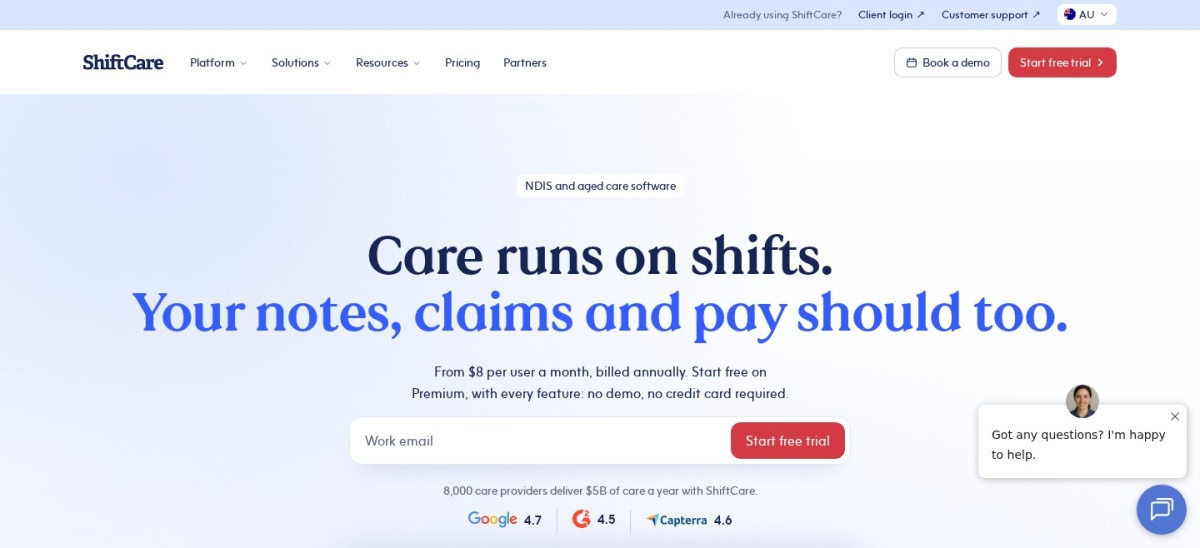
ShiftCare is a care-management and rostering platform built specifically for home health, disability support, and aged-care providers, serving over 8,000 care organizations. Its Basic plan starts at $8/user/mo ($96/yr per user, billed annually with a 5-user minimum, or $9/user/mo monthly) and includes drag-and-drop care rosters, mobile clock-ins, and AI-assisted progress notes.
The trade off is that smart caregiver-to-client matching and vacant-shift broadcasting require Professional ($13/user/mo), while direct claims and audit trails sit on Premium ($20/user/mo). It suits home-care agencies needing clinical notes and shift rosters in one app.
What we like
Combines nurse and caregiver rostering with care plans and progress notes
Includes Electronic Visit Verification (EVV) and mileage tracking
Calculates shift-level cost and margin before shifts are worked
Supports recurring client visits and qualification-matched open shifts
Watch out for
Enforces a 5-user minimum ($40/mo minimum on annual billing)
Smart carer matching and bulk claiming require higher tiers
Basic ($8/user/mo) includes care rostering, mobile clock-ins, and progress notes.Visit shiftcare.com
Per-user vs. flat-rate pricing for a 25-nurse unit
Entry per-user prices look cheaper on paper, but total cost shifts quickly once a unit grows past 15 nurses. For a 25-nurse clinic on entry plans, Sling costs $50/mo ($600/yr) and When I Work costs $62.50/mo ($750/yr), whereas Connecteam covers all 25 nurses on its flat $29/mo ($348/yr) bundle and Homebase covers unlimited staff at one site for $30/mo ($360/yr).
Enterprise hospital schedulers such as QGenda, RLDatix Allocate Optima, and UKG Ready remain absent from the price ladder above because they sell exclusively via custom annual contracts. For outpatient clinics, urgent care centers, and home-health agencies, transparent SaaS tools deliver faster deployment without six-figure implementation fees.
How we chose
We started by screening top-rated workforce and healthcare scheduling platforms across Capterra, G2, and clinical software directories, narrowing the field to actively maintained tools suited for nursing teams, outpatient clinics, and home-health agencies.
Every rating, review count, active customer figure, and regular entry price was verified on 22 Nov 2026 directly against official vendor pricing pages and Capterra listings. Where vendors offer both annual and monthly billing, we documented the regular entry rate and noted annual discounts.
We excluded enterprise-only hospital suites that hide pricing behind mandatory sales demos—such as QGenda, UKG Ready, ShiftWizard, and EasyShifts—along with tools lacking recent updates or verified review volume. No vendor paid for a place, and we do not claim testing for this list.
How to choose nurse scheduling software
Match your unit size, clinical compliance rules, and budget model to the right scheduling tool in four steps.
Calculate your total cost at peak headcount, including per-diem staff. Count every RN, LPN, CNA, and per-diem float nurse who needs a login, as almost every per-user vendor bills for all active profiles. If you run a single clinic with 20 or more nurses, compare flat-rate plans like Homebase ($30/mo) or Connecteam ($29/mo for 30 users) against per-user pricing.
Verify rest-period, overtime, and skill-mix controls before buying. Standard shift tools often let managers accidentally schedule back-to-back 12-hour shifts without flagging fatigue or overtime. Look for automated overtime alerts, minimum rest rules, and role tags so open shifts only go to nurses with matching credentials.
Check whether mobile time tracking is bundled or an add-on. Some schedulers advertise low base rates under $4/user/mo but charge extra for GPS clock-ins and timesheet exports. Confirm whether mobile clock-in, geofencing, and payroll integrations are included in the entry tier.
Run a two-week pilot with nurse shift-swap workflows. Use a free tier or trial to test how easily nurses can view rotations, request PTO, and trade shifts on iOS and Android without supervisor bottlenecks.
FAQ
What is the best free nurse scheduling software?
Sling offers the most generous free tier for small nursing teams, supporting up to 30 users with shift templates, shift swaps, and team messaging at $0/mo. Connecteam and Homebase also offer free-for-life plans capped at 10 users.
How much does nurse scheduling software cost?
Transparent cloud schedulers cost between $2 and $8 per user per month on entry paid plans, or $29 to $30 per month for flat small-team bundles. Enterprise hospital platforms like QGenda use custom annual quotes.
Which scheduling tool is best for home health nurses?
ShiftCare is built specifically for home health and aged-care agencies at $8/user/mo (5-user minimum), pairing caregiver rosters with Electronic Visit Verification and progress notes. Connecteam is a strong lower-cost alternative at $29/mo for up to 30 mobile staff.
Can nurses swap shifts on their phones with these apps?
Yes, all seven tools include iOS and Android mobile apps where nurses can view published schedules, claim open shifts, and submit shift-trade requests for charge nurse approval.
Do these tools prevent nurse overtime and double-booking?
Deputy, MakeShift, and Sling's paid tiers include overtime alerts and rule checks that warn managers before publishing conflicting shifts or exceeding weekly hour caps.
Why are QGenda and UKG Ready not ranked in the price list?
QGenda, UKG Ready, and RLDatix Allocate Optima serve large hospital systems via custom enterprise quotes rather than published self-serve pricing, so they cannot be compared on a transparent yearly price ladder.
SaaS SEO and WordPress specialist with about 8 years of experience. Rakib compares WordPress plugins, themes, hosting and software using public pricing, documentation and user reviews. See how we rank.