Krisp is the top noise reducing software for live calls, backed by a 4.7 out of 5 rating across 1,620 G2 reviews. For post-production audio and video workflows, Descript fits transcript-based voice cleanup and DaVinci Resolve Studio covers video noise reduction.
How we make this list: we compare pricing pages, product documentation and public user reviews, then re-check every price before each update. No product paid for a place. Disclosure.
Krisp holds a 4.7/5 rating on G2 from 1,620 reviews and starts at $8/mo billed annually ($96/yr).
Descript rates 4.6/5 on G2 across 938 reviews and starts on a free tier or $16/mo billed annually ($192/yr).
Auphonic provides 2 free hours of processing per month and paid recurring plans starting at $11/mo billed annually ($132/yr).
DaVinci Resolve Studio offers a one-time $295 license with Neural Engine voice isolation and temporal video noise reduction.
Audacity is free and open-source for steady background noise removal on desktop recordings.
What to look for in noise reducing software
Noise reduction tools split into real-time call filters, batch voice processors, video denoisers, and spectral audio editors. A tool that cleans a live meeting stream often lacks frame-by-frame video grain controls or detailed waveform repair.
Check whether you need live or post-production cleanup before buying. Live call software processes microphone and speaker audio in real time, while editors and batch tools clean recorded files for podcasts, videos, and client deliverables.
Watch billing models closely because pricing varies between monthly subscriptions, credit packs, and one-time licenses. Free plans often cap monthly hours, limit export resolution, or add a watermark or jingle.
Hardware needs matter more for video and local AI tools than browser apps. GPU acceleration speeds up video noise removal and neural voice isolation, whereas cloud tools depend on upload speed and credit limits.
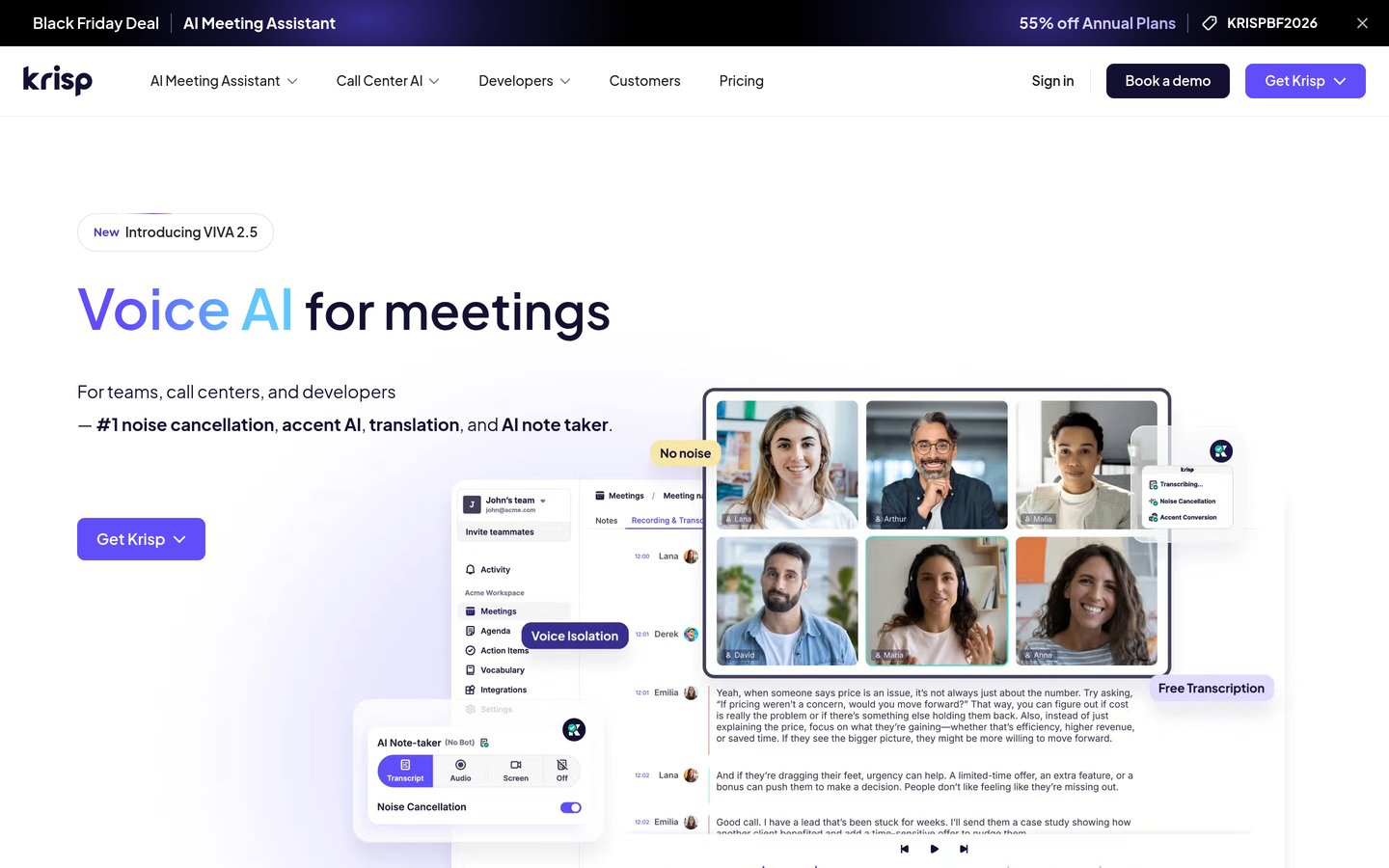
Krisp is a real-time noise cancellation app for calls and meetings, holding a 4.7 out of 5 rating from 1,620 reviews on G2. It offers a 7-day free trial and removes background noise on both incoming and outgoing voice audio across meeting apps.
The trade off is ongoing subscription cost starting at $96 per year billed annually ($8/mo, or $16/mo billed monthly), with no permanent free tier. It suits remote workers and support teams who need reliable live call audio.
What we like
Removes background noise in real time for both microphone and speaker audio
Works alongside common meeting and calling apps
Strong 4.7/5 rating across 1,620 G2 reviews
Watch out for
No ongoing free plan after the 7-day trial
Higher per-seat cost when billed month-to-month
Focused on live calls rather than deep file post-production
Paid plans add ongoing meeting and call noise cancellation beyond the 7-day trial.Visit krisp.ai
02
Descript
4.6/5on G2 (938 reviews, checked Nov 2026)
Paid from$192/yr
Best for transcript-based voice cleanup
Primary useRecorded audio and video
Free tier60 mins media/month
Entry paid plan$16/mo billed annually
Monthly rate$24/mo billed monthly
descript.com
Descript homepage, captured Nov 2026.
Descript is a transcript-based audio and video editor with Studio Sound voice cleanup, rated 4.6 out of 5 across 938 G2 reviews. Its free plan includes 60 minutes of media per month and 100 one-time AI credits.
The trade off is monthly media-hour and credit limits, with the entry paid plan starting at $192 per year billed annually ($16/mo, or $24/mo monthly). It suits podcasters and video creators editing dialogue.
What we like
Combines audio cleanup with text-based timeline editing
Includes a free tier to test workflows on short media
4.6/5 rating across 938 G2 reviews
Watch out for
Free plan caps media at 60 minutes per month with watermarked exports
Heavy users can hit media-hour and AI-credit limits
Less suited to complex non-dialogue video effects
Paid plans expand monthly media hours, AI credits, and higher export resolutions.Visit descript.com
03
Auphonic
4.8/5on Capterra (5 reviews, checked Nov 2026)
Paid from$132/yr
Best for automated podcast leveling and cleanup
Primary useAutomated podcast and audio mastering
Free tier2 hours processed/month
Entry paid plan$11/mo billed annually (9 hrs/mo)
One-time packsFrom $12 for 5 hours
auphonic.com
Auphonic homepage, captured Nov 2026.
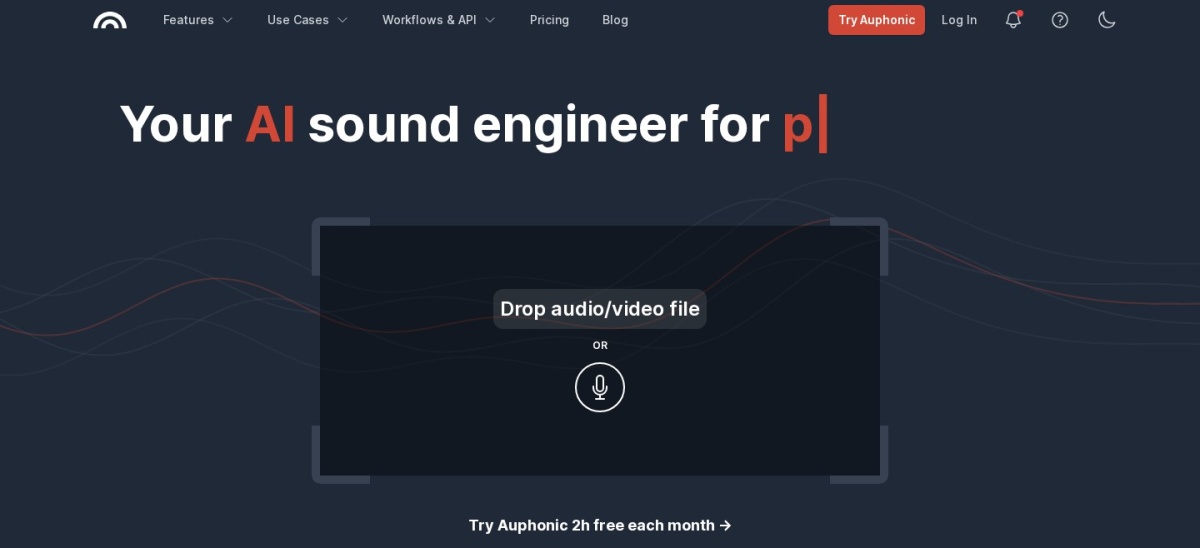
Auphonic is an automated audio post-production service that handles noise and reverb reduction alongside loudness leveling, holding a 4.8 out of 5 rating on Capterra. The free plan gives 2 hours of processed audio per month with core algorithms included.
The trade off is a minimum 3-minute billing unit per production and a jingle on free exports, with paid recurring plans starting at $132 per year billed annually ($11/mo for 9 hours/month). It suits podcasters who want batch audio cleanup without manual tweaking.
What we like
Free tier covers 2 hours of processed audio each month
Offers both recurring subscriptions and one-time credit packs
Combines noise reduction with loudness leveling and metadata tools
Watch out for
Free productions include an Auphonic jingle
Small review sample size on Capterra
Every production counts for at least 3 minutes of credit
Paid credits remove the free jingle and add higher monthly hour allowances or non-expiring packs.Visit auphonic.com
04
DaVinci Resolve Studio
4.7/5on G2 (221 reviews, checked Nov 2026)
Paid from$295 one-time
Best for video editors needing one-time pricing
Primary useVideo editing, color, and audio
Free editionUp to Ultra HD 60 fps, 8-bit
Studio license$295 one-time
Noise featuresTemporal/spatial denoise and Voice Isolation
blackmagicdesign.com
DaVinci Resolve Studio homepage, captured Nov 2026.
DaVinci Resolve Studio is a video editing and color suite with temporal and spatial noise reduction plus Neural Engine voice isolation, rated 4.7 out of 5 across 221 G2 reviews. A free edition is available with no watermark and exports up to Ultra HD at 60 fps in 8-bit.
The trade off is heavy hardware demands and a steep learning curve, with the Studio license priced at $295 one-time. It suits video editors who want frame noise cleanup and audio isolation inside one editor.
Includes temporal and spatial video noise reduction plus voice isolation
Free version is available for evaluating the workflow
Watch out for
Neural Engine and heavy denoising need capable GPU hardware
Dense interface takes time to learn
Free version caps output at Ultra HD 60 fps and 8-bit
Studio unlocks Neural Engine voice isolation, higher frame rates and resolutions, and 10-bit grading.Visit blackmagicdesign.com
05
iZotope RX
4.6/5on G2 (19 reviews, checked Nov 2026)
Starts at$99 one-time
Best for deep spectral audio repair
Primary useAudio cleanup and spectral repair
Entry license$99 one-time (RX Elements)
Mid-tier license$399 one-time (RX Standard)
Trial10-day free trial
izotope.com
iZotope RX homepage, captured Nov 2026.
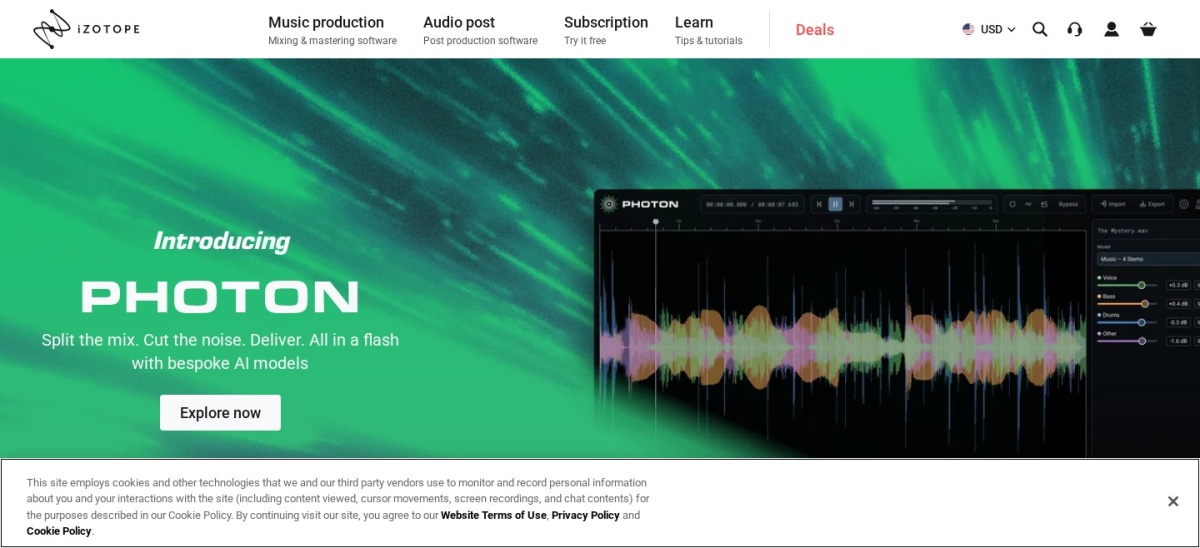
iZotope RX is an audio repair and restoration suite for removing noise, hum, clicks, and reverb, holding a 4.6 out of 5 rating across 19 G2 reviews. Its entry Elements license starts at $99 one-time with core repair plugins and a 10-day trial.
The trade off is that the standalone audio editor and Dialogue Isolate require higher tiers, with Elements at $99 one-time and Standard at $399 one-time. It suits audio engineers and editors fixing tricky dialogue or archival recordings.
What we like
Targeted tools for hum, clicks, reverb, and vocal noise
Perpetual license options start at $99 for Elements
4.6/5 rating across 19 G2 reviews
Watch out for
Standalone audio editor is not included in the $99 Elements tier
Higher editions get expensive for occasional use
Smaller G2 review count than general editing suites
Higher editions add the standalone RX Audio Editor, Dialogue Isolate, and extra restoration modules.Visit izotope.com
06
Topaz Video AI
4.7/5on G2 (6 reviews, checked Nov 2026)
Starts at$396/yr
Best for AI video denoising and restoration
Primary useAI video denoising and upscaling
Annual plan$396/yr for Topaz Video
Monthly rate$67/mo billed monthly
TrialFree trial with watermarked exports
topazlabs.com
Topaz Video AI homepage, captured Nov 2026.
Topaz Video AI is a desktop video enhancement app that uses AI models to denoise, sharpen, and upscale footage, rated 4.7 out of 5 on G2. It offers a free trial with watermarked exports so you can check results on noisy clips first.
The trade off is high GPU load and subscription pricing starting at $396 per year for Topaz Video ($67/mo billed monthly). It suits video creators restoring grainy or low-resolution footage.
What we like
Purpose-built AI models for video denoising and upscaling
Free trial lets you preview output before paying
High 4.7/5 rating on G2
Watch out for
Requires strong GPU hardware and can process slowly on older machines
Subscription pricing costs $396/yr for Topaz Video
Limited G2 review count
Paid plans remove trial watermarks and enable full local rendering on supported hardware.Visit topazlabs.com
07
Audacity
4.8/5on Capterra (335 reviews, checked Nov 2026)
PriceFree
Best free desktop editor for steady noise
Primary useDesktop audio editing and noise profile cleanup
PriceFree and open-source
PlatformsWindows, macOS, and Linux
Noise methodNoise profile sampling and reduction
audacityteam.org
Audacity homepage, captured Nov 2026.
Audacity is a free, open-source desktop audio editor with built-in noise reduction using a sampled noise profile, holding a 4.8 out of 5 rating on Capterra. It runs on Windows, macOS, and Linux at no cost.
The trade off is manual setup and less automated voice isolation than AI tools, with no paid plan or commercial support tier. It suits budget-conscious creators removing steady hum or fan noise from recordings.
What we like
Completely free and open-source across Windows, macOS, and Linux
No subscription fees or usage limits
4.8/5 rating across 335 Capterra reviews
Watch out for
Works best on steady background noise rather than shifting crowd noise
Requires manual noise profile selection and tuning
Real-time call tools like Krisp focus on low-latency filtering so callers do not hear keyboard clicks, barking dogs, or room chatter during live meetings. They prioritize speed over deep spectral editing.
Post-production tools like Descript, Auphonic, DaVinci Resolve Studio, iZotope RX, Topaz Video AI, and Audacity work on recorded audio or video files. They give you room to clean dialogue, level loudness, or remove video grain before publishing.
How we chose
We built this list around established standalone software for cleaning background noise in live calls, podcasts, audio restoration, and video editing.
We checked pricing pages and public review listings on G2 and Capterra on 22 Nov 2026, recording regular annual or one-time starting prices where verified.
We excluded unmaintained tools, WordPress plugins not aimed at standalone noise reduction, and products without verifiable pricing or review data. No vendor paid for a place, and we do not claim testing for this list.
How to choose noise reducing software
Follow four steps to match a tool to your audio or video workflow.
Match the tool to live calls or recorded files. Pick a real-time app for meetings and live streams, or an editor and batch processor for recorded podcasts and videos.
Check what the free tier actually allows. Look for monthly hour caps, resolution limits, watermarks, or jingles so you know when you will need a paid plan.
Compare recurring fees against one-time licenses. Calculate your yearly cost across monthly billing, annual billing, or a single upfront license before committing.
Verify your computer hardware before buying. Make sure your processor or GPU can handle local audio or video processing without slowing down exports.
FAQ
What is the best noise reducing software for live calls?
Krisp is a strong pick for live calls, rated 4.7 out of 5 across 1,620 G2 reviews. It filters background noise on both incoming and outgoing call audio, with paid plans starting at $8 per month billed annually.
Is there free noise reducing software for recorded audio?
Yes. Audacity is free and open-source for steady noise cleanup on desktop recordings, while Auphonic includes 2 free hours of processed audio per month and Descript offers a free tier with 60 minutes of media per month.
What is the difference between live noise cancellation and post-production cleanup?
Live noise cancellation processes microphone and speaker audio in real time during calls and streams. Post-production software cleans recorded audio or video files so you can fine-tune voice clarity, loudness, or video grain before publishing.
Does video noise reduction require a strong graphics card?
Video noise reduction and AI upscaling often rely on GPU acceleration for faster rendering. Checking system and GPU requirements first helps avoid slow exports on older computers.
Should I choose a subscription or a one-time license?
Subscriptions fit ongoing cloud or monthly credit workflows, while a one-time license like DaVinci Resolve Studio ($295) or iZotope RX Elements ($99) can cost less over time if you edit locally for years.
Can one tool handle both audio cleanup and video editing?
Yes. Descript combines text-based audio and video editing with voice cleanup, and DaVinci Resolve Studio pairs video noise reduction and voice isolation with a full editing and color suite.
SaaS SEO and WordPress specialist with about 8 years of experience. Rakib compares WordPress plugins, themes, hosting and software using public pricing, documentation and user reviews. See how we rank.