Best Intranet Software for Small Business in 2026: 7 Tools Compared
WLWPLegible EditorsLast verified 22 Nov 2026How we rank15 min read
★ Short answer
Connecteam is the best intranet software for small businesses needing employee communication and a mobile knowledge hub, with Communications Basic starting at $29 monthly billed annually for up to 30 users. Zoho Connect offers a lower per-user entry price, while Blink is better suited to frontline teams requiring mobile announcements and messaging.
How we make this list: we compare pricing pages, product documentation and public user reviews, then re-check every price before each update. No product paid for a place. Disclosure.
Connecteam Communications Basic starts at $29/month billed annually for up to 30 users, with a free Small Business plan.
Zoho Connect Starter costs $0.34/user/month billed annually for a 25-user package and includes 25 GB of file storage.
Blink Core costs $3.75/user/month billed annually, with its G2 rating at 4.6/5 from 404 reviews.
Microsoft 365 Business Basic includes SharePoint intranet sites for $7/user/month on annual billing.
Notion Plus costs $10/member/month and has a 4.6/5 G2 rating from 14,021 reviews.
Bitrix24 Basic costs $69/month on regular monthly billing for 5 users, while ClickUp Core lists a regular $12/user/month annual-billing rate.
What small businesses need from intranet software
An employee intranet gives staff a central location for company announcements, policies, documents, directories and internal resources. For small businesses, the goal is usually to reduce scattered information rather than build a complicated corporate portal.
Start with communication and knowledge sharing. Employees should be able to find important updates, procedures and company documents without searching through old emails or chat conversations.
Next, consider how employees work. Desk-based teams may prefer web portals and document libraries, while frontline workers benefit from mobile apps, push notifications and access that does not depend on a company email account.
Permissions and content management are equally important. Look for access controls, searchable pages, department spaces and a straightforward way to keep policies current. An intranet becomes less useful when outdated documents remain easy to find.
Finally, compare the full subscription cost. Some services charge per employee, others use organization-wide packages, and several combine intranet capabilities with project management or CRM features. Choose a system that fits your actual communication needs.
The 7 best intranet software for small business tools
01
Connecteam
4.6/5on G2 (3,506 reviews, checked Nov 2026)
Paid from$29/mo
Best intranet software for small business overall
Free planSmall Business
Entry paid planCommunications Basic
Annual-billing rate$29/month
Included usersFirst 30
connecteam.com
Connecteam homepage, captured Nov 2026.
Connecteam is a mobile workforce platform with employee communications, company updates, chat, directories and a knowledge base. Its Small Business plan provides free access for small teams. Communications Basic costs $29 monthly billed annually for the first 30 users and includes unlimited chats, a centralized company feed, custom user fields and engagement insights.
The trade off is that Connecteam divides its features into Communications, Operations and HR hubs, which can create separate subscription costs. Communications Basic costs $35 monthly without annual billing, and additional users cost extra. It suits small businesses wanting an accessible employee hub without deploying a traditional corporate intranet.
What we like
Free Small Business plan
Flat subscription for the first 30 users
Mobile employee communication
Knowledge base, directory and company feed
14-day free trial
Watch out for
Different hubs have separate subscriptions
Advanced communication features require higher tiers
Additional employee charges apply beyond the included allowance
Less customizable than dedicated intranet portals
Advanced adds expanded communication features and management controlsVisit connecteam.com
02
Zoho Connect
4.5/5on G2 (98 reviews, checked Nov 2026)
Starts at$0.34/mo
Best low-cost employee intranet and collaboration
Entry planStarter
Published annual rate$0.34/user/month
Starter package25 users
File storage25 GB
zoho.com
Zoho Connect homepage, captured Nov 2026.
Zoho Connect is an employee intranet and collaboration platform with company feeds, announcements, forums, manuals, groups and messaging. Starter is listed at $0.34 per user monthly on annual billing for a 25-user package, equivalent to $102 annually for that package. It includes 25 GB of storage, task boards and integrations with 10 Zoho applications.
The trade off is that Starter limits collaboration spaces and excludes advanced capabilities such as custom apps, external users and enhanced search. Enterprise starts at $0.84 per user monthly on annual billing and requires a larger commitment for additional capabilities. It suits cost-conscious businesses that need structured internal communication and shared knowledge.
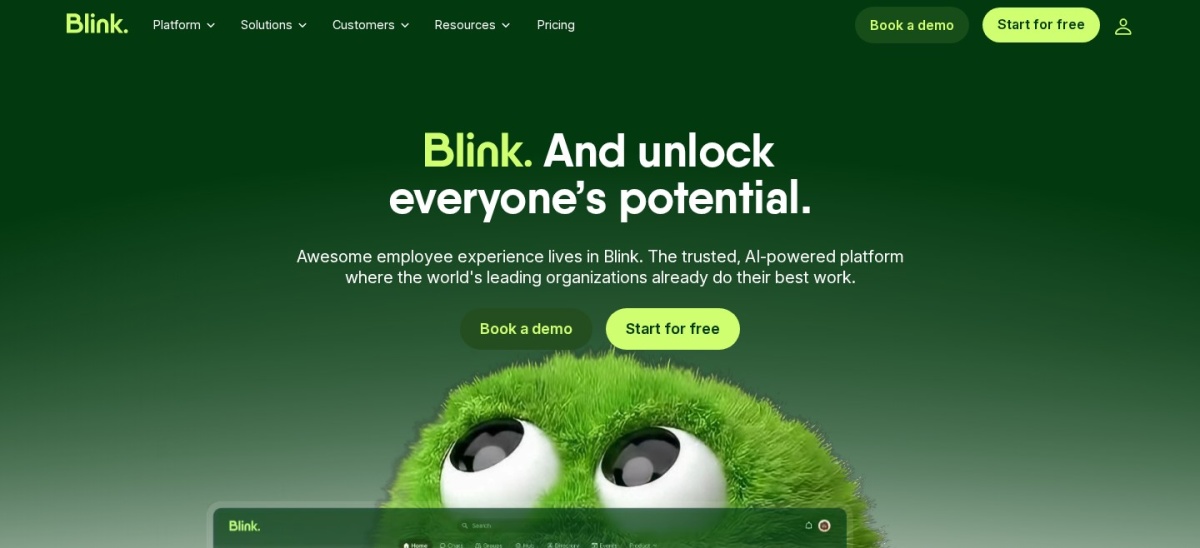
Blink is a mobile-first employee intranet designed to connect desk-based and frontline workers. Core costs $4.50 per user monthly, or $3.75 monthly billed annually, and includes a company feed, internal communications, real-time collaboration, custom branding and a unified knowledge hub. Employees can access company resources through the mobile application.
The trade off is that richer customization, multilingual publishing, an AI assistant and enhanced administration require Pro at $6 per user monthly. Core focuses primarily on communication and access to information rather than extensive project management. It suits businesses with distributed workers who need company updates without relying on desktop access.
What we like
Designed for mobile and frontline employees
Central knowledge hub and company feed
Real-time communication features
Custom company branding
4.6/5 G2 rating from 404 reviews
Watch out for
No permanent free plan advertised
AI assistant requires Pro
Advanced administration costs more
Less suitable for complex document workflows
Pro adds AI assistance, multilingual publishing and enhanced administrationVisit joinblink.com
04
Microsoft SharePoint
4/5on G2 (9,001 reviews, checked Nov 2026)
Starts at$7/mo
Best for Microsoft 365 document collaboration
Entry packageMicrosoft 365 Business Basic
Starting price$7/user/month
BillingAnnual subscription
Cloud storage1 TB per user
microsoft.com
Microsoft SharePoint homepage, captured Nov 2026.
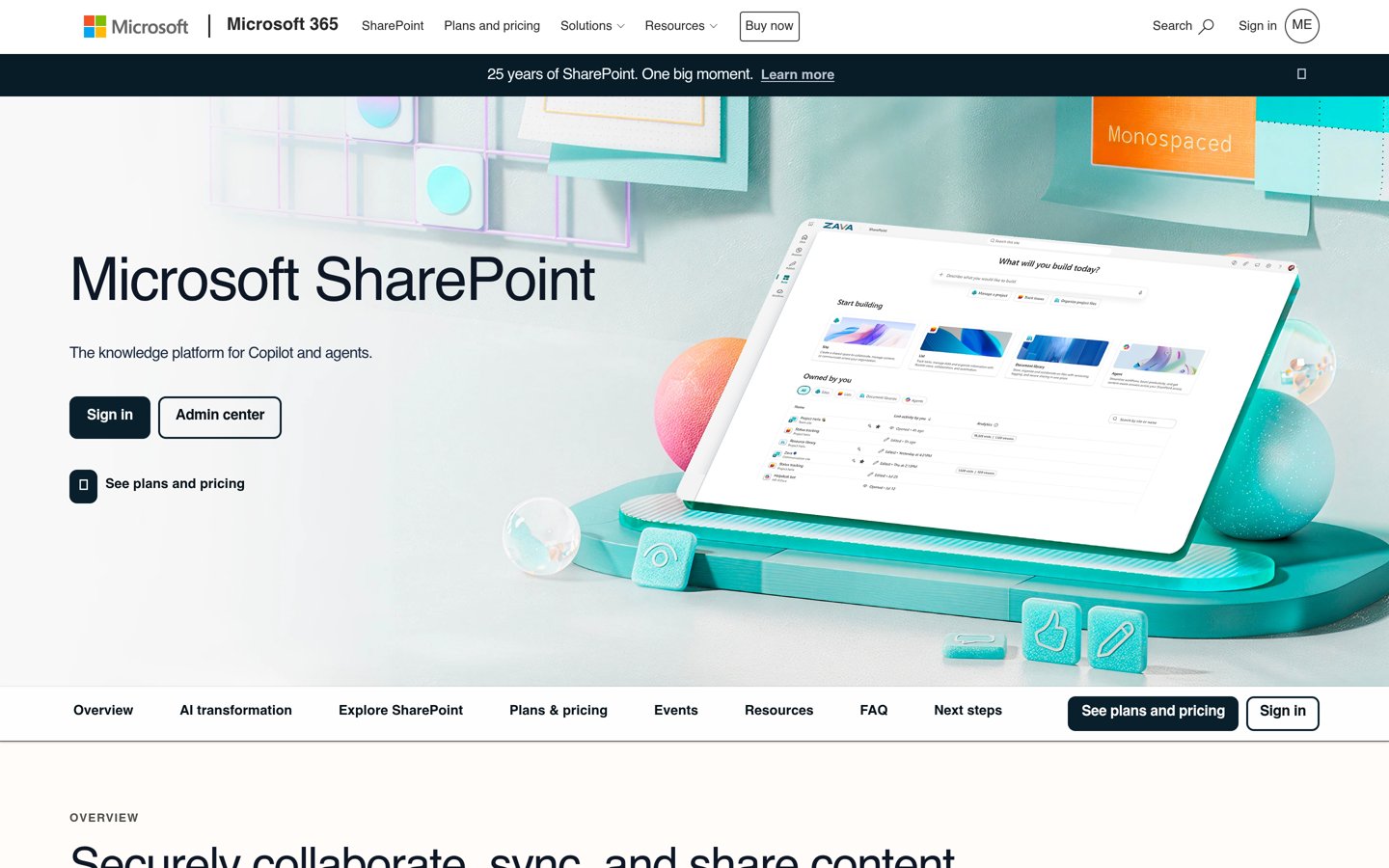
Microsoft SharePoint is a document collaboration and intranet platform for creating employee sites, document libraries and internal information pages. Microsoft 365 Business Basic costs $7 per user monthly on annual billing and includes SharePoint alongside other productivity services. The package provides 1 TB of cloud storage per user and web-based document collaboration.
The trade off is that SharePoint often needs more configuration and content governance than simpler employee communication apps. Advanced AI and administration features can require additional subscriptions. It suits small businesses already using Microsoft 365 that want shared documents, department sites and controlled access to internal information.
What we like
Company communication and team sites
Document libraries with version history
Integration with Microsoft 365
Detailed file access permissions
Established document management system
Watch out for
Setup and governance can require administration
Employee engagement features are less central
Advanced AI capabilities may cost extra
Can feel complex for very small teams
Higher Microsoft 365 plans add desktop productivity and security featuresVisit microsoft.com
05
Notion
4.6/5on G2 (14,021 reviews, checked Nov 2026)
Paid from$10/mo
Best lightweight company wiki and knowledge base
Entry paid planPlus
Starting price$10/member/month
Free planAvailable
CollaborationPages, databases and docs
notion.com
Notion homepage, captured Nov 2026.
Notion is a connected workspace that small businesses can use as an internal wiki, knowledge base and team portal. Its free plan supports pages, databases and basic collaboration with limits for team use. Plus costs $10 per member monthly and adds expanded collaboration, custom forms, custom sites and more flexible document organization.
The trade off is that Notion is not a traditional employee intranet with built-in frontline announcements and acknowledgment workflows. Businesses must design their own navigation, knowledge structure and publishing processes. It suits small teams primarily seeking a searchable company handbook, shared documentation and lightweight project coordination.
What we like
Flexible internal wiki and knowledge pages
Free plan available
Databases, templates and linked documents
Simple collaboration for small teams
Large independent review history
Watch out for
Requires manual intranet structure and governance
No dedicated frontline employee communication system
Advanced permissions require higher plans
Member-based billing increases with team size
Plus adds expanded team collaboration, custom forms and site controlsVisit notion.com
06
Bitrix24
4.1/5on G2 (617 reviews, checked Nov 2026)
Paid from$69/mo
Best for combining an intranet with CRM
Entry planBasic
Monthly price$69/organization
Included users5
Basic storage24 GB
bitrix24.com
Bitrix24 homepage, captured Nov 2026.
Bitrix24 is an all-in-one business workspace combining employee communication, shared calendars, documents, tasks and CRM. Its free plan supports basic collaboration and includes 5 GB of storage. Basic costs $69 per organization monthly, supports 5 users and includes 24 GB of storage, sales pipelines, email integration and AI-assisted work features.
The trade off is that Bitrix24 contains many CRM and business management features that can complicate a simple intranet deployment. Annual billing reduces the advertised Basic price to $49 monthly, while larger employee groups need higher plans. It suits small businesses that want internal collaboration connected to customer and project management.
What we like
Internal chat, documents and shared calendars
CRM and project management in one workspace
Free plan available
Organization-based paid pricing
AI tools included in paid plans
Watch out for
Broad feature set increases learning requirements
Basic supports a limited number of users
Larger teams require higher subscriptions
Less focused on traditional intranet publishing
Basic adds storage, sales pipelines, email integration and AI featuresVisit bitrix24.com
07
ClickUp
4.6/5on G2 (15,880 reviews, checked Nov 2026)
Paid from$12/mo
Best for a project-centered team knowledge hub
Entry paid planCore
Regular listed price$12/user/month
Advertised annual rate$9/user/month
Free storage60 MB
clickup.com
ClickUp homepage, captured Nov 2026.
ClickUp is a work management platform that can serve as an internal knowledge hub through collaborative docs, chat, shared spaces and project dashboards. Free Forever includes unlimited tasks, collaborative documents, chat-related collaboration and 60 MB of storage. Core lists a regular price of $12 per user monthly, with a discounted $9 annual-billing rate.
The trade off is that ClickUp prioritizes project execution over traditional intranet publishing, employee directories and company-wide communications. Core also adds forms, integrations and automation that may be unnecessary for a documentation-only portal. It suits project-driven businesses wanting their internal knowledge and active work in the same workspace.
What we like
Collaborative documents and project spaces
Free plan with unlimited tasks
Integrated chat and task management
Templates and shared dashboards
Large independent user review history
Watch out for
Not a dedicated employee intranet
Free storage is limited
Can require substantial workspace configuration
Advanced governance features require higher plans
Core adds unlimited storage, chat, forms, integrations and automationVisit clickup.com
How much does small business intranet software cost?
Small business intranet pricing depends on whether vendors charge per employee or per organization. Connecteam Communications Basic starts at $29 monthly billed annually for the first 30 users. Zoho Connect Starter advertises $0.34 per user monthly on annual billing for a 25-user package.
Per-user platforms are easier to estimate for a small workforce but become more expensive as headcount grows. Blink Core costs $4.50 per user monthly, while Microsoft 365 Business Basic costs $7 per user monthly on annual billing and includes SharePoint.
Knowledge-base alternatives can offer lower complexity. Notion Plus costs $10 per member monthly, and ClickUp Core lists a regular $12 per-user monthly rate. Both provide internal documentation, but they lack some dedicated employee intranet features.
Bitrix24 Basic uses organization-based pricing at $69 monthly for 5 users, with a lower annual-billing equivalent. Compare included seats, storage, communication capabilities and advanced access controls before treating subscription prices as directly interchangeable.
Do small businesses need an intranet or a company wiki?
A traditional intranet is an internal destination for employee announcements, policies, directories and company resources. It may include department pages, HR information, communication feeds, search and acknowledgment workflows.
A company wiki focuses more narrowly on organized knowledge. Employees use it to find procedures, onboarding instructions, project documentation and frequently referenced information.
Connecteam, Zoho Connect and Blink emphasize employee communication and shared resources. SharePoint offers a configurable intranet built around sites and documents. Notion and ClickUp are more appropriate when knowledge sharing and collaborative work are the primary requirements.
Choose a dedicated intranet when company-wide communication and employee access matter most. Choose a wiki-oriented platform when your immediate problem is scattered documentation, especially if the business already has satisfactory messaging and announcement tools.
How we chose
We selected established intranet and collaboration platforms with publicly documented capabilities, accessible official entry pricing and independent G2 reviews. The shortlist includes dedicated employee communication systems, document-centered intranets and lightweight knowledge-base alternatives. We evaluated announcements, search, employee access, document organization, mobile usability and administration.
Vendor pricing pages and G2 review profiles were checked on 23 Nov 2026 for this article dated 22 Nov 2026. Prices reflect published regular rates, with annual-billing discounts identified separately. Annual price equivalents use the displayed billing structure and distinguish per-user subscriptions from organization-wide packages.
We excluded products without confirmable official pricing or sufficient independent review evidence. We also identified products that function primarily as knowledge or work management systems rather than dedicated intranets, and avoided presenting their features as equivalent. No vendor paid for a place, and we do not claim testing for this list.
How to choose intranet software for a small business
Identify the information your employees need, then compare platforms by access, administration and total subscription cost.
Define the purpose of your intranet. Decide whether you mainly need company announcements, employee policies, shared documentation, collaboration or an internal directory. Match those requirements to the product's core functionality instead of selecting the platform with the longest feature list.
Consider how employees access information. Review desktop and mobile usability, notification delivery, employee login requirements and search. Deskless employees may need a mobile-first application, while office teams may prefer document libraries integrated with existing productivity software.
Review permissions and content governance. Look for department spaces, document ownership, controlled access, version history and simple publishing workflows. Assign responsibility for keeping company policies and onboarding materials current, since outdated content can undermine confidence in the intranet.
Calculate costs as your team grows. Compare per-user charges, included employee allowances, annual commitments and separate modules. Check storage, support and integration limits. Choose software that your team can maintain without adding unnecessary administrative overhead.
FAQ
What is the best intranet software for small business in 2026?
Connecteam is our top recommendation for small businesses because its Communications Hub combines employee updates, chat, directories and a knowledge base. Basic costs $29 monthly billed annually for the first 30 users. Zoho Connect is a lower-cost alternative, while Blink is particularly suitable for mobile and frontline communication.
Is there free intranet software for small businesses?
Yes. Connecteam offers a Small Business plan, and Bitrix24 provides a free workspace with basic communication and collaboration. Notion and ClickUp also have free plans that can support internal knowledge sharing. However, free knowledge-base tools do not necessarily provide a complete employee intranet.
How much does intranet software cost for a small business?
Costs vary by model. Connecteam Communications Basic costs $29 monthly on annual billing for the first 30 users. Blink Core starts at $3.75 per user monthly on annual billing, while Microsoft 365 Business Basic includes SharePoint for $7 per user monthly with an annual commitment.
Can Microsoft SharePoint be used as a small business intranet?
Yes. SharePoint supports internal communication sites, team sites, document libraries, permissions and collaborative content management. It works particularly well for businesses already using Microsoft 365. The main consideration is configuration and ongoing content governance, which may require more administrative effort than a simpler employee communication app.
Is Notion a good alternative to intranet software?
Notion can work well as a lightweight internal wiki or employee handbook. Teams can organize company policies, onboarding materials, documentation and shared databases. However, it does not provide the same dedicated employee communication and frontline engagement capabilities as a purpose-built intranet.
What intranet software is best for frontline workers?
Blink and Connecteam are particularly relevant to frontline businesses. Blink focuses on mobile employee communication and centralized access to resources, while Connecteam combines mobile updates, chat, directories and operational features. The better choice depends on whether employee communications or combined workforce operations are the priority.
What features should small business intranet software include?
Prioritize company announcements, searchable documents, employee directories, permissions, mobile access and an easy publishing process. Collaboration spaces, surveys, notifications and integrations can be valuable additions. The exact requirements depend on whether the intranet primarily serves office staff, frontline employees or both.
What is the difference between an intranet and a knowledge base?
An intranet is a broader internal platform for employee communication, resources and company information. A knowledge base focuses on documenting processes, instructions and answers. Many intranets include a knowledge base, but a standalone documentation tool may lack announcements, directories and employee engagement capabilities.
How long does it take to set up a small business intranet?
Setup time depends on the platform, existing content and approval requirements. A basic wiki or employee communication workspace can often be configured relatively quickly, while a customized SharePoint intranet requires more planning. Content organization, permissions and employee onboarding usually deserve as much attention as the technical setup.