Best Product Management Software in 2026: 8 Tools Compared
WLWPLegible EditorsLast verified 23 Nov 2026How we rank12 min read
★ Short answer
monday is the best product management software for most teams, rated 4.7/5 on G2 from more than 17,000 reviews, with paid plans from $9 a seat a month. Pick ClickUp for the lowest paid price at $7 a user a month, and Productboard when customer feedback should drive the roadmap.
How we make this list: we compare pricing pages, product documentation and public user reviews, then re-check every price before each update. No product paid for a place. Disclosure.
monday.com leads on G2 at 4.7 out of 5 from 17,148 reviews, with paid plans from $9 a seat a month.
ClickUp has the lowest paid price in this list at $7 a user a month billed annually, with a free plan included.
Productboard is the only tool here built around customer feedback, but its Pro plan costs $59 a maker a month.
Asana charges $10.99 a user a month for Starter, and portfolios and goals need the $24.99 Advanced plan.
Jira raised its Standard price on 13 October 2026: $9.70 a user a month billed monthly, or $950 a year for up to 10 users.
All 8 tools have a free plan. Paid plans start at $7 a month and climb to $19 a maker a month for Productboard Essentials.
What product management software should cover
Product management software turns ideas into a plan the whole team can see. It should hold the roadmap, the backlog, customer feedback and the status of work in one place.
A good tool shows what is planned, what is in progress and what shipped, without a separate spreadsheet. Timeline and Gantt views matter most when dates slip and priorities change.
Feedback is where tools split. Some collect feature requests and link them to roadmap items, while others only track tasks. Teams that run several products at once should also read our guide on managing multiple sites for how shared planning pays off.
Pricing is per seat or per maker, so the bill grows with the team. Check whether viewers are free before you count heads, and whether the plan you need hides roadmaps or portfolios on a higher tier.
monday.com is a visual work platform built on boards, with timeline, Gantt and dashboard views across projects. The free plan covers up to 2 seats and 3 boards, and paid plans start at $9 a seat a month billed annually on Basic, with Pro adding time tracking and private boards.
The trade off is that portfolio management, resource management and capacity planning sit on the quote-only Enterprise plan. It suits teams that want one visual platform across departments and can live without portfolio views until they grow.
What we like
Highest G2 rating in this list at 4.7 out of 5
Timeline, Gantt and dashboard views from Standard
Free plan for trying the board layout
More than 200 templates for common workflows
Watch out for
Portfolio and resource views need Enterprise
Seats sell in fixed groups, not one by one
Standard and Pro prices rose in November 2026
Enterprise adds portfolios, capacity planning and SAML SSOVisit monday.com
02
ClickUp
4.6/5on G2 (13,734 reviews, checked Nov 2026)
Paid from$7/mo
Best value all-in-one workspace
Roadmap viewsGantt and timeline
Free planYes, Free Forever
Cheapest paidUnlimited, $7/user/mo
AI add-onBrain AI, $9/user/mo
clickup.com
ClickUp homepage, captured Nov 2026.
ClickUp is an all-in-one workspace that combines tasks, docs, whiteboards, chat and dashboards in one place. The free plan covers unlimited tasks, and Unlimited costs $7 a user a month billed annually, or $10 month to month, with Gantt charts and unlimited storage.
The trade off is setup time. Business costs $12 a user a month billed annually and adds advanced dashboards and resource management, while AI costs extra through the $9 Brain AI add-on. It suits teams that want one tool instead of several.
What we like
Lowest paid price in this list at $7 a user a month
Generous free plan with unlimited tasks
Tasks, docs and chat in a single workspace
4.6 out of 5 on G2 from 13,734 reviews
Watch out for
Needs careful setup to stay tidy at scale
AI is a paid add-on, not included
Pricing page shows two plan lines at once
Business adds advanced dashboards and resource managementVisit clickup.com
03
Asana
4.4/5on G2 (13,655 reviews, checked Nov 2026)
Paid from$10.99/mo
Best for goals and portfolios
Roadmap viewsTimeline and Gantt
Free planYes, up to 2 users
Cheapest paidStarter, $10.99/user/mo
PortfoliosAdvanced plan
asana.com
Asana homepage, captured Nov 2026.
Asana is a work management platform with list, board, timeline and Gantt views, plus goals and portfolios on higher plans. The free Personal plan covers up to 2 users, Starter costs $10.99 a user a month billed annually, and Advanced costs $24.99.
The trade off is price at scale. Advanced adds unlimited portfolios, resource management and time tracking, while Enterprise adds SAML SSO and capacity planning by quote. It suits teams that plan work around goals and need clear ownership.
What we like
Portfolios and goals without a sales call
Unlimited automations from the Starter plan
Unlimited free guest seats on paid plans
Strong reporting dashboards
Watch out for
Enterprise tier is quote-only
Resource management needs Advanced or above
Free plan is limited to 2 users
Advanced adds portfolios, goals and resource managementVisit asana.com
04
Productboard
4.3/5on G2 (254 reviews, checked Nov 2026)
Paid from$19/mo
Best for feedback-driven roadmaps
Roadmap viewsYes, multiple views
Free planYes, Starter
Cheapest paidEssentials, $19/maker/mo
Pricing modelPer maker, viewers free
productboard.com
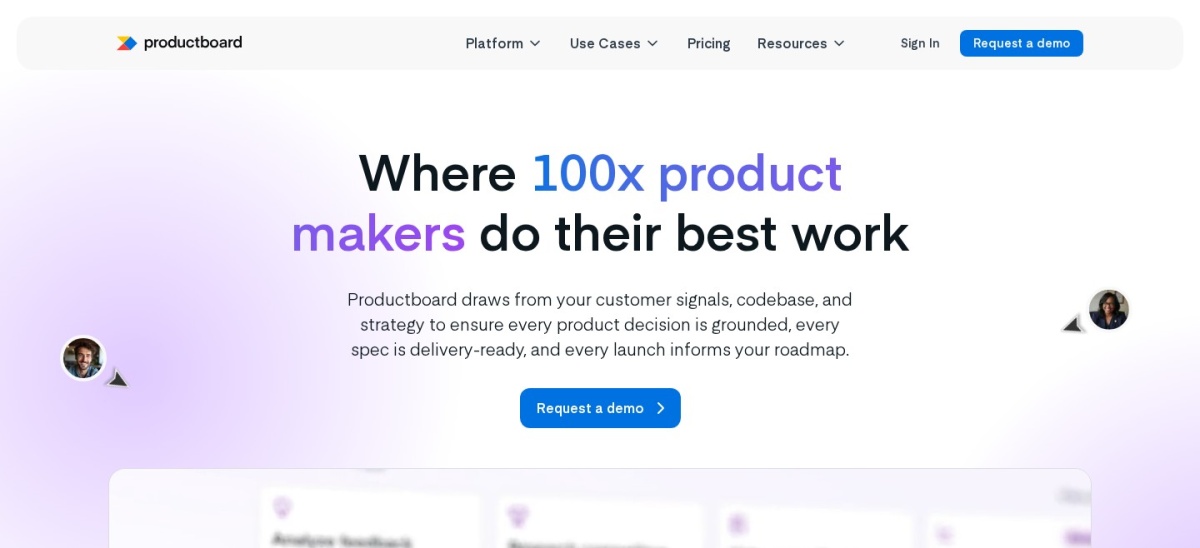
Productboard homepage, captured Nov 2026.
Productboard is a product management platform that links customer feedback to roadmaps and priorities. The free Starter plan covers basic feedback collection, Essentials costs $19 a maker a month billed annually, and Pro costs $59 with advanced prioritisation.
The trade off is cost per maker. Only makers are billed and viewers are free, but a 10-person product team on Pro pays $590 a month before AI. It suits product teams that decide what to build from customer evidence.
What we like
Feedback, insights and roadmaps in one place
Viewers and contributors are free
Prioritisation frameworks on Pro
Free Starter plan for evaluation
Watch out for
Most expensive per-seat pricing in this list
Pro plan needed for objectives and advanced scoring
Notion is a flexible workspace where docs, wikis, databases and roadmaps live side by side. The free plan covers individuals, and Plus costs $10 a user a month billed annually, adding timeline views, unlimited file uploads and more guests.
The trade off is structure. Notion is open-ended, so a product team must design its own roadmap and backlog setup instead of getting one ready-made. It suits small teams that already write specs and notes in Notion.
What we like
Docs, specs and roadmaps in one workspace
Flexible databases for backlogs and ideas
4.6 out of 5 on G2 from 13,770 reviews
Free plan for individuals
Watch out for
No ready-made product management setup
Needs discipline to stay organised at scale
Advanced permissions need higher plans
Business adds advanced permissions and admin controlsVisit notion.com
06
Jira
4.3/5on G2 (7,831 reviews, checked Nov 2026)
Paid from$7.92/mo
Best for engineering-led product teams
Roadmap viewsTimeline and plans
Free planYes, up to 10 users
Cheapest paidStandard, $7.92/user/mo
Automation400 steps per user/mo
atlassian.com
Jira homepage, captured Nov 2026.
Jira is Atlassian's work tracking product for software and cross-functional teams, with boards, backlogs, timelines and sprint planning. The free plan covers up to 10 users, and Standard costs $950 a year for up to 10 users, or $9.70 a user a month billed monthly.
The trade off is admin effort. Standard prices rose on 13 October 2026, and Premium at $19.60 a user a month billed monthly adds cross-team planning and a 99.9% uptime SLA. It suits product teams that ship with engineers in the same tool.
Wrike is a work management platform with Gantt charts, dashboards, request forms and approvals for structured teams. The free plan covers basic task lists, and Team costs $10 a user a month billed annually with Gantt charts and shared dashboards.
The trade off is that the most useful product features sit higher up. Business adds custom workflows, approvals and resource management, while Enterprise is quote-only. It suits teams with formal intake and approval steps.
What we like
Gantt charts and dashboards on the Team plan
Request forms for structured intake
Approvals and proofing on higher plans
Strong reporting for managers
Watch out for
Lowest G2 rating in this list at 4.2 out of 5
Advanced features need the Business plan
Enterprise tier is quote-only
Business adds approvals, custom workflows and resource viewsVisit wrike.com
08
Smartsheet
4.4/5on G2 (22,712 reviews, checked Nov 2026)
Paid from$9/mo
Best for spreadsheet-style planning
Roadmap viewsGantt charts
Free planYes, limited
Cheapest paidPro, $9/user/mo
Pro user cap10 members
smartsheet.com
Smartsheet homepage, captured Nov 2026.
Smartsheet is a grid-based work platform that turns familiar rows and columns into shared sheets, Gantt charts and dashboards. Pro costs $9 a user a month billed annually for 1 to 10 members, and Business costs $19 a user a month with unlimited automations and 1 TB of storage.
The trade off is the Pro cap. A team of 11 cannot buy Pro at any price, and portfolios, collections and scenario planning need Enterprise by quote. It suits teams that already think in spreadsheets and want light project tracking.
What we like
Familiar grid layout needs little training
Business adds proofing and workload tracking
Unlimited sheets and reports on paid plans
Largest G2 review count in this list
Watch out for
Pro stops at 10 members
Resource management is a paid add-on
Enterprise price is only available by quote
Business adds unlimited automations, proofing and workload trackingVisit smartsheet.com
Free vs paid: what you give up
Free plans cover the basics well. Most include task lists, boards and a few views, which is enough to run one small product.
Paid plans mostly add views and control. You get Gantt charts, portfolios, automations and approvals, plus more guests and storage.
The jump that hurts most is per-seat pricing. A $10 plan for 20 people costs $2,400 a year, so count viewers and guests before you buy. Our guide on managing multiple sites shows the same counting habit for hosting.
For a product that earns money every day, the first year of a paid plan often costs less than the hours lost to a spreadsheet roadmap.
How we chose
We started from the best-known product management tools on G2, then kept those with a useful free plan and published per-user pricing.
Prices come from each vendor's pricing page, checked on 23 November 2026, with sale prices left out and regular prices shown. Ratings and review counts come from G2 on the same day. Where vendors show two plan lines or a recent price rise, the notes flag it.
We left out tools with no published per-user price and tools aimed only at software bug tracking. No vendor paid for a place, and we do not claim hands-on testing for this list.
How to choose product management software
Start with how your team decides what to build, then pick the tool that fits that decision.
Decide who needs a paid seat. Count makers and editors first. Tools that bill only makers, like Productboard, cost far less when most of the team only reads the roadmap.
Check the roadmap views on the cheapest plan. Some tools hide Gantt charts and portfolios on higher tiers. Make sure the plan you would actually buy shows the views you need.
Test the free plan with one real project. Load a real backlog and a real roadmap, not a demo. If the team avoids it after a week, the tool is wrong, not the team.
Confirm the yearly cost before you commit. Multiply the per-user monthly price by 12 and by headcount, then add AI or automation extras. Annual billing is usually cheaper than monthly.
FAQ
What is the best product management software?
monday.com is the best pick for most teams. It is rated 4.7 out of 5 on G2 from more than 17,000 reviews, with timeline and Gantt views and paid plans from $9 a seat a month.
Which product management tool is cheapest?
ClickUp is the cheapest paid option here at $7 a user a month billed annually on Unlimited. monday.com and Smartsheet follow at $9, and every tool in this list has a free plan.
What is the difference between Productboard and Jira?
Productboard plans what to build from customer feedback and roadmaps. Jira tracks the work of building it, with backlogs, sprints and releases. Many teams use both together.
Is there a free product management tool?
Yes. All 8 tools in this list have a free plan, including monday.com, Asana, ClickUp, Notion and Jira. Free plans usually limit seats, views or automations.
Do I need a roadmap tool or a task tracker?
You need both, but one tool can cover them. A roadmap tool plans what ships and when, while a task tracker runs the daily work. monday.com, ClickUp and Asana cover both.
Can Notion replace product management software?
It can for small teams. Notion holds docs, specs and roadmaps in one place, but you must design the roadmap setup yourself, and it has no ready-made backlog or sprint views.