Best Free Desktop Publishing Software in 2026: 7 Tools Compared
WLWPLegible EditorsLast verified 22 Nov 2026How we rank5 min read
★ Short answer
Affinity is the top free desktop publishing option in 2026, combining layout, vector, and photo editing with CMYK and spot color support at no cost for individuals. Choose Scribus for open-source Linux and desktop prepress, or Canva for fast browser templates.
How we make this list: we compare pricing pages, product documentation and public user reviews, then re-check every price before each update. No product paid for a place. Disclosure.
Affinity provides layout, vector, and pixel toolsets for free with a Canva account, while paid Canva plans unlock integrated Canva AI tools.
Scribus is free and open source with CMYK, spot colors, ICC color management, and PDF/X export on Windows, macOS, and Linux.
Canva holds a 4.7 rating across 8,401 G2 reviews, with a free tier and Pro starting at $144/yr billed yearly ($18/mo monthly).
Adobe Express offers a free plan with 345,000+ templates and 5 GB storage, while Premium is $9.99/mo with no annual commitment.
Kittl starts free with 100 one-time AI tokens for personal use, with Pro at $144/yr billed yearly ($12/mo) for commercial licensing and vector exports.
What to look for in free desktop publishing software
Desktop publishing spans two very different jobs: multi-page print layout with strict color and bleed rules, and quick template-based flyers, posters, or social graphics. Free tools split sharply along that line, so check whether you need CMYK color separation and PDF/X export or fast browser templates.
Desktop apps run locally and handle larger page counts, master pages, and print profiles more reliably than browser editors. Browser tools shine for shared templates and rapid edits, though some hold back CMYK export or require paid plans for commercial rights and higher-resolution exports.
Many free tools use freemium limits rather than charging for basic layout. Watch for caps on project counts, storage, AI credits, or export formats, and check whether a paid upgrade is billed monthly or annually before committing.
For fast template-based flyers, decks, and social posts
$144/yr
Free plan
4.7/5
Price ladder: cheapest paid plan per year
List prices, USD, checked Nov 2026
AffinityFree
ScribusFree
LibreOfficeFree
InkscapeFree
Adobe Expr.FREE$120
KittlFREE$144
CanvaFREE$144
The 7 best free desktop publishing software
01
Affinity
4.7/5on Capterra (62 reviews, checked Nov 2026)
PriceFree
Best for all-in-one layout, vector, and photo editing
PriceFree with account
Color & PrintCMYK, spot, PDF/X
PlatformsmacOS, Windows, iPad
File ImportIDML, PSD, AI, PDF
affinity.studio
Affinity homepage, captured Nov 2026.
Affinity is a creative suite that brings page layout, vector design, and photo editing into one app for free for individuals with a Canva account. It includes master pages, data merge from CSV, CMYK, spot colors, and PDF/X export.
The trade off is account activation and missing Linux support, since it costs $0 for individuals and requires a free Canva account to download and activate. It suits designers who want one local app for layouts, vectors, and photo edits without a subscription.
What we like
Combines layout, vector, and raster editing in one app at no cost for individuals
Supports CMYK, spot colors, bleed, preflight, and CSV data merge
Opens IDML, PSD, AI, PDF, and SVG files for cross-app workflows
Runs offline after initial download and account activation
Watch out for
No native Linux version is offered
Requires a free Canva account to download and activate
Canva AI tools inside the app require a paid Canva plan
Individuals get the core layout, vector, and pixel tools free; Canva AI tools inside it require a paid Canva plan.Visit affinity.studio
02
Scribus
4.4/5on Capterra (19 reviews, checked Nov 2026)
PriceFree
Best for free open-source print layout on Linux and desktop
PriceFree open source
Color & PrintCMYK, spot, PDF/X
PlatformsLinux, macOS, Windows
FormatOpen XML & IDML import
scribus.net
Scribus homepage, captured Nov 2026.
Scribus is an open-source desktop publishing program that provides master pages, CMYK color separations, spot colors, ICC color management, and PDF/X export for free. It runs across Linux, macOS, and Windows with no licensing fees.
The trade off is a steeper learning curve and dated interface, with $0 open-source pricing and no built-in team collaboration tools. It suits small presses, newsletters, and Linux users who need traditional print prepress controls.
What we like
Free and open source with no subscription or per-seat charges
Supports CMYK, spot colors, ICC profiles, and PDF/X export for commercial print
Runs on Linux, BSD, macOS, and Windows
Uses a non-proprietary XML document format
Watch out for
Interface feels dated and takes time to learn
No built-in collaboration tools in its manual
Users report occasional stability or formatting quirks when pasting complex text
Completely free open-source desktop publishing with no paid edition.Visit scribus.net
03
LibreOffice
4.3/5on Capterra (2,245 reviews, checked Nov 2026)
PriceFree
Best for free office documents, flyers, and diagrams
PriceFree open source
ModulesWriter, Draw, Impress
PlatformsWindows, macOS, Linux
ExportPDF, ODG, SVG, DOCX
libreoffice.org
LibreOffice homepage, captured Nov 2026.
LibreOffice is a free open-source office suite whose Writer and Draw modules handle everyday brochures, flyers, multi-page documents, and diagrams. It supports styles, frames, columns, tables, and PDF export across Windows, macOS, and Linux.
The trade off is basic prepress and layout depth compared with dedicated page layout tools, at $0 with no paid upgrade. It suits offices, schools, and individuals making straightforward flyers, reports, and handouts.
What we like
Free open-source suite with no subscriptions or ads
Familiar text frames, columns, tables, and vector drawing tools in one suite
Available across Windows, macOS, and Linux
Exports PDFs and works with standard document and image formats
Watch out for
Lacks dedicated print layout features like CMYK color separation and PDF/X controls
Interface can feel dated and lacks real-time co-authoring
Complex layouts can shift when opened in other office suites
Best for free single-page posters, vectors, and diagrams
PriceFree open source
Core FormatScalable Vector (SVG)
PlatformsWindows, macOS, Linux
Best ForPosters, logos, charts
inkscape.org
Inkscape homepage, captured Nov 2026.
Inkscape is a free open-source vector graphics editor built around SVG files, node editing, text tools, and precise alignment guides. Many creators use it to lay out single-page posters, flyers, and diagrams without paying for vector software.
The trade off is that it is a vector illustration app rather than a multi-page book layout tool, at $0 with no paid plan. It suits designers making crisp single-page layouts, illustrations, and print-ready vector art.
What we like
Completely free and open source with no paid upgrades
Strong vector drawing, node editing, snapping, and grid tools
Runs natively on Windows, macOS, and Linux
Uses SVG as its native XML-based format
Watch out for
Not built for multi-page publications or book workflows like a dedicated DTP app
Can slow down on very complex files and has a learning curve
Lacks native spot-color prepress support for specialized print jobs
Best for quick browser flyers, social graphics, and Adobe fonts
Free Plan$0, 5 GB storage
Entry Paid$9.99/mo monthly
Templates345,000+ on Free
AccessWeb & mobile apps
adobe.com
Adobe Express homepage, captured Nov 2026.
Adobe Express is a browser and mobile design app whose free plan includes 345,000+ templates, 5,000+ fonts, and 5 GB of storage. It covers quick flyers, social graphics, documents, and basic video edits without desktop software.
The trade off is limited assets and controls on the free tier, with Premium priced at $9.99/mo on monthly billing. It suits marketers and non-designers creating fast promotional graphics and simple handouts.
What we like
Free plan includes 345,000+ templates, 5,000+ fonts, and 5 GB storage
Runs in desktop browsers and mobile devices with no heavy install
Paid Premium plan is listed at $9.99/mo with no annual commitment
Includes basic content scheduling and simple document tools on Free
Watch out for
Not suited for complex multi-page print layout or commercial prepress
Free plan caps generative AI credits, storage, and stock assets
Large or layered designs can feel limited compared with desktop suites
Best for browser posters, merch graphics, and typography
Free Plan$0, personal use
Entry Paid$12/mo yearly ($144/yr)
AI Allowance100 tokens once free
AccessBrowser editor
kittl.com
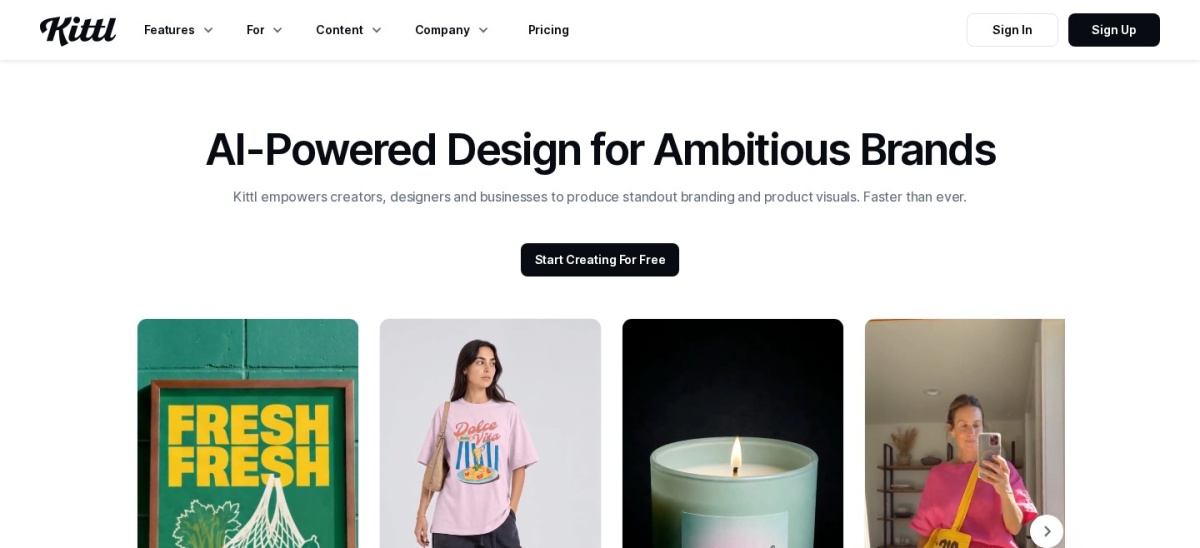
Kittl homepage, captured Nov 2026.
Kittl is a browser-based design tool focused on posters, branding, typography, and merchandise graphics, with a free plan that grants 100 one-time AI tokens. It lets you test templates and layout tools in the browser before paying.
The trade off is that the free plan restricts you to personal use and caps exports, while Pro costs $144/yr billed yearly ($15/mo monthly). It suits creators and small sellers making posters, logos, and print-on-demand designs.
What we like
Free tier lets you try the browser editor and templates with 100 one-time AI tokens
Strong focus on typography, posters, logos, and mockups
Pro plan is $12/mo billed yearly ($144/yr) or $15/mo monthly
Watch out for
Free plan is limited to personal use with export restrictions
AI features rely on token allowances that can run out quickly on heavy tasks
Less suited for prepress-heavy multi-page publishing than dedicated DTP software
Paid Pro unlocks commercial licensing up to 500,000 copies, vector SVG/PDF exports, higher-resolution PNG/JPG exports, and 2,000 monthly AI tokens.Visit kittl.com
07
Canva
4.7/5on G2 (8,401 reviews, checked Nov 2026)
Paid from$144/yr
Best for fast template-based flyers, decks, and social posts
Free Plan$0, 5 GB storage
Entry Paid$12/mo yearly ($144/yr)
Templates1.6M+ on Free
AccessWeb, desktop & mobile
canva.com
Canva homepage, captured Nov 2026.
Canva is a widely used template design platform whose free plan includes 1.6M+ templates, 4.7M+ free assets, one Brand Kit with three colors, and 5 GB of storage. It makes quick flyers, presentations, and social graphics straightforward without design training.
The trade off is limited layout and print controls on the free tier, with Pro at $144/yr billed yearly ($18/mo monthly). It suits non-designers and small teams producing fast marketing templates rather than complex print books.
What we like
Generous free tier with 1.6M+ templates, 4.7M+ free assets, and 5 GB storage
Easy drag-and-drop editing for flyers, posters, decks, and social graphics
Available on the web as well as desktop and mobile apps
Watch out for
CMYK export for print requires a paid plan
Lacks multi-page DTP features like threaded text frames, master pages, and IDML import
Pro is limited to one person, pushing multi-editor teams to higher tiers
Paid Pro unlocks 100 GB storage, 5 Brand Kits, background removal, resizing, and expanded template and asset libraries.Visit canva.com
Print layout vs. quick template tools
Free desktop publishing tools divide into two camps: software built for structured page layout and print output, and browser editors built for fast templates. Mixing them up is the fastest way to hit a wall right before printing.
If you need CMYK color control, bleed, master pages, or PDF/X export for a commercial printer, start with Affinity or Scribus. If you need a flyer, poster, or social graphic in ten minutes from a starter template, Canva or Adobe Express is usually faster.
How we chose
We built this shortlist from established desktop publishing, vector, and template design tools that offer a free tier or open-source release. Every entry must be actively maintained and relevant to creating layouts, flyers, posters, brochures, or print-ready files.
We checked pricing pages, product documentation, and review directories on 22 Nov 2026 to verify free-plan limits, regular paid starting prices, and public ratings. Where a tool has no paid tier, we list its cost as free with no paid plan.
We skipped discontinued software, tools without a free tier, and products where we could not verify pricing and active maintenance from current public sources. No vendor paid for a place, and we do not claim testing for this list.
How to choose a free desktop publishing tool
Follow four practical checks before you commit to a layout tool:
Match the tool to your output format. Decide whether you are exporting a print-ready PDF with bleed and color profiles or a quick digital flyer and social post.
Check free-tier limits before starting a project. Look at project caps, storage space, AI token allowances, and whether commercial use or vector export requires a paid plan.
Confirm operating system and workflow fit. Verify whether you need a local app on Windows, macOS, or Linux or a browser editor that works across devices without installation.
Test file import and export early. Make sure the tool opens the source files you receive and exports the exact file format your printer or team expects.
FAQ
What is the best completely free desktop publishing software?
Affinity and Scribus are top free choices for page layout. Affinity offers layout, vector, and pixel tools free for individuals with a Canva account, while Scribus is free and open source on Linux, macOS, and Windows.
Is Scribus still actively maintained?
Yes. Scribus continues to receive active releases and updates on desktop platforms, including support for CMYK color management, PDF/X export, and IDML import.
Can I use Canva for free for desktop publishing?
Yes. Canva has a free plan with templates, free media assets, and 5 GB of storage, though features like CMYK print export and some layout controls are limited or require a paid plan.
Is Inkscape good for desktop publishing?
Inkscape works well for single-page layouts like posters, flyers, and vector graphics. For multi-page publications such as books or magazines, dedicated layout tools like Scribus or Affinity are usually better suited.
Can LibreOffice handle basic desktop publishing?
Yes. LibreOffice Writer and Draw can create simple flyers, newsletters, diagrams, and multi-page documents for free, though they lack specialized commercial prepress tools.
Do I need a paid plan for commercial designs in Kittl?
Kittl's free plan is limited to personal use and restricts exports, while paid plans such as Pro include commercial licensing up to 500,000 copies and vector file exports.