Best Digital Sculpting Software in 2026: 7 Tools Compared
WLWPLegible EditorsLast verified 23 Nov 2026How we rank11 min read
★ Short answer
ZBrush is the best digital sculpting software for production character work, with unmatched brush dynamics and high-polygon detail at $399 a year, rated 4.7/5 on G2. Pick Blender if you want serious sculpting for free, and 3DCoat if you want voxel sculpting with a one-time licence.
How we make this list: we compare pricing pages, product documentation and public user reviews, then re-check every price before each update. No product paid for a place. Disclosure.
ZBrush is the best pick for production character work, with the highest G2 rating here at 4.7 from 104 reviews, at $399 a year.
Blender is the best free option: a complete 3D suite with serious sculpting for $0, rated 4.6/5 on G2 from 319 reviews.
3DCoat is the strongest dedicated alternative, with voxel sculpting plus retopology and texturing for a €379 one-time licence.
Mudbox, Forger, Sculptris and Meshmixer are all discontinued or withdrawn, so none of them is in this list.
Nomad Sculpt and Substance 3D Modeler have no G2, Capterra or Trustpilot rating, so they are not ranked here.
What digital sculpting software actually does
Digital sculpting software lets you shape 3D models like clay, pushing, pulling and carving a surface instead of building it from polygons and measurements. It is how film and game characters, creatures, collectibles and printable models are made.
The tools split into dedicated sculptors and full 3D suites. ZBrush and 3DCoat exist to sculpt. Blender, Cinema 4D, Houdini, Maya and 3ds Max are complete 3D packages with sculpting tools inside, so the sculpt is one step in a larger pipeline.
Price runs from free to two thousand dollars a year. Blender costs nothing. ZBrush is $399 a year, 3DCoat sells a €379 permanent licence, and the Autodesk pair costs $2,010 a year each, with Indie licences at $330 a year for artists under the revenue cap.
A few famous names are missing because they can no longer be bought. Mudbox ended new subscription sales in November 2026, Forger left the App Store in September 2025, and Sculptris and Meshmixer are discontinued, so none of them is in this list.
List prices in each vendor's currency, checked Nov 2026
BlenderFree
3DCoat€379
HoudiniFREE$299
ZBrush$399
Cinema 4D$839
Maya$2,010
3ds Max$2,010
The 7 best digital sculpting software tools
01
ZBrush
4.7/5on G2 (104 reviews, checked Nov 2026)
Starts at$399/yr
Best digital sculpting software overall
Free trial14 days
Subscription$49/mo or $399/yr
PlatformsWindows, macOS, iPad
IncludedRedshift CPU rendering
maxon.net
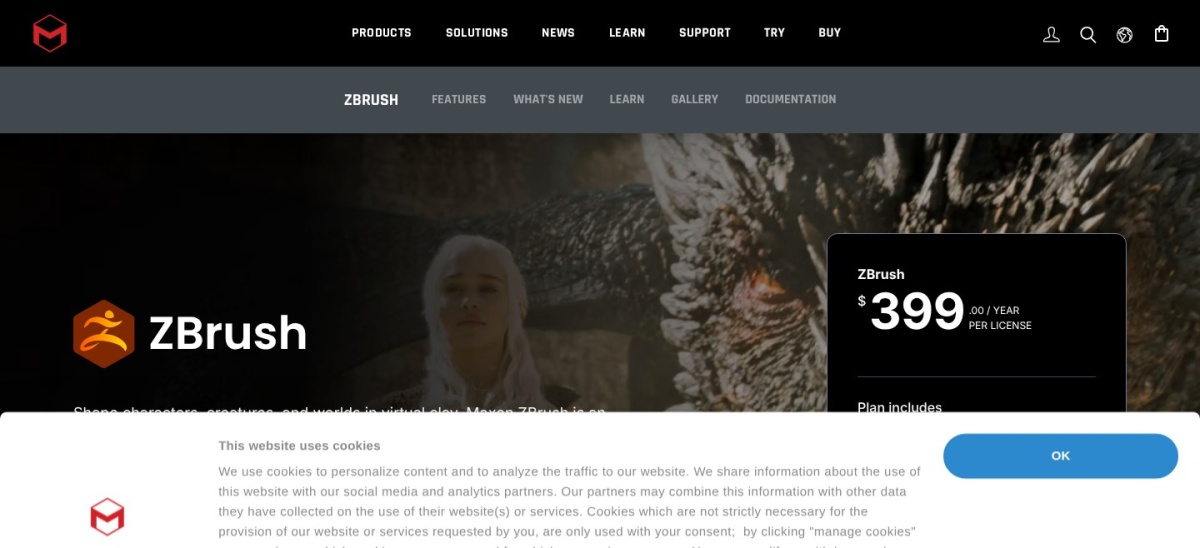
ZBrush homepage, captured Nov 2026.
ZBrush is the tool every other sculpting program gets measured against, and it is the standard for film and game character work. Maxon now owns it, and the current version runs on Windows, macOS and iPad, with brush dynamics that still feel closer to real clay than anything else in this list.
The trade off is price and the subscription. At $49 a month or $399 a year it is a serious line item, and Maxon ended perpetual licences in December 2023, so there is no buy-once option. A 14-day trial and a free iPad base version let you try the brushes first.
What we like
Industry standard for film and game characters
Brush feel closest to real clay
Rated 4.7 out of 5 on G2 from 104 reviews
Subscription includes desktop, iPad and Redshift CPU
Blender is a free and open-source 3D creation suite that supports the entire 3D pipeline, including modelling, rigging, animation, simulation, rendering and compositing. Its sculpting toolset covers dynamic topology, multiresolution sculpting and texture painting, and it now handles most sculpting work from character blockout to final detail.
The trade off is that it is a generalist. Its brushes are very good, but ZBrush still leads on brush feel and extreme detail, and Blender's interface takes time to learn. For $0, though, it is the strongest free sculpting tool available, with the largest tutorial community in 3D.
3DCoat takes a different technical approach from ZBrush: you block out forms in voxels, which means you never fight topology while shaping. It combines voxel sculpting with retopology and PBR texturing in one app, so a sculpt can go from blockout to paint without leaving the program.
The trade off is the smaller community and the euro price. A permanent licence costs €379 once with 12 months of updates, or €20.80 a month on subscription, and the G2 review base is small at 21 reviews. A 30-day full trial is available, followed by a free learning mode.
Cinema 4D is Maxon's 3D program for motion graphics, broadcast design and product visualisation, with sculpting tools inside a fast, clean modelling workflow. Every subscription includes the Redshift GPU renderer and five Team Render nodes, and it integrates closely with After Effects.
The trade off is depth and price. Its sculpting is a feature, not the core, so dedicated character work belongs in ZBrush, and at $109 a month or $839 a year it is a subscription with no perpetual licence. A 14-day free trial is available.
Houdini is the procedural 3D and VFX program from SideFX, and it is the standard for effects, simulation and destruction in film. Its sculpting is procedural: every operation is a node that stays editable, so a sculpt can be rebuilt, varied and reused instead of re-done by hand. Houdini 22 was released in July 2026.
The trade off is the learning curve, the steepest here. The node-based workflow takes weeks to grasp, and the Indie licence at $299 a year caps at $100,000 revenue and three seats, while FX costs $3,505 a year. Apprentice is free for learning, with watermarked renders.
What we like
Procedural sculpting that stays editable
Standard for film VFX and simulation
Rated 4.5 out of 5 on G2 from 35 reviews
Indie at $299 a year is a bargain for small studios
Maya is Autodesk's comprehensive 3D application for film, television and games, and it anchors character animation and VFX pipelines. Its sculpting tools sit inside a full pipeline with rigging, animation, simulation and the Arnold renderer, so a sculpt moves straight into production without changing apps.
The trade off is price. A standard subscription costs $255 a month or $2,010 a year, though Indie is $330 a year for artists under the $100,000 revenue cap, and it is free for students and educators. A 30-day trial is available.
3ds Max is Autodesk's 3D program for architectural visualisation and game asset production, with strong polygon modelling, a mature modifier stack and sculpting and painting tools inside. It exports cleanly to Unreal Engine and Unity, works with V-Ray, Corona and Arnold, and has a large library of plug-ins.
The trade off is platform and price. It runs on Windows only, so Mac users cannot run it natively, and a standard subscription costs $255 a month or $2,010 a year, with Indie at $330 a year. A 30-day trial is available.
Dedicated sculptor vs full 3D suite: which one do you need
A dedicated sculptor and a full 3D suite overlap, but they are not the same job. A sculptor shapes the form. A suite takes that form through rigging, animation and rendering.
If your work stalls because the brush feel is wrong or detail tops out, you need a dedicated sculptor: ZBrush or 3DCoat will carry the detail further.
If your work stalls because the sculpt has nowhere to go next, you need a suite: Blender, Maya or Houdini keep modelling, animation and rendering in one place.
If your work stalls because the budget is zero, Blender is the answer. It is the only tool here that is free and complete, and its sculpting covers most jobs from blockout to final detail.
How we chose
We compared tools that appear in sculpting roundups and 3D guides, then kept only the ones with a verifiable rating on G2. Nomad Sculpt, Womp, Kodon and Substance 3D Modeler were left out because none has a G2, Capterra or Trustpilot listing.
We ranked on brush quality, detail limits, price and free options, with the free plan checked first. Top-three prices were confirmed on each vendor's own pricing page through independent November 2026 checks.
No vendor paid for a place, and we do not claim hands-on testing for this list.
How to choose digital sculpting software
Start with the job the sculpt has to do, then check the price and the pipeline it must fit.
Decide sculptor or suite first. Character and creature work needs a dedicated sculptor. A sculpt that must be rigged, animated and rendered needs a full suite around it.
Check the free tier before paying. Blender is free outright, Houdini Apprentice is free to learn with, and ZBrush, 3DCoat, Cinema 4D, Maya and 3ds Max all have trials of 14 to 30 days.
Check the licence, not just the price. ZBrush and the Autodesk tools are subscription-only, 3DCoat sells a permanent licence, and Maya and 3ds Max Indie licences at $330 a year need revenue under $100,000.
Check the platform. 3ds Max runs on Windows only, while ZBrush, Blender, Cinema 4D, Houdini and Maya run on Windows and macOS, and Blender and Houdini also run on Linux.
FAQ
What is the best digital sculpting software?
ZBrush is the best pick for production character and creature work, rated 4.7/5 on G2 from 104 reviews, at $399 a year. Blender is the best free option, and 3DCoat is the strongest dedicated alternative with a €379 one-time licence.
Is there free digital sculpting software?
Yes. Blender is completely free and open source, with dynamic topology and multiresolution sculpting inside a full 3D suite. Houdini Apprentice is free for non-commercial use, and ZBrush for iPad has a free version with 28 brushes and core tools.
Can I sculpt on an iPad?
Yes. ZBrush for iPad is included with a ZBrush subscription, and a free base version covers 28 brushes. Nomad Sculpt is the best-regarded tablet-only app at $19.99 once, but it has no G2 or Capterra rating, so it is not ranked in this list.
What happened to Mudbox?
Autodesk confirmed in August 2026 that Mudbox new subscription sales and renewals are being discontinued, with monthly and annual options ending in November 2026. Blender is the closest free replacement, and 3DCoat is the strongest dedicated alternative.
ZBrush or Blender: which should I choose?
ZBrush wins on brush feel and high-polygon detail for film and game characters, at $399 a year. Blender wins on price at $0 and on having the whole pipeline in one app, and its sculpting now covers most jobs from blockout to final detail.
Is 3DCoat really a one-time purchase?
Yes. A 3DCoat 2026 permanent licence costs €379 once, with 12 months of updates, and a subscription costs €20.80 a month or €169.85 a year. A 30-day full trial is available, followed by a free learning mode.