Best Free Collage Software in 2026: 7 Tools Compared
WLWPLegible EditorsLast verified 22 Nov 2026How we rank10 min read
★ Short answer
Canva is the best free collage software for most people, combining photo grids, editable templates and design tools in a free browser editor. It holds a 4.7/5 G2 rating from 7,923 reviews. Choose FotoJet for simple collage layouts without installing software, or Adobe Express for social graphics and access to Adobe design assets.
How we make this list: we compare pricing pages, product documentation and public user reviews, then re-check every price before each update. No product paid for a place. Disclosure.
Canva is the strongest overall free choice, with collage templates, photo editing and a 4.7/5 G2 rating from 7,923 reviews.
FotoJet specializes in quick photo collages. Its Plus plan costs $39.99 per year and adds more than 600 premium templates.
Adobe Express combines collages with social design tools, offering 345,000+ free templates and 5GB of storage.
Pixlr has the lowest paid entry price here: Plus costs $1.99 per month billed yearly, or $23.88 annually.
Ribbet supports basic grid collages for free, with up to 5 projects and exports capped at 2048 x 2048 pixels.
Visme focuses on broader visual projects, but free exports are more restricted than with dedicated collage makers.
What makes free collage software worth using?
A photo collage combines multiple images into a single design. Free collage makers differ in their layout libraries, editing controls, export quality and restrictions on premium assets.
Start with layout flexibility. Basic grid makers arrange photos into equal or adjustable cells. More creative editors let you overlap images, adjust spacing, add borders and combine photos with text or decorative elements.
Check what happens when you download. Some tools reserve high-resolution exports, premium graphics or certain templates for subscribers. A usable free plan should let you finish an ordinary collage without paying.
Also consider where you work. Browser editors are convenient for occasional projects, while tools with mobile support are useful for creating collages directly from a phone.
Canva is a browser-based design platform with free photo collage templates, grids, text tools and editable graphics. You can upload personal photos, arrange them in a template, adjust colors and spacing, and export completed designs. Its broader design editor also supports posters, presentations and social graphics.
The trade off is access to premium templates, graphics and advanced editing features. Canva Pro costs $12 per month when billed yearly, or $144 annually, with additional paid design resources and editing tools. It suits people who want free collages alongside other creative projects.
What we like
Large collection of customizable collage templates
Combines collages with general graphic design
Works in a browser and on mobile devices
Free tools for text, backgrounds and photo placement
Watch out for
Premium graphics and templates require payment
Some advanced photo editing is reserved for Pro
More menus than a dedicated collage-only editor
Pro adds premium assets, more editing tools and expanded design features.Visit canva.com
02
FotoJet
4.3/5on G2 (73 reviews, checked Nov 2026)
Paid from$39.99/yr
Best for quick browser-based collages
Free planYes
EditorBrowser
Core toolsCollages, photo editing and design
Paid planPlus, $39.99/yr
fotojet.com
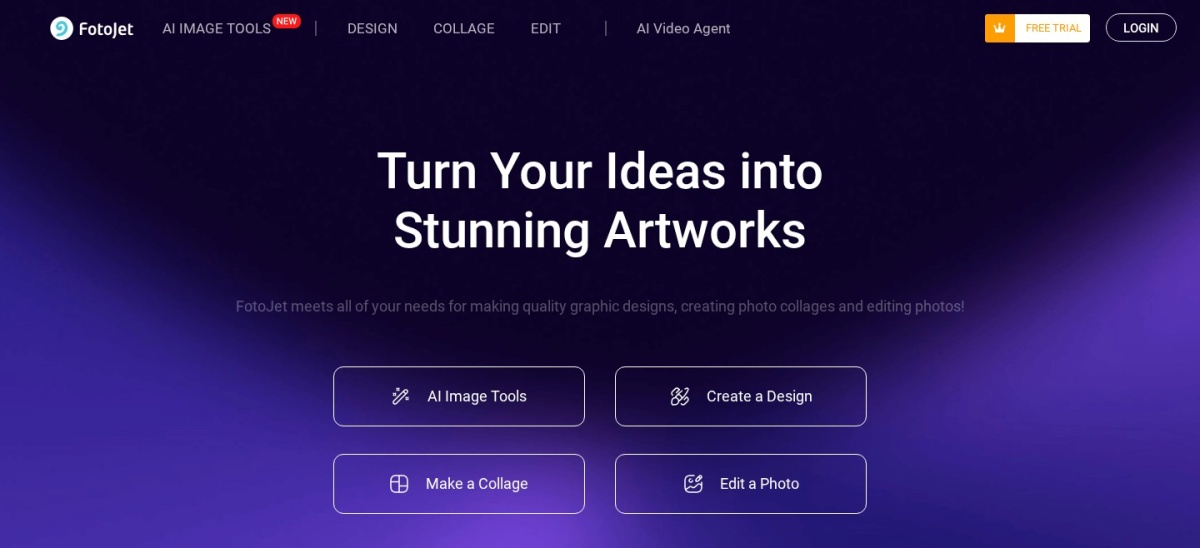
FotoJet homepage, captured Nov 2026.
FotoJet is an online collage maker combining ready-made photo layouts, basic editing and graphic design. Its free tools let you arrange pictures, apply effects, add text and create simple designs without installing desktop software. The editor separates collage making, photo editing and graphic design into straightforward workflows.
The trade off is that advanced editing, cloud storage and premium resources require FotoJet Plus. The annual plan costs $39.99, while monthly billing costs $6.99. It suits occasional users who want to finish a collage quickly without learning a larger design platform.
What we like
Dedicated collage maker with ready-made layouts
Runs directly in a browser
Photo editing and design tools included
Affordable annual paid upgrade
Watch out for
Advanced tools require Plus
Some templates and resources are premium
Project storage is a paid benefit
Plus adds 600+ premium templates, 500+ resources, cloud storage and ad-free editing.Visit fotojet.com
03
Adobe Express
4.4/5on G2 (1,109 reviews, checked Nov 2026)
Paid from$9.99/mo
Best for social media photo collages
Free templates345,000+
Free storage5GB
EditorBrowser and mobile
Paid planPremium, $9.99/mo
adobe.com
Adobe Express homepage, captured Nov 2026.
Adobe Express is a design editor that includes collage creation, photo editing and templates for social media. Its free plan provides access to 345,000+ static and video templates, standard editing tools and 5GB of storage. You can combine images with typography, backgrounds and graphic elements for digital posts.
The trade off is that premium templates, advanced resizing and additional creative tools require a subscription. Adobe Express Premium costs $9.99 per month with no annual commitment. It suits creators who need photo collages and other social media designs in the same editor.
What we like
Large free template collection
Photo, video and document editing in one platform
Works on desktop browsers and phones
Free Adobe Stock assets and fonts
Watch out for
Premium assets are subscription-only
Advanced resizing requires Premium
More features than basic collage projects need
Premium adds 250 monthly generative credits, more templates, advanced tools and 100GB storage.Visit adobe.com
04
BeFunky
4.3/5on G2 (106 reviews, checked Nov 2026)
Paid from$6.99/mo
Best for collages with photo effects
Free planYes, limited tools
EditorBrowser
Collage layoutsBasic selection free
Paid planPlus, from $6.99/mo
befunky.com
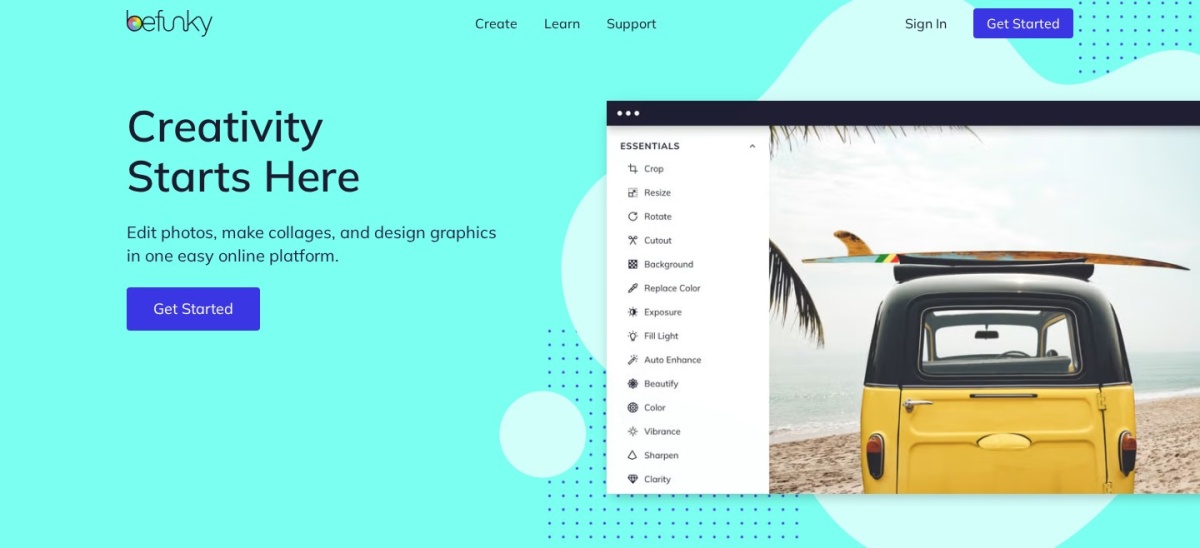
BeFunky homepage, captured Nov 2026.
BeFunky is an online photo editor, collage maker and graphic designer. Its free version includes limited collage layouts, basic photo editing, effects and decorative tools. Users can combine images into grid arrangements, adjust their appearance and add design elements without installing software.
The trade off is that the free plan limits layout choices, smart editing and premium effects. BeFunky Plus is advertised from $6.99 per month, with advanced collage and editing features available to subscribers. It suits users who want to improve individual photos before combining them into a collage.
What we like
Collage maker and photo editor in one workspace
Basic layouts available free
Photo effects and decorative tools
Browser-based editing without installation
Watch out for
Free layout selection is limited
Collage Wizard requires a paid plan
Advanced editing and AI features require upgrading
Plus unlocks Collage Wizard, premium effects, advanced editing and additional creative assets.Visit befunky.com
05
Pixlr
4.4/5on G2 (750 reviews, checked Nov 2026)
Paid from$1.99/mo
Best for editing photos before collaging
Free planYes
Collage makerBrowser-based
Editing toolsPixlr Express and Editor
Paid planPlus, $1.99/mo billed yearly
pixlr.com
Pixlr homepage, captured Nov 2026.
Pixlr is an online image editing platform with a dedicated photo collage maker. Its free tools let users combine photos and make image adjustments in the browser. Pixlr Express provides simpler edits, while Pixlr Editor offers more detailed control over image layers and adjustments.
The trade off is that the free experience includes restrictions, while paid plans provide ad-free editing and additional allowances. Pixlr Plus costs $1.99 per month billed yearly, or $23.88 annually; monthly billing costs $2.49. It suits people who need more photo editing control than a basic collage template provides.
What we like
Dedicated online collage maker
Separate editors for basic and detailed adjustments
Low-cost paid upgrade
Browser access without desktop installation
Watch out for
Free version has usage restrictions
Advanced tools take time to learn
Premium asset access requires higher plans
Plus removes ads and adds unlimited saves and AI credits.Visit pixlr.com
06
Ribbet
2.3/5on Trustpilot (78 reviews, checked Nov 2026)
Paid from$76.99/yr
Best for basic grid collages
Free projectsUp to 5
Free export limit2048 x 2048 pixels
Free collagesBasic and grid templates
Paid planPro, $76.99/yr
ribbet.com
Ribbet homepage, captured Nov 2026.
Ribbet is a photo editing platform with basic collage templates and image adjustment tools. Its free plan supports up to 5 projects, exports up to 2048 x 2048 pixels and includes basic grid layouts. Users also get crop, resize, color adjustments, text tools and a selection of image effects.
The trade off is that advanced layouts, higher-resolution exports and unlimited projects require Pro. Ribbet Pro costs $76.99 annually or $8.99 monthly, and its Trustpilot score is comparatively low at 2.3/5. It suits occasional users whose projects fit within the free limits.
What we like
Basic grid collage templates included free
Free image editing and text tools
Works in a browser
Clearly published export and project limits
Watch out for
Free accounts limited to 5 projects
Advanced layouts require Pro
Lower Trustpilot score than other tools here
Free export resolution is capped
Pro adds unlimited projects, advanced collage layouts and exports up to 4096 x 4096 pixels.Visit ribbet.com
07
Visme
4.5/5on G2 (514 reviews, checked Nov 2026)
Paid from$12.25/mo
Best for collages within presentation designs
Free planBasic
Free projectsUnlimited
Design assetsLimited free selection
Paid planStarter, $147/yr
visme.co
Visme homepage, captured Nov 2026.
Visme is an online visual design platform for presentations, graphics, reports and other content. Its free Basic plan includes unlimited projects and a limited selection of templates and design assets. Users can arrange photos within custom visual compositions alongside text, shapes and other graphics.
The trade off is that free users have restricted template access and download options. Starter costs $12.25 per month billed yearly, or $147 annually, and adds premium assets and JPG, PNG and PDF downloads. It suits users combining photos as part of business presentations or larger visual projects.
What we like
Unlimited projects on the free plan
Combines images with presentations and graphics
Supports broader visual content creation
Premium plan includes multiple download formats
Watch out for
Less focused on dedicated photo collage layouts
Free download options are restricted
Premium assets require a paid subscription
Higher upgrade cost than simple collage makers
Starter unlocks premium assets, templates and JPG, PNG and PDF downloads.Visit visme.co
When is a paid collage maker worth it?
Free collage software is usually sufficient for personal photo grids, simple social graphics and occasional creative projects. Canva, FotoJet, Adobe Express and Pixlr all offer usable free creation tools.
Paying becomes more useful when you need premium layouts, higher-resolution exports, cloud project storage or advanced editing. Ribbet, for example, limits free exports to 2048 x 2048 pixels, while Pro increases that limit to 4096 x 4096.
Before subscribing, check whether the feature you need is included in the cheapest paid tier. Pixlr Plus focuses on removing ads and increasing allowances, while higher tiers unlock a larger set of premium creative features.
How we chose
We identified established collage and visual design platforms with publicly available free tools, including dedicated collage makers and broader design editors. We compared their official feature descriptions, free-plan restrictions, supported workflows and published customer feedback.
Prices and ratings were checked against accessible vendor pages and public review listings on 22 Nov 2026 for this comparison. Pricing figures reflect the cheapest applicable paid plan, with annual billing amounts identified separately from monthly subscriptions. Ratings come from G2 or Trustpilot rather than WordPress.org because these are standalone applications.
We excluded services whose paid pricing could not be confirmed reliably, products without a meaningful free offering, and tools that focused on unrelated design tasks without suitable photo arrangement features. We did not treat temporary promotional prices as standard subscription rates. No vendor paid for a place, and we do not claim testing for this list.
How to choose the right free collage software
Start by deciding how you want your photos arranged, then compare the free editing tools and export restrictions before considering an upgrade.
Choose your collage style first. Use FotoJet or Ribbet for straightforward photo grids. Choose Canva or Adobe Express when you want layouts with text, decorative graphics and flexible positioning.
Check what the free version actually includes. Look at available layouts, photo editing tools, templates and storage restrictions. A free account is only useful if it supports the complete collage you want to create.
Review export quality and download limitations. Make sure the free plan supports the image resolution and file format you need. If you're printing a collage, higher-resolution output may matter more than having a large template library.
Compare paid upgrades by annual cost. Consider how often you make collages and which features are worth paying for. Pixlr offers a low-cost entry upgrade, while FotoJet, Ribbet and larger design platforms charge more for broader creative features.
FAQ
What is the best free collage software in 2026?
Canva is the best overall choice for most people because its free editor combines collage templates, photo grids, text and general design tools. FotoJet is a simpler alternative for dedicated photo layouts, while Adobe Express works well when collages are part of social media content.
Can I make a photo collage without paying?
Yes. Canva, FotoJet, Adobe Express, BeFunky, Pixlr and Ribbet all provide free tools that can be used to arrange photos. Some layouts, graphics, editing functions or export options may require a subscription, so check which features are free before starting.
Which free collage maker is easiest for beginners?
FotoJet is a practical option for beginners because it has a dedicated collage workflow with ready-made layouts and straightforward editing controls. Canva is also beginner-friendly, especially if you prefer customizing templates with text, colors and graphics instead of starting with an empty design.
Can I create a photo collage without downloading software?
Yes. All the tools compared here offer browser-based editing. You can access their websites, select a layout or design, and arrange photos online. Browser editors are convenient for occasional work because they do not require a traditional desktop installation.
Which free collage software offers the most editing options?
Pixlr is worth considering when you want to adjust photos in detail before combining them. Its separate image editors offer more control than a basic grid maker. Canva and Adobe Express provide broader layout and design tools, which may be more useful for decorative collages.
What is the cheapest paid collage software?
Pixlr Plus is the lowest-cost paid entry plan in this comparison, at $1.99 per month when billed yearly, totaling $23.88 annually. FotoJet Plus costs $39.99 annually and provides more specialized collage resources, making it another affordable upgrade.
Is free collage software good enough for printing?
Free collage software can work for printing, but check the available export resolution and design dimensions. Ribbet, for example, limits its free exports to 2048 x 2048 pixels. Larger prints may require higher-resolution images or a paid export option.
What is the difference between a collage maker and a photo editor?
A collage maker focuses on arranging multiple pictures into one composition, often using grids and templates. A photo editor focuses on modifying individual images through cropping, color adjustments and effects. Some products, including Pixlr, FotoJet and BeFunky, provide both capabilities.