Best Business Collaboration Tools in 2026: 8 Tools Compared
WLWPLegible EditorsLast verified 22 Nov 2026How we rank11 min read
★ Short answer
Slack is the best business collaboration tool for fast channel messaging, offering a free plan and Pro seats from $87/yr billed annually. Teams needing an all-in-one wiki should pick Notion, while ClickUp suits multi-view project tracking.
How we make this list: we compare pricing pages, product documentation and public user reviews, then re-check every price before each update. No product paid for a place. Disclosure.
Slack leads real-time team chat with 40,595 G2 reviews (4.5/5) and Pro pricing at $87/yr per user billed annually.
Notion earns 4.6/5 across 14,020 G2 reviews, pairing wikis and databases with a $120/yr Plus tier.
ClickUp holds a 4.6/5 rating across 15,892 G2 reviews, starting at $108/yr per user on its new Core plan.
Microsoft Teams provides the lowest per-seat entry price among major platforms at $48/yr per user on Essentials.
Basecamp avoids per-user fees entirely, offering flat team tiers starting at $348/yr for up to 5 users and 3 projects.
What to look for in business collaboration software
Business collaboration software generally falls into three layers: real-time messaging (like Slack and Microsoft Teams), structured task coordination (like ClickUp, Asana, and Trello), and shared documentation (like Notion and Google Workspace). Buying a single tool without checking which layer your team actually lacks often leads to duplicate subscriptions.
Pay close attention to free-tier ceilings before rolling out a workspace. Free plans frequently restrict searchable message history, cap total active boards or blocks, or limit collaborator counts to between 2 and 10 seats.
Pricing structures also vary widely between per-seat subscriptions and flat organization packages. Per-user plans scale linearly with every new hire, whereas flat-tier tools like Basecamp charge one fixed rate up to a user and active-project cap.
Slack is a channel-based messaging hub built to replace internal email threads with searchable rooms, audio-video huddles, and external Slack Connect chats. Its free plan supports unlimited users with 90 days of searchable message history, up to 10 app integrations, and 1:1 huddles.
The trade off is that older messages disappear from search on the free tier, and Pro costs $87/yr per user billed annually ($8.75/mo on monthly billing) to unlock unlimited history and group huddles. It suits fast-moving teams that coordinate work through live chat and third-party app alerts.
What we like
Organized public and private channels keep project threads separate
Connects with over 2,600 external workplace apps
Lightweight audio and video huddles with screen sharing
Only bills for active workspace members
Watch out for
Free plan hides messages older than 90 days
Per-seat costs rise quickly for larger headcounts
Pro unlocks unlimited message history, unlimited app integrations, and group huddles.Visit slack.com
02
Notion
4.6/5on G2 (14,020 reviews, checked Nov 2026)
Paid from$120/yr
Best for wikis and shared docs
Primary focusWikis & databases
Free tier limitBlock cap for 2+ members
Entry paid tierPlus ($10/seat/mo)
Page history30 days on Plus
notion.com
Notion homepage, captured Nov 2026.
Notion is a connected workspace combining collaborative documents, company wikis, forms, and customizable task databases in one interface. The free plan includes unlimited pages for solo users, 7-day page version history, 5 MB file uploads, and free guest access.
The trade off is that adding a second member triggers a workspace block limit, and the Plus plan costs $120/yr per seat billed annually ($12/mo billed monthly), while full Notion AI requires the $20/mo Business tier. It suits teams centralizing handbooks, meeting notes, and lightweight project trackers.
What we like
Combines internal wikis, notes, and relational databases in one tool
External guests can be invited to specific pages at no extra seat cost
Flexible templates speed up SOP and roadmap creation
Includes Notion Calendar for connecting schedules with tasks
Watch out for
Multi-member workspaces hit a block cap on the free plan
Full AI features are gated behind the $20/seat/mo Business tier
Plus removes the team block limit and raises file uploads to 5 GB with 30-day history.Visit notion.com
03
ClickUp
4.6/5on G2 (15,892 reviews, checked Nov 2026)
Paid from$108/yr
Best all-in-one project hub
Primary focusAll-in-one work hub
Free tier limit60 MB total storage
Entry paid tierCore ($9/user/mo)
Automations1,000 runs/mo on Core
clickup.com
ClickUp homepage, captured Nov 2026.
ClickUp is an all-in-one project collaboration platform bundling task lists, Kanban boards, Gantt charts, docs, whiteboards, and built-in chat. Its Free Forever plan supports unlimited tasks and members with 60 MB of workspace storage and a one-time pool of 500 AI credits.
The trade off is a dense interface that takes setup time, and the entry Core plan costs $108/yr per user billed annually ($12/mo billed monthly), while timesheets require the $17/mo Business plan. It suits cross-functional teams wanting tasks, docs, and chat in one app.
What we like
Consolidates task views, docs, whiteboards, and chat in one workspace
Core plan includes unlimited storage, Gantt charts, and custom fields
1,000 monthly automation runs included on the entry paid tier
Pooled monthly AI credits scale with workspace seat count
Watch out for
Steep initial learning curve due to deep configuration menus
Timesheets and workload management require the $17/user/mo Business tier
monday.com is a visual work management platform built around customizable boards, real-time workdocs, and 200+ workflow templates. Its free plan covers up to 2 seats with 3 boards, 3 docs, and 8 column types.
The trade off is that free accounts stop at two users, and the Basic plan costs $108/yr per seat billed annually—while Gantt views, guest access, and automations require upgrading to the $12/seat/mo Standard plan. It suits operations and marketing teams tracking status across shared boards.
What we like
Highest G2 rating on this list at 4.7/5 across 17,975 reviews
Color-coded status columns make project bottlenecks easy to scan
Includes unlimited free read-only viewers on paid plans
Real-time workdocs embed live board items directly inside notes
Watch out for
Free tier is capped at 2 seats and 3 boards
Timeline views, Gantt charts, and automations require the Standard tier
Basic removes board and item caps and adds unlimited free read-only viewers.Visit monday.com
05
Microsoft Teams
4.4/5on G2 (19,479 reviews, checked Nov 2026)
Paid from$48/yr
Best for Microsoft 365 organizations
Primary focusMeetings, chat & M365
Free tier limit60-min calls, 5 GB storage
Entry paid tierEssentials ($4/user/mo)
Meeting capacityUp to 300 participants
microsoft.com
Microsoft Teams homepage, captured Nov 2026.
Microsoft Teams combines persistent team channels, video conferencing, and live co-editing for Word, Excel, and PowerPoint files in one hub. Its free tier supports 60-minute group calls for up to 100 participants alongside 5 GB of cloud storage.
The trade off is that the desktop client uses noticeable system memory, and while Teams Essentials costs just $48/yr per user billed annually (with 10 GB storage and 30-hour meetings), custom business email requires the $7/user/mo Microsoft 365 Business Basic plan. It suits companies already standardized on Microsoft 365.
What we like
Lowest entry paid price on this list at $48/yr per user
Co-edit Word, Excel, and PowerPoint files directly inside chats
Supports 30-hour meetings and 300 participants on paid tiers
Deep native integration with Outlook, OneDrive, and SharePoint
Watch out for
Desktop app can consume heavy RAM and battery during screen sharing
Teams Essentials does not include custom business email or Office apps
Teams Essentials extends meetings to 30 hours for 300 participants with 10 GB cloud storage.Visit microsoft.com
06
Google Workspace
4.6/5on G2 (48,325 reviews, checked Nov 2026)
Starts at$84/yr
Best for cloud document co-editing
Primary focusEmail, Docs & Meet
Free tier limit14-day trial only
Entry paid tierBusiness Starter ($7/user/mo)
Pooled storage30 GB/user on Starter
workspace.google.com
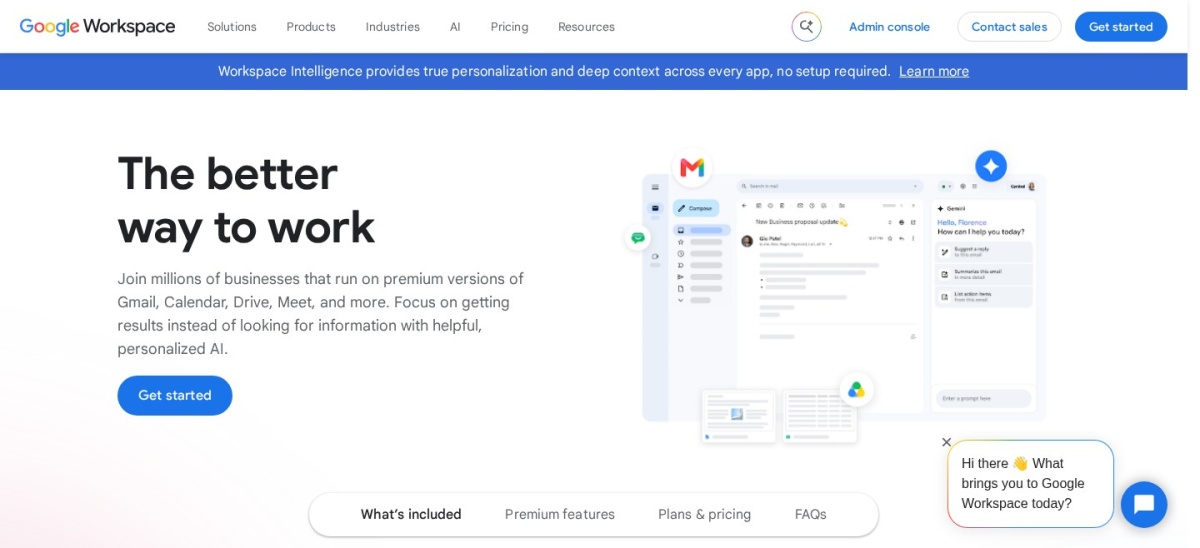
Google Workspace homepage, captured Nov 2026.
Google Workspace unifies custom-domain Gmail, Drive, Docs, Sheets, Slides, Chat, and Meet into a browser-first collaboration suite. After a 14-day free trial, Business Starter provides 30 GB of pooled cloud storage per user and video meetings for up to 100 participants.
The trade off is that there is no permanent free business plan, and Business Starter costs $84/yr per user on an annual commitment ($8.40/mo on the flexible monthly plan, with introductory promos sometimes offered to new accounts). It suits cloud-native teams that co-author documents in real time.
What we like
Fast browser-based co-editing across Docs, Sheets, and Slides
Includes custom business email, Drive storage, Chat, and Meet in one bill
48,325 G2 reviews with a 4.6/5 average score
Requires virtually zero local software maintenance
Watch out for
No permanent free tier for custom business domains
Starter's 30 GB per-user storage fills up quickly with video files
Business Starter includes custom domain Gmail, 30 GB pooled storage/user, Docs, and Meet.Visit workspace.google.com
07
Trello
4.4/5on G2 (14,078 reviews, checked Nov 2026)
Paid from$60/yr
Best for simple Kanban boards
Primary focusKanban task boards
Free tier limit10 boards, 10 collaborators
Entry paid tierStandard ($5/user/mo)
Automation quota1,000 runs/mo on Standard
trello.com
Trello homepage, captured Nov 2026.
Trello is a visual Kanban collaboration tool where teams organize projects into boards, lists, and drag-and-drop cards with checklists and due dates. Its free plan supports up to 10 collaborators and 10 boards per workspace, unlimited cards, 250 monthly automation runs, and 10 MB file attachments.
The trade off is that large multi-project workflows can become crowded on Kanban boards, and the Standard plan costs $60/yr per user billed annually ($6/mo monthly), while Timeline and Calendar views require the $10/user/mo Premium tier. It suits small teams that want fast visual task tracking without training.
What we like
Minimal setup time with intuitive drag-and-drop Kanban cards
Generous free tier supports up to 10 collaborators and 10 boards
Standard tier costs just $60/yr per user for unlimited boards
Timeline, Table, and Dashboard views require the $10/user/mo Premium tier
Becomes harder to navigate across large, complex project portfolios
Standard unlocks unlimited boards, custom fields, card mirroring, and 250 MB file uploads.Visit trello.com
08
Basecamp
4.1/5on G2 (5,361 reviews, checked Nov 2026)
Paid from$348/yr
Best flat-rate tool without seat fees
Primary focusAll-in-one project rooms
Free tier limit1 project, 3 users, 1 GB
Entry paid tierFreelancer ($29/mo flat)
Per-user feesNone on any tier
basecamp.com
Basecamp homepage, captured Nov 2026.
Basecamp groups message boards, to-do lists, schedules, group chat, card tables, and file storage inside self-contained project rooms. Its free package covers 1 active project, up to 3 users, and 1 GB of storage with no per-seat fees.
The trade off is that Basecamp omits Gantt charts and complex reporting, and its entry Freelancer tier costs $348/yr ($29/mo flat) for up to 5 users and 3 active projects—jumping to $79/mo for 8 projects or $199/mo billed annually for unlimited users and projects. It suits agencies and small teams tired of per-seat pricing.
What we like
Zero per-user fees across every fixed package tier
Keeps client comments, files, and to-dos easy for non-technical guests
Includes built-in message boards, Campfire chat, and time tracking
Archived projects do not count toward active project caps
Watch out for
Lacks Gantt charts, dependencies, and advanced analytics
Crossing a project or user cap forces a jump to the next fixed tier
Freelancer raises limits to 3 active projects, 5 users, 10 GB storage, and 24/7 support.Visit basecamp.com
How teams combine messaging and project tools
Most businesses separate fast conversation from structured task tracking rather than forcing one tool to do everything. A common setup pairs Slack or Microsoft Teams for daily chat and video calls with ClickUp, monday.com, or Trello for task ownership and deadlines.
If your budget only covers a single subscription, all-in-one workspaces like ClickUp or Basecamp include both group chat and task lists out of the box, while Google Workspace and Microsoft 365 bundle email, docs, and video meetings under one seat fee.
How we chose
We selected 8 established business collaboration platforms spanning real-time chat, visual project management, shared documentation, and full productivity suites. Every candidate has thousands of verified user reviews and active 2026 product updates.
All prices, plan limits, G2 ratings, and review counts were verified on 22 Nov 2026 directly from official vendor pricing pages and G2 product profiles. Where vendors offer both monthly and annual billing, we listed the regular annual rate per user or flat package.
We excluded single-purpose tools without multi-user workspace collaboration, discontinued apps, and enterprise-only platforms that hide entry pricing behind custom sales quotes. No vendor paid for a place, and we do not claim testing for this list.
How to choose a business collaboration tool
Identify your team's primary bottleneck before comparing per-seat plans and free-tier ceilings.
Pinpoint your missing collaboration layer. Choose Slack or Microsoft Teams if slow email threads are the main problem, Notion if scattered documentation is costing time, or ClickUp, monday.com, and Trello if tasks lack clear owners and deadlines.
Check free-tier limits against your real headcount. Count both internal staff and external clients before relying on a free plan. Trello allows up to 10 collaborators for free, whereas monday.com caps free workspaces at 2 seats and Notion enforces a block limit once 2 or more members join.
Calculate total annual cost at your 12-month team size. Multiply the regular annual seat rate by your expected headcount, or compare flat-rate tiers like Basecamp ($29/mo for up to 5 users and 3 projects) if you plan to add frequent collaborators.
Verify native integrations with your existing suite. If your company already pays for Microsoft 365 or Google Workspace, check whether built-in Teams or Google Chat covers your meeting and file-sharing needs before adding another per-seat bill.
FAQ
What is the best free business collaboration tool?
Slack, ClickUp, and Trello offer the most capable permanent free plans. Slack supports unlimited users with 90-day message history, ClickUp includes unlimited tasks and members with 60 MB storage, and Trello supports up to 10 collaborators and 10 boards.
Which business collaboration tool has the lowest paid plan?
Microsoft Teams Essentials is the lowest-priced entry plan on this list at $48/yr per user ($4/user/mo billed annually), followed by Trello Standard at $60/yr per user ($5/user/mo billed annually).
Is Slack or Microsoft Teams better for business collaboration?
Slack is stronger for teams that rely on fast channel discussions and over 2,600 third-party app integrations. Microsoft Teams is better value for organizations already paying for Microsoft 365 that want built-in video calls and Office document co-editing.
Can one collaboration tool replace both chat and project management?
Yes, tools like ClickUp and Basecamp combine group chat, file sharing, and task tracking in one subscription. However, larger teams often still pair a dedicated chat app like Slack with a dedicated project tracker for cleaner notification control.
Are there collaboration tools without per-user pricing?
Basecamp charges flat monthly or annual package rates with zero per-user fees. Its Freelancer plan costs $348/yr ($29/mo) for up to 5 users and 3 active projects, while Pro Unlimited costs $2,388/yr ($199/mo billed annually) for unlimited users and projects.