Best Business Automation Software in 2026: 7 Tools Compared
WLWPLegible EditorsLast verified 22 Nov 2026How we rank10 min read
★ Short answer
Zapier is the best business automation software for most teams, connecting 9,000+ apps with a 4.5/5 rating across 2,170 G2 reviews. Choose Make for visual multi-branch scenarios at $108/yr, or self-host n8n for free execution-based automation.
How we make this list: we compare pricing pages, product documentation and public user reviews, then re-check every price before each update. No product paid for a place. Disclosure.
Zapier connects 9,000+ apps and starts at $19.99/mo ($240/yr billed annually) for 750 monthly tasks, plus a 100-task free plan.
Make starts at $9/mo ($108/yr billed annually) for 10,000 credits per month and offers visual branching, routers, and iterators.
n8n bills per full workflow execution rather than per step, starting at €20/mo on n8n Cloud or $0 for self-hosted Community Edition.
Microsoft Power Automate Premium costs $15/user/mo ($180/yr billed annually) and includes attended desktop RPA and 5,000 AI Builder credits.
Pabbly Connect starts at $16/mo ($192/yr billed annually) for 10,000 tasks and excludes triggers, filters, and routers from task counts.
Activepieces offers an open-source visual builder with a 4.8/5 rating on G2 and paid cloud plans starting at $16/mo ($192/yr billed annually).
What to look for in business automation software
Business automation platforms connect your existing cloud apps so repetitive handoffs happen automatically. When a lead submits a form, a workflow can add the contact to your CRM, notify a Slack channel, and create a billing record without manual data entry.
Billing meters determine your real annual cost more than the advertised starting price. Some platforms charge per individual action step, others bill per credit or module run, and execution-based tools count an entire multi-step workflow as a single run.
Connector breadth and logic controls also separate entry-level tools from developer platforms. Non-technical teams usually prioritize native integrations and plain-English AI builders, while engineering and operations teams look for conditional branching, webhooks, custom JavaScript or Python nodes, and self-hosting.
Zapier is a cloud automation platform that connects 9,000+ web applications through trigger-and-action workflows called Zaps. Its Free plan includes 100 tasks per month, unlimited two-step Zaps, Tables, and Forms, while Professional unlocks multi-step Zaps, conditional Paths, webhooks, and 750 monthly tasks.
The trade off is per-task billing that scales quickly on multi-step or high-volume workflows, starting at $19.99/mo ($240/yr billed annually, or $29.99/mo billed monthly). It suits non-technical teams that want the widest connector library and quick setup.
What we like
Largest native connector library with 9,000+ apps and 30,000+ MCP actions
Includes built-in Tables, Forms, Canvas, and autonomous Zapier Agents
Triggers, filters, and built-in formatters do not consume monthly tasks
Watch out for
Multi-step workflows and premium apps require a paid plan
Task consumption multiplies across steps and loops as volume grows
Shared team folders and SAML SSO require upgrading to the Team tier
Professional unlocks multi-step Zaps, conditional Paths, webhooks, and 750 tasks/mo.Visit zapier.com
02
Make
4.6/5on G2 (359 reviews, checked Nov 2026)
Paid from$9/mo
Best for visual multi-branch workflows
App connectors3,500+
Free tier1,000 credits/mo
Billing unitPer module credit
Logic toolsRouters, iterators, loops
make.com
Make homepage, captured Nov 2026.
Make is a visual workflow automation platform that maps multi-step scenarios as an interactive graph of connected modules. The Free plan includes 1,000 credits per month, 2 active scenarios, and 15-minute scheduled intervals, while Core raises the allowance to 10,000 credits per month with unlimited active scenarios and 1-minute intervals.
The trade off is credit consumption on every module action—including triggers and test runs—starting at $9/mo ($108/yr billed annually, or $10.59/mo billed monthly). It suits operations teams that need branching logic, data parsing, and real-time visual debugging.
What we like
Visual canvas makes complex branching, routers, and iterators easy to trace
Strong value at entry with 10,000 monthly credits on the Core plan
Includes Make AI Agents, Content Extractor, and MCP server support
Watch out for
Triggers and scenario test runs consume monthly credits
Free plan caps accounts at 2 active scenarios
Full-text execution log search requires upgrading to Pro
Core adds 10,000 monthly credits, unlimited active scenarios, and 1-minute intervals.Visit make.com
03
n8n
4.7/5on G2 (328 reviews, checked Nov 2026)
Paid from$24/mo
Best for developers and self-hosted control
LicenseFair-code (self-hostable)
Free tierFree self-hosted edition
Billing unitPer workflow execution
Code supportJavaScript & Python nodes
n8n.io
n8n homepage, captured Nov 2026.
n8n is a source-available workflow automation platform that pairs a node-based visual canvas with native JavaScript, Python, and AI Agent nodes. You can self-host the Community Edition for free with unlimited steps, or use n8n Cloud Starter for 2,500 full workflow executions per month and unlimited users.
The trade off is a steeper technical learning curve and server upkeep if you self-host, while hosted Starter plans cost €20/mo billed annually (roughly $24/mo or $288/yr). It suits developers and technical teams running high-step or data-sensitive workflows.
What we like
Counts one execution per full workflow run regardless of step or loop count
Free self-hosted Community Edition keeps data on your own infrastructure
Built-in AI Agent nodes act as both MCP client and MCP server
Watch out for
Steeper learning curve for non-technical users working with JSON and APIs
Self-hosted deployments require managing Docker, TLS, and upgrades
SSO, LDAP, and Git version control sit on the expensive Business tier
Cloud Starter includes 2,500 monthly executions with unlimited steps and 1,600 Assistant credits.Visit n8n.io
04
Microsoft Power Automate
4.4/5on G2 (1,094 reviews, checked Nov 2026)
Starts at$15/mo
Best for Microsoft 365 and desktop RPA
RPA supportAttended & unattended
Daily cap40,000 requests/user
AI allocation5,000 AI Builder credits
Storage250 MB Dataverse DB
microsoft.com
Microsoft Power Automate homepage, captured Nov 2026.
Microsoft Power Automate combines cloud API flows with desktop robotic process automation (RPA) and process mining across Microsoft 365, Azure, and third-party apps. While basic standard-connector flows come bundled with select Microsoft 365 plans, standalone Power Automate Premium unlocks all premium connectors, attended desktop flows, and 5,000 AI Builder credits.
The trade off is complex per-user and per-bot licensing that starts at $15/user/mo ($180/yr paid yearly) and jumps to $150/bot/mo for unattended automation. It suits organizations standardized on Microsoft 365 that need desktop UI automation.
What we like
Deep native integration with Excel, Outlook, SharePoint, Teams, and Azure
Includes attended desktop RPA for automating legacy Windows apps without APIs
Generous 40,000 daily Power Platform request allowance per Premium user
Unattended background bots cost $150/bot/mo or $215/bot/mo hosted
Licensing rules around Copilot Credits and Dataverse capacity can be complex
Premium unlocks premium connectors, attended desktop RPA, and 5,000 AI Builder credits.Visit microsoft.com
05
Pabbly Connect
4.5/5on Capterra (86 reviews, checked Nov 2026)
Paid from$16/mo
Best for predictable task pricing on a budget
App connectors2,000+
Free tier100 tasks/mo
Billing unitAction steps only
ComplianceSOC 2 Type II, ISO 27001
pabbly.com
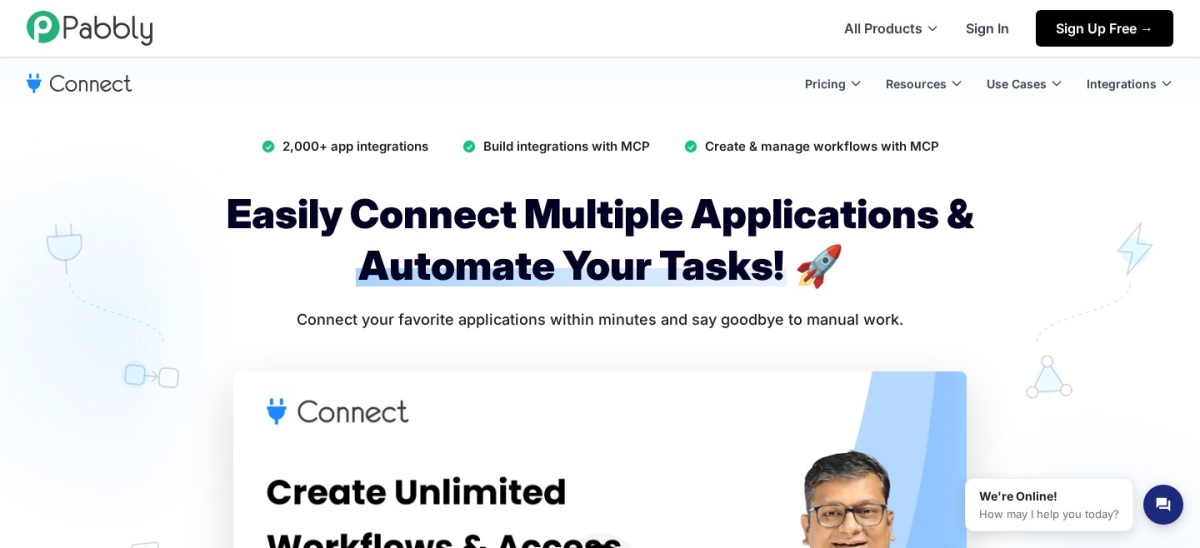
Pabbly Connect homepage, captured Nov 2026.
Pabbly Connect is a cloud workflow automation tool connecting 2,000+ apps without charging for triggers, filters, routers, or data formatters. Its Free plan provides 100 tasks per month, while the Standard plan includes 10,000 monthly action tasks and access to all app integrations without premium-app paywalls.
The trade off is a simpler workflow builder with fewer advanced debugging tools than Make, priced at $16/mo ($192/yr billed yearly, or $19/mo billed monthly). It suits budget-conscious small businesses running linear multi-step workflows.
What we like
Triggers, filters, routers, iterators, and formatters consume zero tasks
All integrations are available on every paid tier with no premium-app fees
Offers one-time lifetime plans starting at $349 alongside annual subscriptions
Watch out for
Interface and error debugging feel less polished than Make or Zapier
Standard plan does not include additional team member seats
Smaller app catalog than Zapier for niche SaaS tools
Standard includes 10,000 monthly action tasks, webhooks, and all 2,000+ integrations.Visit pabbly.com
06
Activepieces
4.8/5on G2 (142 reviews, checked Nov 2026)
Paid from$16/mo
Best open-source alternative with a simple UI
LicenseOpen source (MIT)
Free tier1,000 credits/mo (cloud)
Integrations770+ pieces
Included toolsFlows, Agents, Tables, MCP
activepieces.com
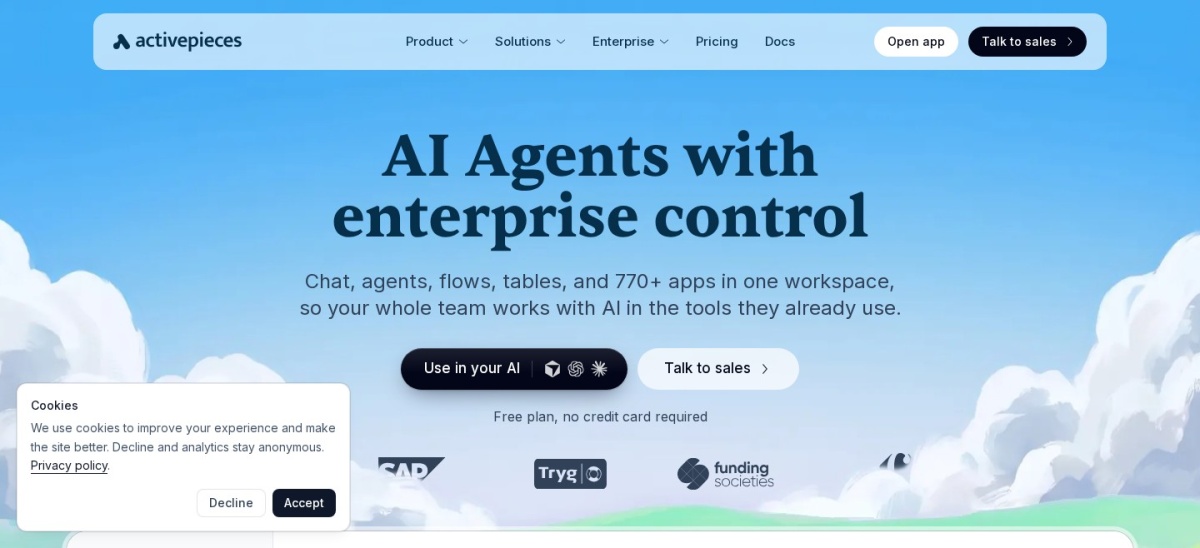
Activepieces homepage, captured Nov 2026.
Activepieces is an open-source automation platform combining a beginner-friendly visual flow builder with AI Agents, Tables, and MCP tools. You can self-host the Community Edition for free, or start on Activepieces Cloud Free with 1,000 monthly credits and up to 5 users before upgrading to Plus for 10,000 credits.
The trade off is a smaller integration library of 770+ pieces and steep credit burn on frontier AI steps, with Plus starting at $16/mo billed annually ($192/yr, or $20/mo monthly). It suits teams wanting an approachable open-source stack.
What we like
Cleaner, more approachable visual interface than most open-source tools
Free forever cloud plan supports up to 5 users and unlimited flows
Self-hostable via Docker with bring-your-own AI keys on paid tiers
Watch out for
Smaller library of 770+ integrations compared with Zapier or Make
AI steps consume 2 to 20 credits each depending on model tier
SSO, 25 seats, and global connections require jumping to the $200/mo Team plan
Plus includes 10,000 monthly credits, bring-your-own AI keys, and $0.007 per extra credit.Visit activepieces.com
07
Airtable
4.6/5on G2 (3,306 reviews, checked Nov 2026)
Paid from$20/mo
Best for database-driven operational workflows
Free tier100 runs/mo, 5 editors
Paid runs25,000 runs/mo (Team)
Record limit50,000 records/base
AI credits15,000/editor/mo
airtable.com
Airtable homepage, captured Nov 2026.
Airtable is a relational database and no-code app platform with built-in workflow automations and Interface Designer views. Its Free plan covers up to 5 editors, 1,000 records per base, and 100 automation runs per month, while the Team plan expands limits to 50,000 records per base and 25,000 monthly automation runs.
The trade off is per-editor seat pricing—$20/seat/mo ($240/yr billed annually, or $24/seat/mo billed monthly)—and fewer external app connectors than dedicated iPaaS tools. It suits teams whose workflows revolve around structured operational records.
What we like
Combines relational data storage, custom interfaces, and automations in one tool
Team plan includes 25,000 monthly automation runs and 15,000 AI credits per seat
Read-only collaborators and form submissions do not require paid seats
Watch out for
Per-seat billing adds up quickly when many teammates need edit permissions
Fewer native third-party connectors than Zapier, Make, or Pabbly Connect
External client portals cost an extra $120/mo for 15 guests on Team
Team unlocks 25,000 monthly automation runs, 50,000 records per base, and Gantt/timeline views.Visit airtable.com
How automation billing models affect your real cost
Comparing starting monthly prices alone can mislead you because each platform meters usage differently. A five-step workflow that runs 1,000 times a month consumes 4,000 tasks on Zapier (triggers are free), 5,000 credits on Make (triggers and actions both count), and just 1,000 executions on n8n.
Before choosing a tier, multiply your expected monthly triggers by the number of action steps in each workflow. If you run simple two-step or three-step syncs across niche SaaS tools, Zapier or Pabbly Connect keeps setup fast. If you loop over line items or run 15-step pipelines, execution-based tools like n8n or high-credit plans like Make prevent overage spikes.
How we chose
We built this shortlist by evaluating established workflow and business process automation platforms with broad connector libraries, active maintenance, and transparent public pricing.
All prices, plan limits, G2 and Capterra ratings, and review counts were verified against vendor pricing pages and review directories on 22 Nov 2026.
We excluded enterprise-only tools without published entry prices such as Workato and Automation Anywhere, platforms without active public maintenance like Relay.app (which shut down in September 2026), and Pipedream Workflows (which closed to new signups ahead of its March 2027 retirement). No vendor paid for a place, and we do not claim testing for this list.
How to choose business automation software
Follow four practical steps before committing your team to an annual automation subscription:
Audit your must-have app connectors first. List every CRM, accounting tool, form builder, and database your workflows touch, then check whether each platform offers native triggers and actions or requires custom webhooks.
Calculate monthly volume using each vendor's meter. Multiply daily runs by 30 and check whether triggers, filters, loops, and AI steps count toward your monthly quota so you pick the right tier from day one.
Match builder complexity to the person maintaining it. Choose Zapier or Pabbly Connect if non-technical staff will own the flows, Make if an ops specialist wants visual branching, or n8n and Activepieces if developers want code nodes and self-hosting.
Set usage alerts and test error handling on the free tier. Every tool on this list except Power Automate offers a permanent free plan; build one real multi-step workflow and verify how failures, retries, and quota caps behave before upgrading.
FAQ
What is the best free business automation software?
Make offers the most generous hosted free tier for visual workflows with 1,000 monthly credits, while Activepieces includes 1,000 credits for up to 5 users. If you can manage your own server, n8n's self-hosted Community Edition is completely free with no execution cap.
Is Make cheaper than Zapier in 2026?
Yes, at entry volume Make Core starts at $9/mo billed annually for 10,000 credits, whereas Zapier Professional starts at $19.99/mo billed annually for 750 tasks. However, Make counts triggers and test runs toward credits, while Zapier only bills completed action steps.
When should a business choose n8n over Zapier or Make?
Choose n8n when your workflows contain many steps, loops, or custom JavaScript and Python logic, because n8n charges per complete workflow execution rather than per step. It is also the top pick if compliance rules require self-hosting on your own infrastructure.
Do triggers and filters count toward monthly task limits?
It depends on the platform. Zapier and Pabbly Connect do not count triggers or filters toward your monthly task quota. Make counts every module that runs—including triggers—while n8n counts one execution each time a production workflow runs.
What is the best automation software for Microsoft 365 teams?
Microsoft Power Automate is the strongest fit for Microsoft-centric organizations because it connects natively to Outlook, Excel, SharePoint, and Teams and includes attended desktop RPA on the $15/user/mo Premium plan.
Can business automation software run AI agents safely?
Yes, platforms including Zapier, Make, n8n, and Activepieces now support AI agent nodes and Model Context Protocol (MCP) connections. Always configure spending caps, human approval steps, and model tier limits so an AI loop cannot exhaust your monthly credits.