Figma is the best tool for pixel perfect web design, and it is what most product teams use, with real-time collaboration, components and Dev Mode specs that are shared with developers. Pick Sketch for native Mac work, or Framer when the design must publish as a live site.
How we make this list: we compare pricing pages, product documentation and public user reviews, then re-check every price before each update. No product paid for a place. Disclosure.
Figma leads at 4.7 out of 5 on G2 from 1,593 reviews, with Dev Mode specs on every paid plan.
Sketch is the cheapest professional subscription here at $12 per editor a month billed yearly.
Penpot and Affinity Designer are free, with Penpot open source and self-hostable.
Zeplin charges per project, not per seat, at $13.75 a month with unlimited users.
Framer and Webflow publish live sites from the canvas, so the mock is the finished page.
What tools are best for pixel perfect web design?
Pixel perfect means the built page matches the design to the pixel. That needs exact specs, consistent spacing and a handoff that developers can trust, not just a pretty mock.
The design tool is only half the job. Figma and Sketch set the grid, spacing and type scale, while Zeplin or Dev Mode carries those numbers to the developer without a screenshot.
Free tools are strong here. Penpot, Affinity Designer and Lunacy all cost nothing, and Figma has a free plan, so a solo designer can work pixel perfect without paying.
Live-site builders close the gap completely. Framer and Webflow publish the design as a real website, so there is no handoff step where pixels can drift.
Figma is the industry-standard browser design tool, with real-time multiplayer editing, components, variables and Dev Mode specs that keep every pixel in place. The free Starter plan covers 3 files, and Professional costs $16 per editor a month billed yearly with unlimited projects.
The trade off is per-editor pricing. Costs scale linearly with headcount, so a five-person team pays five seats, and the Organisation plan jumps to $45 per editor a month. It suits product teams that design together and hand specs to developers daily.
Sketch is a native Mac design tool with a fast, focused editor for interface work, symbols and shared libraries. The Standard subscription costs $12 per editor a month billed yearly, and a Mac-only license costs $120 one-time with a year of updates.
The trade off is the Mac-only editor. Windows teammates can only view and comment in the web app, and there is no ongoing free plan. It suits Mac-only product teams that value native speed over browser collaboration.
Framer is a design tool that publishes real websites straight from the canvas, so the pixel-perfect mock becomes the live page with no handoff gap. The free plan covers one site with Framer branding, and Basic costs $10 a month billed yearly with a custom domain and CMS.
The trade off is that Framer is a website builder first. It is less suited to mobile app interfaces than Figma or Sketch, and costs are per site, so agencies pay for every client site. It suits marketing sites, portfolios and landing pages.
Penpot is the leading open-source design and prototyping tool, with browser-based editing, real-time collaboration and clean SVG and CSS export. The core product is free with unlimited files and team members, and cloud Teams costs $7 per editor a month.
The trade off is the thin review base, with a 4.5 out of 5 G2 rating from only 10 reviews, and a smaller plugin library than Figma. It suits teams that want Figma-style design without lock-in or per-seat costs.
Webflow is a visual website builder with a designer-grade canvas, so a designer can ship a pixel-perfect site with clean, semantic HTML and CSS and no JavaScript. The free plan covers a staging subdomain, and the Basic site plan costs $14 a month billed yearly.
The trade off is the learning curve. Webflow takes longer to learn than Framer, and costs are per site, so many sites mean many subscriptions. It suits design-led teams that want production sites, not just mockups.
Zeplin is a handoff tool that turns Figma or Sketch files into developer-ready specifications, with pixel measurements, assets and code snippets. The free plan covers one project, and Basic costs $13.75 a month per project with unlimited users.
The trade off is that Zeplin is a handoff layer, not a design tool, so it sits beside Figma or Sketch rather than replacing them. It suits teams where developers need exact specs without buying a design seat each.
Affinity Designer is a professional vector design app that became free after Canva acquired Serif, with no subscription and the full feature set included. It covers illustration, UI mockups and print work on Mac, Windows and iPad, with precise vector tools and pixel preview.
The trade off is collaboration. Affinity Designer is a solo desktop app with no real-time multiplayer or shared libraries, so teams must pass files around. It suits solo designers who want pro vector tools without a monthly bill.
Lunacy is a free desktop design app from Icons8 that opens Sketch files and covers interface design, prototyping and asset export on Windows, Mac and Linux. It is completely free with no feature restrictions, and it ships with built-in icons, photos and illustrations.
The trade off is collaboration and polish. Lunacy has no real-time multiplayer and a smaller community than Figma, with a 4.3 out of 5 G2 rating from only 28 reviews. It suits solo designers on Windows who want a free Sketch-style app.
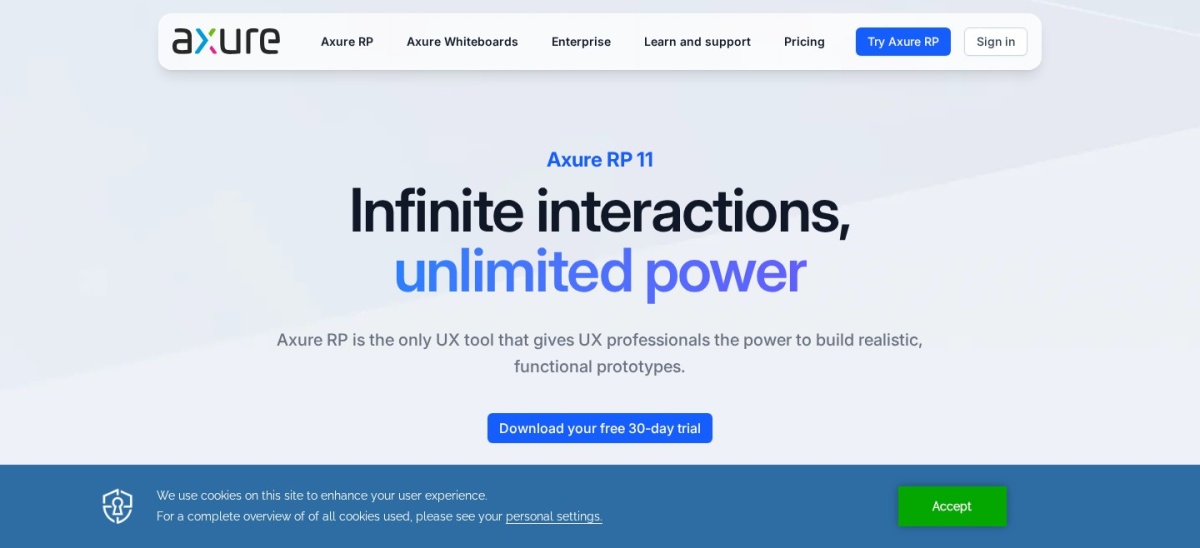
Axure RP is a prototyping tool for complex, logic-driven designs, with conditions, variables and dynamic content that simpler tools cannot model. The Pro plan costs $29 per user a month billed yearly, and a 30-day trial lets a team test it first.
The trade off is price and weight. Axure RP costs more than Figma or Sketch and feels heavier for simple screens, so it fits complex flows rather than everyday mockups. It suits enterprise teams prototyping multi-step products.
Most pixel drift happens at handoff, not in design. A developer guessing a margin from a screenshot will get it wrong, while Dev Mode or Zeplin gives the exact number.
Design tokens help. Shared colours, spacing and type scales in Figma keep every screen consistent, and developers can read the same values the designer set.
Check the live page against the mock. A quick side-by-side review on desktop and mobile catches the spacing and type errors that specs alone miss.
How we chose
We started from the tools design teams actually name for pixel-perfect web work, then kept the nine with a published price and a verifiable G2 rating.
Prices come from each vendor's pricing page, checked on 29 November 2026, and ratings come from G2 on the same day. Where a vendor shows a sale, the list shows the regular price.
We left out InVision, which shut down its collaboration services at the end of 2024, and tools with no public rating. No vendor paid for a place, and we do not claim hands-on testing for this list.
How to choose a tool for pixel perfect web design
Start with who builds the page, then pick the tool that hands them the cleanest specs.
Check who needs to see the file. A solo designer can use any tool, while a team needs real-time collaboration and shared libraries, which points to Figma.
Decide how the page gets built. If developers build from specs, pick Figma plus Dev Mode or Zeplin. If the design publishes directly, pick Framer or Webflow.
Count editors before you compare prices. Per-editor plans such as Figma at $16 a month scale with headcount, while per-site plans such as Framer at $10 a month scale with sites.
Test the handoff on one screen. Design one real screen, hand it to a developer, and compare the built page with the mock before you commit the team.
FAQ
What tools are best for pixel perfect web design in 2026?
Figma is the best tool for pixel perfect web design for most teams, with real-time collaboration, components and Dev Mode specs. Sketch suits Mac-only teams, while Framer and Webflow publish the design as a live site.
Is Figma good for pixel perfect design?
Yes. Figma is the default for pixel perfect work, with grids, auto layout, components and Dev Mode specs that give developers exact measurements. Its 4.7 out of 5 G2 rating from 1,593 reviews is the highest in this list.
What is the best free tool for pixel perfect web design?
Penpot is the best free tool, with unlimited files and team members and self-hosting. Affinity Designer and Lunacy are also free, while Figma offers a free plan with 3 files.
Which tool is best for pixel perfect developer handoff?
Zeplin is the best dedicated handoff tool, turning Figma or Sketch files into exact specs, assets and code snippets. Figma Dev Mode does the same job inside Figma on every paid plan.
Is Sketch or Figma better for pixel perfect design?
Figma suits teams that design together in the browser, while Sketch suits Mac-only teams that want native speed. Sketch costs $12 per editor a month billed yearly against $16 for Figma, and both give developers exact specs.
Can I design pixel perfect websites without code?
Yes. Framer and Webflow let a designer publish a pixel-perfect site with no code, while Figma and Sketch need a developer to build from the specs. Framer starts at $10 a site a month and Webflow at $14 a site a month.
SaaS SEO and WordPress specialist with about 8 years of experience. Rakib compares WordPress plugins, themes, hosting and software using public pricing, documentation and user reviews. See how we rank.