Descript is the top AI video editing software this February for spoken video, with transcript editing from $16 a month billed annually. HeyGen suits avatar video from $29 a month, while Synthesia fits training video from $19 a month.
How we make this list: we compare pricing pages, product documentation and public user reviews, then re-check every price before each update. No product paid for a place. Disclosure.
Descript leads for editing spoken video, rated 4.6 out of 5 on G2, with transcript editing from $16 a month billed annually.
HeyGen holds the highest G2 rating here at 4.8 out of 5, with avatars and translation in 175-plus languages from $29 a month.
Synthesia is the strongest pick for training videos, with 125-plus avatars and a free plan that includes 10 minutes a month.
Pictory, VEED and OpusClip turn scripts and long videos into captioned social clips fastest, from $12 to $29 a month.
Eight of the 9 tools have a free plan; Pictory offers only a 14-day trial.
How do you choose the top AI video editing software this February?
AI video tools now split into two kinds. Avatar tools such as HeyGen and Synthesia turn a script into a presenter-led video, while editors such as Descript, VEED and CapCut generate or reshape footage, captions and voiceover.
Credits decide the real cost. Runway, HeyGen and Synthesia all charge by credits or video minutes, so a low monthly price can still buy very little video, and the free plan is the honest way to compare them.
Free plans are generous but capped. Descript gives 1 hour of media a month, HeyGen gives 3 videos, and Synthesia gives 10 minutes, while Pictory is the only tool here with no free plan at all.
Ratings favour the avatar tools. HeyGen holds the highest G2 score here at 4.8 out of 5, while Runway trails at 4.1, which reflects its generator-first design rather than its editing.
Descript is a video and audio editor that lets you cut video by editing its transcript, with an AI co-editor called Underlord for clean-up and clips. The free plan gives 1 hour of media a month and 100 one-time AI credits, with 720p watermarked export.
The trade off is the monthly price. Hobbyist costs $16 a month billed annually, or $24 billed monthly, for 10 media hours and 400 AI credits. It suits podcasters, course makers and talking-head creators who edit spoken video.
HeyGen is an AI avatar platform that turns a script into presenter-led video in 175-plus languages, with 700-plus avatars and lip-sync translation. The free plan gives 3 videos a month, and Creator costs $29 a month, or $24 billed annually.
The trade off is the credit system. Paid plans include a monthly credit allocation you spend across features, so long videos eat credits fast. It suits marketers and trainers who need avatar video without a camera.
Synthesia is an AI avatar video platform built for training, onboarding and internal communications. The free Basic plan gives 10 minutes of video a month with 9 avatars, and Starter at $19 a month adds downloads, logo removal, 125-plus avatars and AI dubbing.
The trade off is the credit model. Starter includes 1,250 credits a month, and a 1-minute video typically uses 1,000 to 2,000 credits, so plan your minutes. It suits training teams that update scripts often.
Pictory is a script-to-video tool that turns an article, script or webinar into a finished video with stock footage, captions and an AI voiceover. Starter costs $29 a month and includes Getty and Storyblocks footage with automatic captions.
The trade off is the trial. Pictory has no free plan, only a 14-day trial, and its G2 base is thin at 82 reviews. It suits marketers who turn blog posts into captioned social video.
VEED is a browser-based video editor built for quick jobs: auto-subtitle generation in 100-plus languages, silence removal, background noise cleanup and one-click resizing. The free plan gives watermarked 720p exports, and Lite costs $12 a month billed annually.
The trade off is the tier maze. AI features sit on higher tiers, and the entry price has moved several times in 2026, so confirm the current Lite price before you commit. It suits marketers who publish captioned clips every week.
OpusClip is a tool that turns long videos into scored vertical shorts for TikTok, Reels and Shorts, ranking clips by likely performance. The free plan gives watermarked 9:16 clips, and Starter costs $15 a month with more credits and longer processing.
The trade off is scope. OpusClip repurposes long video rather than editing from scratch, so it fits beside a full editor, not instead of one. It suits podcasters and YouTubers who need shorts every week.
4.6/5on App Store (1.1M reviews, checked Nov 2026)
Paid from$19.99/mo
Best for quick social edits
Free planFull editor, 1080p
Entry paid planPro, $19.99/mo
AI credits1,200 a month
Cloud storage1TB on Pro
capcut.com
CapCut homepage, captured Nov 2026.
CapCut is ByteDance's video editor for vertical social video, running as a phone app, a desktop program and a browser editor. The free tier covers the full editor with AI captions, background removal and watermark-free desktop exports, and Pro costs $19.99 a month.
The trade off is price certainty. CapCut publishes no single price list, and prices vary by region, device and promotion, so confirm the figure at checkout. It suits creators who live on TikTok, Reels and Shorts.
Runway is a generative video platform built around its Gen-4.5 model, plus third-party models such as Veo 3.1, image generation and editing tools. The free plan gives 125 one-time credits, and Standard at $15 a month adds 625 credits a month and 1080p output.
The trade off is how far credits go. Its 625 monthly credits buy about 52 seconds of Gen-4.5 video, so it is a generator with editing tools, not a timeline editor. It suits creators who need original footage from a text prompt.
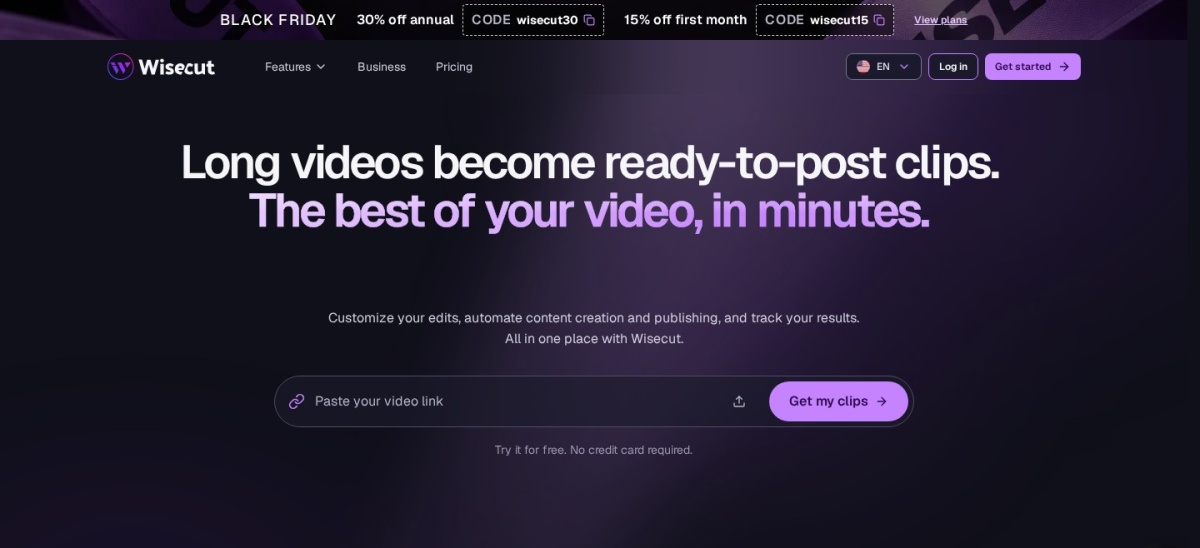
Wisecut is an AI editor that auto-cuts talking-head video, removing silences and adding captions and background music. The free plan covers short watermarked exports, and the paid plan starts at $15 a month.
The trade off is the thin review base. Wisecut holds 4.6 out of 5 on G2 from only 44 reviews, and it is built for talking video, not complex edits. It suits creators who record long takes and want a fast first cut.
Free plans cover the basics well. Descript gives 1 hour of media a month, HeyGen gives 3 videos, and Synthesia gives 10 minutes of video.
Paid plans mostly add minutes, credits and resolution. You get watermark-free export, 1080p or 4K output, more AI credits and the full avatar library.
For a weekly publisher, the $12 to $16 paid plans pay for themselves fast. For occasional edits, the free plans may be enough.
How we chose
We started from the AI video tools with the largest review bases on G2 and the App Store, then kept nine that cover transcript editing, avatars, script-to-video and social clips.
Prices come from each vendor's pricing page, checked on 29 November 2026, and show the cheapest paid plan at its regular price. Ratings and review counts come from G2 on the same day, except CapCut, which has no G2 rating and is rated on the App Store.
We left out tools with no verifiable rating and general editors without AI features. No vendor paid for a place, and we do not claim hands-on testing for this list.
How to choose AI video editing software
Start with the kind of video you make, then check what the credits buy.
Decide what kind of video you make. Spoken video needs Descript, avatar video needs HeyGen or Synthesia, and social clips need CapCut or OpusClip.
Check what the credits buy. Runway's 625 credits buy about 52 seconds of top-model video, so compare minutes, not months, before you pay.
Use the free plan first. Eight of the 9 tools have a free plan, so edit one real video in each shortlisted tool before you subscribe.
Confirm the price at checkout. CapCut and VEED prices have moved several times in 2026, so check the current figure on the pricing page before you commit.
FAQ
What is the best AI video editing software in February 2026?
Descript is the best AI video editing software in February 2026 for spoken video. It edits video by editing the transcript, with Studio Sound and filler-word removal from $16 a month billed annually.
How much does AI video editing software cost?
AI video editing software costs from $12 a month for VEED Lite to $29 a month for HeyGen and Pictory, with Descript at $16 and Runway at $15. Most tools have a free plan, while Pictory offers only a 14-day trial.
Is there a free AI video editing software option?
Yes. Descript, HeyGen, Synthesia, VEED, OpusClip, Runway, Wisecut and CapCut all have free plans, with Descript the most useful for spoken video at 1 hour of media a month. Pictory is the only pick here without a free plan.
Which AI video editing software is best for beginners?
Descript is the best AI video editing software for beginners, because cutting a transcript is easier than learning a timeline. CapCut is the simplest free start for social video, with templates and auto-captions on phone and desktop.
Descript vs HeyGen: which is better?
Descript is better for editing real footage, since it cuts video by editing the transcript. HeyGen is better for creating video without a camera, turning a script into avatar-led video in 175-plus languages from $29 a month.
Which AI video editing software is cheapest?
VEED is the cheapest AI video editing software here, with Lite at $12 a month billed annually. Runway and OpusClip follow at $15 a month, while Descript costs $16 a month billed annually.
SaaS SEO and WordPress specialist with about 8 years of experience. Rakib compares WordPress plugins, themes, hosting and software using public pricing, documentation and user reviews. See how we rank.