Jira is the best project planning software for engineering teams focused on software development, combining backlog management, sprint planning and customizable workflows from $8.48 per user monthly. Smartsheet is better for dependency-driven engineering schedules, while Linear suits product engineering teams that prefer focused issue tracking and release planning.
How we make this list: we compare pricing pages, product documentation and public user reviews, then re-check every price before each update. No product paid for a place. Disclosure.
Jira supports 10 users on its free plan, with Standard starting at $8.48 per user monthly and Premium at $15.56.
Smartsheet Pro costs $9 per member monthly with annual billing and includes Gantt charts and 250 monthly automations.
Linear Basic costs $10 per user monthly and supports five teams with unlimited issues.
ClickUp Core has a regular price of $12 per user monthly, temporarily discounted to $9.
Asana Starter costs $10.99 per user monthly, while Advanced resource management costs $24.99.
Six of the seven platforms offer permanent free plans, but advanced engineering planning features frequently require paid subscriptions.
What should project planning software for engineering teams include?
Engineering project planning requires more than assigning tasks and deadlines. Teams need to understand technical dependencies, coordinate specialist resources, manage design revisions and establish clear milestones before committing to delivery dates.
Software engineering teams benefit from backlog management, sprint planning and development integrations. Linking technical issues with code changes and release milestones helps engineering managers understand progress without relying entirely on manual status reports.
Mechanical, electrical and civil engineering teams often need dependency-based schedules. Gantt charts, procurement milestones, approval stages and resource allocation become particularly important when projects involve physical components, external suppliers or sequential manufacturing activities.
Entry-level subscription prices can understate engineering planning costs. Advanced cross-team dependencies, workload management and portfolio reporting frequently require subscriptions above the cheapest paid tier.
Project planning software should complement rather than replace specialist engineering systems. CAD, product lifecycle management, source control and technical document management remain important when projects require controlled engineering revisions or formal technical approvals.
For engineering approvals and structured project delivery
$10/mo
Free plan
4.2/5
Price ladder: cheapest paid plan per year
List prices, USD, checked Nov 2026
JiraFREE$102
Smartsheet$108
monday.comFREE$108
LinearFREE$120
WrikeFREE$120
AsanaFREE$132
ClickUpFREE$144
The 7 best project planning tools for engineering teams
01
Jira
4.3/5on G2 (8,111 reviews, checked Nov 2026)
Paid from$8.48/mo
Best for software engineering project planning
Free planUp to 10 users
Entry subscriptionStandard, $8.48/user/mo
Cross-team planningPremium, $15.56/user/mo
Standard storage250GB
atlassian.com
Jira homepage, captured Nov 2026.
Jira is an engineering work management application for organizing technical backlogs, tracking defects, planning development cycles and coordinating releases. Its free plan supports up to 10 users with 2GB of storage, while Standard starts at $8.48 per user monthly and adds expanded permissions and collaboration capabilities.
The trade off is that advanced cross-team scheduling, dependency management and customizable approval processes require Premium at $15.56 per user monthly. It suits software engineering departments that need structured development workflows and traceability between technical requirements, implementation tasks, code changes and release milestones.
What we like
Dedicated backlog and sprint planning capabilities
Less suitable for traditional construction scheduling
Subscription pricing varies with user count
Standard adds permissions and storage; Premium adds cross-team planning and dependency management.Visit atlassian.com
02
Smartsheet
4.4/5on G2 (23,344 reviews, checked Nov 2026)
Starts at$9/mo
Best for mechanical, electrical and civil engineering schedules
Entry subscriptionPro, $9/member/mo annually
Pro membership1–10 paid members
Monthly automations250 on Pro
Workload trackingBusiness, $19/member/mo annually
smartsheet.com
Smartsheet homepage, captured Nov 2026.
Smartsheet is a spreadsheet-oriented project planning platform for organizing engineering deliverables, sequential activities, procurement schedules and technical milestones. Its Pro subscription costs $9 per member monthly with annual billing and includes unlimited sheets, reports and forms, Gantt charts and 250 monthly automations.
The trade off is that workload tracking, expanded administrative features and unlimited automations require Business at $19 per member monthly, while Pro is limited to 10 paid members. It suits engineering departments that manage dependency-based project schedules and want familiar spreadsheet-style planning without relying entirely on disconnected spreadsheets.
What we like
Gantt charts support sequential engineering schedules
Pro includes Gantt planning and reports; Business adds workload tracking and expanded automation.Visit smartsheet.com
03
Linear
4.6/5on G2 (133 reviews, checked Nov 2026)
Paid from$10/mo
Best for focused product engineering and release planning
Free plan2 teams and 250 issues
Entry subscriptionBasic, $10/user/mo annually
Basic team allowance5 teams
Business subscription$16/user/mo annually
linear.app
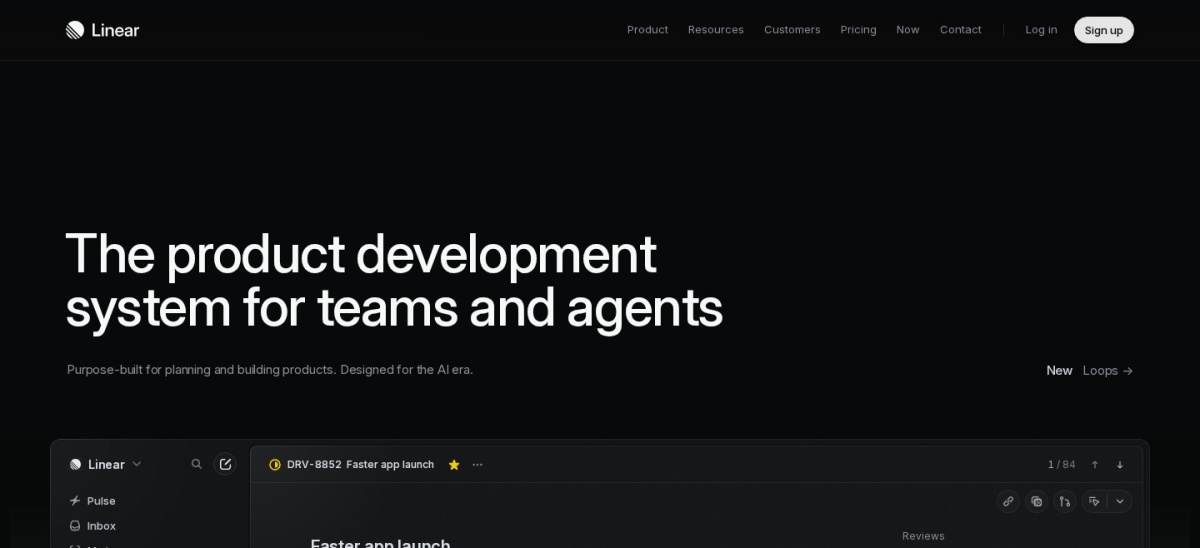
Linear homepage, captured Nov 2026.
Linear is a product development and issue tracking application designed for engineering teams planning development cycles, technical initiatives and releases. Its free subscription supports unlimited members across two teams with 250 issues, while Basic costs $10 per user monthly and provides unlimited issues and five teams.
The trade off is that private teams, guest access, expanded engineering insights and unlimited teams require Business at $16 per user monthly. It suits product engineering departments that prefer a focused technical planning environment rather than a broad project management application with extensive unrelated business features.
What we like
Focused interface for engineering issue management
Development cycles and project initiatives
Unlimited issues on Basic
API and webhook access
Supports technical product planning and release coordination
Watch out for
Free plan limited to 250 issues
Private teams and guests require Business
Less suitable for complex physical engineering schedules
Basic removes issue limits; Business adds unlimited teams, private workspaces and advanced insights.Visit linear.app
04
ClickUp
4.6/5on G2 (16,019 reviews, checked Nov 2026)
Paid from$12/mo
Best for multidisciplinary engineering project coordination
Free storage60MB
Regular Core price$12/user/mo annually
Core automations1,000/month
Regular Business price$25/user/mo annually
clickup.com
ClickUp homepage, captured Nov 2026.
ClickUp is a work management platform combining project tasks, collaborative documents, sprint management and Gantt scheduling in one workspace. Its Free Forever plan supports unlimited tasks and members, while Core has a regular annual-billing price of $12 per user monthly and includes unlimited Gantt charts and custom fields.
The trade off is that advanced resource management and reporting require Business at a regular $25 per user monthly, although Core and Business currently show discounted prices of $9 and $17. It suits multidisciplinary engineering teams coordinating software development, hardware deliverables, technical documentation and operational work within a shared project environment.
What we like
Combines engineering tasks and technical documentation
Sprint management available on the free plan
Unlimited Gantt charts on Core
Custom fields support engineering-specific information
Multiple project views for different departments
Watch out for
Extensive configuration options can complicate adoption
Free storage limited to 60MB
Resource management requires Business
Promotional pricing is below the regular subscription rate
Core adds unlimited Gantt charts and custom fields; Business adds resource management and dashboards.Visit clickup.com
Asana is a project and work management platform for coordinating engineering milestones, product requirements, cross-departmental handoffs and shared delivery roadmaps. Its Personal plan supports two users, while Starter costs $10.99 per user monthly with annual billing and includes Gantt charts, timelines, reporting dashboards and unlimited automations.
The trade off is that portfolio management, resource planning, time tracking and formal approval workflows require Advanced at $24.99 per user monthly. It suits engineering managers who coordinate technical work with product, quality assurance, procurement and operations teams rather than relying exclusively on developer-oriented issue tracking.
What we like
Clear ownership and responsibility tracking
Timeline and Gantt planning on Starter
Custom templates for recurring engineering processes
Less specialized for software defects and code-level tracking
Starter adds project timelines and reporting; Advanced adds portfolios, approvals and resource management.Visit asana.com
06
monday.com
4.7/5on G2 (17,990 reviews, checked Nov 2026)
Paid from$9/mo
Best for customizable visual engineering workflows
Free plan2 seats
Basic subscription$9/seat/mo annually
Timeline and GanttStandard, $12/seat/mo annually
Dependency managementPro, $19/seat/mo annually
monday.com
monday.com homepage, captured Nov 2026.
monday.com is a configurable work management platform for organizing engineering project stages, design approvals, procurement activities and delivery milestones through visual boards. Its free subscription supports two seats, while Basic starts at $9 per seat monthly with annual billing and provides unlimited items and read-only viewers.
The trade off is that timeline and Gantt views require Standard at $12 per seat monthly, while more advanced dependency management and time tracking are available on Pro at $19. It suits engineering teams that want configurable visual workflows shared with stakeholders who may not use specialist technical planning applications.
What we like
Configurable visual project boards
Custom fields for engineering milestones and status tracking
Read-only viewers on Basic
Gantt and timeline views on Standard
Useful for coordination with nontechnical departments
Standard adds Gantt and timeline views; Pro adds advanced dependencies and time tracking.Visit monday.com
07
Wrike
4.2/5on G2 (4,655 reviews, checked Nov 2026)
Paid from$10/mo
Best for engineering approvals and structured project delivery
Free planBasic task management
Entry subscriptionTeam, $10/user/mo
Team plan size2–15 users
Advanced planningHigher-tier resource and workflow tools
wrike.com
Wrike homepage, captured Nov 2026.
Wrike is a collaborative project management platform for coordinating structured engineering workflows, project requests, review stages and technical delivery schedules. Its free subscription covers basic task management, while Team costs $10 per user monthly and is designed for teams of two to 15 users.
The trade off is that the $120 annualized entry subscription does not include every advanced approval, resource allocation and portfolio management capability available on higher tiers. It suits engineering departments that need organized technical reviews, repeatable project procedures and controlled collaboration across multiple internal stakeholders.
What we like
Structured workflows for recurring engineering projects
Interactive project scheduling tools
Advanced request and approval capabilities
Resource management on higher subscriptions
Supports coordination across departments
Watch out for
Team subscription limited to 15 users
Advanced governance features require higher plans
Seat packages can increase total subscription costs
Paid subscriptions add project planning, while higher tiers expand resource management and approval workflows.Visit wrike.com
What does engineering project planning software actually cost?
The cheapest paid subscriptions in this comparison range from Jira at an advertised $8.48 per user monthly to ClickUp Core at its regular $12 rate. These prices cover basic paid access rather than every capability an engineering department may need.
For advanced software engineering planning, Jira Premium costs $15.56 per user monthly and Linear Business costs $16. Jira's higher tier focuses on cross-team dependencies, while Linear Business expands team access, technical insights and issue triage.
For multidisciplinary engineering resource planning, Smartsheet Business costs $19 per member monthly, Asana Advanced costs $24.99 per user monthly and ClickUp Business has a regular price of $25. Compare these subscriptions when workload visibility is a purchasing requirement.
Calculate total subscription costs using the actual number of billable team members. Include minimum seat requirements, external collaborators, automation allowances, optional integrations and implementation costs before selecting a platform.
Should engineering teams use agile planning or Gantt charts?
Agile planning is useful when engineering priorities change frequently and work can be organized into short development cycles. Jira and Linear support this approach through technical issue tracking, backlog prioritization and cycle-based planning.
Gantt scheduling is useful when activities must happen in a specific order. Hardware engineering, manufacturing preparation and infrastructure projects often depend on component availability, technical approvals, supplier delivery dates and completed prerequisite activities.
Hybrid planning combines both approaches. Engineering managers can maintain a milestone-based project schedule while software developers or specialist teams manage their immediate work through shorter iterative cycles.
Select software that matches how engineering work is delivered rather than requiring every department to adopt the same planning method. Shared milestones and consistent progress reporting matter more than identical task views.
How we chose
We selected seven established project planning platforms suitable for software, product and multidisciplinary engineering teams. The ranking prioritizes technical issue tracking, project scheduling, dependency visibility, resource planning and coordination between engineering disciplines.
We opened official pricing pages and individual G2 review listings on 30 Nov 2026. Monthly prices are annualized per user or member, not entire team costs. Jira uses its displayed monthly rate, while other prices use regular annual-billing rates where available. monday.com's USD price was confirmed through its official published pricing explanation.
We excluded specialist CAD applications, standalone source control platforms and quote-only enterprise products that could not support a comparable public price ladder. The ranking favors general engineering project planning rather than specialized construction controls or regulated product lifecycle management. No vendor paid for a place, and we do not claim testing for this list.
How to choose project planning software for your engineering team
Identify your engineering discipline, establish how projects are scheduled and compare the subscription tiers that provide your required dependencies, resource management and technical integrations.
Match the software to your engineering discipline. Choose Jira or Linear for software development and technical product planning. Consider Smartsheet for dependency-based physical engineering schedules or ClickUp for multidisciplinary projects involving both technical and operational teams.
Identify your required planning methodology. Decide whether your team uses development sprints, milestone-based delivery, sequential engineering schedules or a combination. Confirm that the application provides suitable planning views and can represent dependencies between important technical activities.
Calculate the cost of the required subscription tier. Do not compare entry prices alone. Jira Premium costs $15.56 per user monthly for advanced cross-team planning, while Smartsheet Business costs $19 per member monthly for workload tracking. Include all billable seats in your estimate.
Check technical integrations and governance requirements. Confirm that your project planning system connects with relevant source control, documentation, communication and engineering applications. Review access permissions, technical approval procedures, data export capabilities and the handling of confidential engineering information.
FAQ
What is the best project planning software for engineering teams in 2026?
Jira is the best overall option for software engineering teams because it combines technical issue tracking, sprint planning and customizable workflows from $8.48 per user monthly. Smartsheet is better for dependency-based engineering schedules, while Linear is particularly suitable for focused product engineering teams.
What is the best free project planning software for engineering teams?
Jira is the best free option for small software engineering teams because its free plan accommodates up to 10 users and provides project boards, backlogs and timeline views. ClickUp is another useful option when unlimited free members and collaborative documentation are important.
How much does engineering project planning software cost?
Entry-level paid project planning subscriptions in this comparison start at $8.48 per user monthly for Jira and reach $12 for ClickUp Core at its regular rate. Advanced engineering resource management and cross-team planning generally require higher subscription tiers with additional per-user costs.
Is Jira better than Smartsheet for engineering project planning?
Jira is better for software engineering projects involving development sprints, defects, technical backlogs and source control integrations. Smartsheet is better for spreadsheet-oriented project schedules, physical engineering milestones, procurement activities and teams that need Gantt-based dependency planning.
What project planning software is best for mechanical engineering teams?
Smartsheet is a strong choice for mechanical engineering teams because it supports Gantt charts, dependency-based schedules, formulas and workload tracking. ClickUp is another suitable option for coordinating mechanical designs, documentation and cross-functional deliverables alongside separate CAD and product lifecycle management systems.
Is Linear better than Jira for software engineers?
Linear is better for teams that prefer focused issue tracking, product initiatives and development cycles with less workflow configuration. Jira is better for larger engineering organizations that need extensive workflow customization, cross-team planning, permissions and a broader technical integration ecosystem.
Which engineering project planning tools include resource management?
Smartsheet Business, ClickUp Business, Asana Advanced and higher-tier Wrike subscriptions provide resource or workload management capabilities. Their suitability depends on whether engineering managers need simple assignment visibility, capacity planning, utilization reporting or coordination across multiple projects and specialist teams.
Can project planning software replace engineering CAD or PLM software?
No, project planning software coordinates engineering activities, deadlines, assignments and dependencies, but it does not replace specialist design or product lifecycle management applications. Engineering teams should use planning software alongside appropriate CAD, technical document control, source control and formal product revision systems.
What is the easiest project planning software for a small engineering team?
Linear is a suitable starting point for small software engineering teams because its free plan supports two teams and 250 issues within a focused development environment. monday.com is another approachable option for visual project coordination, while ClickUp supports teams needing shared documentation.
SaaS SEO and WordPress specialist with about 8 years of experience. Rakib compares WordPress plugins, themes, hosting and software using public pricing, documentation and user reviews. See how we rank.