Monday.com is the best of the Pipefy alternatives for most teams, with visual boards and automations from $9 a seat a month and a 4.7 out of 5 rating on G2. Choose Asana for cross-team project tracking, or Process Street when repeatable checklists matter more than boards.
How we make this list: we compare pricing pages, product documentation and public user reviews, then re-check every price before each update. No product paid for a place. Disclosure.
Monday.com is the highest-rated pick at 4.7 out of 5 on G2, from $9 a seat a month.
ClickUp has the most generous free plan, with unlimited tasks and members.
Smartsheet fits spreadsheet-led teams at $9 a user a month, but its Pro plan caps at 10 members.
Process Street is the only pick built around repeatable checklists, at $25 a user a month.
Kissflow is the outlier on price: one flat $1,500 a month for 50 users, or $18,000 a year.
What should you look for in Pipefy alternatives?
Pipefy is built around structured intake forms and approval flows, so the closest alternatives match that shape instead of copying its look. A tool that only offers task lists will leave the request-and-approve part of your work homeless.
Price is the first real split in this list. Entry plans run from $9 to $25 a user a month, while Kissflow charges one flat $1,500 a month for 50 users, so a small team and a mid-size team can face very different bills.
A free plan matters more than it looks, because workflow tools only pay off once the whole team uses them. Six of the nine picks here offer a free plan, so a small team can run real work before paying anything.
Approvals are the feature to check before you commit. If several people must sign off work, agree who owns each step first, and set permissions so only approvers can move a request forward. Our guide on managing user roles securely covers the same permission idea for site access.
Monday.com is a visual work platform that organises requests, projects and approvals on colour-coded boards. The free plan covers up to 2 seats with 3 boards, while Basic at $9 a seat a month adds unlimited items, unlimited free viewers and 1,000 AI credits a month.
The trade off is that automations and timeline views start on Standard at $12 a seat a month, so Basic stays a shared list. It suits small teams that want Pipefy-style boards with a gentler learning curve and a lower starting price.
What we like
Highest G2 rating in this list at 4.7 out of 5
Free viewers on every paid plan
Boards, forms and dashboards in one place
Watch out for
Automations need the $12 Standard plan
Seats sold in fixed bundles from 3
Standard adds timelines, automations and integrationsVisit monday.com
02
Asana
4.4/5on G2 (14,024 reviews, checked Nov 2026)
Paid from$10.99/mo
Best for cross-team project tracking
Free planPersonal, up to 2 users
Entry planStarter, $10.99 a seat
AutomationsUnlimited on Starter
ViewsList, board, timeline, Gantt
asana.com
Asana homepage, captured Nov 2026.
Asana is a work management platform that connects daily tasks to team goals, with one task able to live in several projects at once. The free Personal plan covers up to 2 users, and Starter at $10.99 a user a month adds timeline and Gantt views, reporting dashboards and unlimited automations.
The trade off is price as teams grow, since Starter costs more per seat than Monday.com Basic and advanced reporting sits on higher plans. It suits cross-functional teams that need shared goals, portfolios and a long track record.
ClickUp is an all-in-one workspace that combines tasks, docs, whiteboards, chat and time tracking in one place. The free plan allows unlimited tasks and unlimited members with 100 MB of storage, which no other pick here matches.
The trade off is the learning curve, since so many views and settings can feel cluttered at first. It suits small teams that want one tool to replace several others and are willing to spend time setting it up.
Smartsheet is a work management platform built around spreadsheet-style grids, with Gantt, board and calendar views layered on top. Pro costs $9 a member a month billed yearly and includes 250 automations a month and 20 GB of storage.
The trade off is scale, since Pro caps at 10 members and the jump to Business at $19 a member more than doubles the price. It suits teams whose work already lives in trackers and who want forms, reports and dashboards across many sheets.
Wrike is a work management platform for cross-functional projects, with Gantt charts, request forms and workload views. The free plan covers unlimited users with board and table views, and Team at $10 a user a month adds interactive Gantt charts, custom workflows and dashboards.
The trade off is the step up past 15 users, when the whole team moves to Business at $25 a user a month. It suits marketing and operations teams that need time tracking and capacity views in one place.
What we like
Free plan covers unlimited users
Workload and capacity views included
400+ integrations listed
Watch out for
Team plan stops at 15 users
Interface takes time to learn
Business adds advanced reporting and resource planningVisit wrike.com
06
Airtable
4.6/5on G2 (3,300 reviews, checked Nov 2026)
Paid from$20/mo
Best for data-heavy workflows
Free planUp to 5 editors
Entry planTeam, $20 a seat
Records per base50,000 on Team
ViewsGrid, Kanban, Gantt, calendar
airtable.com
Airtable homepage, captured Nov 2026.
Airtable is a spreadsheet-database hybrid that lets a team build grid, Kanban, calendar and gallery views over connected records. The free plan covers up to 5 editors with 1,000 records per base, and Team at $20 a seat a month raises that to 50,000 records with Gantt views and 25,000 automation runs.
The trade off is cost per editor, since everyone who edits pays, and the jump to Business at $45 a seat is steep. It suits teams that track structured work such as content, inventory or hiring across linked tables.
Notion is a flexible workspace that combines documents, wikis, databases and project tracking in one place. The free plan suits individual use, and Plus at $10 a member a month adds unlimited blocks for teams, unlimited file uploads and custom forms.
The trade off is depth, since Notion tracks work well but lacks the approvals and workload views of dedicated workflow tools. It suits small teams that already live in documents and want light project tracking beside them.
Process Street is the clearest pick for repeatable work, turning procedures into checklists with assignments, approvals and conditional logic. The Pro plan costs $25 a user a month and starts with a 14-day free trial, with unlimited workflows.
The trade off is scope, since it runs checklists rather than full projects, so it will not replace a board-based planner. It suits teams that run the same process every week, from onboarding to audits, and need proof each step was done.
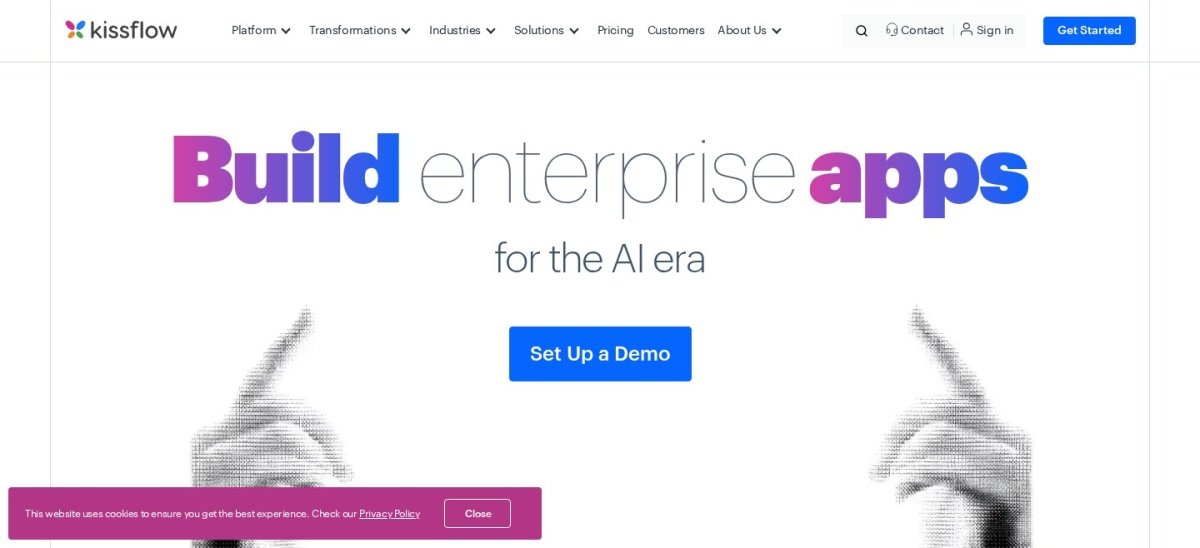
Kissflow is a low-code platform for process automation, case management and app building. It charges one flat platform price of $1,500 a month for 50 users instead of counting seats, covering process automation and low-code apps under one fee, or $18,000 a year.
The trade off is the entry cost, since a small team pays the same flat fee as a 50-person team, and pricing is not fully transparent. It suits mid-size teams that run many processes and want governed workflows without per-seat bills.
Six of the nine picks offer a free plan, and ClickUp's is the most generous, with unlimited tasks and members.
Free plans cover the basics well. Most include task tracking and a few views, but automations and approvals usually sit behind paid plans.
Paid plans mostly add automation and scale. You get more runs, more members and reporting that free plans hold back.
If your team runs approvals every day, the first paid tier often costs less than the hours lost chasing sign-offs by email.
How we chose
We started from the tools most often named as Pipefy alternatives, then kept nine established products with a published list price and a G2 rating.
Prices come from each vendor's pricing page and G2, checked on 29 November 2026. Ratings and review counts come from G2 on the same day. Where a vendor shows a sale, the list shows the regular price.
We left out tools with no public rating or no published price. No vendor paid for a place, and we do not claim to have used these tools ourselves.
How to choose a Pipefy alternative
Start with the process you run most often, then match the tool to it.
List the steps your process must follow. If intake forms and approvals are the core, shortlist Monday.com, Process Street and Kissflow first.
Count the people who will edit, not just view. Per-seat tools charge for every editor, so Airtable at $20 a seat costs far more than Monday.com at $9 for the same team.
Run a real process on the free plan or trial. Build one approval flow end to end before paying, and check who can approve, who gets notified and where the audit trail lives.
Check the next price step before you commit. Smartsheet Pro caps at 10 members and Wrike Team at 15 users, so a growing team can face a sudden jump.
FAQ
What are the best Pipefy alternatives?
Monday.com is the best Pipefy alternative for most teams, with visual boards and automations from $9 a seat a month and a 4.7 out of 5 G2 rating. Asana suits cross-team tracking, while Process Street is the pick for repeatable checklists with approvals.
How much do Pipefy alternatives cost?
Entry plans in this list run from $9 to $25 a user a month, with Monday.com and Smartsheet cheapest at $9. Kissflow is the outlier at one flat $1,500 a month for 50 users, and six of the nine tools offer a free plan.
Is there a free alternative to Pipefy?
Yes. Monday.com, Asana, ClickUp, Wrike, Airtable and Notion all offer free plans. ClickUp's is the most generous, with unlimited tasks and members, while Monday.com's free plan covers up to 2 seats.
Which Pipefy alternative is best for small teams?
Monday.com is the best pick for small teams, starting at $9 a seat a month with a free plan for up to 2 seats. ClickUp is the cheapest way to cover a whole team free, and Notion Plus at $10 a member suits teams that live in documents.
Monday.com vs Asana: which is the better Pipefy alternative?
Monday.com wins for most teams, with a higher G2 rating of 4.7 against Asana's 4.4 and a lower starting price of $9 against $10.99 a seat. Asana wins when work must connect to goals and portfolios across several teams.
Do Pipefy alternatives include approval workflows?
Most do, but the details vary by plan. Process Street builds every run around approvals, and Kissflow, Asana and Wrike all list approval features. Check whether approvals sit on the entry plan before you buy, since some tools keep them for higher tiers.
SaaS SEO and WordPress specialist with about 8 years of experience. Rakib compares WordPress plugins, themes, hosting and software using public pricing, documentation and user reviews. See how we rank.