Framer is the best no code website builder software for creators who want distinctive designs, AI-assisted editing and custom-domain publishing from $10 per month with annual billing. Choose Carrd for inexpensive creator landing pages or WordPress.com for content-heavy websites, blogging and expandable publishing workflows.
How we make this list: we compare pricing pages, product documentation and public user reviews, then re-check every price before each update. No product paid for a place. Disclosure.
Framer starts at $10/month with annual billing, including two CMS collections and 50 GB of bandwidth, and has a 4.5/5 G2 rating from 167 reviews.
Carrd Pro Lite costs just $9/year, while its $19/year Pro Standard plan supports 10 sites, custom domains and signup forms.
WordPress.com Personal costs $4/month with annual billing and includes 6 GB of storage alongside unlimited pages and posts.
Pixpa Basic regularly costs $9/month, with a standard annual renewal equivalent to $7.20/month after introductory discounts expire.
Ghost starts at $18/month with annual billing for up to 1,000 members, while paid subscriptions require its $29/month Publisher plan.
Webflow Basic costs $15/month with annual billing and supports 300 static pages, while Dorik Essential costs $249/year for one custom domain and 25 static pages.
How do you choose no code website builder software for creators?
A creator website should provide an independent home for your audience. Social media profiles help people discover your work, but a website gives you space to organize portfolios, collect subscribers, publish content and explain your services.
No-code website builders differ significantly in their creative focus. Framer and Webflow emphasize visual design, WordPress.com and Ghost concentrate on publishing, and Carrd provides inexpensive single-page websites for creators who need a straightforward online presence.
Monetization requirements should influence your platform choice. Selling digital downloads, accepting paid newsletter subscriptions and delivering photography to clients involve different features and pricing arrangements.
Custom-domain publishing is an important consideration for personal branding. Free website builders often require vendor-branded addresses, while affordable paid subscriptions can provide independent domain connections and remove platform branding.
Long-term ownership matters as your creator business grows. Consider content export, subscriber portability, domain management, subscription renewal prices and the difficulty of moving your website to another platform.
Framer is a visual website builder that combines design tools, AI-assisted editing, responsive layouts and managed publishing. Its free subscription includes 500 monthly AI credits and 5 GB of bandwidth. Basic costs $10 per month with annual billing and adds custom-domain publishing, two CMS collections and 50 GB of bandwidth.
The trade off is that larger content libraries, expanded bandwidth and advanced publishing workflows require higher subscriptions. Pro regularly costs $30 per month with annual billing, although Framer currently advertises a temporary first-year discount. It suits designers, independent creators and consultants who want distinctive websites without manually writing frontend code.
What we like
Detailed visual design and responsive layout controls
Permanent free subscription for experimenting
AI-assisted website design and editing
Custom-domain publishing from Basic
Integrated CMS, SEO and hosting
Watch out for
Basic includes only two CMS collections
Higher traffic can require subscription upgrades
Advanced visual design features require familiarization
Dedicated commerce workflows may require external services
Basic adds custom domains, two CMS collections and increased bandwidth.Visit framer.com
02
Carrd
4.5/5on G2 (34 reviews, checked Nov 2026)
Paid from$9/yr
Best for inexpensive creator landing pages
Entry paid planPro Lite
Pro Lite site allowance3 sites
Custom-domain plan$19/year Pro Standard
Pro Standard site allowance10 sites
carrd.com
Carrd homepage, captured Nov 2026.
Carrd is a no-code website builder specializing in responsive single-page websites, creator profiles and landing pages. Its Pro Lite subscription costs $9 annually and supports three sites, premium templates, larger media files and branding removal. Pro Standard costs $19 annually and expands the allowance to 10 sites.
The trade off is that the $9 Pro Lite subscription does not include custom-domain publishing, embedded widgets or signup forms. Those features require Pro Standard, and Carrd is not designed for extensive blogs or complex content libraries. It suits creators who need an affordable link-in-bio page, portfolio summary or newsletter signup website.
What we like
Exceptionally low annual subscription cost
Permanent free version
Multiple websites included in paid subscriptions
Supports email marketing integrations through signup forms
Straightforward responsive single-page designs
Watch out for
Custom domains require Pro Standard
Not designed for extensive multipage websites
No comprehensive native blogging CMS
Pro Lite removes branding; Pro Standard adds custom domains, forms and embeds.Visit carrd.com
03
WordPress.com
4.4/5on G2 (2,724 reviews, checked Nov 2026)
Paid from$4/mo
Best for creator blogs and growing content libraries
Entry paid planPersonal
Personal storage6 GB
Page and post allowanceUnlimited
Regular monthly billing$9/month
wordpress.com
WordPress.com homepage, captured Nov 2026.
WordPress.com is a managed website building and publishing platform offering visual block editing, themes, blogging and website hosting. Personal costs $4 per month with annual billing and includes 6 GB of storage, unlimited pages and posts, and eligible first-year domain registration. Its free subscription lets creators publish without purchasing hosting separately.
The trade off is that broader commerce, design and technical administration requirements may involve higher subscriptions or additional services. Personal costs $9 with regular monthly billing, while longer commitments offer lower effective rates. It suits bloggers, educators, independent publishers and creators building searchable content libraries rather than primarily visual landing pages.
What we like
Affordable annual entry subscription
Unlimited pages and posts on Personal
Established blogging and content organization capabilities
Visual block-based website editing
Large independent review sample
Watch out for
Advanced website functionality can require additional spending
The editing ecosystem may be confusing for beginners
Domain registration renews separately after applicable free periods
Personal adds custom-domain publishing, expanded storage and paid hosting features.Visit wordpress.com
04
Pixpa
4.6/5on G2 (113 reviews, checked Nov 2026)
Starts at$7.20/mo
Best for photographers and visual artists
Entry planBasic
Regular monthly rate$9
Standard annual renewal20% below monthly pricing
Free trial15 days
pixpa.com
Pixpa homepage, captured Nov 2026.
Pixpa is a portfolio website builder designed for photographers, artists, illustrators and other visual creators. Its Basic subscription regularly costs $9 per month, with standard annual renewals priced 20% below the monthly rate, equivalent to $7.20 monthly. The platform combines website publishing, galleries, blogging and creative business tools.
The trade off is that Pixpa does not offer a permanent free subscription, and portfolio, storage and selling allowances vary by plan. Its advertised introductory annual discounts are lower than the regular $7.20 monthly renewal equivalent. It suits visual creators who want to showcase work, deliver client images and establish a professional creative business website.
What we like
Designed specifically for creative professionals
Integrated portfolio websites and client galleries
Built-in blogging and marketing functionality
No platform commission on sales
Affordable regular annual renewal pricing
Watch out for
No permanent free website subscription
Higher plans may be needed for larger portfolios and stores
Introductory discounts can obscure long-term subscription costs
Ghost is an open-source publishing platform combining creator websites, email newsletters and membership management. Its managed Ghost(Pro) Starter subscription costs $18 per month with annual billing for an audience of up to 1,000 members. Starter includes hosted website publishing, newsletters and simple design customization.
The trade off is that the $18 Starter plan does not support paid subscriptions or custom themes, which require Publisher at $29 per month with annual billing. Free self-hosted software also requires independent hosting and technical maintenance. It suits writers, journalists, podcasters and newsletter creators building direct relationships with their audiences.
What we like
Website publishing and newsletters in one platform
Integrated paid memberships on Publisher
No additional Ghost transaction commission
Open-source self-hosting option
Supports custom themes and integrations on higher plans
Webflow is a visual website development platform offering responsive design controls, managed hosting, AI assistance and content management features. Its free Starter plan supports two static pages, while Basic costs $15 per month with annual billing and includes 300 static pages, 10 GB of bandwidth and unlimited form submissions.
The trade off is that the $15 Basic subscription does not include a full CMS, making it less suitable for creators who publish frequently without upgrading. Webflow also requires more design knowledge than basic template-driven builders. It suits experienced designers and creators who want detailed control over page structure, layouts and visual interactions.
What we like
Detailed responsive website design controls
Extensive static page allowance on Basic
Unlimited form submissions on the entry paid site plan
Integrated AI-assisted website development
CMS capabilities available on suitable subscriptions
Watch out for
Basic excludes full CMS functionality
Steeper learning curve than simpler website builders
Site and workspace subscriptions can complicate budgeting
Basic adds custom domains, more static pages, increased bandwidth and unlimited form submissions.Visit webflow.com
07
Dorik
4.6/5on G2 (255 reviews, checked Nov 2026)
Starts at$249/yr
Best for AI-generated creator and client websites
Entry planEssential
Custom domains1
Static pages25
Blog posts50
dorik.com
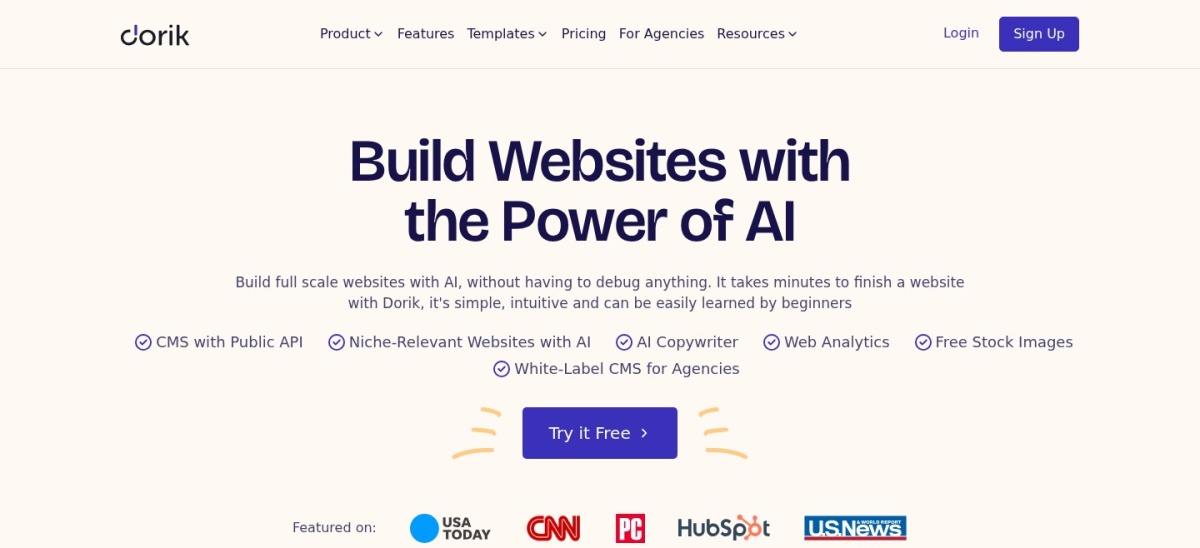
Dorik homepage, captured Nov 2026.
Dorik is an AI-assisted no-code website builder combining prompt-based website generation, visual editing, content collections and managed hosting. Its Essential subscription costs $249 annually and includes one custom domain, 25 static pages, 50 blog posts and five content collections. The vendor also offers a seven-day free trial.
The trade off is that the current $249 annual Essential subscription is relatively expensive for creators needing only a simple website. Regular monthly billing costs $29, and a lifetime Essential option is also listed at $249. It suits creators and freelancers who value AI website generation, code export and client website administration capabilities.
What we like
AI-assisted website generation
Visual editing with content collections
Unlimited storage and bandwidth on published paid plans
Code export functionality
Lifetime purchasing option listed
Watch out for
Current pricing emphasizes trial access rather than a permanent free plan
Essential includes only one custom domain
Entry subscription limits pages and blog posts
No additional collaborators included in Essential
Essential adds custom-domain publishing, AI generation, CMS features and code export.Visit dorik.com
Which no code website builder is best for monetizing creator content?
Newsletter creators should prioritize subscriber management and recurring payments. Ghost combines both through its Publisher subscription, which starts at $29 per month with annual billing and supports paid memberships without additional Ghost transaction commissions.
Visual creators should examine portfolio presentation, client delivery and product selling capabilities. Pixpa combines photography-oriented galleries with online store functionality, making it more specialized than a general landing page builder.
Creators selling services or promoting products through external platforms may need only a simple website. Carrd Pro Standard costs $19 annually and supports custom domains, signup forms, embedded widgets and payment-enabled form integrations.
Content-heavy creators should consider WordPress.com for long-term publishing. Its Personal subscription includes unlimited pages and posts, providing room to develop searchable articles, tutorials and other resources without fixed content collection allowances.
What does a no code creator website actually cost?
Basic creator websites can be inexpensive. Carrd Pro Lite costs $9 annually, while Pro Standard costs $19 and introduces custom-domain publishing. WordPress.com Personal costs $48 annually when purchased on its regular yearly billing arrangement.
Design-focused creators may find that a larger subscription is justified. Framer Basic costs $120 annually, while Webflow Basic costs $180 annually. Their entry plans differ in content management allowances, bandwidth and design capabilities.
Monetization and audience growth can introduce additional expenses. Ghost Publisher costs $348 annually at its starting member allowance, while payment processors, external commerce applications and premium website templates may carry separate charges.
The price ladder uses regular annual subscription rates or annualized entry prices rather than introductory sales. Pixpa uses its standard annual renewal discount, while Dorik uses its regular annual subscription instead of the advertised multiyear arrangement. Domain renewals and external integrations are excluded.
How we chose
We selected established no-code website builders, visual design platforms and creator publishing applications with features relevant to independent creators. Rankings prioritize design flexibility, publishing workflows, subscription affordability, creator monetization options and independent customer review evidence.
We opened official pricing pages and G2 review pages on 30 Nov 2026. Regular annual rates are used rather than temporary promotions, and review figures come from the opened product listings. Pixpa's annual renewal equivalent is calculated using its published regular monthly price and standard renewal discount.
We excluded products without confirmable regular public pricing and platforms primarily requiring manual website development. Ghost's free designation refers to its self-hosted open-source software, while Dorik's current official pricing takes precedence over older free-plan descriptions on G2. No vendor paid for a place, and we do not claim testing for this list.
How to choose the right no code website builder for your creator business
Identify your primary content format, audience growth plans, monetization requirements and long-term website budget before choosing a platform.
Choose a builder that matches your content format. Decide whether your website will primarily contain portfolio images, written articles, newsletters, videos or a single promotional landing page. Framer suits visual websites, WordPress.com suits extensive publishing, Pixpa serves visual portfolios and Carrd provides inexpensive single-page sites.
Calculate regular subscription and domain renewal costs. Compare annual prices after introductory discounts expire. Check whether custom-domain publishing, branding removal and required hosting allowances are included. Account for domain registration renewals, premium templates, additional collaborators and external applications before committing to a subscription.
Evaluate monetization and audience ownership. Determine whether you need recurring memberships, digital product sales, client galleries, contact forms or email subscriber collection. Confirm applicable payment processing charges and platform commissions. Review whether you can export subscriber information and content if you eventually change website providers.
Check design controls and publishing restrictions. Use an available free plan or trial to create a representative page and assess the mobile layout, editing workflow and content management experience. Review page allowances, storage, bandwidth and CMS restrictions to make sure the subscription supports your expected website growth.
FAQ
What is the best no code website builder software for creators in 2026?
Framer is the best overall no code website builder for creators who prioritize visual design, AI-assisted editing and custom-domain publishing from $10 per month with annual billing. Carrd is better for inexpensive single-page websites, while WordPress.com suits creators publishing substantial amounts of written content.
What is the best free no code website builder for creators?
Framer is a strong free option for creators who want visual design tools and AI-assisted website creation. Carrd is better for straightforward single-page profiles, while WordPress.com is suitable for free blogging. Custom-domain publishing and branding removal may require paid subscriptions.
Is Framer or Carrd better for creators?
Framer is better for creators who need distinctive multipage designs, responsive layouts and content management collections. Carrd is better for inexpensive landing pages and creator profiles. Framer Basic costs $120 annually, while Carrd Pro Standard provides custom-domain publishing for $19 annually.
How much does no code website builder software cost for creators?
Regular paid subscription prices in this comparison start at $9 annually for Carrd Pro Lite. WordPress.com Personal costs $48 annually, Framer Basic costs $120 annually, and Webflow Basic costs $180 annually. Additional costs can include domain renewals, payment processing and advanced publishing features.
Which website builder is easiest for beginner content creators?
Carrd is a practical starting point for beginners because its single-page website structure limits unnecessary complexity. Creators needing a blog should consider WordPress.com, while photographers may prefer Pixpa's specialized portfolio workflows. Choose a platform that matches your intended content rather than its total feature count.
What is the best no code website builder for photographers?
Pixpa is particularly suitable for photographers because it combines portfolio websites, client galleries and selling functionality within one platform. Basic regularly costs $9 with monthly billing. Framer is another attractive option for photographers who prioritize distinctive visual presentations over integrated client gallery administration.
Which no code website builder is best for paid newsletters?
Ghost is the best specialized option for paid newsletters because it connects website publishing, subscriber management and recurring memberships. Its Publisher subscription starts at $29 per month with annual billing for up to 1,000 members. Ghost does not add its own transaction commission.
Can creators build a professional website without learning to code?
Yes, no-code builders such as Framer, Carrd, WordPress.com and Pixpa provide visual editing and managed publishing without requiring manual programming. More advanced design customization may involve a learning curve, but creators can establish professional websites using templates, visual controls and built-in publishing tools.
Can I connect my own domain to a no code creator website?
Yes, all seven selected platforms support custom-domain publishing through appropriate plans or deployment arrangements. Carrd requires Pro Standard at $19 annually, Framer requires Basic at $10 per month with annual billing, and WordPress.com supports custom domains through its paid website subscriptions.
SaaS SEO and WordPress specialist with about 8 years of experience. Rakib compares WordPress plugins, themes, hosting and software using public pricing, documentation and user reviews. See how we rank.