Meta Box Alternatives in 2026: 7 Best Tools Compared
WLWPLegible EditorsLast verified 22 Nov 2026How we rank6 min read
★ Short answer
Advanced Custom Fields leads Meta Box alternatives with 2+ million active installs and a free core plugin plus paid tiers starting at $49/yr. Pods suits sites wanting free custom content types and fields with no paid tier, while JetEngine fits builders needing dynamic listings and filters.
How we make this list: we compare pricing pages, product documentation and public user reviews, then re-check every price before each update. No product paid for a place. Disclosure.
#2 Free alternative
Pods
Free field and content framework with 100K+ installs
Advanced Custom Fields carries 2+ million active installs and a 4.5 rating across 1,440 WordPress.org reviews.
Pods holds 100,000+ active installs and a 4.8 rating from 418 WordPress.org reviews with a free core plugin.
JetEngine starts at $75/yr regular price for 1 site on Crocoblock, with sale pricing shown on its page.
Custom Post Type UI reaches 1+ million active installs for registering post types and taxonomies, with Pro starting at $99/yr.
ACF Extended requires ACF Pro and starts at $49/yr for 1 site for extra field and admin tools.
Secure Custom Fields runs on 100,000+ active installs with a 4.8 rating across 69 WordPress.org reviews.
What to look for in a Meta Box alternative
Meta Box pairs a code-first framework with Meta Box Lite and paid bundles starting at $49/yr for 1 site. When evaluating alternatives, start by checking whether you want a visual UI for fields, post types, and taxonomies or prefer writing PHP and JSON.
Database storage and theme or builder ties matter just as much as field count. Some tools store values in standard WordPress meta tables, while others offer custom tables, block bindings, or tight integrations with page builders.
Licensing terms also vary across the category. Check whether a plugin charges per site or for unlimited sites, whether renewals stay at the regular rate, and whether your site relies on third-party add-ons that expect a specific plugin slug.
Lightweight plugin for simple custom field templates
Free
Free plan
4/5
Price ladder: cheapest paid plan per year
List prices, USD, checked Nov 2026
PodsFree
SCFFree
CFTFree
ACFFREE$49
ACF Ext.FREE$49
JetEngine$75
CPT UIFREE$99
The 7 best meta box alternatives
01
Advanced Custom Fields
4.5/5on WordPress.org (1,440 reviews, checked Nov 2026)
Paid from$49/yr
Best overall custom fields and post type alternative
Active installs2+ million
WP.org rating4.5 (1,440)
Entry paid plan$49/yr (1 site)
Free tierYes
advancedcustomfields.com
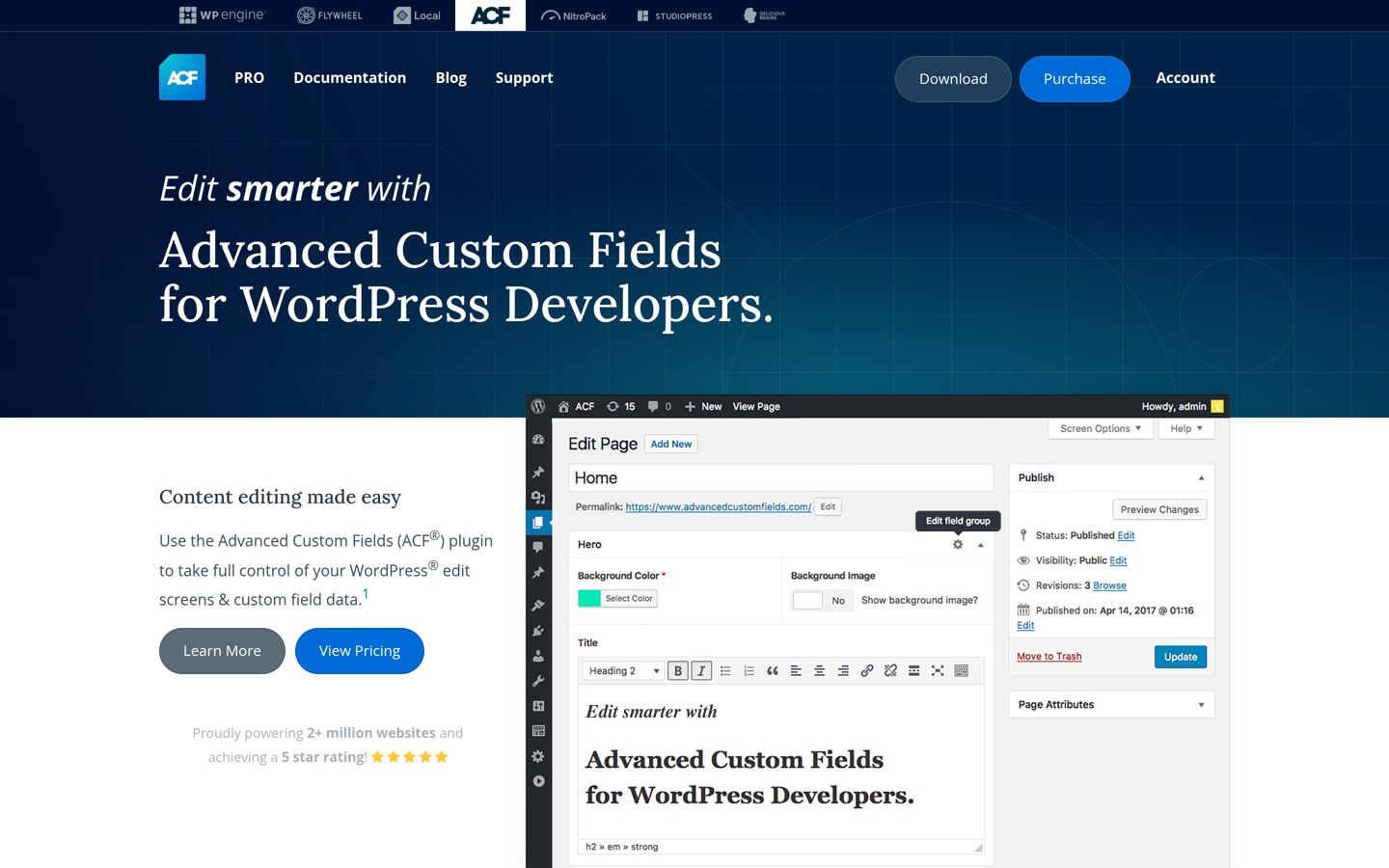
Advanced Custom Fields homepage, captured Nov 2026.
Advanced Custom Fields is a custom field, post type, and taxonomy builder with 2+ million active installs and a free plugin on WordPress.org. Its free version covers over 30 field types alongside post type and taxonomy registration.
The trade off is paying $49/yr regular price for 1 site to unlock Repeater, Flexible Content, Gallery fields, and Options Pages, with discounted sale pricing listed on its site. It suits developers and site builders who want wide third-party add-on support.
What we like
2+ million active installs on WordPress.org
Free version includes custom fields, post types, and taxonomies
Broad ecosystem of themes and third-party add-ons
Watch out for
Repeater and Options Pages require a paid PRO license
Paid ACF PRO starts at $49/yr regular price for 1 site and adds Repeater, Flexible Content, Gallery fields, Options Pages, and Clone fields.Visit advancedcustomfields.com
02
Pods
4.8/5on WordPress.org (418 reviews, checked Nov 2026)
PriceFree
Best free framework for custom content types and relationships
Active installs100,000+
WP.org rating4.8 (418)
Entry paid planNone listed
Free tierYes
pods.io
Pods homepage, captured Nov 2026.
Pods is a free content type and custom field framework with 100,000+ active installs and a 4.8 rating across 418 WordPress.org reviews. It supports custom post types, taxonomies, settings pages, relationships, and optional custom database tables.
The trade off is a steeper setup curve when configuring relationships, templates, and custom storage options compared with simpler field builders. It suits site owners and developers who want free core tools without an annual subscription.
What we like
4.8 rating across 418 WordPress.org reviews
Supports custom post types, taxonomies, and relationships
Offers optional custom database table storage
Watch out for
More configuration steps for complex setups
Smaller add-on catalog than flagship field plugins
Pods is offered as a free WordPress.org plugin with no paid tier listed on its site.Visit pods.io
03
JetEngine
4.9/5on WordPress.org (165 reviews, checked Nov 2026)
Starts at$75/yr
Best for dynamic listings, relations, and visual builder loops
WP.org rating4.9 (165)
Entry paid plan$75/yr (1 site)
Free tierNo
Builder supportElementor, Gutenberg, Bricks
crocoblock.com
JetEngine homepage, captured Nov 2026.
JetEngine is a dynamic content plugin from Crocoblock for building custom post types, meta fields, relations, and listing templates. It works with Elementor, Gutenberg, and Bricks to display structured data without custom PHP templates.
The trade off is a $75/yr regular price for 1 site with no free tier, though Crocoblock lists sale pricing on its site. It suits builders creating directories, catalogs, or dynamic templates inside visual editors.
What we like
Built for custom post types, relations, and dynamic listings
Integrates with Elementor, Gutenberg, and Bricks
Includes a 1-site annual option alongside bundles
Watch out for
No free core version on WordPress.org
Higher starting price than single-site field tools
JetEngine starts at $75/yr regular price for 1 site and bundles into Crocoblock All-Inclusive plans.Visit crocoblock.com
04
Custom Post Type UI
4.8/5on WordPress.org (276 reviews, checked Nov 2026)
Paid from$99/yr
Best dedicated UI for post types and taxonomies
Active installs1+ million
WP.org rating4.8 (276)
Entry paid plan$99/yr (1 site)
Free tierYes
pluginize.com
Custom Post Type UI homepage, captured Nov 2026.
Custom Post Type UI is a WordPress plugin with 1+ million active installs and a 4.8 rating across 276 reviews for registering post types and taxonomies. Its free plugin focuses on content type registration rather than adding custom meta fields.
The trade off is needing a separate field plugin or custom code for fields, while Custom Post Type UI Pro starts at $99/yr for 1 site. It suits sites that already handle fields elsewhere and want a dedicated post type interface.
What we like
1+ million active installs and 4.8 rating on WordPress.org
Focused interface for custom post types and taxonomies
Free core plugin with optional Pro add-on
Watch out for
Free version does not include a custom field builder
Pro add-on starts at $99/yr for 1 site
Custom Post Type UI Pro starts at $99/yr for 1 site and adds admin column controls, frontend display blocks, and multisite tools.Visit pluginize.com
05
ACF Extended
4.8/5on WordPress.org (132 reviews, checked Nov 2026)
Paid from$49/yr
Best enhancement add-on if you already use ACF
Active installs100,000+
WP.org rating4.8 (132)
Entry paid plan$49/yr (1 site)
Free tierYes
acf-extended.com
ACF Extended homepage, captured Nov 2026.
ACF Extended is an enhancement suite with 100,000+ active installs and a 4.8 rating across 132 WordPress.org reviews. It adds extra field options, post type and taxonomy managers, and developer tools on top of ACF.
The trade off is depending on ACF—with Pro features requiring ACF PRO—and paying $49/yr for 1 site on ACF Extended Pro. It suits developers already standardized on ACF who want extra admin and field controls.
What we like
4.8 rating across 132 WordPress.org reviews
Adds extra field settings, forms, and admin tools
Starts at $49/yr for 1 site on its Pro tier
Watch out for
Depends on Advanced Custom Fields rather than standing alone
Several modules require ACF PRO
ACF Extended Pro starts at $49/yr for 1 site and unlocks Pro field options, screen layouts, and priority support.Visit acf-extended.com
06
Secure Custom Fields
4.8/5on WordPress.org (69 reviews, checked Nov 2026)
PriceFree
Best free fork for ACF-compatible field workflows
Active installs100,000+
WP.org rating4.8 (69)
Entry paid planNone listed
Free tierYes
wordpress.org
Secure Custom Fields homepage, captured Nov 2026.
Secure Custom Fields is a custom fields, post type, and taxonomy plugin on WordPress.org with 100,000+ active installs. It holds a 4.8 rating across 69 WordPress.org reviews and follows an ACF-style field and template model.
The trade off is maintaining a separate release track from ACF, which means third-party add-ons or workflows built around ACF should be checked before switching. It suits sites seeking a free field builder without a commercial license.
What we like
4.8 rating across 69 WordPress.org reviews
100,000+ active installations in the directory
Supports custom fields, post types, taxonomies, and options
Watch out for
Separate codebase and release schedule from ACF
Third-party add-on compatibility varies by plugin
Secure Custom Fields is listed as a free plugin on WordPress.org with no commercial pricing page.Visit wordpress.org
07
Custom Field Template
4/5on WordPress.org (24 reviews, checked Nov 2026)
PriceFree
Best lightweight plugin for simple custom field templates
Active installs30,000+
WP.org rating4.0 (24)
Entry paid planNone listed
Free tierYes
wordpress.org
Custom Field Template homepage, captured Nov 2026.
Custom Field Template is a WordPress.org plugin with 30,000+ active installs for adding custom fields and entry templates to posts. It holds a 4.0 rating across 24 WordPress.org reviews.
The trade off is a lower 4.0 review score and a narrower feature set than full content modeling suites. It suits simple post-level custom fields where you do not need complex relationships or visual builders.
What we like
30,000+ active installations on WordPress.org
Free plugin with no paid tier required
Lightweight fit for basic post custom fields
Watch out for
4.0 rating across 24 WordPress.org reviews
Fewer field and modeling features than larger frameworks
Custom Field Template is free on WordPress.org with no paid license listed.Visit wordpress.org
Choosing between visual UIs and code-first setups
Visual builders let site owners and editors create field groups, post types, and taxonomies directly inside the WordPress dashboard. That speeds up iteration on client sites when non-developers adjust content structures.
Code-first and hybrid approaches keep definitions in PHP or JSON files for version control and predictable deployments. Many teams pick a plugin that supports both so developers can export or commit schemas cleanly.
How we chose
We selected established WordPress custom field, dynamic content, and content type plugins that serve as alternatives to Meta Box across free and paid setups.
We checked active installations, WordPress.org ratings and review counts, and official pricing pages on 22 Nov 2026.
We excluded unmaintained tools, abandoned forks, and products without a verified pricing page or active WordPress.org listing. No vendor paid for a place, and we do not claim testing for this list.
How to pick the right alternative
Follow four steps before committing a site to a custom field plugin.
List the content types and fields you need. Separate basic text and image fields from repeaters, relationships, options pages, and custom post types before comparing tiers.
Check theme and page builder compatibility. Confirm your active theme, block setup, or page builder works smoothly with the plugin's field outputs and dynamic data features.
Compare regular annual pricing and site limits. Look past promotional discounts to the regular renewal price and check whether you need 1 site, a few sites, or unlimited sites.
Plan data portability from day one. Keep field names and exportable schemas documented so migrating or refactoring content types later stays manageable.
FAQ
What is the closest alternative to Meta Box?
Advanced Custom Fields is the closest broad alternative for custom fields, post types, and taxonomies, backed by 2+ million active installs and free plus paid plans. Pods is another strong option if you want a free framework for custom content types and relationships.
Can I replace Meta Box with a free plugin?
Yes. Pods and Secure Custom Fields both offer free plugins on WordPress.org, and Advanced Custom Fields also provides a free core plugin alongside paid Pro tiers.
How does JetEngine differ from custom field plugins?
JetEngine focuses on dynamic content, custom post types, relationships, and visual listing templates for builders like Elementor, Gutenberg, and Bricks. It starts at $75/yr regular price for 1 site and has no free version.
Do I need a separate plugin just for custom post types?
Not always, because tools like Advanced Custom Fields, Pods, and Secure Custom Fields can register post types and taxonomies. Custom Post Type UI remains popular if you want a dedicated plugin focused on post types and taxonomies.
Why do some plugins charge extra for repeaters or options pages?
Many developers keep core field types free or low-cost while placing advanced features like repeaters, flexible layouts, and site-wide options pages in paid tiers. Check what features your project requires before buying.
Should I consider ACF Extended if I do not use ACF?
No. ACF Extended is built to extend Advanced Custom Fields and requires ACF for its workflows, with Pro features tied to ACF PRO. If you do not use ACF, pick a standalone plugin instead.