Best WordPress Uptime Monitor Plugins in 2026: 7 Tools Compared
WLWPLegible EditorsLast verified 22 Nov 2026How we rank11 min read
★ Short answer
ManageWP is the best WordPress uptime monitor plugin for most site owners, with 1 million+ active installations and uptime monitoring available for $1 per site monthly. MainWP is better for self-hosted monitoring across multiple websites, while Jetpack includes free downtime monitoring with five-minute checks.
How we make this list: we compare pricing pages, product documentation and public user reviews, then re-check every price before each update. No product paid for a place. Disclosure.
ManageWP Worker has 1 million+ active installations and a 4.6/5 rating from 680 reviews. Its uptime add-on costs $1 per site monthly.
MainWP has 20,000+ active installations and a 4.9/5 rating from 2,354 reviews. Uptime monitoring is included in its free core.
Jetpack has 3 million+ active installations and offers free downtime monitoring with five-minute checks.
WP Remote includes uptime and domain monitoring in its free plan, while Essential costs $1.99 per site monthly.
Better Stack includes 10 monitors on its free plan, while paid monitoring expansion starts at $25 monthly.
StatusCake offers 10 free uptime monitors with five-minute intervals. Superior starts at $20.41 monthly with annual billing.
What to look for in a WordPress uptime monitoring plugin
An uptime monitoring plugin helps you identify when your WordPress website becomes unavailable. Most reliable solutions perform external checks from independent servers and send alerts when a site stops responding.
The first consideration is monitoring frequency. A service checking every five minutes may miss a brief outage, while one-minute monitoring provides more frequent opportunities to detect problems. Faster checks are often reserved for paid plans.
Next, compare alert options. Email notifications are sufficient for many blogs, but stores and business-critical websites may benefit from SMS, phone calls, Slack notifications or integration with an incident management system.
Consider whether you need uptime monitoring alone or broader WordPress management. Tools such as ManageWP, MainWP and WP Remote combine monitoring with updates and maintenance, while external services such as Better Stack and StatusCake focus on website availability.
Finally, check reporting, incident history and false-alert prevention. Monitoring from multiple locations can help distinguish genuine outages from temporary connectivity problems.
List prices in each vendor's currency, checked Nov 2026
ManageWPFREE$12
WP RemoteFREE$24
WP Umbrella€24
MainWPFREE$199
StatusCakeFREE$245
Better StackFREE$300
JetpackFREE$348
The 7 best WordPress uptime monitor plugins
01
ManageWP
4.6/5on WordPress.org (680 reviews, checked Nov 2026)
Paid from$1/mo
Best WordPress uptime monitor plugin overall
Uptime monitoringPremium add-on
Monitoring price$1/site/mo
Free dashboardUnlimited websites
AlertsDowntime and recovery
managewp.com
ManageWP homepage, captured Nov 2026.
ManageWP is a WordPress maintenance platform with 1 million+ active Worker installations and a 4.6/5 WordPress.org rating from 680 reviews. Its free dashboard manages unlimited websites, plugin updates, security checks and monthly backups, while the premium uptime add-on monitors availability and sends downtime notifications.
The trade off is that uptime monitoring is not included in the free dashboard and costs $1 per site monthly, or $12 yearly. It suits freelancers, agencies and individual site owners who want affordable downtime alerts alongside WordPress maintenance.
What we like
Low per-site uptime monitoring cost
Free dashboard for unlimited websites
Centralized website updates and maintenance
Downtime and recovery notifications
Established WordPress plugin with extensive adoption
Watch out for
Uptime monitoring requires a paid add-on
Additional maintenance features have separate charges
Depends on an external management dashboard
The paid uptime add-on enables automated availability checks and downtime alerts.Visit managewp.com
02
MainWP
4.9/5on WordPress.org (2,354 reviews, checked Nov 2026)
Paid from$199/yr
Best for self-hosted uptime monitoring across multiple sites
Uptime monitoringIncluded in free core
Managed websitesUnlimited
DashboardSelf-hosted
Paid planPro Monthly
mainwp.com
MainWP homepage, captured Nov 2026.
MainWP is a self-hosted WordPress management plugin with 20,000+ active installations and a 4.9/5 rating from 2,354 reviews. Its free Essentials plan includes uptime monitoring, backups, updates and support for unlimited websites, allowing site owners to manage monitoring through their own WordPress dashboard.
The trade off is that MainWP requires a separate dashboard installation and more configuration than a hosted monitoring service. The cheapest paid option is Pro Monthly at $29 per month, while Pro Yearly regularly costs $199 and is currently advertised at $149. It suits agencies wanting control over their monitoring infrastructure.
What we like
Free uptime monitoring in the core platform
Unlimited managed WordPress websites
Self-hosted management dashboard
Strong WordPress.org rating
Integrations with external uptime services
Watch out for
Requires a separate WordPress dashboard installation
Initial configuration is more involved
Premium reporting and team features require Pro
Pro adds premium extensions, client reports, team permissions and priority support.Visit mainwp.com
03
Jetpack
3.7/5on WordPress.org (2,413 reviews, checked Nov 2026)
Paid from$29/mo
Best free uptime monitoring for a single WordPress site
Free uptime checksEvery 5 minutes
NotificationsEmail and app
ConnectionWordPress.com account
Paid bundlePro, billed annually
jetpack.com
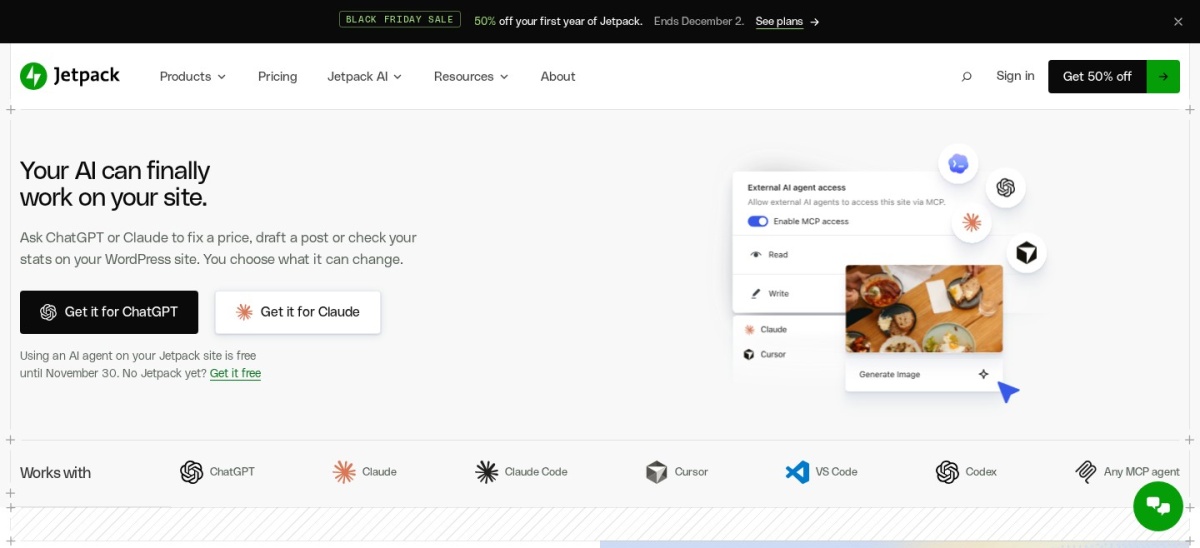
Jetpack homepage, captured Nov 2026.
Jetpack is a WordPress security and management plugin with 3 million+ active installations and a 3.7/5 rating from 2,413 reviews. Its free downtime monitor checks site availability every five minutes and sends notifications when the website becomes unavailable or recovers, without requiring a separate monitoring subscription.
The trade off is that faster one-minute checks and additional notification options require a Jetpack Monitor upgrade, while the broader Jetpack Pro bundle regularly costs $29 monthly with annual billing. It suits individual sites already using Jetpack that need basic availability alerts without purchasing another service.
What we like
Free external downtime monitoring
Five-minute monitoring intervals
Email and app notifications
Integrates with existing Jetpack accounts
Monitoring is available without purchasing a bundle
Watch out for
Free checks are less frequent than paid alternatives
Requires a WordPress.com connection
The Pro bundle includes features unrelated to uptime monitoring
Public plugin rating is lower than several competitors
Paid Jetpack services add broader security and management features; enhanced monitoring is offered through Jetpack Manage.Visit jetpack.com
04
WP Remote
4.6/5on WordPress.org (75 reviews, checked Nov 2026)
Paid from$1.99/mo
Best for uptime monitoring with WordPress maintenance
Free monitoringUptime and domain
Advanced checksSSL, PHP errors and content
Website updatesIncluded in free plan
Paid planEssential, 1 site
wpremote.com
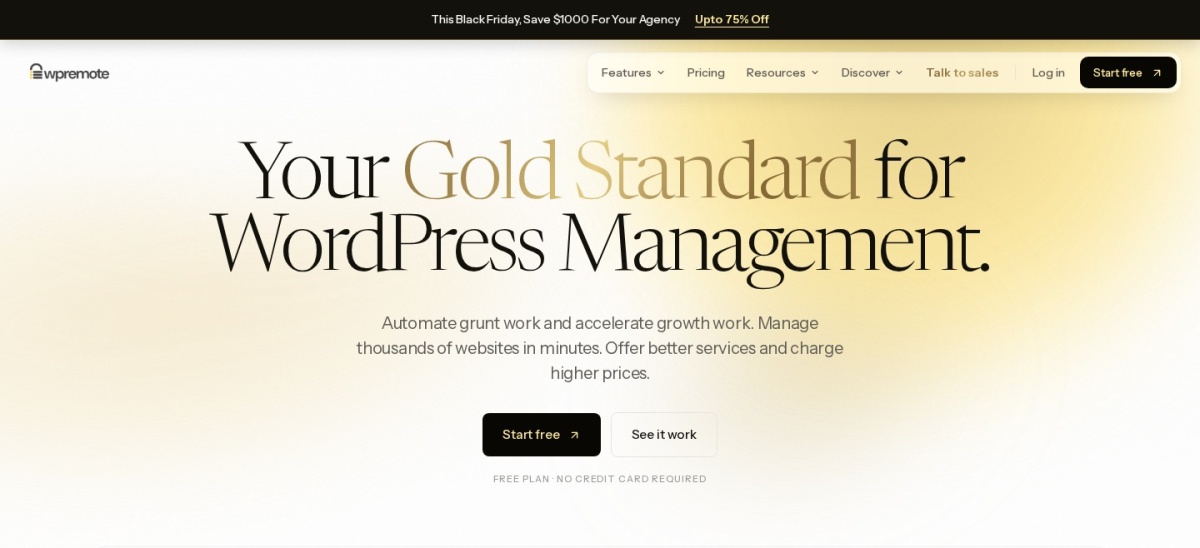
WP Remote homepage, captured Nov 2026.
WP Remote is a WordPress management plugin with 30,000+ active installations and a 4.6/5 rating from 75 reviews. Its free plan includes uptime and domain monitoring, WordPress updates, safe-update scheduling and client reports, while the paid Essential plan adds broader website monitoring and backup capabilities.
The trade off is that advanced checks for SSL certificates, PHP errors and page content require Essential at $1.99 per site monthly, or $23.88 yearly at monthly pricing. It suits agencies and website owners wanting uptime monitoring together with maintenance and security management.
What we like
Free uptime and domain monitoring
Centralized WordPress management
Advanced SSL and PHP monitoring in Essential
Supports multiple managed websites
Low entry price for the paid plan
Watch out for
Advanced monitoring requires Essential
Pricing scales with the number of sites
Requires connecting WordPress to an external service
Essential adds advanced SSL, PHP error and page content monitoring, daily backups and visual checks.Visit wpremote.com
05
Better Stack
4.8/5on G2 (344 reviews, checked Nov 2026)
Paid from$25/mo
Best for uptime alerts and incident management
Free monitoring10 monitors and heartbeats
Alert channelsEmail and Slack
Status pages1 free
Paid monitoringAdditional 50 monitors
betterstack.com
Better Stack homepage, captured Nov 2026.
Better Stack is an external uptime and incident monitoring platform with a 4.8/5 G2 rating from 344 reviews. Its free plan includes 10 monitors and heartbeats, a status page, email alerts and Slack notifications. WordPress websites can be monitored using their public URLs without installing a dedicated plugin.
The trade off is that expanded monitoring and advanced incident features are charged separately. Adding 50 monitors costs $25 monthly at regular monthly pricing, or $21 monthly with annual billing. It suits business-critical websites and technical teams needing detailed incident notifications and external availability checks.
What we like
Free uptime monitoring and status page
External checks independent of WordPress
Email and Slack notifications
Advanced incident management capabilities
Flexible monitoring expansion
Watch out for
Not a native WordPress plugin
Advanced incident workflows require paid services
Pricing depends on enabled services and usage
Paid monitoring expands capacity and adds advanced alerting and incident management options.Visit betterstack.com
06
WP Umbrella
4.8/5on WordPress.org (83 reviews, checked Nov 2026)
Starts at€1.99/mo
Best for agency uptime monitoring and client reports
Uptime monitoringIncluded
BackupsAutomated cloud
Client reportsWhite-label
Paid planPer-site subscription
wp-umbrella.com
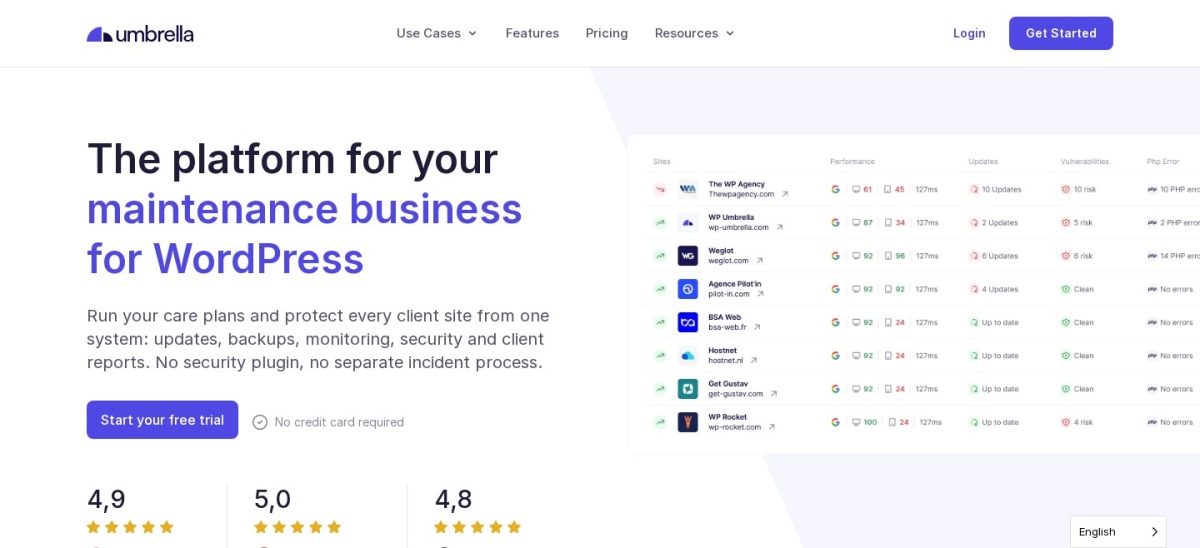
WP Umbrella homepage, captured Nov 2026.
WP Umbrella is a WordPress maintenance platform with 90,000+ active installations and a 4.8/5 rating from 83 reviews. Its subscription includes uptime monitoring, automated cloud backups, safe updates, vulnerability monitoring and white-label client reports through a centralized dashboard.
The trade off is that WP Umbrella requires a paid subscription for ongoing service, regularly priced at €1.99 per site monthly, with a temporary €1.59 Black Friday offer. It suits agencies managing recurring maintenance plans and needing availability monitoring, backups and reporting in one service.
What we like
Uptime monitoring included in the subscription
Centralized management of client websites
Automated backups and update rollback
White-label maintenance reports
Strong WordPress.org rating
Watch out for
No permanent free monitoring plan
Per-site charges grow with the portfolio
Not ideal if only basic uptime monitoring is needed
The paid subscription includes uptime monitoring, backups, security checks and client reporting.Visit wp-umbrella.com
07
StatusCake
4.8/5on G2 (15 reviews, checked Nov 2026)
Paid from$20.41/mo
Best for external uptime and SSL monitoring
Free uptime monitors10
Free check frequency5 minutes
Paid check frequency1 minute
Paid planSuperior, annual billing
statuscake.com
StatusCake homepage, captured Nov 2026.
StatusCake is an external website monitoring service with a 4.8/5 G2 rating from 15 reviews. Its free plan includes 10 uptime monitors with five-minute checks, plus individual monitors for page speed, SSL certificates and domain expiration. WordPress websites can be monitored directly through their URLs.
The trade off is that faster monitoring, expanded coverage and advanced reports require Superior, starting at $20.41 per month with annual billing, or $244.92 yearly. It suits website owners who want uptime monitoring alongside SSL, domain and performance checks.
What we like
Free external uptime monitoring
SSL and domain monitoring included
One-minute checks on Superior
Additional page speed monitoring
Does not require a WordPress plugin
Watch out for
Not a native WordPress maintenance plugin
Faster checks require a paid subscription
Advanced alerting and reporting are plan-dependent
Superior adds more monitors, one-minute checks, server monitoring and additional reporting.Visit statuscake.com
External uptime monitoring vs WordPress plugins
External uptime monitors check your website from independent servers. This approach is useful because monitoring continues even when WordPress itself becomes unavailable.
WordPress management plugins often connect to external monitoring infrastructure. ManageWP, WP Remote and WP Umbrella use their hosted services to provide monitoring alongside other website maintenance features.
MainWP provides a self-hosted management dashboard with uptime monitoring, while Jetpack connects WordPress to Automattic's monitoring infrastructure. These options are convenient when you already use their management tools.
Better Stack and StatusCake require no WordPress plugin for basic URL monitoring. They are worth considering when you want monitoring independent of your site's WordPress installation.
How to set up useful WordPress uptime alerts
Monitor a public page that represents the availability of your website. Avoid checking only a cached page if important application functions could fail while that page remains accessible.
Choose monitoring intervals according to the website's importance. Five-minute checks may be sufficient for a personal blog, while business-critical sites may justify more frequent checks.
Set up notifications for both downtime and recovery. Use a reliable email address and consider a second alert channel for important websites.
Review incident history regularly. Repeated short outages, slow responses or failures at specific times may reveal hosting, caching or server resource problems that need investigation.
How we chose
We selected established WordPress maintenance plugins and external uptime monitoring services from WordPress.org, official vendor websites and public software review platforms. We prioritized independent availability checks, useful notifications, monitoring frequency, reporting features, maintenance history and suitability for WordPress websites.
On 22 Nov 2026, we checked WordPress.org ratings, review counts, active installations and official pricing pages. For external services, we used G2 customer ratings and official subscription information. Regular prices were prioritized over introductory discounts, with different billing models identified.
We excluded outdated WordPress monitoring plugins, products without verifiable pricing and tools that lacked meaningful uptime monitoring capabilities. We distinguished native WordPress plugins from external services and noted important limitations of free plans. No vendor paid for a place, and we do not claim testing for this list.
How to choose a WordPress uptime monitor plugin
Decide how quickly you need downtime alerts, then compare monitoring methods, notification options and total cost.
Choose your monitoring frequency. Determine how quickly you need to know when your website becomes unavailable. Free five-minute checks may be enough for a personal site, while shorter intervals are more suitable for stores and business-critical services.
Compare notification channels. Check whether the service supports email, mobile notifications, SMS, phone calls or team integrations. Choose channels that reach the person responsible for responding to outages, especially outside normal working hours.
Decide between monitoring and maintenance. Use a dedicated external service when availability monitoring is your main concern. Consider ManageWP, MainWP or WP Remote when you also need WordPress updates, backups and centralized administration.
Calculate the complete monitoring cost. Compare regular renewal prices, the number of included monitors and charges for additional websites or notifications. Review public ratings and maintenance records, and verify how each service handles false alerts and monitoring interruptions.
FAQ
What is the best WordPress uptime monitor plugin?
ManageWP is our top overall recommendation for affordable WordPress uptime monitoring. Its Worker plugin has 1 million+ active installations, and the uptime add-on costs $1 per site monthly. MainWP is another option if you prefer self-hosted management with free monitoring.
Can I monitor WordPress uptime for free?
Yes. Jetpack provides free downtime monitoring with five-minute checks. MainWP includes uptime monitoring in its free core, while WP Remote offers free uptime and domain monitoring. External services such as Better Stack and StatusCake also provide free monitoring plans.
How often should WordPress uptime be checked?
Five-minute monitoring is a reasonable starting point for less critical websites. Business-critical websites may benefit from one-minute checks because they provide more frequent opportunities to detect outages. Monitoring frequency should reflect the cost of downtime and how quickly someone can respond.
Does WordPress include built-in uptime monitoring?
WordPress core does not include a complete external uptime monitoring and notification service. You can add monitoring through plugins such as Jetpack or management platforms such as ManageWP and MainWP. External services can also check your website without installing a plugin.
Can an uptime monitor detect a broken WordPress website?
An uptime monitor can detect many availability problems, including connection failures, server errors and certain unexpected responses. However, a website may return a successful HTTP response while important functions are broken. Content checks and transaction monitoring can provide additional coverage.
Will uptime monitoring slow down WordPress?
External uptime monitoring generally adds little processing overhead to WordPress because the checks run from independent servers. Each request still reaches your website, but normal monitoring intervals are usually manageable. Self-hosted monitoring systems may require additional resources for their dashboards.
What is the difference between uptime monitoring and performance monitoring?
Uptime monitoring checks whether a website is available and responds as expected. Performance monitoring measures factors such as response time, page speed and resource usage. Some tools combine both, but a website can be technically available while still providing a poor user experience.
Which uptime monitor is best for WordPress agencies?
MainWP is useful for agencies wanting self-hosted management and free uptime checks. ManageWP offers a hosted dashboard with monitoring billed per website, while WP Umbrella combines availability checks, backups, updates and client reporting. The better choice depends on portfolio size and maintenance requirements.
Can uptime monitoring improve SEO?
Uptime monitoring can help identify outages that prevent search engines and visitors from accessing a website. Faster detection may reduce the duration of unresolved availability problems. Monitoring itself does not directly improve search rankings, but maintaining a reliable website supports accessibility and crawling.